1. 函数基本语法
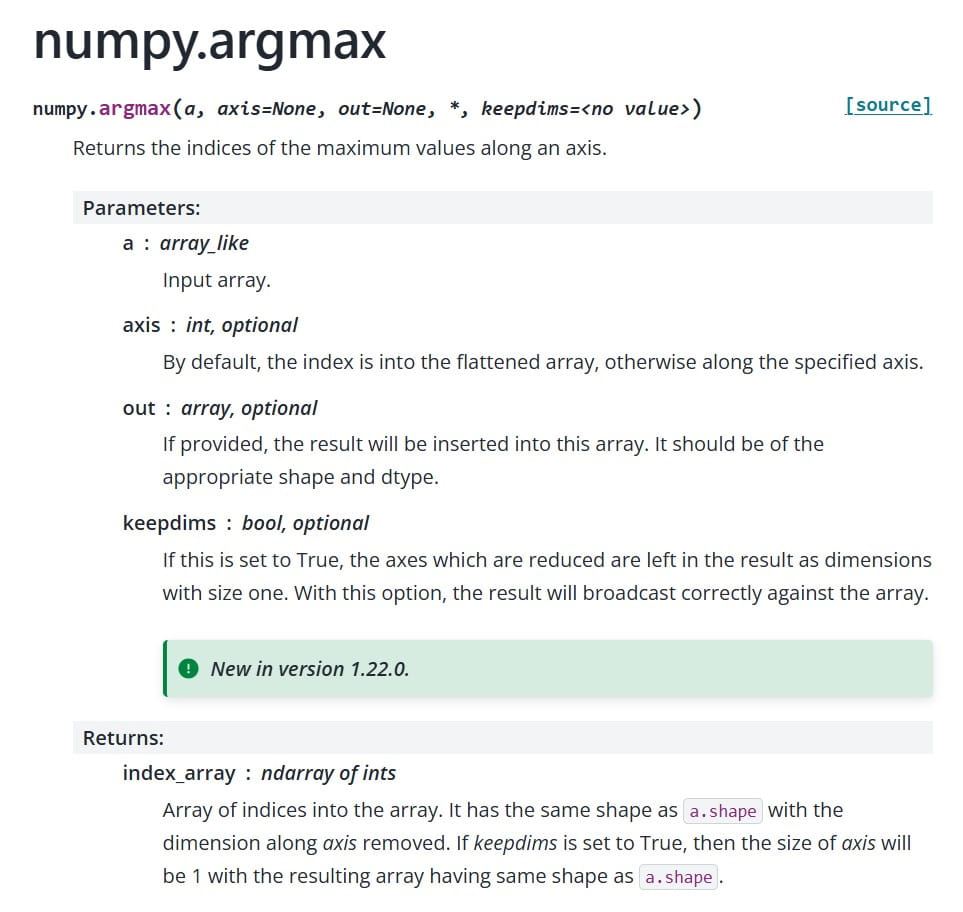
numpy.hstack(tup)
参数:
- `tup`:包含要堆叠数组的序列(通常是元组或列表),所有数组必须具有相同的形状(除了第二个轴,即列方向)
返回值:
- 堆叠后的数组
2. 一维数组的堆叠
一维数组的水平堆叠会创建一个更长的一维数组:
import numpy as np

# 一维数组示例
a = np.array([1, 2, 3])
b = np.array([4, 5, 6])

print("a:", a)
print("b:", b)
print("a.shape:", a.shape)
print("b.shape:", b.shape)

result = np.hstack((a, b))
print("hstack result:", result)
print("result.shape:", result.shape)
输出:
a: [1 2 3]
b: [4 5 6]
a.shape: (3,)
b.shape: (3,)
hstack result: [1 2 3 4 5 6]
result.shape: (6,)
3. 二维数组的堆叠
二维数组的水平堆叠会增加列数:
# 二维数组示例
a = np.array([[1, 2], [3, 4]])
b = np.array([[5, 6], [7, 8]])

print("a:")
print(a)
print("b:")
print(b)
print("a.shape:", a.shape)
print("b.shape:", b.shape)

result = np.hstack((a, b))
print("hstack result:")
print(result)
print("result.shape:", result.shape)
输出:
a:
[[1 2]
[3 4]]
b:
[[5 6]
[7 8]]
a.shape: (2, 2)
b.shape: (2, 2)
hstack result:
[[1 2 5 6]
[3 4 7 8]]
result.shape: (2, 4)
4. 三维数组的堆叠
对于三维数组,`hstack`会在第二个维度(列)上堆叠:
# 三维数组示例
a = np.random.randn(2, 3, 4)
b = np.random.randn(2, 2, 4)

print("a.shape:", a.shape)
print("b.shape:", b.shape)

result = np.hstack((a, b))
print("result.shape:", result.shape)
输出:
a.shape: (2, 3, 4)
b.shape: (2, 2, 4)
result.shape: (2, 5, 4)
5. 注意事项
1. 形状要求:所有输入数组在除了第二个轴以外的所有轴上必须具有相同的形状
2. 错误示例:
   # 这会报错,因为行数不同
   a = np.array([[1, 2], [3, 4]])
   b = np.array([[5, 6, 7]])  # 形状不匹配
   # result = np.hstack((a, b))  # ValueError
7. 与其他堆叠函数比较
- `vstack()`:垂直堆叠(按行)
- `dstack()`:深度堆叠(沿第三个轴)
- `concatenate()`:通用连接函数,可以指定轴```python
比较不同堆叠方法
a = np.array([[1, 2], [3, 4]])
b = np.array([[5, 6], [7, 8]])

print("hstack (水平):")
print(np.hstack((a, b)))

print("vstack (垂直):")
print(np.vstack((a, b)))

print("dstack (深度):")
print(np.dstack((a, b)))
输出
hstack (水平):
[[1 2 5 6]
[3 4 7 8]]
vstack (垂直):
[[1 2]
[3 4]
[5 6]
[7 8]]
dstack (深度):
[[[1 5]
[2 6]][[3 7]
[4 8]]]
8. 实际应用示例
# 合并特征矩阵
features1 = np.random.randn(100, 5)  # 100个样本,5个特征
features2 = np.random.randn(100, 3)  # 100个样本,3个特征

combined_features = np.hstack((features1, features2))
print("原始特征形状:", features1.shape, features2.shape)
print("合并后特征形状:", combined_features.shape)
通过这个教程,你应该能够理解`hstack`函数的工作原理和适用场景。记住关键点是:**水平堆叠会增加数组的列数(第二个维度)**,并且所有输入数组在除了第二个维度外的其他维度上必须具有相同的形状。
到此这篇关于NumPy的hstack函数详细教程的文章就介绍到这了,更多相关NumPy hstack函数内容请搜索以前的文章或继续浏览下面的相关文章希望大家以后多多支持!