零、准备
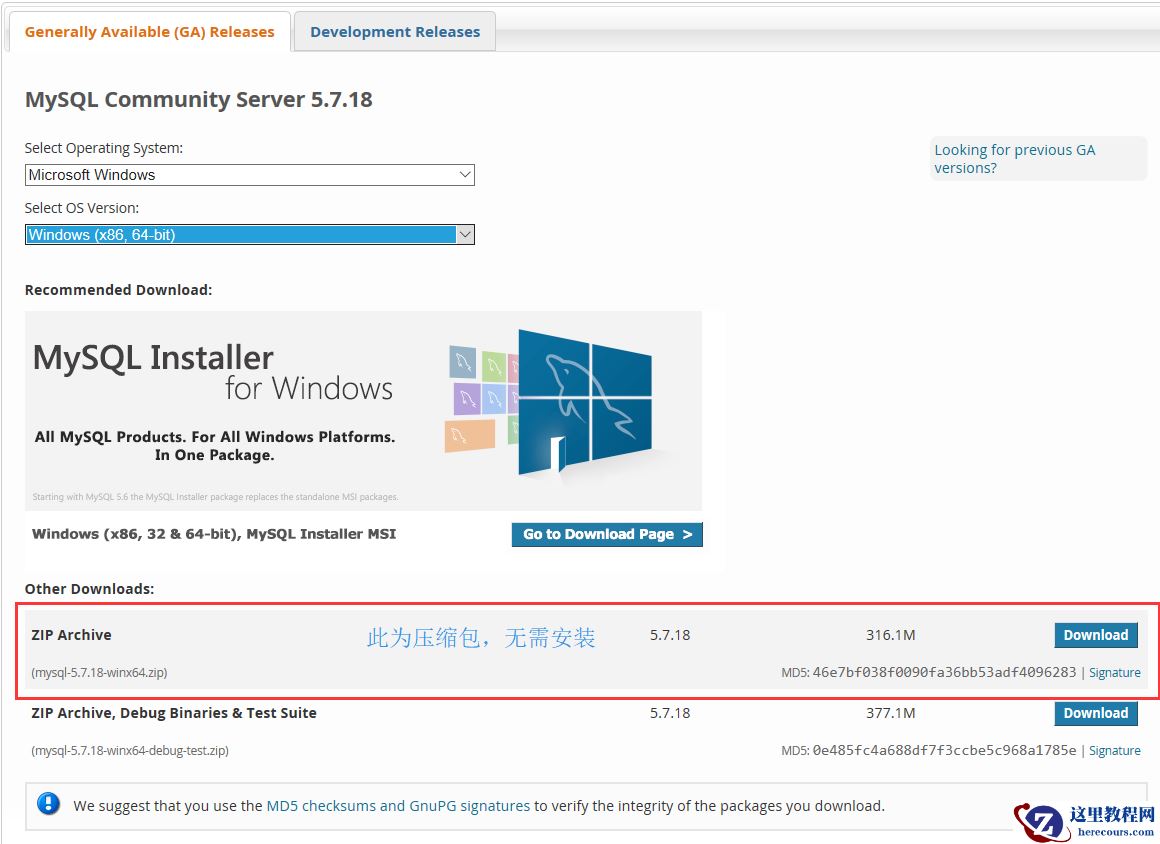
1、安装MySQL
2、服务端启动
3、客户端连接
4、SQL 语句分类
一、数据库操作
1、显示数据库
2、创建数据库
3、使用数据库
4、用户管理
5、授权管理
二、数据表操作
1、创建表
2、删除表
3、清空表
4、修改表
三、表内容操作
1、增
2、删
3、改
4、查
5、深度查
零、准备
1、安装MySQL
2、服务端启动
mysql.server start
 

3、客户端连接
mysql -u username -p
--退出
QUIT 或者 Control+D
 

4、SQL 语句分类
DDL(Data Definition Language,数据定义语言)用来创建或者删除存储数据用的数据库以及数据库中的表等对象。DDL 包含以下几种指令。
DML(Data Manipulation Language,数据操纵语言)用来查询或者变更表中的记录。DML 包含以下几种指令。
DCL(Data Control Language,数据控制语言)用来确认或者取消对数据库中的数据进行的变更。除此之外,还可以对 RDBMS 的用户是否有权限操作数据库中的对象(数据库表等)进行设定。DCL 包含以下几种指令。
一、数据库操作
1、显示数据库
SHOW DATABASES;
默认数据库有以下:
mysql - 用户权限相关数据
test - 用于用户测试数据
information_schema - MySQL本身架构相关数据
2、创建数据库
CREATE DATABASE 数据库名称 DEFAULT CHARSET utf8 COLLATE utf8_general_ci;
一般是utf8。后续检索、各种小工具都能用起来。
3、使用数据库
--使用数据库
USE 数据库名称;
--显示当前使用的数据库中所有表
SHOW TABLES;
4、用户管理
--创建用户
create user '用户名'@'IP地址' identified by '密码';
--删除用户
drop user '用户名'@'IP地址';
--修改用户
rename user '用户名'@'IP地址'; to '新用户名'@'IP地址';
--修改密码
set password for '用户名'@'IP地址' = Password('新密码');
用户权限相关数据保存在mysql数据库的user表中,但不建议直接对其进行操作。
5、授权管理
-- 查看权限
show grants for '用户'@'IP地址';
-- 授权
grant  权限 on 数据库.表 to   '用户'@'IP地址' ;
-- 取消权限
revoke 权限 on 数据库.表 from '用户'@'IP地址';
经常使用的权限:
all privileges -除grant外的所有权限
select -仅查权限
select,insert -查和插入权限
使用* 匹配数据库名和表名:
test.* -test数据库所有表
*.* -所有数据库所有表
使用%匹配IP地址
--举个例子
grant all privileges on *.*TO '用户名'@'%';
二、数据表操作
1、创建表
create table 表名(
    列名  类型  NULL,
    列名  类型  NOT NULL
)ENGINE=InnoDB DEFAULT CHARSET=utf8
基本数据类型
MySQL的数据类型大致分为:数字型、字符型、日期型。
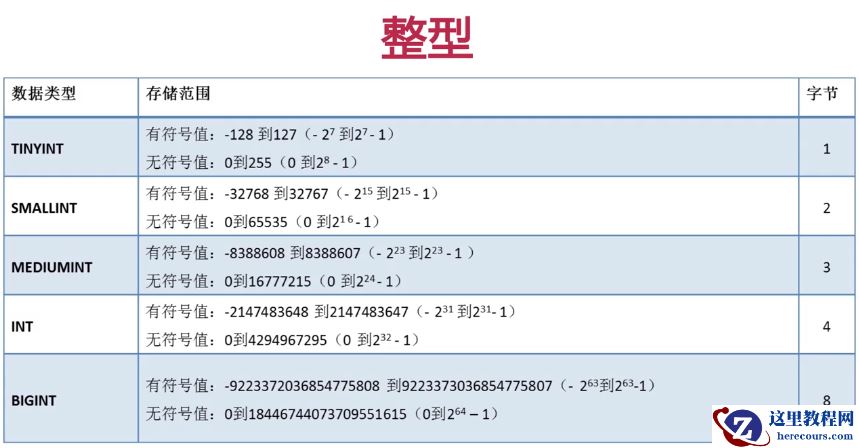
INT型: 用来指定存储整数的列的数据类型(数字型),不能存储小数。
CHAR型: 用来指定存储字符串的列的数据类型(字符型)。可以像 CHAR(200) 这样,在括号中指定该列可以存储的字符串的长度(最大长度)。字符串超出最大长度的部分是无法输入到该列中的。当列中存储的字符串长度达不到最大长度的时候,使用半角空格进行补足。
VARCHAR型: 也可以通过括号内的数字来指定字符串的最大长度(字符型)。但该类型的列是以可变长字符串的形式来保存字符串。可变长字符串即使字符数未达到最大长度,也不会用半角空格补足。
DATE型: 用来指定存储日期(年月日)的列的数据类型(日期型)。
更多数据类型
默认值
创建列时可以指定默认。
create table tb1(
nid int not null default 2,
num int not null
)
自增
如果为某列设置自增列,插入数据时无需设置此列,默认将自增(表中只能有一个自增列)。
create table tb1(
nid int not null auto_increment primary key,
num int null
)
create table tb1(
nid int not null auto_increment,
num int null,
index(nid)
)
注意:
1、对于自增列,必须是索引(含主键)。
2、对于自增可以设置步长和起始值
show session variables like 'auto_inc%';
set session auto_increment_increment=2;
set session auto_increment_offset=10;
show global variables like 'auto_inc%';
set global auto_increment_increment=2;
set global auto_increment_offset=10;
主键
一种特殊的唯一索引,不允许有空值,如果主键使用单个列,则它的值必须唯一,如果是多列,则其组合必须唯一。
create table tb1(
nid int not null auto_increment primary key,
num int null
)
create table tb1(
nid int not null,
num int not null,
primary key(nid,num)
)
外键
一个特殊的索引,只能是指定内容
create table color(
nid int not null primary key,
name char(16) not null
)
create table fruit(
nid int not null primary key,
smt char(32) null ,
color_id int not null,
constraint fk_cc foreign key (color_id) references color(nid)
)
2、删除表
drop table 表名
3、清空表
delete from 表名
truncate table 表名
4、修改表
--添加列
alter table 表名 add column 列名 类型
--删除列
alter table 表名 drop column 列名
--修改列
-- 类型
alter table 表名 modify column 列名 类型;
-- 列名,类型
alter table 表名 change 原列名 新列名 类型;

--添加主键
alter table 表名 add primary key(列名);
--删除主键
alter table 表名 drop primary key;
alter table 表名  modify  列名 int, drop primary key;

--添加外键
alter table 从表 add constraint 外键名称(形如:FK_从表_主表) foreign key 从表(外键字段) references 主表(主键字段);
--删除外键
alter table 表名 drop foreign key 外键名称

--修改默认值
ALTER TABLE testalter_tbl ALTER i SET DEFAULT 1000;
--删除默认值
ALTER TABLE testalter_tbl ALTER i DROP DEFAULT;
三、表内容操作
1、增
insert into 表 (列名,列名...) values (值,DEFAULT,值...)
insert into 表 (列名,列名...) values (值,值,值...),(值,值,值...)
insert into 表A (列名,列名...) select (列名,列名...) from 表B
2、删
--保留数据表,删除全部行
delete from 表
delete from 表 where id=1 and name='dyan';
truncate 表
3、改
update 表 set name = 'dyan' where id>1;
4、查
select * from 表
select * from 表 where id > 1
select nid,name,gender as 新表名 from 表 where id > 1
子查询的运算符 =,<>,>,>=,<,<=
is null, not, and, or,
5、深度查
1)条件
    select * from 表 where id > 1 and name != 'dyan' and num = 12;

    select * from 表 where id between 5 and 16;

    select * from 表 where id in (11,22,33);
    select * from 表 where id not in (11,22,33);
    select * from 表 where id in (select nid from 表);

2)聚合
    COUNT:计算表中的记录数(行数)
    SUM:计算表中数值列中数据的合计值
    AVG:计算表中数值列中数据的平均值
    MAX:求出表中任意列中数据的最大值
    MIN:求出表中任意列中数据的最小值

    --后者会得到NULL之外的数据行数
    select count(*),count(<列名>) from 表名;

3)通配符
    select * from 表 where name like 'ale%'  - ale开头的所有(多个字符串)
    select * from 表 where name like 'ale_'  - ale开头的所有(一个字符)

4)限制
    select * from 表 limit 5;            - 前5行
    select * from 表 limit 4,5;          - 从第4行开始的5行
    select * from 表 limit 5 offset 4;   - 从第4行开始的5行

5)分组
    select num from 表 group by num
    select num,nid from 表 group by num,nid
    select num,nid from 表  where nid > 10 group by num,nid order nid desc
    select num,nid,count(*),sum(score),max(score),min(score) from 表 group by num,nid

    select num from 表 group by num having max(id) > 10

    特别的:group by 必须在where之后,order by之前

6)连表
    无对应关系则不显示
    select A.num, A.name, B.name
    from A,B
    Where A.nid = B.nid

    无对应关系则不显示
    select A.num, A.name, B.name
    from A inner join B
    on A.nid = B.nid

    A表所有显示,如果B中无对应关系,则值为null
    select A.num, A.name, B.name
    from A left join B
    on A.nid = B.nid

    B表所有显示,如果B中无对应关系,则值为null
    select A.num, A.name, B.name
    from A right join B
    on A.nid = B.nid

7)排序
    select * from 表 order by 列                  - 根据 “列” 从小到大排列,默认asc升序
    select * from 表 order by 列 desc             - 根据 “列” 从大到小排列
    select * from 表 order by 列1 desc,列2 asc    - 根据 “列1” 从大到小排列,如果相同则按列2从小到大排序
    select 列名1,count(*) from 表 group by 列名1 order by count(*)

8)组合
    组合,自动处理重合
    select nickname
    from A
    union
    select name
    from B

    组合,不处理重合
    select nickname
    from A
    union all
    select name
from B