本教程操作环境:windows7系统、mysql8版本、Dell G3电脑。
要列出MySQL服务器主机上的所有数据库,请使用
SHOW DATABASES命令,如下所示:
SHOW DATABASES;
例如,要列出本地MySQL数据库服务器中的所有数据库,请首先登录到数据库服务器,如下所示:
C:\Users\Administrator>mysql -u root -p
Enter password: ******
Welcome to the MySQL monitor.  Commands end with ; or \g.
Your MySQL connection id is 7
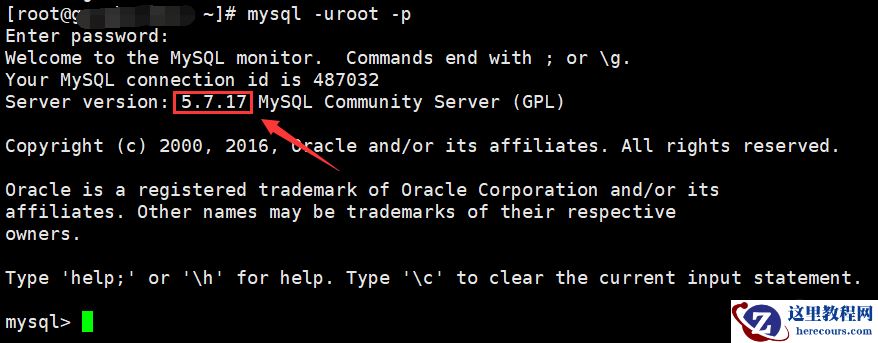
Server version: 5.7.9 MySQL Community Server (GPL)
Copyright (c) 2000, 2015, Oracle and/or its affiliates. All rights reserved.
Oracle is a registered trademark of Oracle Corporation and/or its
affiliates. Other names may be trademarks of their respective
owners.
Type 'help;' or '\h' for help. Type '\c' to clear the current input statement.
mysql>
然后使用
SHOW DATABASES命令:
mysql> SHOW DATABASES;
+--------------------+
| Database           |
+--------------------+
| information_schema |
| crmdb              |
| mysql              |
| newdb              |
| performance_schema |
| testdb             |
| yiibaidb           |
| yiibaidb_backup    |
+--------------------+
8 rows in set
SHOW SCHEMAS命令是
SHOW DATABASES的同义词,因此以下命令将返回与上述相同的结果:
mysql> SHOW SCHEMAS;
+--------------------+
| Database           |
+--------------------+
| information_schema |
| crmdb              |
| mysql              |
| newdb              |
| performance_schema |
| testdb             |
| yiibaidb           |
| yiibaidb_backup    |
+--------------------+
8 rows in set
如果要查询与特定模式匹配的数据库,请使用
LIKE子句,如下所示:
SHOW DATABASES LIKE pattern;
例如,以下语句返回以字符串“
schema”结尾的数据库;
mysql> SHOW DATABASES LIKE '%schema';
+--------------------+
| Database (%schema) |
+--------------------+
| information_schema |
| performance_schema |
+--------------------+
2 rows in set
重要的是要注意,如果MySQL数据库服务器以
-skip-show-database启动,则除非具有
SHOW DATABASES权限,否则不能使用
SHOW DATABASES语句。
【相关推荐:mysql视频教程】