本篇文章给大家带来了关于mysql的相关知识,其中主要整理了安装常见报错处理的相关问题,包括了无法启动处理,错误1053、winwods安装初始化报错、mysql8安装后无法登陆等等内容,下面一起来看一下,希望对大家有帮助。

推荐学习:mysql视频教程
1.无法启动处理,错误1053
Windows 无法启动Mysql服务 错误1053:服务没有及时响应启动或控制请求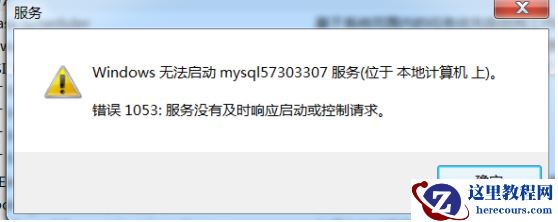
1.1 结束进程
1.2 更改网络服务
Server2012位置
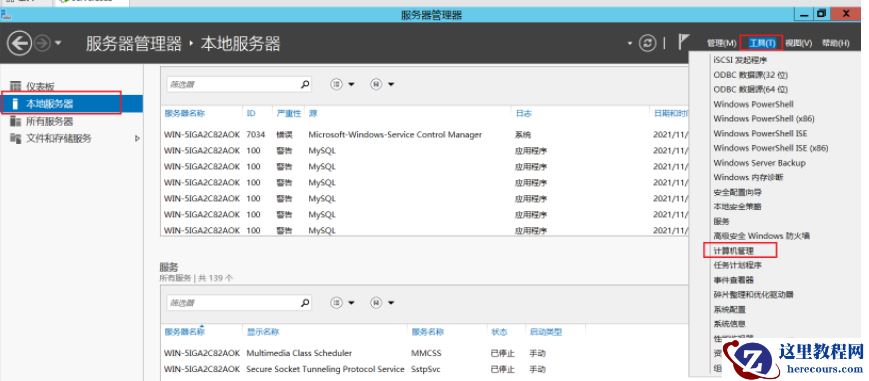
其他win7及win10操作系统
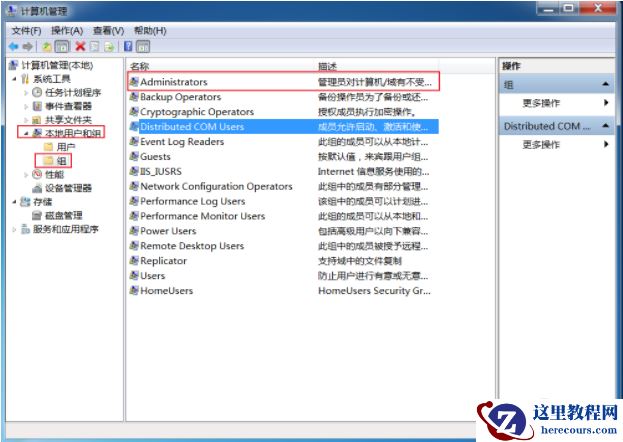
1)、计算机->管理->本地用户和组->组 双击,效果图如下:
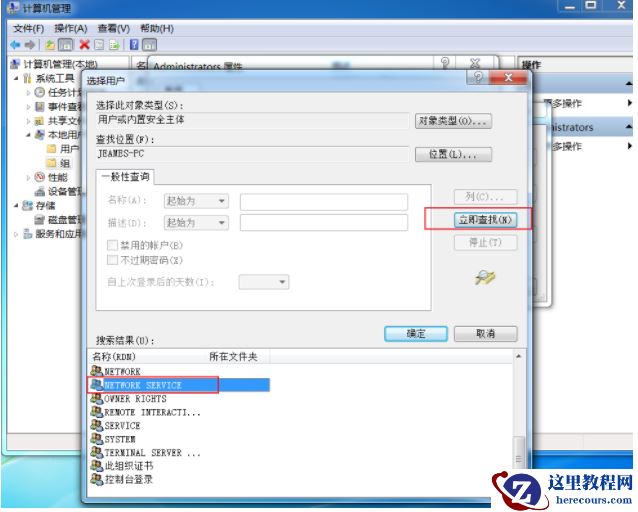
(2)、双击Administrators,并点击添加,再点击高级
(3)、把 NETWORK SERVICE添加到Administrators组
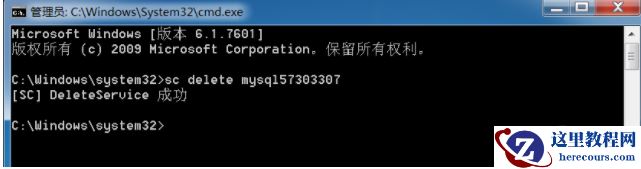
1.3 删除服务
sc delete mysql57303307
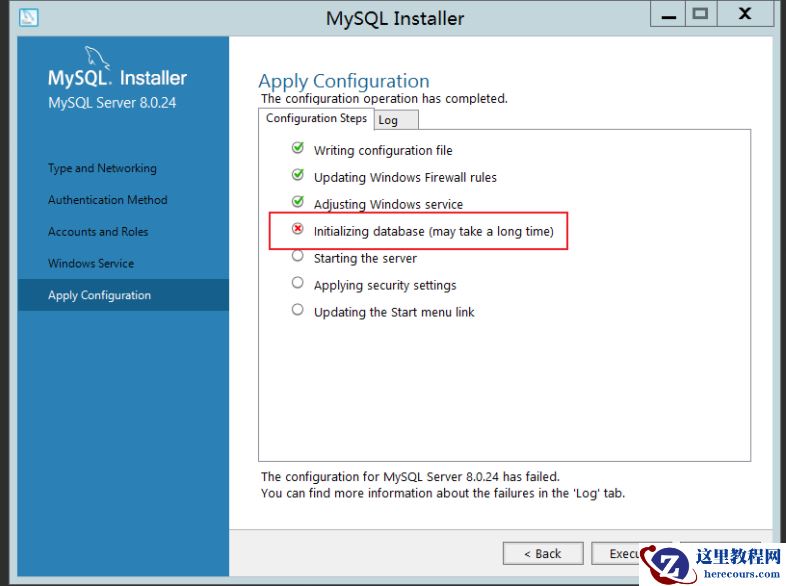
2.Winwods安装初始化报错
Beginning configuration step: Writing configuration fileSaving my.ini configuration file...
Saved my.ini configuration file.
Ended configuration step: Writing configuration fileBeginning configuration step: Updating Windows Firewall rules
Adding a Windows Firewall rule for MySQL80 on port 3306.
Attempting to add a Windows Firewall rule with command: netsh.exe advfirewall firewall add rule name="Port 3306" protocol=TCP localport=3306 dir=in action=allow
确定。
Successfully added the Windows Firewall rule.
Adding a Windows Firewall rule for MySQL80 on port 33060.
Attempting to add a Windows Firewall rule with command: netsh.exe advfirewall firewall add rule name="Port 33060" protocol=TCP localport=33060 dir=in action=allow
确定。
Successfully added the Windows Firewall rule.
Ended configuration step: Updating Windows Firewall rules
Beginning configuration step: Adjusting Windows serviceAttempting to grant Network Service require filesystem permissions.
Granted permissions.
Adding new serviceNew service added
Ended configuration step: Adjusting Windows serviceBeginning configuration step: Initializing database (may take a long time)Attempting to run MySQL Server with --initialize-insecure option...
Starting process for MySQL Server 8.0.24...
Starting process with command: C:\Program Files\MySQL\MySQL Server 8.0\bin\mysqld.exe --defaults-file="C:\ProgramData\MySQL\MySQL Server 8.0\my.ini" --console --initialize-insecure=on --lower-case-table-names=1...
Process for mysqld, with ID 2572, was run successfully and exited with code -1073741515.
Failed to start process for MySQL Server 8.0.24.
Database initialization failed.
Ended configuration step: Initializing database (may take a long time)
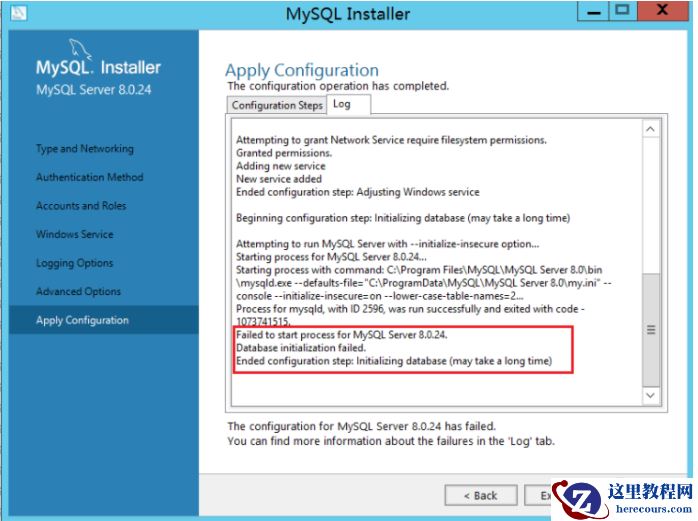
安装VC_redist.x86即可执行既OK
输入gpedit.msc,打开策略管理
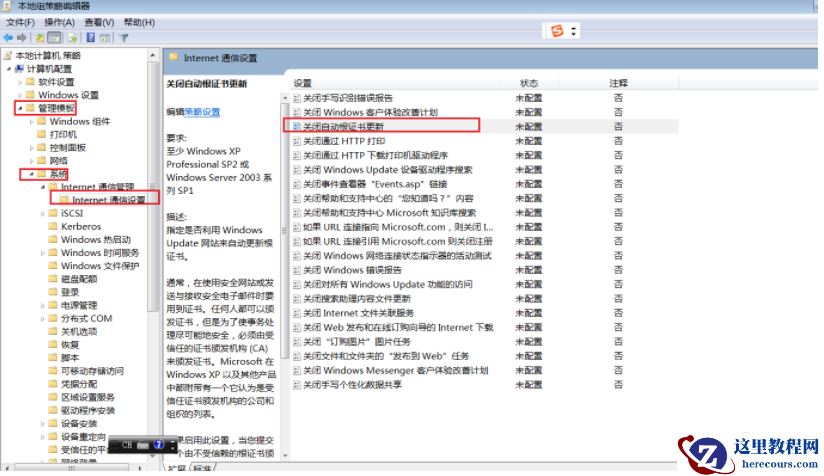
启用证书更新后正常
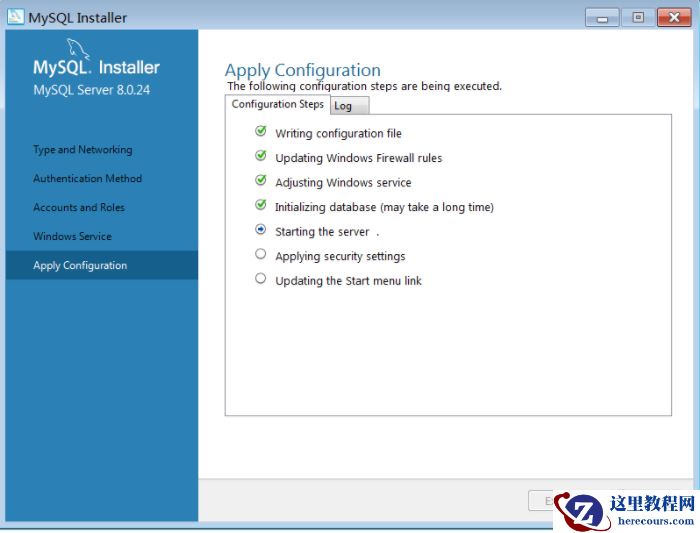
由于部分系统镜像构建较早,且不能进行系统更新,需要安装系统补丁包才能完成vc++安装
4.Centos环境rpm初始化MySQL报错
4.MySQL8安装后无法登陆
第一办法:
推荐学习:mysql视频教程