
sysbench压测环境: sysbench server:172.16.7.105 压测数据库服务器:MHA架构,172.16.7.100(主节点)、172.16.7.101、172.16.7.102 MySQL在172.16.7.105(安装MySQL5.7.26)部署目录:/opt/mysql/ 主要压测172.16.7.100主节点 172.16.7.100配置: MySQL5.7.26 CPU:4核 内存:8G innodb_buffer_pool_size = 28G innodb_log_file_size = 512M innodb_log_files_in_group = 2 innodb_log_buffer_size=16M MySQL8.0.17 CPU:4核 内存:8G innodb_buffer_pool_size = 28G innodb_log_file_size = 512M innodb_log_files_in_group = 2 innodb_log_buffer_size=16M 前置工作 1.完成MySQL的安装 2.完成动态库文件的安装 yum install -y openssl libtool #可能遇到的报错 1.在make之前,需要修改lib库,否则会得到一个报错:/usr/bin/ld: cannot find -lmysqlclient_r 因为安装中指向的lib是/opt/mysql/lib cd /opt/mysql/lib ln -s libmysqlclient.so.20.3.9 libmysqlclient_r.so 2.make的时候没有明显错误,执行./sysbench时报错 ./sysbench: error while loading shared libraries: libmysqlclient.so.18: cannot open shared object file: No such file or directory ln -s /opt/mysql/lib/libmysqlclient.so.18 /usr/lib64 如果报错为 /usr/local/sysbench/bin/sysbench: error while loading shared libraries: libmysqlclient.so.20: cannot open shared object file: No such file or directory 那么就执行 ln -s /opt/mysql/lib/libmysqlclient.so.20 /usr/lib64 下载sysbench: wget http://imysql.com/wp-content/uploads/2014/09/sysbench-0.4.12-1.1.tgz 部署: tar -xf sysbench-0.4.12-1.1.tgz mv sysbench-0.4.12-1.1 sysbench cp -r sysbench /usr/local/sysbench cd /usr/local/sysbench ./autogen.sh #生成configure文件 ./configure --prefix=/usr/local/sysbench/ --with-mysql=/opt/mysql/ --with-mysql-includes=/opt/mysql/include/ --with-mysql-libs=/opt/mysql/lib/ 注意此处的includes必须是mysql对应的include目录,libs也是mysql对应的lib目录 完成安装 make&&make install (确认没有报错) 验证安装 /usr/local/sysbench/bin/sysbench --help 如果出现下列文字,说明部署成功 [root@GTID01 bin]# /usr/local/sysbench/bin/sysbench --help Missing required command argument.Usage: sysbench [general-options]... --test= [test-options]... command General options: --num-threads=N number of threads to use [1] --max-requests=N limit for total number of requests [10000] ... 增加环境变量 echo -e "export PATH=\$PATH:/usr/local/sysbench/bin" >> /etc/profile source /etc/profile 使用sysbench进行测试 先到被测试的库里建库,建用户,授权(这里通过105去测试100库) mysql -h 172.16.7.100 -uroot -p ... create database sbtest; ##因为lua脚本里面这里设置的就是sbtest库,库名需要与脚本里的内容保持一致 create user tpcc@'%' identified by 'tpcc'; grant all privileges on sbtest.* to tpcc@'%'; flush privileges; MySQL8.0需要加: alter user tpcc@'%' identified with 'mysql_native_password' by 'tpcc'; 会产生报错的操作(将oltp.lua中的mysiam修改成innodb后,会找不到表) cd /usr/local/sysbench/sysbench/tests/db/ cp oltp.lua oltp_innodb.lua sed -i 's/myisam/innodb/g' /usr/local/sysbench/sysbench/tests/db/oltp_innodb.lua 测试多表的压测 执行prepare sysbench --mysql-host=172.16.7.100 --mysql-port=3306 --mysql-user=tpcc --mysql-password=tpcc --test=/usr/local/sysbench/sysbench/tests/db/oltp.lua --oltp_tables_count=10 --oltp-table-size=100000 --rand-init=on prepare 执行run sysbench --mysql-host=172.16.7.100 --mysql-port=3306 --mysql-user=tpcc --mysql-password=tpcc --test=/usr/local/sysbench/sysbench/tests/db/oltp.lua --oltp_tables_count=10 --oltp-table-size=100000 --num-threads=4 --oltp-read---report-interval=5 --rand-type=uniform --max-time=30 --max-requests=0 --percentile=99 run --num-threads=4 //线程数为4 --max-time=30 //测试时间为30s --report-interval=5 //报告打印周期为5s --oltp-read-> --max-requests=0 //最大执行次数这里不做限制,只由max-time进行限制 MySQL8.0我是用的30001端口 MySQL5.7用32线程压测结果: sysbench 0.5: multi-threaded system evaluation benchmark Running the test with following options: Number of threads: 32 Report intermediate results every 5 second(s) Random number generator seed is 0 and will be ignored Threads started! [ 5s] threads: 32, tps: 842.19, reads/s: 11867.59, writes/s: 3376.34, response time: 172.23ms (99%) [ 10s] threads: 32, tps: 1013.21, reads/s: 14187.90, writes/s: 4053.03, response time: 96.36ms (99%) [ 15s] threads: 32, tps: 1195.60, reads/s: 16709.15, writes/s: 4778.79, response time: 63.71ms (99%) [ 20s] threads: 32, tps: 1095.19, reads/s: 15341.21, writes/s: 4383.35, response time: 87.04ms (99%) [ 25s] threads: 32, tps: 1111.01, reads/s: 15567.40, writes/s: 4446.26, response time: 78.19ms (99%) [ 30s] threads: 32, tps: 1045.20, reads/s: 14628.00, writes/s: 4174.40, response time: 85.90ms (99%) OLTP test statistics: queries performed: read: 441616 write: 126176 other: 63088 total: 630880 transactions: 31544 (1050.71 per sec.) deadlocks: 0 (0.00 per sec.) read/write requests: 567792 (18912.78 per sec.) other operations: 63088 (2101.42 per sec.) General statistics: total time: 30.0216s total number of events: 31544 total time taken by event execution: 954.2759s response time: min: 9.17ms avg: 30.25ms max: 389.96ms approx. 99 percentile: 94.36ms Threads fairness: events (avg/stddev): 985.7500/40.24 execution time (avg/stddev): 29.8211/0.03 read: 441616 //读总数,select语句 write: 126176 //写总数,insert、delete、update语句 other: 63088 //其它语句,如commit等 total: 630880 //总的执行语句数 transactions: 31544 (1050.71 per sec.) //总的事物数(★每秒处理事物数:TPS★) read/write requests: 567792 (18912.78 per sec.) //读写请求次数(★每秒的读写次数:QPS★) other operations: 63088 (2101.42 per sec.) //其它操作的每秒执行数 General statistics: total time: 30.0216s //总时间 total number of events: 31544 //★事物总数★ total time taken by event execution: 954.2759s //所有事务耗时相加(不考虑并行因素) response time: //应答时间 min: 9.17ms //最小 avg: 30.25ms //平均 max: 389.96ms //最大 approx. 99 percentile: 94.36ms //99%语句执行时间 Threads fairness: //线程公平性 events (avg/stddev): 985.7500/40.24 execution time (avg/stddev): 29.8211/0.03 需要重点关注的几个测试结果 ★总的事物数,每秒事务数TPS,QPS,时间统计信息(最大、最小、平均、99%以上语句响应时间)★ 通过sysbench结果来判定数据库的能力主要还是通过TPS 执行清除 sysbench --mysql-host=172.16.7.100 --mysql-port=3306 --mysql-user=tpcc --mysql-password=tpcc --mysql-db=sbtest --oltp-tables-count=10 --oltp-table-size=100000 --num-threads=16 --max-requests=0 --max-time=30 --report-interval=1 --test=/usr/local/sysbench/sysbench/tests/db/oltp.lua cleanup sysbench 0.5: multi-threaded system evaluation benchmark Dropping table 'sbtest1'... Dropping table 'sbtest2'... Dropping table 'sbtest3'...
MySQL 5.7和8.0 MHA架构下sysbench压测
来源:这里教程网
时间:2026-03-01 12:34:05
作者:
编辑推荐:
下一篇:
相关推荐
-

-
-
-
-
-
-
-
-
-
-
-
-
-
-

雷神推出 MIX PRO II 迷你主机:基于 Ultra 200H,玻璃上盖 + ARGB 灯效
2 月 9 日消息,雷神 (THUNDEROBOT) 现已宣布推出基于英
-

制造商 Musnap 推出彩色墨水屏电纸书 Ocean C:支持手写笔、第三方安卓应用
2 月 10 日消息,制造商 Musnap 现已在海外推出一款 Oce

热文推荐
- 2019 ENMOTECH丨 MyDate - MySQL数据库一体机全新上线
- 个人的货物清单

个人的货物清单
26-03-01 - 第28节 从库Seconds_Behind_Master延迟总结

第28节 从库Seconds_Behind_Master延迟总结
26-03-01 - 2019年9月数据库流行度排行:MySQL 强劲增长完成深 V 反转
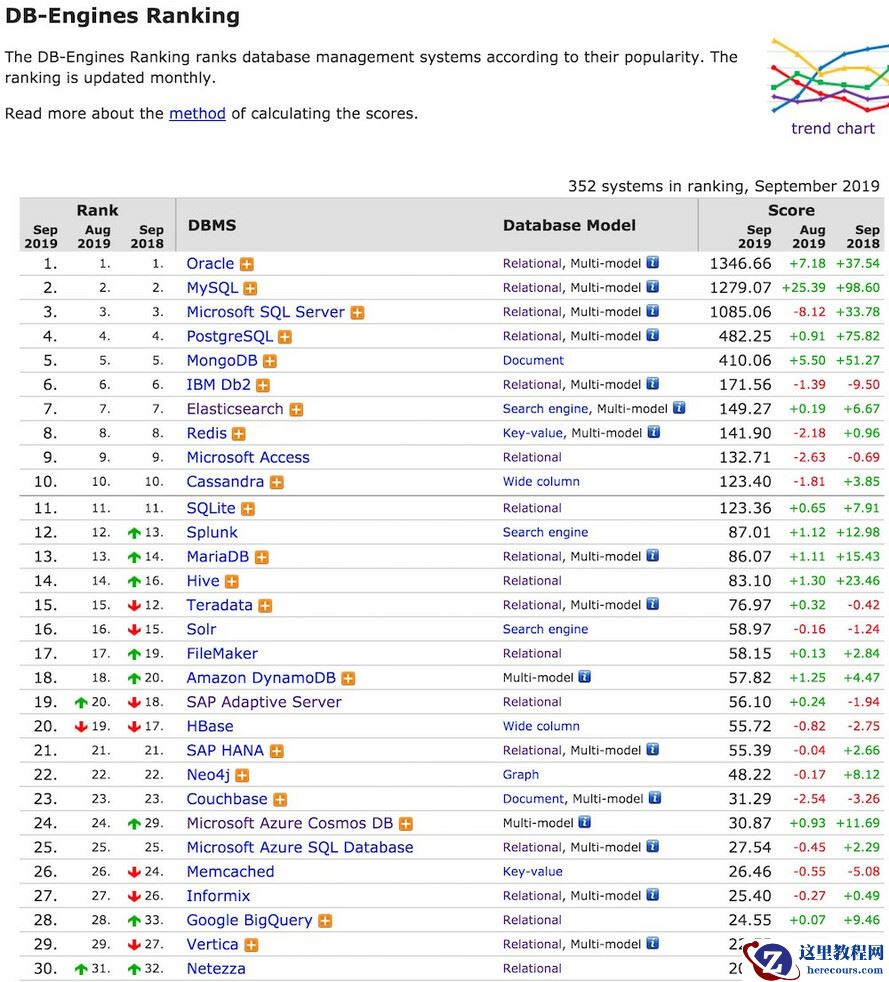
2019年9月数据库流行度排行:MySQL 强劲增长完成深 V 反转
26-03-01 - QQ新版本正式发布,带有微信刚更新的功能,不知道大家发现了吗
QQ新版本正式发布,带有微信刚更新的功能,不知道大家发现了吗
26-03-01 - 重新学习Mysql数据库4:Mysql索引实现原理

重新学习Mysql数据库4:Mysql索引实现原理
26-03-01 - Centos csplit命令详解(按内容分割文件的实用指南)

Centos csplit命令详解(按内容分割文件的实用指南)
26-03-01 - MySQL EXPLAIN结果集分析 - 附带大量案例

MySQL EXPLAIN结果集分析 - 附带大量案例
26-03-01 - 重新学习Mysql数据库5:根据MySQL索引原理进行分析与优化

重新学习Mysql数据库5:根据MySQL索引原理进行分析与优化
26-03-01 - 3DMAX简单制作编藤艺灯罩模型效果图

3DMAX简单制作编藤艺灯罩模型效果图
26-03-01