
环境:MySQL 5.6 主从环境(Keepalived架构)4000W行大表进行历史数据归档。
方案:为尽量降低对业务影响,决定采取下列方案。1、在主库建立
2016、2017、2018、2019的4个历史表结构。2、在从库建立test库,并建立
2016、2017、2018、2019的4个历史表结构,在从库的主表上用insert into语句根据时间字段把数据插入test库的2016、2017、2018、2019的历史表里面。分拆为2016、2017、2018、2019。3、用Navicat把
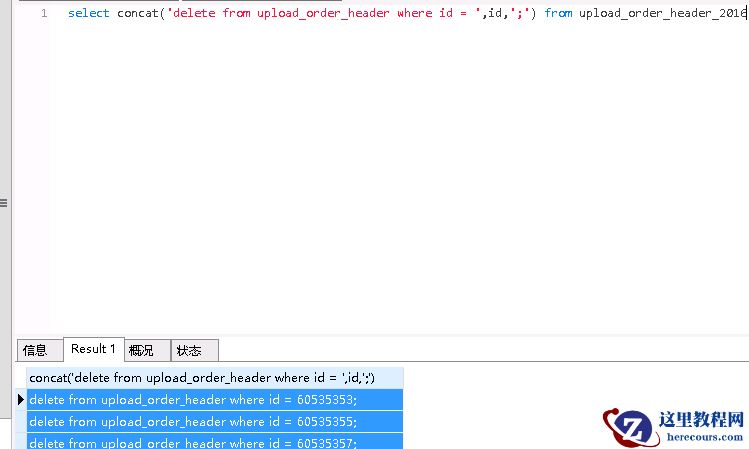
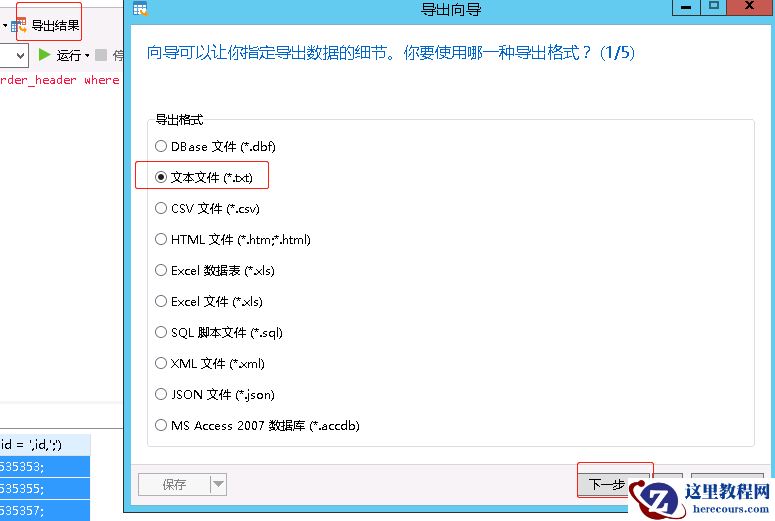
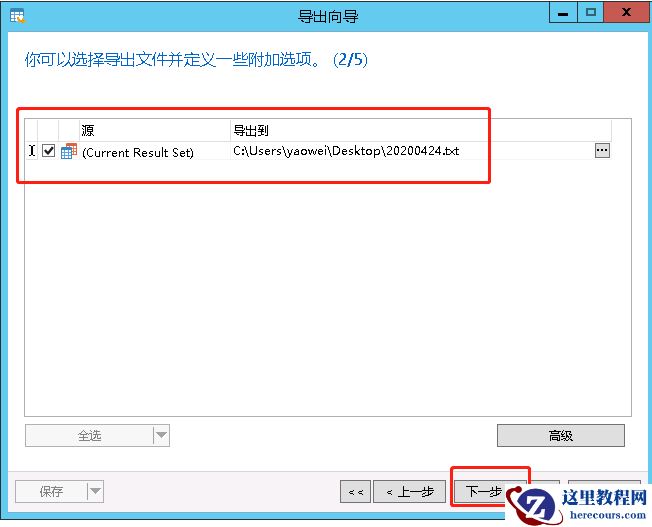
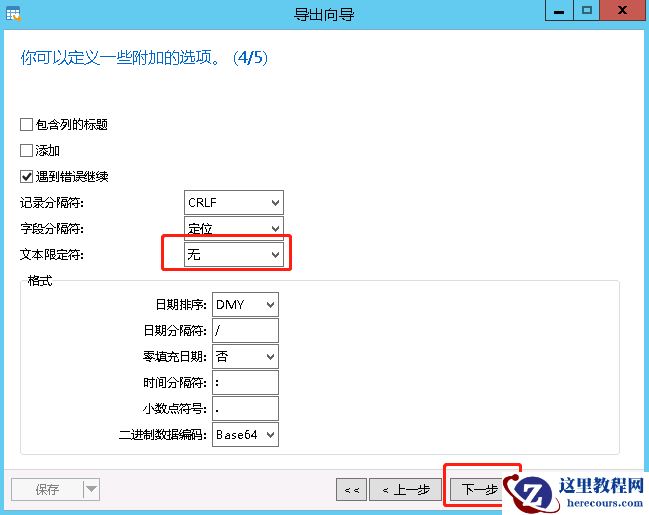
2016、2017、2018、2019导出为SQL文件,并生成主表的DELETE语句的TXT文件。
4、用Python脚本把
SQL文件和
TXT文件进行处理,分批导入到
2016、2017、2018、2019的4个历史表,并删除主表的历史数据。
5、对主表进行收缩。
完成归档。
1、在主库建立历史表的表结构。CREATE TABLE `upload_order_header_2016` ( `id` bigint(22) NOT NULL AUTO_INCREMENT COMMENT '自增id', `company` varchar(25) DEFAULT NULL COMMENT '货主', PRIMARY KEY (`id`)) ENGINE=InnoDB DEFAULT CHARSET=utf82、从库建立test库,同样建立
历史表的表结构。
在从库上用insert into语句把2016年的历史数据插入test库的2016年的历史表。
insert into test.upload_order_header_2016 select * from log_db.upload_order_header
where add_time < unix_timestamp('2017-01-01 00:00:00');
insert into test.upload_order_header_2017 select * from log_db.upload_order_header
where add_time >= unix_timestamp('2017-01-01 00:00:00') and
add_time < unix_timestamp('2018-01-01 00:00:00');
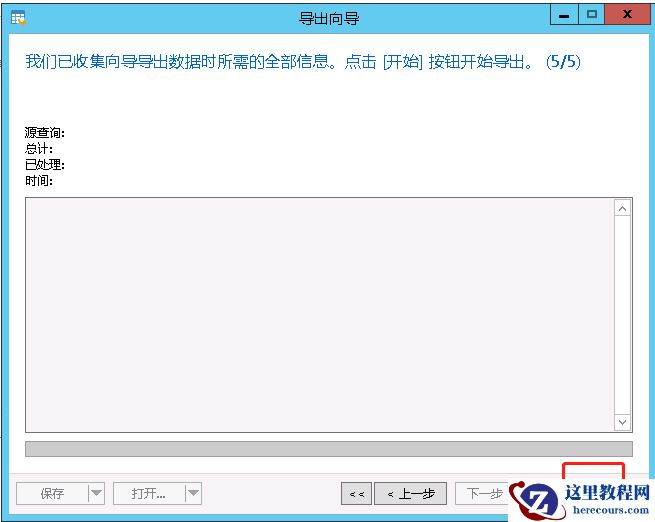
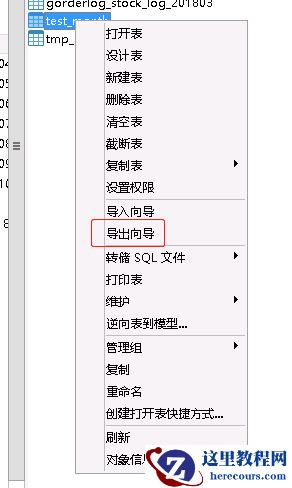
3、用
Navicat把
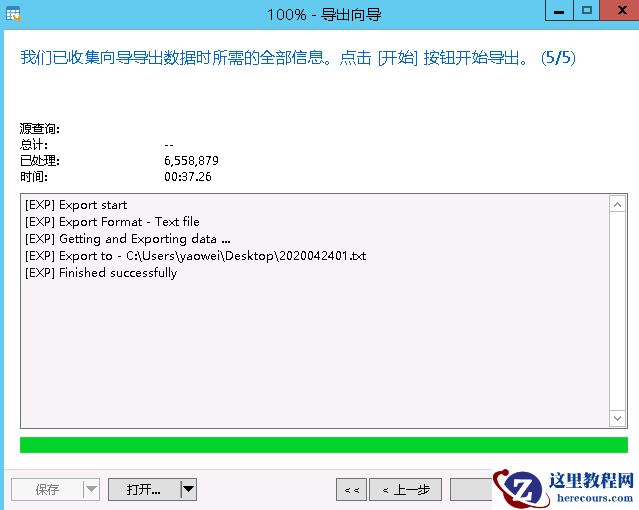
2016导出为SQL文件,举例:
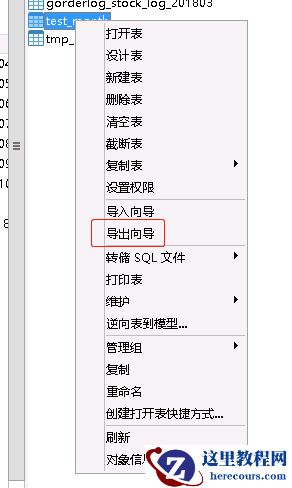
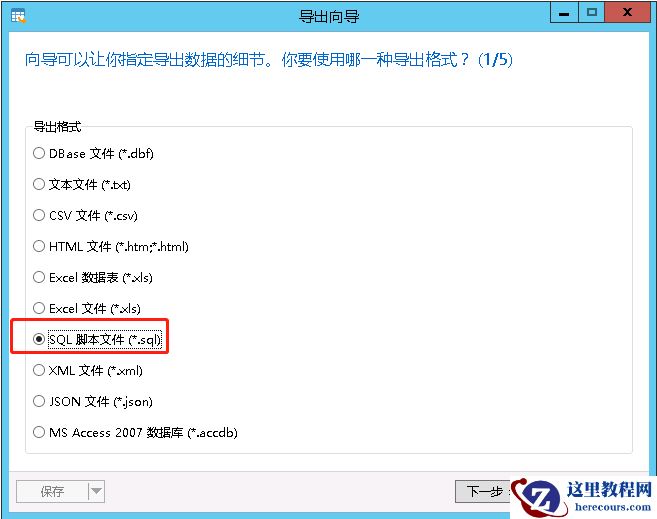
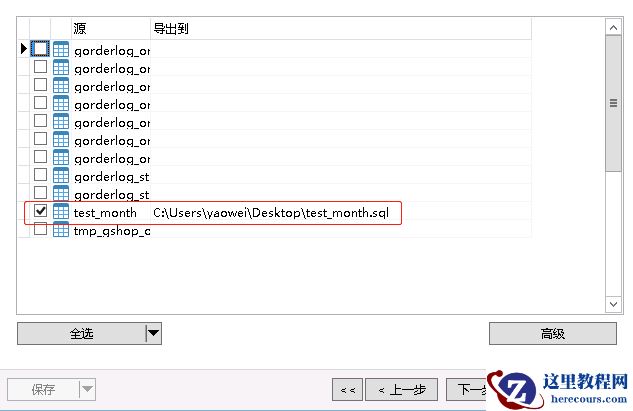
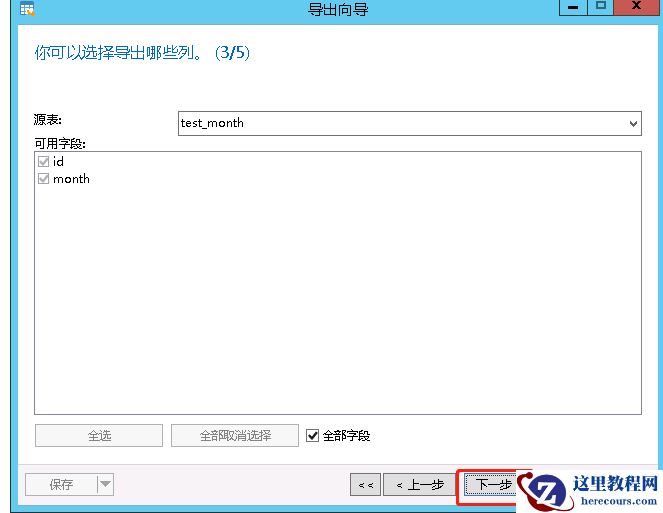
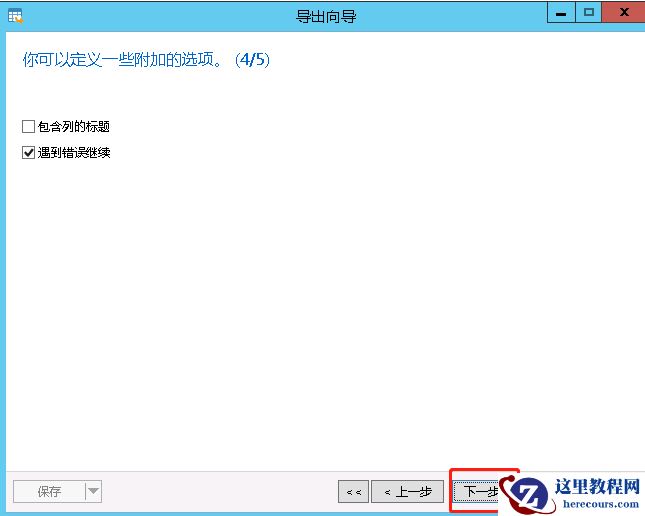
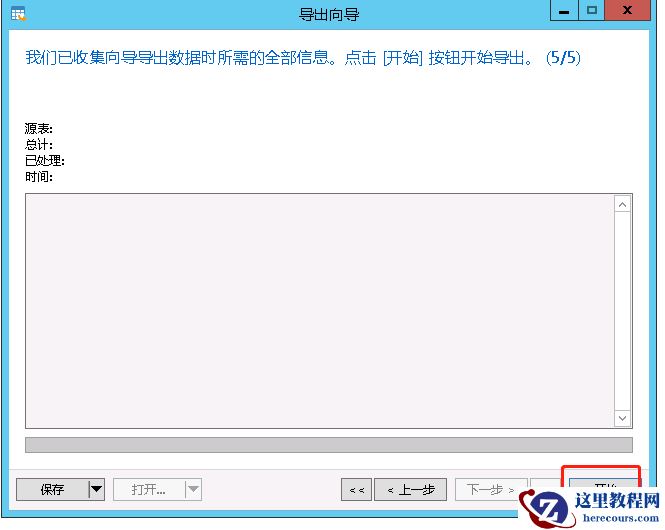
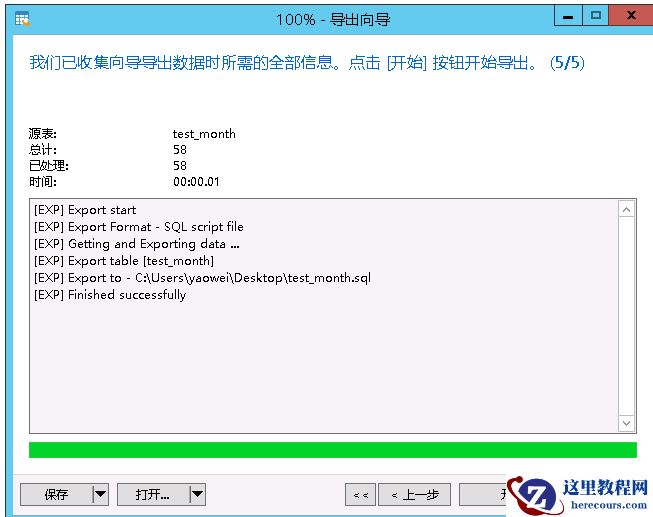 导出的是纯insert的SQL脚本。
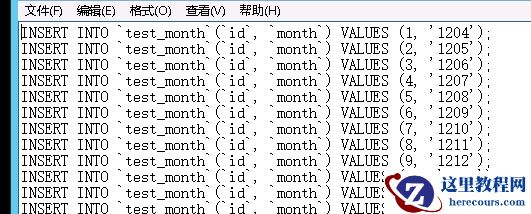 导出Delete语句:
 4、使用Python脚本批量运行上述脚本。
先insert到目标主库的历史表里,再delete目标主库的历史数据。
Python脚本如下:
load_sql_v1.py:
# coding:utf8
"""
1、更新数据库配置
2、变更待执行文件文件名为SQL.sql
3、执行文件
"""
import pymysql
import time
DB_IP = "192.168.22.10"
DB_USER = "DBA"
DB_PWD = "XXXXXX"
DB_DATABASE = "log_db"
WaitTime = 10
FilePath = [
'2016.sql',
]
for file in FilePath:
f = open(file, mode='r')
print(file)
content=f.readlines()
# 打开数据库连接
db = pymysql.connect(DB_IP, DB_USER, DB_PWD, DB_DATABASE, charset='utf8')
# 使用cursor()方法获取操作游标
cursor = db.cursor()
# 使用execute方法执行SQL语句
cursor.execute("SELECT VERSION()")
# 使用 fetchone() 方法获取一条数据
data = cursor.fetchone()
print("Database version : %s " % data)
for index, sql in enumerate(content):
if index % 10000 == 0:
print('已执行 %d'%index)
if index % 20000 == 0:
time.sleep(WaitTime)
try:
# 执行sql语句
db.ping(reconnect=True)
cursor.execute(sql)
# 提交到数据库执行
db.commit()
except Exception as e:
# Rollback in case there is any error
print(sql)
print(e)
## db.rollback()
f.close()
# 关闭数据库连接
db.close()
5、对主表进行收缩。
用pt-osc工具做。
4、使用Python脚本批量运行上述脚本。
先insert到目标主库的历史表里,再delete目标主库的历史数据。
Python脚本如下:
load_sql_v1.py:
# coding:utf8
"""
1、更新数据库配置
2、变更待执行文件文件名为SQL.sql
3、执行文件
"""
import pymysql
import time
DB_IP = "192.168.22.10"
DB_USER = "DBA"
DB_PWD = "XXXXXX"
DB_DATABASE = "log_db"
WaitTime = 10
FilePath = [
'2016.sql',
]
for file in FilePath:
f = open(file, mode='r')
print(file)
content=f.readlines()
# 打开数据库连接
db = pymysql.connect(DB_IP, DB_USER, DB_PWD, DB_DATABASE, charset='utf8')
# 使用cursor()方法获取操作游标
cursor = db.cursor()
# 使用execute方法执行SQL语句
cursor.execute("SELECT VERSION()")
# 使用 fetchone() 方法获取一条数据
data = cursor.fetchone()
print("Database version : %s " % data)
for index, sql in enumerate(content):
if index % 10000 == 0:
print('已执行 %d'%index)
if index % 20000 == 0:
time.sleep(WaitTime)
try:
# 执行sql语句
db.ping(reconnect=True)
cursor.execute(sql)
# 提交到数据库执行
db.commit()
except Exception as e:
# Rollback in case there is any error
print(sql)
print(e)
## db.rollback()
f.close()
# 关闭数据库连接
db.close()
5、对主表进行收缩。
用pt-osc工具做。
MySQL 5.6对大表做归档
来源:这里教程网
时间:2026-03-01 15:14:04
作者:
编辑推荐:
- MySQL 5.6对大表做归档03-01
- MySQL关于日期为零值的处理03-01
- win7 64位操作系统中安装MySQL workbench8.0 无反应03-01
- mysql因为事务日志问题无法启动03-01
- 盘点MySQL、SqlServer、Oracle 三种数据库优缺点03-01
- mysql学习笔记03-01
- MySQL 的 crash-safe 原理解析03-01
- MySQL:关于ICP特性的说明(未完)03-01
下一篇:
相关推荐
-

-
-
-
-
-
-
-
-
-
-
-
-
-
-

雷神推出 MIX PRO II 迷你主机:基于 Ultra 200H,玻璃上盖 + ARGB 灯效
2 月 9 日消息,雷神 (THUNDEROBOT) 现已宣布推出基于英
-

制造商 Musnap 推出彩色墨水屏电纸书 Ocean C:支持手写笔、第三方安卓应用
2 月 10 日消息,制造商 Musnap 现已在海外推出一款 Oce
热文推荐
- MySQL 5.6对大表做归档
MySQL 5.6对大表做归档
26-03-01 - MySQL关于日期为零值的处理

MySQL关于日期为零值的处理
26-03-01 - win7 64位操作系统中安装MySQL workbench8.0 无反应
- 盘点MySQL、SqlServer、Oracle 三种数据库优缺点

盘点MySQL、SqlServer、Oracle 三种数据库优缺点
26-03-01 - MySQL 的 crash-safe 原理解析
MySQL 的 crash-safe 原理解析
26-03-01 - MySQL:关于ICP特性的说明(未完)

MySQL:关于ICP特性的说明(未完)
26-03-01 - mysql 错误 server has gone away

mysql 错误 server has gone away
26-03-01 - MySQL8.0新特性-临时表的改善
MySQL8.0新特性-临时表的改善
26-03-01 - 有哪些好用的文章一键分发软件?同时管理200+账号

有哪些好用的文章一键分发软件?同时管理200+账号
26-03-01 - MySQL分区表最佳实践

MySQL分区表最佳实践
26-03-01