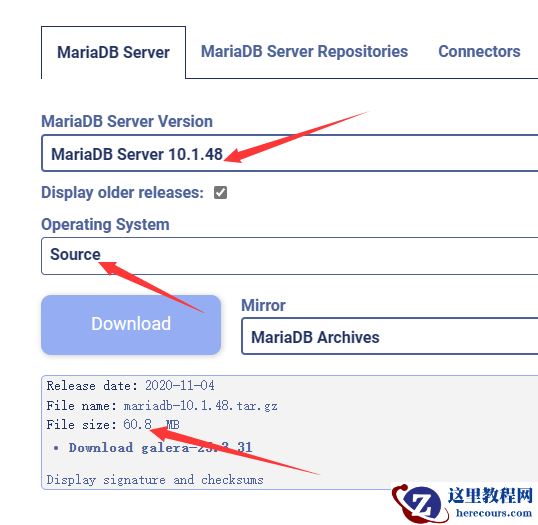
mysql数据库安全主要从用户权限,主机控制,密码验证,SSL登陆这几方面。用户权限可以给不同角色的同事授于不同的权限,减小对数据的破坏性。主机控制是限制哪些服务器可以登陆实例,不满足要求的服务器拒绝连接数据库实例,防止黑客入侵。密码验证是创建用户时检查密码是否为弱密码,如果为弱密码提示创建不成功。ssl是数据在过程中对数据库进行加密,防止在传输过程中有黑客抓包,截取数据。 一、用户权限 1.创建普通用户(默认带登陆权限USAGE) mysql> select version(); +------------+ | version() | +------------+ | 5.7.30-log | +------------+ 1 row in set (0.00 sec) mysql> create user u_user identified by '123456'; Query OK, 0 rows affected (0.03 sec) mysql> flush privileges; Query OK, 0 rows affected (0.01 sec) mysql> show grants for u_user; +------------------------------------+ | Grants for u_user@% | +------------------------------------+ | GRANT USAGE ON *.* TO 'u_user'@'%' | +------------------------------------+ 1 row in set (0.00 sec) mysql> 2.验证用户是否登陆 [root@test03 ~]# mysql -u u_user -p123456 mysql: [Warning] Using a password on the command line interface can be insecure. Welcome to the MySQL monitor. Commands end with ; or \g. Your MySQL connection id is 1736910 Server version: 5.7.30-log MySQL Community Server (GPL) Copyright (c) 2000, 2020, Oracle and/or its affiliates. All rights reserved. Oracle is a registered trademark of Oracle Corporation and/or its affiliates. Other names may be trademarks of their respective owners. Type 'help;' or '\h' for help. Type '\c' to clear the current input statement. mysql> create database test; ERROR 1044 (42000): Access denied for user 'u_user'@'%' to database 'test' mysql> 3.给用户授于创建数据库权限 mysql> grant Create on *.* to u_user; Query OK, 0 rows affected (0.00 sec) mysql> 4.验证用户创建数据库权限(必须退出终端,再进入验证) mysql> create database test; Query OK, 1 row affected (0.01 sec) mysql> use test Database changed mysql> create table t (a int); #可以创建表,因为create是库级别权限也是表级别权限 Query OK, 0 rows affected (0.03 sec) mysql> insert into t values(1); ERROR 1142 (42000): INSERT command denied to user 'u_user'@'localhost' for table 't' mysql> 5.给用户授于写入数据的权限 mysql> grant insert on test.* to u_user@'%'; Query OK, 0 rows affected (0.03 sec) mysql> 6.验证用户写入数据(必须退出终端,再进入验证) mysql> use test Reading table information for completion of table and column names You can turn off this feature to get a quicker startup with -A Database changed mysql> insert into t values(1); Query OK, 1 row affected (0.02 sec) mysql> select * from t; ERROR 1142 (42000): SELECT command denied to user 'u_user'@'localhost' for table 't' mysql> 7.给用户授于查询数据的权限 mysql> grant select on test.* to u_user@'%'; Query OK, 0 rows affected (0.00 sec) mysql> 8.验证用户查询数据(必须退出终端,再进入验证) mysql> select * from t; +------+ | a | +------+ | 1 | +------+ 1 row in set (0.00 sec) mysql> 9.回收写入权限 mysql> revoke insert ON test.* from 'u_user'@'%'; Query OK, 0 rows affected (0.01 sec) mysql> 10.验证是否有写入权限(必须退出终端,再进入验证) mysql> use test Reading table information for completion of table and column names You can turn off this feature to get a quicker startup with -A Database changed mysql> insert into t values(2); ERROR 1142 (42000): INSERT command denied to user 'u_user'@'localhost' for table 't' mysql> 11.回收用户所有权限 mysql> revoke all privileges on *.* from 'u_user'@'%'; Query OK, 0 rows affected (0.01 sec) mysql> 12.验证用户删除数据库权限(必须退出终端,再进入验证) mysql> drop database test; ERROR 1044 (42000): Access denied for user 'u_user'@'%' to database 'test' mysql> 二、用户登陆失败次数限制插件(Connection-Control) 官网地址:https://dev.mysql.com/doc/refman/5.7/en/connection-control.html 1.安装Connection-Control插件 [root@test03 ~]# vim /etc/my.cnf plugin-load-add=connection_control.so #添加插件 [root@test03 ~]# /etc/init.d/mysqld restart Shutting down MySQL............ [ OK ] Starting MySQL. [ OK ] [root@test03 ~]# 2.验证插件 mysql> show variables like 'connection_control%'; +-------------------------------------------------+------------+ | Variable_name | Value | +-------------------------------------------------+------------+ | connection_control_failed_connections_threshold | 3 | #用户登陆失败的次数 | connection_control_max_connection_delay | 2147483647 | #用户登陆失败达到次数后最大等待时间,单位ms,默认25天 | connection_control_min_connection_delay | 1000 | #用户登陆失败达到次数后最小等待时间,单位ms,默认1秒。 +-------------------------------------------------+------------+ 3 rows in set (0.00 sec) mysql> 3.测试用户登陆失败次数 mysql> set global connection_control_min_connection_delay=20000; #将值设置20秒 Query OK, 0 rows affected (0.01 sec) mysql> exit Bye [root@test03 ~]# mysql -u root -pSystem13511111 #使用错误密码尝试登陆,结果登陆3次不行,然后使用正确密码要等20秒才可以登陆。 mysql: [Warning] Using a password on the command line interface can be insecure. ERROR 1045 (28000): Access denied for user 'root'@'localhost' (using password: YES) [root@test03 ~]# mysql -u root -pSystem13511111 mysql: [Warning] Using a password on the command line interface can be insecure. ERROR 1045 (28000): Access denied for user 'root'@'localhost' (using password: YES) [root@test03 ~]# mysql -u root -pSystem13511111 mysql: [Warning] Using a password on the command line interface can be insecure. ERROR 1045 (28000): Access denied for user 'root'@'localhost' (using password: YES) [root@test03 ~]# mysql -u root -pSystem13511111 mysql: [Warning] Using a password on the command line interface can be insecure. ERROR 1045 (28000): Access denied for user 'root'@'localhost' (using password: YES) [root@test03 ~]# mysql -u root -pSystem135 #正确密码要等20秒才可以登陆 mysql: [Warning] Using a password on the command line interface can be insecure. Welcome to the MySQL monitor. Commands end with ; or \g. Your MySQL connection id is 253 Server version: 5.7.30-log MySQL Community Server (GPL) Copyright (c) 2000, 2020, Oracle and/or its affiliates. All rights reserved. Oracle is a registered trademark of Oracle Corporation and/or its affiliates. Other names may be trademarks of their respective owners. Type 'help;' or '\h' for help. Type '\c' to clear the current input statement. mysql> 三、主机黑白名单(user表中Host字段) Host字段值 说明 备注 127.0.0.1 允许本机127.0.0.1登陆(可以是与这台服务器任意相通的服务器IP) localhost 允许本机localhost登陆(可以是任意字符,但必须在/etc/hosts进行解析) 192.168.1.% 允许指定的网段登陆(192.168.1.0/24) % 允许所有主机登陆,或者使用空值代表所有主机可以登陆 创建只能本服务器登陆的用户 mysql> create user h_user@'127.0.0.1' identified by '123456'; Query OK, 0 rows affected (0.00 sec) mysql> flush privileges; Query OK, 0 rows affected (0.01 sec) mysql> 2.使用远程服务器测试登陆 [root@test04 ~]# mysql -h172.31.0.15 -u h_user -p123456 mysql: [Warning] Using a password on the command line interface can be insecure. ERROR 1045 (28000): Access denied for user 'h_user'@'172.31.0.7' (using password: YES) [root@test04 ~]# 3.创建指定IP登陆 mysql> create user h_user2@'172.31.0.7' identified by '123456'; Query OK, 0 rows affected (0.00 sec) mysql> flush privileges; Query OK, 0 rows affected (0.00 sec) mysql> 4.使用远程服务器测试登陆(在172.31.0.7服务器测试登陆) [root@test04 ~]# mysql -h172.31.0.15 -u h_user2 -p123456 mysql: [Warning] Using a password on the command line interface can be insecure. Welcome to the MySQL monitor. Commands end with ; or \g. Your MySQL connection id is 1737732 Server version: 5.7.30-log MySQL Community Server (GPL) Copyright (c) 2000, 2020, Oracle and/or its affiliates. All rights reserved. Oracle is a registered trademark of Oracle Corporation and/or its affiliates. Other names may be trademarks of their respective owners. Type 'help;' or '\h' for help. Type '\c' to clear the current input statement. mysql> 5.创建指定网段登陆(在同网段的服务器测试,也可172.31.%.% 16位子网) mysql> create user h_user3@'172.31.0.%' identified by '123456'; Query OK, 0 rows affected (0.01 sec) mysql> flush privileges; Query OK, 0 rows affected (0.01 sec) mysql> 6.使用远程服务器测试登陆 [root@test04 ~]# mysql -h172.31.0.15 -u h_user3 -p123456 mysql: [Warning] Using a password on the command line interface can be insecure. Welcome to the MySQL monitor. Commands end with ; or \g. Your MySQL connection id is 1739004 Server version: 5.7.30-log MySQL Community Server (GPL) Copyright (c) 2000, 2020, Oracle and/or its affiliates. All rights reserved. Oracle is a registered trademark of Oracle Corporation and/or its affiliates. Other names may be trademarks of their respective owners. Type 'help;' or '\h' for help. Type '\c' to clear the current input statement. mysql> 7.所有服务器登陆(只要网络相通都要可以登陆) mysql> create user h_user4@'%' identified by '123456'; Query OK, 0 rows affected (0.01 sec) mysql> flush privileges; Query OK, 0 rows affected (0.01 sec) mysql> 8.使用远程服务器测试登陆(任意一台服务器都要可以登陆) [root@test04 ~]# mysql -h172.31.0.15 -u h_user4 -p123456 mysql: [Warning] Using a password on the command line interface can be insecure. Welcome to the MySQL monitor. Commands end with ; or \g. Your MySQL connection id is 1739157 Server version: 5.7.30-log MySQL Community Server (GPL) Copyright (c) 2000, 2020, Oracle and/or its affiliates. All rights reserved. Oracle is a registered trademark of Oracle Corporation and/or its affiliates. Other names may be trademarks of their respective owners. Type 'help;' or '\h' for help. Type '\c' to clear the current input statement. mysql> 9.创建用户所有服务器无密码登陆(任意服务器无密码) mysql> create user h_user5@'' identified by ''; Query OK, 0 rows affected (0.00 sec) mysql> flush privileges; Query OK, 0 rows affected (0.01 sec) mysql> 10.使用远程服务器测试登陆(任意一台服务器免密码登陆) [root@test04 ~]# mysql -h172.31.0.15 -u h_user5 -p mysql: [Warning] Using a password on the command line interface can be insecure. Enter password: Welcome to the MySQL monitor. Commands end with ; or \g. Your MySQL connection id is 1739256 Server version: 5.7.30-log MySQL Community Server (GPL) Copyright (c) 2000, 2020, Oracle and/or its affiliates. All rights reserved. Oracle is a registered trademark of Oracle Corporation and/or its affiliates. Other names may be trademarks of their respective owners. Type 'help;' or '\h' for help. Type '\c' to clear the current input statement. mysql> 11.创建任意用户名,任意主机,无密码都可以登陆 mysql> create user ''@'' identified by ''; Query OK, 0 rows affected (0.00 sec) mysql> flush privileges; Query OK, 0 rows affected (0.01 sec) mysql> 12.使用远程服务器测试登陆(任意用户名,任意主机,无密码登陆) [root@test04 ~]# mysql -h172.31.0.15 -u hfergh -p mysql: [Warning] Using a password on the command line interface can be insecure. Enter password: Welcome to the MySQL monitor. Commands end with ; or \g. Your MySQL connection id is 1739306 Server version: 5.7.30-log MySQL Community Server (GPL) Copyright (c) 2000, 2020, Oracle and/or its affiliates. All rights reserved. Oracle is a registered trademark of Oracle Corporation and/or its affiliates. Other names may be trademarks of their respective owners. Type 'help;' or '\h' for help. Type '\c' to clear the current input statement. mysql> 四、密码强度限制(validate_password) 官方网站:https://dev.mysql.com/doc/refman/5.7/en/validate-password.html 1.安装validate_password插件[root@test03 ~]# vim /etc/my.cnf [mysqld] validate_password = on validate_password_policy = 1 plugin-load-add=validate_password.so validate-password=FORCE_PLUS_PERMANENT [root@test03 ~]# /etc/init.d/mysqld restart Shutting down MySQL............ [ OK ] Starting MySQL. [ OK ] [root@test03 ~]# 2.验证密码插件 [root@test03 ~]# mysql -u root -pSystem135 mysql: [Warning] Using a password on the command line interface can be insecure. Welcome to the MySQL monitor. Commands end with ; or \g. Your MySQL connection id is 85 Server version: 5.7.30-log MySQL Community Server (GPL) Copyright (c) 2000, 2020, Oracle and/or its affiliates. All rights reserved. Oracle is a registered trademark of Oracle Corporation and/or its affiliates. Other names may be trademarks of their respective owners. Type 'help;' or '\h' for help. Type '\c' to clear the current input statement. mysql> show variables like '%validate_password%'; +--------------------------------------+--------+ | Variable_name | Value | +--------------------------------------+--------+ | validate_password_check_user_name | OFF | #验证密码为用户名 | validate_password_dictionary_file | | #验证密码字典文件 | validate_password_length | 8 | #验证密码长度 | validate_password_mixed_case_count | 1 | #验证密码混合大小写长度 | validate_password_number_count | 1 | #验证密码数字长度 | validate_password_policy | MEDIUM | #验证密码策略(LOW 低级 MEDIUM 中等 STRONG 强的) | validate_password_special_char_count | 1 | #验证密码特殊字符长度 +--------------------------------------+--------+ 7 rows in set (0.00 sec) mysql> create user p_user@'%' identified by ''; ERROR 1819 (HY000): Your password does not satisfy the current policy requirements #密码为空,不符合当前策略 mysql> create user p_user@'%' identified by '123456'; ERROR 1819 (HY000): Your password does not satisfy the current policy requirements #密码纯数字,不符合当前策略 mysql> create user p_user@'%' identified by '123wt456'; ERROR 1819 (HY000): Your password does not satisfy the current policy requirements #密码有数字、小写字符,不符合当前策略 mysql> create user p_user@'%' identified by '123wt456KS'; ERROR 1819 (HY000): Your password does not satisfy the current policy requirements #密码只有数字、小写、大写字符,没有特殊字符,不符合当前策略 mysql> create user p_user@'%' identified by '3wt4_6K'; ERROR 1819 (HY000): Your password does not satisfy the current policy requirements #密码有数字、小写、大写、特殊字符,但长度不够,不符合当前策略 mysql> create user p_user@'%' identified by '3w35t4f_6K'; #密码有数字、小写、大写、特殊字符,长度大于8位,符合当前策略 Query OK, 0 rows affected (0.00 sec) mysql> 五、mysql ssl安全协议 1.检查mysql是否开启ssl参数 mysql> show variables like 'have%ssl'; +---------------+-------+ | Variable_name | Value | +---------------+-------+ | have_openssl | YES | | have_ssl | YES | +---------------+-------+ 2 rows in set (0.00 sec) mysql> exit Bye [root@test03 ~]# ll /usr/local/mysql-5.7.30/data/*.pem -rw------- 1 mysql mysql 1680 Feb 9 14:54 /usr/local/mysql-5.7.30/data/ca-key.pem -rw-r--r-- 1 mysql mysql 1112 Feb 9 14:54 /usr/local/mysql-5.7.30/data/ca.pem -rw-r--r-- 1 mysql mysql 1112 Feb 9 14:54 /usr/local/mysql-5.7.30/data/client-cert.pem -rw------- 1 mysql mysql 1676 Feb 9 14:54 /usr/local/mysql-5.7.30/data/client-key.pem -rw------- 1 mysql mysql 1676 Feb 9 14:54 /usr/local/mysql-5.7.30/data/private_key.pem -rw-r--r-- 1 mysql mysql 452 Feb 9 14:54 /usr/local/mysql-5.7.30/data/public_key.pem -rw-r--r-- 1 mysql mysql 1112 Feb 9 14:54 /usr/local/mysql-5.7.30/data/server-cert.pem -rw------- 1 mysql mysql 1680 Feb 9 14:54 /usr/local/mysql-5.7.30/data/server-key.pem [root@test03 ~]# 2.在配置文件添加证书 [root@test03 ~]# vim /etc/my.cnf ssl-ca=/usr/local/mysql-5.7.30/data/ca.pem ssl-cert=/usr/local/mysql-5.7.30/data/server-cert.pem ssl-key=/usr/local/mysql-5.7.30/data/server-key.pem [root@test03 ~]# /etc/init.d/mysqld restart Shutting down MySQL............ [ OK ] Starting MySQL. [ OK ] [root@test03 ~]# mysql -u root -pSystem135 mysql: [Warning] Using a password on the command line interface can be insecure. Welcome to the MySQL monitor. Commands end with ; or \g. Your MySQL connection id is 40 Server version: 5.7.30-log MySQL Community Server (GPL) Copyright (c) 2000, 2020, Oracle and/or its affiliates. All rights reserved. Oracle is a registered trademark of Oracle Corporation and/or its affiliates. Other names may be trademarks of their respective owners. Type 'help;' or '\h' for help. Type '\c' to clear the current input statement. mysql> show variables like '%ssl%'; +---------------+----------------------------------------------+ | Variable_name | Value | +---------------+----------------------------------------------+ | have_openssl | YES | | have_ssl | YES | | ssl_ca | /usr/local/mysql-5.7.30/data/ca.pem | | ssl_capath | | | ssl_cert | /usr/local/mysql-5.7.30/data/server-cert.pem | | ssl_cipher | | | ssl_crl | | | ssl_crlpath | | | ssl_key | /usr/local/mysql-5.7.30/data/server-key.pem | +---------------+----------------------------------------------+ 9 rows in set (0.00 sec) mysql> \s -------------- mysql Ver 14.14 Distrib 5.7.30, for linux-glibc2.12 (x86_64) using EditLine wrapper Connection id: 14433 Current database: Current user: root@localhost SSL: Not in use Current pager: stdout Using outfile: '' Using delimiter: ; Server version: 5.7.30-log MySQL Community Server (GPL) Protocol version: 10 Connection: Localhost via UNIX socket Server characterset: latin1 Db characterset: latin1 Client characterset: utf8 Conn. characterset: utf8 UNIX socket: /tmp/mysql.sock Uptime: 15 hours 57 min 13 sec Threads: 5 Questions: 274918 Slow queries: 273497 Opens: 98098 Flush tables: 1 Open tables: 2000 Queries per second avg: 4.786 -------------- mysql> create user s_user@'%' identified by '3wt4_6Ker2' REQUIRE SSL; #创建使用ssl证书的用户 Query OK, 0 rows affected (0.02 sec) mysql> flush privileges; Query OK, 0 rows affected (0.01 sec) mysql> exit Bye [root@test03 ~]# 3.使用ssl用户登陆 [root@test03 ~]# mysql -h127.0.0.1 -u s_user -p'3wt4_6Ker2' mysql: [Warning] Using a password on the command line interface can be insecure. Welcome to the MySQL monitor. Commands end with ; or \g. Your MySQL connection id is 14474 Server version: 5.7.30-log MySQL Community Server (GPL) Copyright (c) 2000, 2020, Oracle and/or its affiliates. All rights reserved. Oracle is a registered trademark of Oracle Corporation and/or its affiliates. Other names may be trademarks of their respective owners. Type 'help;' or '\h' for help. Type '\c' to clear the current input statement. mysql> \s -------------- mysql Ver 14.14 Distrib 5.7.30, for linux-glibc2.12 (x86_64) using EditLine wrapper Connection id: 14474 Current database: Current user: s_user@localhost SSL: Cipher in use is ECDHE-RSA-AES128-GCM-SHA256 Current pager: stdout Using outfile: '' Using delimiter: ; Server version: 5.7.30-log MySQL Community Server (GPL) Protocol version: 10 Connection: 127.0.0.1 via TCP/IP Server characterset: latin1 Db characterset: latin1 Client characterset: utf8 Conn. characterset: utf8 TCP port: 3306 Uptime: 15 hours 59 min 9 sec Threads: 5 Questions: 275471 Slow queries: 274050 Opens: 98270 Flush tables: 1 Open tables: 2000 Queries per second avg: 4.786 -------------- mysql> 六、审计插件(使用Mariadb的审计插件) Mysql社区版本默认是不支持审计,企业版支持审计。本演示采用Mariadb-10.2.24版本的审计插件。 Mysql与Mariadb版本对应图: 下载Mariadb 10.2包:https://archive.mariadb.org//mariadb-10.2.24/bintar-linux-systemd-x86_64/mariadb-10.2.24-linux-systemd-x86_64.tar.gz 1.解压Mariadb包,将审计插件上传到Mysql中 [root@test03 ~]# tar xvf mariadb-10.2.24-linux-systemd-x86_64.tar.gz [root@test03 ~]# cp -a mariadb-10.2.24-linux-systemd-x86_64/lib/plugin/server_audit.so /usr/local/mysql-5.7.30/lib/plugin/ [root@test03 ~]# chown mysql:mysql /usr/local/mysql-5.7.30/lib/plugin/server_audit.so [root@test03 ~]# chmod 755 /usr/local/mysql-5.7.30/lib/plugin/server_audit.so [root@test03 ~]# mysql -u root -pSystem135 mysql: [Warning] Using a password on the command line interface can be insecure. Welcome to the MySQL monitor. Commands end with ; or \g. Your MySQL connection id is 11071 Server version: 5.7.30-log MySQL Community Server (GPL) Copyright (c) 2000, 2020, Oracle and/or its affiliates. All rights reserved. Oracle is a registered trademark of Oracle Corporation and/or its affiliates. Other names may be trademarks of their respective owners. Type 'help;' or '\h' for help. Type '\c' to clear the current input statement. mysql> install plugin server_audit soname 'server_audit.so'; #加载插件 Query OK, 0 rows affected (0.02 sec) mysql> show plugins; #可以看到SERVER_AUDIT插件 。。。。。。。。。。。。。。。。。。。。。。。。。。 | validate_password | ACTIVE | VALIDATE PASSWORD | validate_password.so | GPL | | CONNECTION_CONTROL | ACTIVE | AUDIT | connection_control.so | GPL | | CONNECTION_CONTROL_FAILED_LOGIN_ATTEMPTS | ACTIVE | INFORMATION SCHEMA | connection_control.so | GPL | | SERVER_AUDIT | ACTIVE | AUDIT | server_audit.so | GPL | +------------------------------------------+----------+--------------------+-----------------------+---------+ 48 rows in set (0.00 sec) mysql> show variables like '%audit%'; +-------------------------------+-----------------------+ | Variable_name | Value | +-------------------------------+-----------------------+ | server_audit_events | | #指定记录事件的类型 | server_audit_excl_users | | #指定用户列表。在内的用户将不会记录到审计日志 | server_audit_file_path | server_audit.log | #审计日志文件路径 | server_audit_file_rotate_now | OFF | #手工触发日志轮换,ON或1是强制日志切换 | server_audit_file_rotate_size | 1000000 | #日志大小 | server_audit_file_rotations | 9 | #日志切换个数,0是不切换,9是最多切换9个日志文件 | server_audit_incl_users | | #指定用户列表。在内的用户将会记录到审计日志 | server_audit_loc_info | | | server_audit_logging | OFF | #是否开启审计功能 | server_audit_mode | 1 | | server_audit_output_type | file | #审计输出到文件 | server_audit_query_log_limit | 1024 | #限制日志查询的长度 | server_audit_syslog_facility | LOG_USER | | server_audit_syslog_ident | mysql-server_auditing | | server_audit_syslog_info | | | server_audit_syslog_priority | LOG_INFO | +-------------------------------+-----------------------+ 16 rows in set (0.00 sec) mysql> 2.使用审计功能 mysql> SET GLOBAL server_audit_logging=ON; Query OK, 0 rows affected (0.01 sec) mysql> SET GLOBAL server_audit_incl_users=h_user; Query OK, 0 rows affected (0.00 sec) mysql> show databases; +--------------------+ | Database | +--------------------+ | information_schema | +--------------------+ 1 row in set (0.00 sec) mysql> select version(); +------------+ | version() | +------------+ | 5.7.30-log | +------------+ 1 row in set (0.00 sec) mysql> exit Bye [root@test03 mysql-5.7.30]# pwd /usr/local/mysql-5.7.30 [root@test03 mysql-5.7.30]# tail -200f data/server_audit.log 20230609 14:36:47,test03,h_user,localhost,14282,0,CONNECT,,,0 20230609 14:36:47,test03,h_user,localhost,14282,91098,QUERY,,'select @@version_comment limit 1',0 20230609 14:36:58,test03,h_user,localhost,14282,91309,QUERY,,'select version()',0
Mysql数据库安全
来源:这里教程网
时间:2026-03-01 17:21:59
作者:
编辑推荐:
相关推荐
-

-
-
-
-
-
-
-
-
-
-
-
-
-
-

雷神推出 MIX PRO II 迷你主机:基于 Ultra 200H,玻璃上盖 + ARGB 灯效
2 月 9 日消息,雷神 (THUNDEROBOT) 现已宣布推出基于英
-

制造商 Musnap 推出彩色墨水屏电纸书 Ocean C:支持手写笔、第三方安卓应用
2 月 10 日消息,制造商 Musnap 现已在海外推出一款 Oce
热文推荐
- TiDB Bot:用 Generative AI 构建企业专属的用户助手机器人
- 黄东旭:The Future of Database,掀开 TiDB Serverless 的引擎盖
- MySQL的特殊的表膨胀
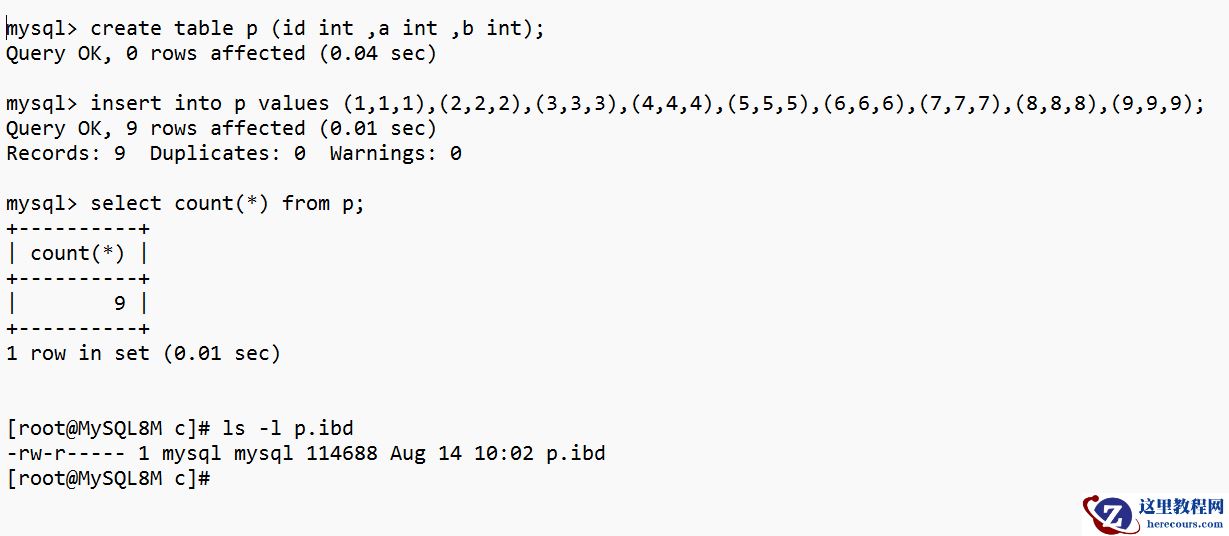
MySQL的特殊的表膨胀
26-03-01 - MySQL 事务特性以及工作原理与刷盘策略

MySQL 事务特性以及工作原理与刷盘策略
26-03-01 - 优化 SQL 体验:五款 AI 驱动工具助力 SQL 查询

优化 SQL 体验:五款 AI 驱动工具助力 SQL 查询
26-03-01 - 搞明白什么是零拷贝,就是这么简单
搞明白什么是零拷贝,就是这么简单
26-03-01 - MySQL 自适应哈希索引(一)构造
MySQL 自适应哈希索引(一)构造
26-03-01 - 面试官:try-catch 到底写在循环里面好,还是外面好?大部分人都会答错!
- 技术分享 | MySQL5.7 与 MariaDB10.1 审计插件兼容性验证
- 用友畅捷通T+服务器数据库中了locked勒索病毒怎么办,如何处理解决

用友畅捷通T+服务器数据库中了locked勒索病毒怎么办,如何处理解决
26-03-01