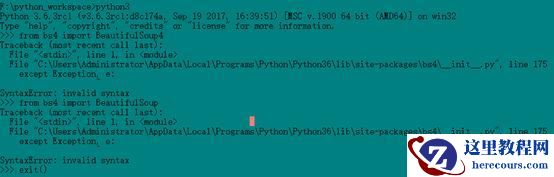
try:
is_file = os.path.exists(possible_filename)
except Exception, e: #line175
# This is almost certainly a problem involving
# characters not valid in filenames on this
# system. Just let it go.
pass
经过查找分析,此处是下载的模块是用python版本2编写的,它与我在计算机上安装的python版本具有不兼容的语法(版本3)。
解决办法,到这个地址下载最新的库安装包:
https://www.crummy.com/software/BeautifulSoup/bs4/download/4.6/
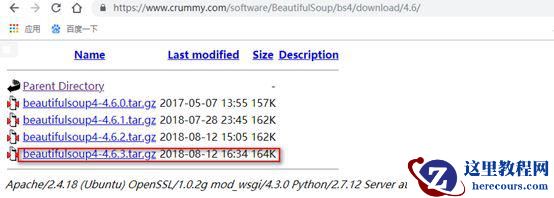
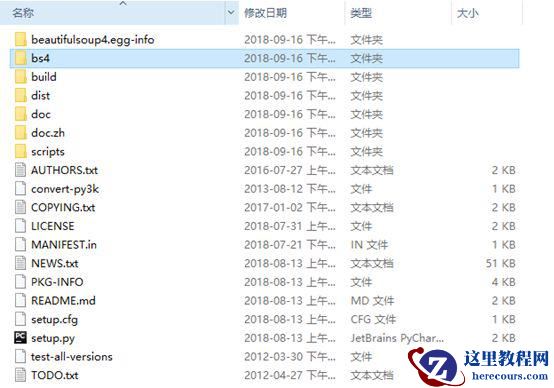
下载解压后,进入到相应的目录,在命令行下运行python3 setup.py文件
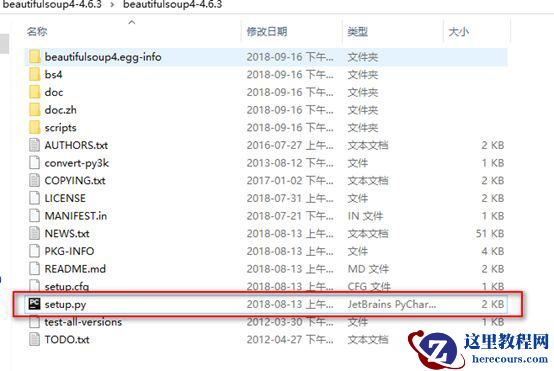
个人下载到Python36的scripts之下了C:\XXX\ Local\Programs\Python\Python36\Scripts
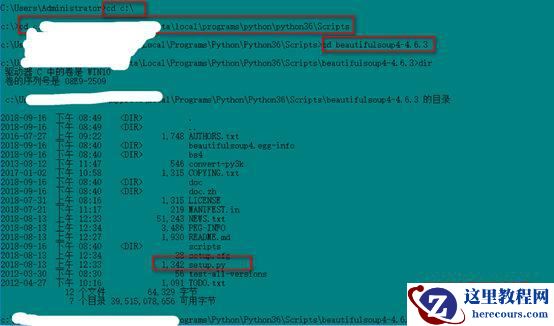
运行以上程序即可完成安装,可以检验一下:
>>> from bs4 import BeautifulSoup4
Traceback (most recent call last):
File "<stdin>", line 1, in <module>
File "c:\XXX\Programs\Python\Python36\Scripts\beautifulsoup4-4.6.3\bs4\__init__.py", line 54
'You are trying to run the Python 2 version of Beautiful Soup under Python 3. This will not work.'<>'You need to convert the code, either by installing it (`python setup.py install`) or by running 2to3 (`2to3 -w bs4`).' ^
SyntaxError: invalid syntax
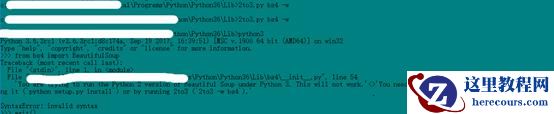
解决办法:直接将压缩文件中的bs4复制到python安装目录下的lib中,然后再利用python自带工具2to3.py将版本2下的.py 文件转化为版本3下的文件。
2to3.py bs4 –w
2to3.py 用法:2to3.py param1 (-w)
param1 可以是要转换的.py文件,或者是文件夹,如果是文件夹,整个文件夹中的.py都会被转换。
-w可选,如果不写的话默认输出转换后的结果到显示屏,如果要把转换的文件再写入原文件,就需要加上。
from bs4 import BeautifulSoup

终于,在一博客上找到了,具体细节可参考https://blog.csdn.net/Ltime/article/details/70307900
退出Python后,直接运行2to3 -w bs4
2to3 -w bs4
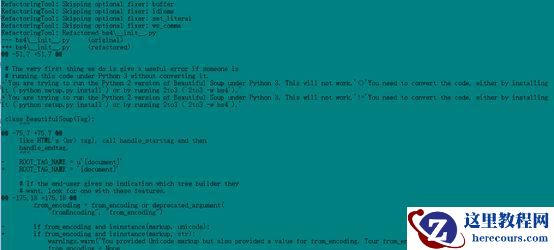
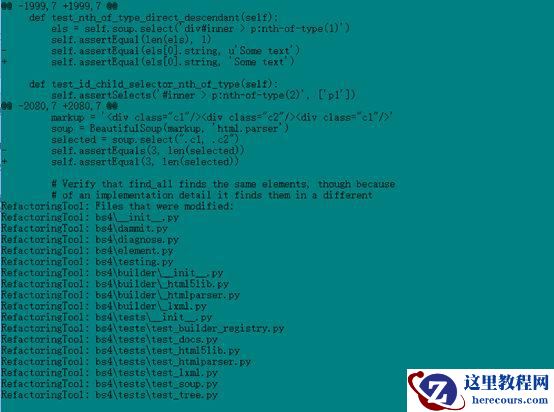
到最后输出如下的信息,则表示转换完成。输入Python3进入后,再次输入from bs4 import BeautifulSoup
没有报错,即表示安装成功!
>>> from bs4 import BeautifulSoup
>>>
Ubuntu16.04环境Python3.6下Django安装详细步骤
(端午节福利)各大影视VIP解析视频观看方法
Windows激活破解以及office安装破解
Windows10系统盘清理实用攻略
Windows环境下Python3安装
Python爬虫常用库的安装
2018年比特币重现江湖
Redis数据库安装