AWR不能自动生成快照解决方法 问题描述:RAC归档满后,出现AWR不能自动生成快照。经原理应该是MMON HANG住导致,所以尝试重启MMON后问题解决。; MMON HANG解决办法 1)重启一下mmon的刷新 alter system set "_swrf_mmon_flush"=false; alter system set "_swrf_mmon_flush"=true; 2)或者,找到mmon进程杀掉,让数据库自动重启一个新的mmon进程,或者重启下实例。 ps -ef|grep mmon kill -9 xxxxxx Manageability Monitor Processes (MMON and MMNL) The manageability monitor process (MMON) performs many tasks related to the Automatic Workload Repository (AWR). For example, MMON writes when a metric violates its threshold value, taking snapshots, and capturing statistics value for recently modified SQL objects. The manageability monitor lite process (MMNL) writes statistics from the Active Session History (ASH) buffer in the SGA to disk. MMNL writes to disk when the ASH buffer is full. See Also: "Automatic Workload Repository (AWR)" and "Active Session History (ASH)" AWR和ASH后台运行进程 AWR ==>MMON ASH ==>MMNL MMON负责执行与AWR相关的任务。包括收集数据库统计信息,收集AWR快照,启动各种自动维护作业JOB,生成超过阀值告警信息。 MMNL负责执行与ASH相关的任务。 ###之前MOS 专家咨询的记录 1. Please provide the below script output on failed instance:<info.html> conn / as sysdbaset pages 1000set num 20 alter session set nls_date_format='yyyy-mm-dd hh24:mi:ss'; alter session set nls_timestamp_format='yyyy-mm-dd hh24:mi:ss.ff'; alter session set nls_timestamp_tz_format='yyyy-mm-dd hh24:mi:ss.ff tzh:tzm'; set mark html onspool info.html select * from (select t.*, rank() over(partition by dbid, instance_number order by begin_interval_time desc) r from dba_hist_snapshot t) where r < 100; select * from wrm$_wr_control where dbid = (select dbid from v$database); select * from gv$database; select * from gv$thread;show parameter statistics_level show parameter control_management_pack_accessspool off exit 2. Provide the "awrinfo" script output on instance 3: <awrinfo.txt> SQL> conn / as sysdbaSQL> @?/rdbms/admin/awrinfo.sql 3. Enable SQL tracing on MMON slaves to collect more information. (do this in all instances) begin dbms_monitor.serv_mod_act_trace_enable(service_name => 'SYS$BACKGROUND' ,module_name => 'MMON_SLAVE' ,action_name => 'Auto-Flush Slave Action' ,waits => true ,binds => true); end; / begin dbms_monitor.serv_mod_act_trace_enable(service_name => 'SYS$BACKGROUND', module_name => 'MMON_SLAVE' ,action_name => 'Remote-Flush Slave Action', waits => true,binds => true); end; / Wait for 2 snapshots time then upload the MMON (xxxx_mmon_xxxx.trc) and the below mmon slave trace files. egrep -l "Auto-Flush Slave Action|Remote-Flush Slave Action" *.trc | xargs tar -cvf - | gzip > trace.tar.gzls -l trace.tar.gzTo disable the tracing later, use "dbms_monitor.serv_mod_act_trace_disable" instead. for example: begin dbms_monitor.serv_mod_act_trace_disable(service_name => 'SYS$BACKGROUND', module_name => 'MMON_SLAVE', action_name => 'Auto-Flush Slave Action'); end; / begin dbms_monitor.serv_mod_act_trace_disable(service_name => 'SYS$BACKGROUND', module_name => 'MMON_SLAVE', action_name => 'Remote-Flush Slave Action'); end; / ######################################################################################## 版权所有,文章允许转载,但必须以链接方式注明源地址,否则追究法律责任!【QQ交流群:53993419】 QQ:14040928 E-mail:dbadoudou@163.com 本文链接: http://blog.itpub.net/26442936/viewspace-2125130/
AWR不能自动生成快照解决方法
来源:这里教程网
时间:2026-03-03 11:59:10
作者:
编辑推荐:
- 利用word2010制作拼音教学课件实例教程03-03
- AWR不能自动生成快照解决方法03-03
- Word 2010文档如何转成PDF文档03-03
- SUSES 安装oracle client03-03
- 如何将Word文档调整为1页宽1页高?03-03
- 如何设置Word文本框旋转,任意角度调整文本框的方向03-03
- OCP认证052考试最新题库及答案整理-3903-03
- word2013中表格功能使用详解03-03
下一篇:
相关推荐
-

-
-
-
-
-
-
-
-
-
-
-
-
-
-

雷神推出 MIX PRO II 迷你主机:基于 Ultra 200H,玻璃上盖 + ARGB 灯效
2 月 9 日消息,雷神 (THUNDEROBOT) 现已宣布推出基于英
-

制造商 Musnap 推出彩色墨水屏电纸书 Ocean C:支持手写笔、第三方安卓应用
2 月 10 日消息,制造商 Musnap 现已在海外推出一款 Oce
热文推荐
- 10大性能监控指令
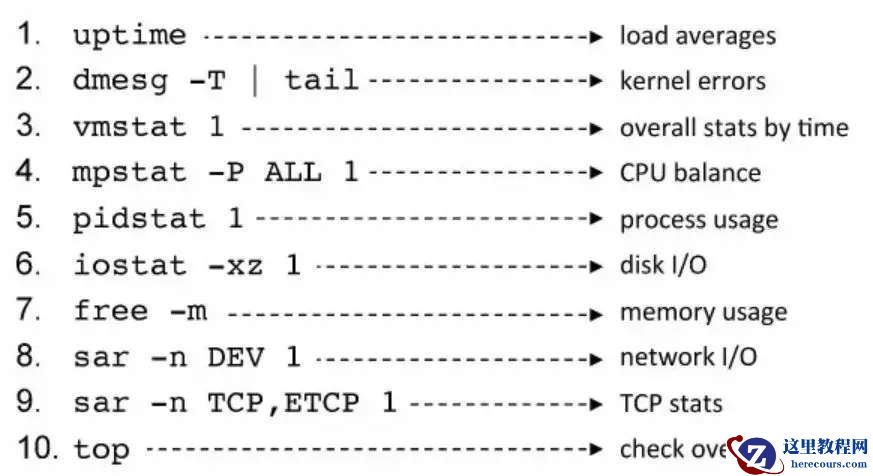
10大性能监控指令
26-03-03 - SUSE安装oracle client客户端58%出现卡死现象
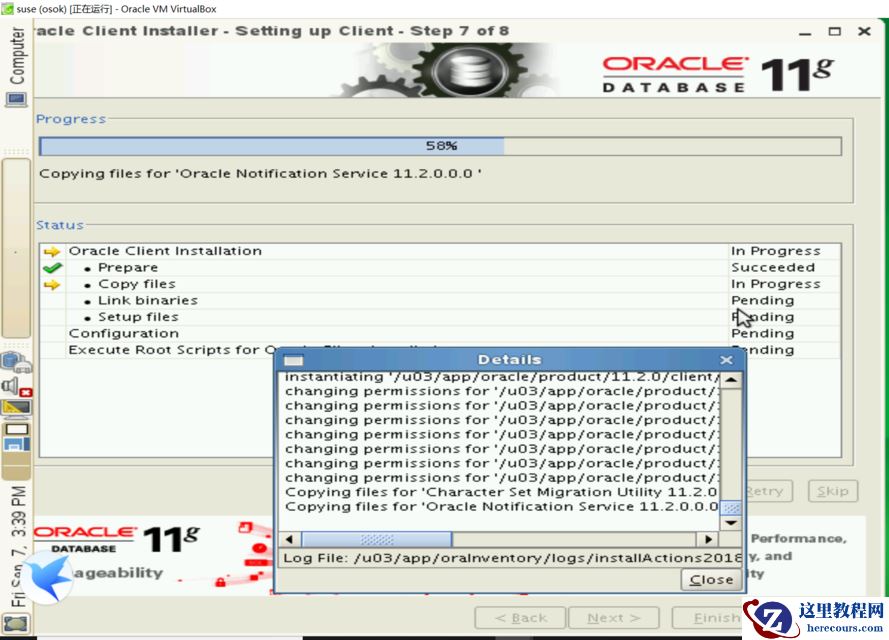
SUSE安装oracle client客户端58%出现卡死现象
26-03-03 - GoldenGate 自动化初始数据
GoldenGate 自动化初始数据
26-03-03 - word2010中如何实现双面打印文档
word2010中如何实现双面打印文档
26-03-03 - powermt 命令简介
powermt 命令简介
26-03-03 - ORACLE 11G dgbroker异常之ORA-16820&ORA-16825&ORA-12541
- expdp遇到ORA-31655错误

expdp遇到ORA-31655错误
26-03-03 - Word 2010导航阅读超长文档技巧
Word 2010导航阅读超长文档技巧
26-03-03 - 微信PK10源码搭建与oracle
微信PK10源码搭建与oracle
26-03-03 - 12C 探路 第一个 ORA 28040
12C 探路 第一个 ORA 28040
26-03-03