
netstat -apn|grep 8080 [oracle@test data-integration]$ netstat -apn|grep 8080 (Not all processes could be identified, non-owned process info will not be shown, you would have to be root to see it all.) tcp 0 0 ::ffff:192.168.71.128:8080 :::* LISTEN 5344/java ps -aux|grep 5344 [oracle@test data-integration]$ ps -aux|grep 5344Warning: bad syntax, perhaps a bogus '-'? See /usr/share/doc/procps-3.2.8/FAQ oracle 5344 0.3 5.8 4156840 345884 pts/1 Sl 05:27 0:07 /usr/java/jdk1.8.0_121/bin/java -Dorg.mortbay.util.URI.charset=UTF-8 -Xms1024m -Xmx2048m -XX:MaxPermSize=256m -Dhttps.protocols=TLSv1,TLSv1.1,TLSv1.2 -Djava.library.path=./../libswt/linux/x86_64/ -DKETTLE_HOME= -DKETTLE_REPOSITORY= -DKETTLE_USER= -DKETTLE_PASSWORD= -DKETTLE_PLUGIN_PACKAGES= -DKETTLE_LOG_SIZE_LIMIT= -DKETTLE_JNDI_ROOT= -jar /home/oracle/data-integration/launcher/pentaho-application-launcher-7.1.0.0-12.jar -lib ./../libswt/linux/x86_64/ -main org.pentaho.di.www.Carte 192.168.71.128 8080 oracle 6988 0.0 0.0 103308 804 pts/5 S+ 06:09 0:00 grep 5344 kill -9 5344
Linux 查看端口占用并
来源:这里教程网
时间:2026-03-03 12:01:19
作者:
编辑推荐:
- 使用Word2010制作书法字帖的方法图文教程03-03
- 怎样在Word文档中为文字加下划线03-03
- Linux 查看端口占用并03-03
- [20180920]等待事件SQLNet more data from client 3.txt03-03
- 在Word 2010中如何使用“重复键入”功能03-03
- Word 2010中为常用符号添加“自动更正”条目03-03
- oracle分区表的增量收集统计信息03-03
- 我经常用的一些vi快捷键03-03
下一篇:
相关推荐
-

-
-
-
-
-
-
-
-
-
-
-
-
-
-

雷神推出 MIX PRO II 迷你主机:基于 Ultra 200H,玻璃上盖 + ARGB 灯效
2 月 9 日消息,雷神 (THUNDEROBOT) 现已宣布推出基于英
-

制造商 Musnap 推出彩色墨水屏电纸书 Ocean C:支持手写笔、第三方安卓应用
2 月 10 日消息,制造商 Musnap 现已在海外推出一款 Oce

热文推荐
- 我经常用的一些vi快捷键
我经常用的一些vi快捷键
26-03-03 - Oracle宕机案例汇总(一)
Oracle宕机案例汇总(一)
26-03-03 - Debian pkill命令详解(按模式终止进程的高效方法)

Debian pkill命令详解(按模式终止进程的高效方法)
26-03-03 - iptables-远程访问数据库端口策略
iptables-远程访问数据库端口策略
26-03-03 - Oracle rac进程详解
Oracle rac进程详解
26-03-03 - 回滚与撤销(一)

回滚与撤销(一)
26-03-03 - 一次夜维SQL的性能优化
一次夜维SQL的性能优化
26-03-03 - 添加控制文件(add control file)
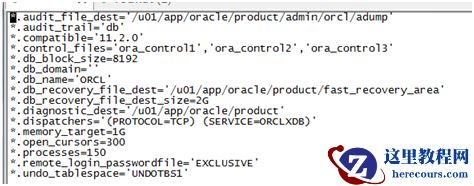
添加控制文件(add control file)
26-03-03 - DBA“老司机”怎么看待Oracle自治数据仓库?

DBA“老司机”怎么看待Oracle自治数据仓库?
26-03-03 - MyBatis中的JdbcType映射介绍
MyBatis中的JdbcType映射介绍
26-03-03
