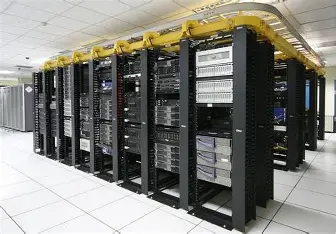
Exalogic 为oracle 的应用一体机,其中内部包含了 一个思科交换机,一个骨干 Infiniband Switche,两个叶子 Infiniband Switche 本篇文章主要介绍内部思科交换机的备份与还原的操作. exadata 中的思科交换机原理相同. 后期会介绍 Infiniband Switche 的备份与还原.
备份
PC>ping 10.135.162.152 //先对交换机ping一下确保与交换机之间的连线是相同的 Pinging 10.135.162.152 with 32 bytes of data: Request timed out. Reply from 10.135.162.152: bytes=32 time=0ms TTL=255//提示ping通 Reply from 10.135.162.152: bytes=32 time=1ms TTL=255 Reply from 10.135.162.152: bytes=32 time=0ms TTL=255 Ping statistics for 10.135.162.152: Packets: Sent = 4, Received = 3, Lost = 1 (25% loss), Approximate round trip times in milli-seconds: Minimum = 0ms, Maximum = 1ms, Average = 0ms PC>telnet 10.135.162.152 //用telnet进行远程登录 Trying 10.135.162.152 ...Open User Access Verification Password: //输入telnet登录密码: SW1>enable //进入交换机 Password: //输入进入密码: SW1#copy running-config startup-config //将运行配置文件覆盖启动配置文件。(将交换机所做的配置保存下来。) Destination filename [startup-config]? //指定目标文件[默认为startup-config] Building configuration... [OK] SW1#copy running-config TFTP //将运行配置文件(交换机的配置)保存到FTP服务器上 Address or name of remote host []? 10.135.20.72 //指定远程FTP服务器的地址 Destination filename [SW1-confg]? dm01sw-adm01-config //指定保存到FTP服务器上的文件名 Writing running-config....!! [OK - 1059 bytes] 1059 bytes copied in 3.005 secs (0 bytes/sec) SW1# 2.还原 Switch# Switch#config t Enter configuration commands, one per line. End with CNTL/Z. Switch(config)#int vlan 1 //进入VLAN1 Switch(config-if)#ip add Switch(config-if)#ip address 192.168.1.1 255.255.255.0 //配置VLAN1IP地址 Switch(config-if)#no shutdown //启动生效 Switch(config-if)# %LINK-5-CHANGED: Interface Vlan1, changed state to up %LINEPROTO-5-UPDOWN: Line protocol on Interface Vlan1, changed state to up Switch(config-if)#exit Switch(config)#exit Switch# %SYS-5-CONFIG_I: Configured from console by console Switch#copy TFTP startup-config //将FTP上的文件复制到启动配置文件中 Address or name of remote host []? 10.135.20.72 //来自FTP的地址是10.135.20.72 Source filename []? dm01sw-adm01-config //来自FTP的dm01sw-adm01-config 文件 Destination filename [startup-config]? //指定存放的目标文件为默认的startup-config Accessing tftp://10.135.20.72/dm01sw-adm01-config.... Loading dm01sw-adm01-config from 10.135.20.72: ! [OK - 1059 bytes] //复制成功。 1059 bytes copied in 3.016 secs (351 bytes/sec) Switch#





![ORA-00600[kluinit:new add column in directpath 2]](https://www.herecours.com/d/file/efpub/2026/03-03/20260303121317826547.jpg?x-oss-process=style/bb "ORA-00600[kluinit:new add column in directpath 2]")