一个故障案例,报错信息如下 ORA-04030: 在尝试分配 16328 字节 (koh-kghu call ,kollrsz) 时进程内存不足 oerr查看报错信息,是process获取不到足够的内存,server process消耗的是PGA,而非SGA [oracle@febdb ~]$ oerr ora 04030 04030, 00000, "out of process memory when trying to allocate %s bytes (%s,%s)" // *Cause: Operating system process private memory was exhausted. // *Action: PGA不足,思路主要查看PGA、workarea的参数值和实例启动以来的统计值,可以分4步来处理,第一步查询参数值、第二步查询隐含参数值、第三步查询v$pgastat统计值、第四步分析前面三步的各项值得出结论 第一步 SQL> show parameter pga NAME TYPE VALUE ------------------------------------ ----------- ------------------------------ pga_aggregate_target big integer 8G SQL> show parameter area_size NAME TYPE VALUE ------------------------------------ ----------- ------------------------------ bitmap_merge_area_size integer 1048576 create_bitmap_area_size integer 8388608 hash_area_size integer 131072 sort_area_size integer 65536 workarea_size_policy string AUTO 第二步 SQL> col NAME format a25 SQL> col VALUE format a20 SQL> col DESCRIPTION format a55 SQL> set linesize 110 SQL> select a.ksppinm name, b.ksppstvl value, a.ksppdesc description from x$ksppi a, x$ksppcv b where a.indx = b.indx and a.ksppinm like '%_pga_max%'; NAME VALUE DESCRIPTION --------------- --------------- -------------------------------------------------- _pga_max_size 1717985280 Maximum size of the PGA memory for one process SQL> select a.ksppinm name, b.ksppstvl value, a.ksppdesc description from x$ksppi a, x$ksppcv b where a.indx = b.indx and a.ksppinm like '%smm_max%'; NAME VALUE DESCRIPTION -------------------- --------------- ------------------------------------------------------- _smm_max_size_static 838860 static maximum work area size in auto mode (serial) _smm_max_size 838860 maximum work area size in auto mode (serial) SQL> select a.ksppinm name, b.ksppstvl value, a.ksppdesc description from x$ksppi a, x$ksppcv b where a.indx = b.indx and a.ksppinm like '%smm_px%'; NAME VALUE DESCRIPTION ------------------------- --------------- ------------------------------------------------------- _smm_px_max_size_static 4194304 static maximum work area size in auto mode (global) _smm_px_max_size 4194304 maximum work area size in auto mode (global) 一个进程最大的PGA值,本案例中是 1717985280B (_pga_max_size的单位是B) 自动模式下,一个进程的PGA的最大work area值,本案例中是838860KB(_smm_max_size的单位是 KB ,此值一般是_pga_max_size的50%) 自动模式下,所有进程的PGA最大work area总量值,本案例中是4194304KB(_smm_px_max_size的单位是 KB ,此值一般是PGA_AGGREGATE_TARGET参数的50%) 第三步 SQL> col value format 9999999999999999 SQL> col name format a40 SQL> select * from v$pgastat where name in ('aggregate PGA target parameter','maximum PGA allocated','maximum PGA used for auto workareas','maximum PGA used for manual workareas','total PGA allocated','total PGA inuse','cache hit percentage') order by 1; NAME VALUE UNIT ---------------------------------------- ----------------- ------------ aggregate PGA target parameter 8589934592 bytes cache hit percentage 97 percent maximum PGA allocated 29975256064 bytes maximum PGA used for auto workareas 3414564864 bytes maximum PGA used for manual workareas 2713600 bytes total PGA allocated 15749543936 bytes total PGA inuse 12480521216 bytes aggregate PGA target parameter Current value of the PGA_AGGREGATE_TARGET initialization parameter --当前PGA的参数值,本案例中为8589934592bytes,和参数pga_aggregate_target值一样 cache hit percentage A value of 100% means that all work areas executed by the system since instance startup have used an optimal amount of PGA memory. --小于100%表示排序等消耗work areas的操作不一定都是在PGA完成,而是work areas走了磁盘使用了临时表空间,本案例中为97% maximum PGA allocated Maximum number of bytes of PGA memory allocated at one time since instance startup -- PGA曾经达到的最大值 ,本案例中为29975256064bytes maximum PGA used for auto workareas Maximum amount of PGA memory consumed at one time by work areas running under the automatic memory management mode since instance startup --自动模式下的work areas曾经达到的最大值,本案例中为3414564864bytes maximum PGA used for manual workareas Maximum amount of PGA memory consumed at one time by work areas running under the manual memory management mode since instance startup. --手工模式下的work areas曾经达到的最大值,本案例中为2713600bytes total PGA allocated Current amount of PGA memory allocated by the instance. The Oracle Database attempts to keep this number below the value of the PGA_AGGREGATE_TARGET initialization parameter. However, it is possible for the PGA allocated to exceed that value by a small percentage and for a short period of time when the work area workload is increasing very rapidly or when PGA_AGGREGATE_TARGET is set to a small value. -- 当前PGA的真实值 ,本案例中为15749543936 bytes Oracle数据库试图将这个数字保持在PGA_AGGREGATE_TARGET初始化参数的值以下。然而,PGA可以在短时间内以较小的百分比分配超过该值,当工作区域的工作负载增长非常快,或者当PGA_AGGREGATE_TARGET被设置为一个小的值时,这是可能的。 total PGA inuse Indicates how much PGA memory is currently consumed by work areas -- 当前work areas的真实值 。本案例中为12480521216bytes 第四步 根据以上1、2、3的数据,分析是PGA不足还是workarea_size_policy设置为AUTO的问题。 如果PGA不足,重新设置参数pga_aggregate_target,使用更大值 如果PGA设置很大后,还是保报错,则设置参数值workarea_size_policy为MANUAL,再根据业务设置*area_size这些参数的值。 --本案例明显是因为PGA不足引发,设置PGA参数值为20G解决。
PGA引发的ORA-04030报错的处理思路
来源:这里教程网
时间:2026-03-03 13:49:01
作者:
编辑推荐:
下一篇:
相关推荐
-

-
-
-
-
-
-
-
-
-
-
-
-
-
-

雷神推出 MIX PRO II 迷你主机:基于 Ultra 200H,玻璃上盖 + ARGB 灯效
2 月 9 日消息,雷神 (THUNDEROBOT) 现已宣布推出基于英
-

制造商 Musnap 推出彩色墨水屏电纸书 Ocean C:支持手写笔、第三方安卓应用
2 月 10 日消息,制造商 Musnap 现已在海外推出一款 Oce

![11g ADG 出现FAL[client,USER]:error 12154 connect to orcl for fetching gap](https://www.herecours.com/d/file/efpub/2026/03-03/20260303132442833661.jpg?x-oss-process=style/bb "11g ADG 出现FAL[client,USER]:error 12154 connect to orcl for fetching gap")
热文推荐
- ORACLE for windows 审计文件xml文件过多导致数据库启动报错ORA-09925
- Oracle启动两个监听

Oracle启动两个监听
26-03-03 - 11g ADG 出现FAL[client,USER]:error 12154 connect to orcl for fetching gap
- Oracle中的12C新特性-容器数据库概念-基本操作
Oracle中的12C新特性-容器数据库概念-基本操作
26-03-03 - Debian模型评估指标(在Debian系统中计算机器学习模型性能的完整指南)
- 在 Linux 上检测硬盘上的坏道和坏块

在 Linux 上检测硬盘上的坏道和坏块
26-03-03 - 有关oracle字符与字节的整理
有关oracle字符与字节的整理
26-03-03 - 运行lsnrctl 命令 挂机,超时TNS-12525: TNS-12535:TNS-12606:
- ORACLE OCM备考之外部表管理使用非压缩属性脚本报错KUP-04095与权限
- 删除表空间时报ORA-00604、ORA-38301问题解决
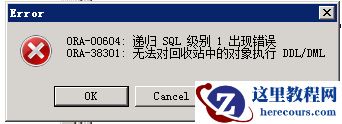
删除表空间时报ORA-00604、ORA-38301问题解决
26-03-03