[20190703]12c Hybrid histogram.txt --//个人对直方图了解很少,以前2种直方图类型对于目前的许多应用来讲已经足够,或者讲遇到的问题很少. --//抽一点点时间,简单探究12c HYBRID histogram. --//以前已经探究过Top Frequency histogram,链接 --//http://blog.itpub.net/267265/viewspace-2140257/=>[20170603]12c Top Frequency histogram.txt 1.环境: SCOTT@test01p> @ ver1 PORT_STRING VERSION BANNER CON_ID ------------------------------ -------------- -------------------------------------------------------------------------------- ---------- IBMPC/WIN_NT64-9.1.0 12.2.0.1.0 Oracle Database 12c Enterprise Edition Release 12.2.0.1.0 - 64bit Production 0 2.测试例子建立: create table t1 (owner varchar2(30)); create table t2 (owner varchar2(30)); $ cat aa.txt APEX_040200 3405 ORDSYS 3157 MDSYS 1819 PUBLIC 1047 XDB 985 SYS 942 SYSTEM 641 CTXSYS 405 WMSYS 387 DVSYS 352 SH 309 ORDDATA 292 LBACSYS 209 OE 142 SCOTT 96 GSMADMIN_INTERNAL 77 IX 58 DBSNMP 55 PM 44 HR 35 OLAPSYS 25 OJVMSYS 23 DVF 19 FLOWS_FILES 13 AUDSYS 12 ORDPLUGINS 10 OUTLN 10 BI 8 ORACLE_OCM 8 SI_INFORMTN_SCHEM 8 APPQOSSYS 5 TEST 2 --//注这个是上次测试owner的数据分布,还是以这个为蓝本探究。 awk "{print \"insert into t1 select '\"$1\"'from dual connect by level \74=\",$2,\";\"}" aa.txt awk "{print \"insert into t1 select '\"$1\"'from dual connect by level \x3c=\",$2,\";\"}" aa.txt --//说明:windows下awk真变态,外层使用双引号,内部无法解析双引号。"<"不知道如何转换,使用\74表示(实际上八进制). --//在vim下通过ga命令确定. 输入< ,在该字符上打入ga,在提示行出现:<<> 60, 十六进制 3c, 八进制 074 --//执行如下: D:\> gawk "{print \"insert into t1 select '\"$1\"'from dual connect by level \x3c=\",$2,\";\"}" aa.txt |sqlplus scott/btbtms@test01p SCOTT@test01p> insert into t2 select * from t1; 14600 rows created. SCOTT@test01p> delete t1 where owner='SYS' and rownum<=1; 1 row deleted. SCOTT@test01p> commit ; Commit complete. --//前面的链接如果分析buckert=10的情况下,t1表owner字段建立的直方图是HYBRID,t2建立的直方图是TOP-FREQUENCY. with a as (select distinct owner,count(*) over(partition by owner) n1 ,count(*) over () n2 from t1 order by 2 desc ), b as (select owner,n1,n2,sum(n1) over (order by n1 desc) n3 from a order by n1 desc) select rownum,owner,n1,n2,n3,round(n3/n2,5) x1,round(1-1/rownum,5) x2 from b; ROWNUM OWNER N1 N2 N3 X1 X2 ---------- -------------------- ---------- ---------- ---------- ---------- ---------- 1 APEX_040200 3405 14599 3405 .23324 0 2 ORDSYS 3157 14599 6562 .44948 .5 3 MDSYS 1819 14599 8381 .57408 .66667 4 PUBLIC 1047 14599 9428 .6458 .75 5 XDB 985 14599 10413 .71327 .8 6 SYS 941 14599 11354 .77772 .83333 7 SYSTEM 641 14599 11995 .82163 .85714 8 CTXSYS 405 14599 12400 .84937 .875 9 WMSYS 387 14599 12787 .87588 .88889 10 DVSYS 352 14599 13139 .89999 .9 ~~~~~~~~~~~~~~~~~~~~~~~~~~~~~~~~~~~~~~~~~~~~~~~~~~~~~~~~~~~~~~~~~~~~~~~~~~~~~~~~~~~~~ 11 SH 309 14599 13448 .92116 .90909 12 ORDDATA 292 14599 13740 .94116 .91667 13 LBACSYS 209 14599 13949 .95548 .92308 14 OE 142 14599 14091 .9652 .92857 15 SCOTT 96 14599 14187 .97178 .93333 16 GSMADMIN_INTERNAL 77 14599 14264 .97705 .9375 17 IX 58 14599 14322 .98103 .94118 18 DBSNMP 55 14599 14377 .98479 .94444 19 PM 44 14599 14421 .98781 .94737 20 HR 35 14599 14456 .9902 .95 21 OLAPSYS 25 14599 14481 .99192 .95238 22 OJVMSYS 23 14599 14504 .99349 .95455 23 DVF 19 14599 14523 .99479 .95652 24 FLOWS_FILES 13 14599 14536 .99568 .95833 25 AUDSYS 12 14599 14548 .99651 .96 26 ORDPLUGINS 10 14599 14568 .99788 .96154 27 OUTLN 10 14599 14568 .99788 .96296 28 BI 8 14599 14592 .99952 .96429 29 ORACLE_OCM 8 14599 14592 .99952 .96552 30 SI_INFORMTN_SCHEM 8 14599 14592 .99952 .96667 31 APPQOSSYS 5 14599 14597 .99986 .96774 32 TEST 2 14599 14599 1 .96875 32 rows selected. with a as (select distinct owner,count(*) over(partition by owner) n1 ,count(*) over () n2 from t2 order by 2 desc ), b as (select owner,n1,n2,sum(n1) over (order by n1 desc) n3 from a order by n1 desc) select rownum,owner,n1,n2,n3,round(n3/n2,5) x1,round(1-1/rownum,5) x2 from b; ROWNUM OWNER N1 N2 N3 X1 X2 ---------- -------------------- ---------- ---------- ---------- ---------- ---------- 1 APEX_040200 3405 14600 3405 .23322 0 2 ORDSYS 3157 14600 6562 .44945 .5 3 MDSYS 1819 14600 8381 .57404 .66667 4 PUBLIC 1047 14600 9428 .64575 .75 5 XDB 985 14600 10413 .71322 .8 6 SYS 942 14600 11355 .77774 .83333 7 SYSTEM 641 14600 11996 .82164 .85714 8 CTXSYS 405 14600 12401 .84938 .875 9 WMSYS 387 14600 12788 .87589 .88889 10 DVSYS 352 14600 13140 .9 .9 ~~~~~~~~~~~~~~~~~~~~~~~~~~~~~~~~~~~~~~~~~~~~~~~~~~~~~~~~~~~~~~~~~~~~~~~~~~~~~~~~~~~~~~~~~ 11 SH 309 14600 13449 .92116 .90909 12 ORDDATA 292 14600 13741 .94116 .91667 13 LBACSYS 209 14600 13950 .95548 .92308 14 OE 142 14600 14092 .96521 .92857 15 SCOTT 96 14600 14188 .97178 .93333 16 GSMADMIN_INTERNAL 77 14600 14265 .97705 .9375 17 IX 58 14600 14323 .98103 .94118 18 DBSNMP 55 14600 14378 .98479 .94444 19 PM 44 14600 14422 .98781 .94737 20 HR 35 14600 14457 .99021 .95 21 OLAPSYS 25 14600 14482 .99192 .95238 22 OJVMSYS 23 14600 14505 .99349 .95455 23 DVF 19 14600 14524 .99479 .95652 24 FLOWS_FILES 13 14600 14537 .99568 .95833 25 AUDSYS 12 14600 14549 .99651 .96 26 ORDPLUGINS 10 14600 14569 .99788 .96154 27 OUTLN 10 14600 14569 .99788 .96296 28 BI 8 14600 14593 .99952 .96429 29 ORACLE_OCM 8 14600 14593 .99952 .96552 30 SI_INFORMTN_SCHEM 8 14600 14593 .99952 .96667 31 APPQOSSYS 5 14600 14598 .99986 .96774 32 TEST 2 14600 14600 1 .96875 32 rows selected. --//注意看下划线,可以分析buckert=10的情况下,t1表owner字段建立的直方图是HYBRID,t2建立的直方图是TOP-FREQUENCY. --// a1.sql exec dbms_stats.gather_table_stats(ownname=>user,tabname=>'&1',method_opt=>'for columns owner size &2'); select column_name,num_distinct,density,histogram,SAMPLE_SIZE from user_tab_col_statistics where table_name ='&1' and column_name ='OWNER'; SCOTT@test01p> @ a1 T1 10 PL/SQL procedure successfully completed. old 1: select column_name,num_distinct,density,histogram,SAMPLE_SIZE from user_tab_col_statistics where table_name ='&1' and column_name ='OWNER' new 1: select column_name,num_distinct,density,histogram,SAMPLE_SIZE from user_tab_col_statistics where table_name ='T1' and column_name ='OWNER' COLUMN_NAME NUM_DISTINCT DENSITY HISTOGRAM SAMPLE_SIZE -------------------- ------------ ---------- --------------- ----------- OWNER 32 .018378 HYBRID 14599 --//DENSITY=.018378 如何计算呢?我不知道... SCOTT@test01p> @ a1 T2 10 PL/SQL procedure successfully completed. old 1: select column_name,num_distinct,density,histogram,SAMPLE_SIZE from user_tab_col_statistics where table_name ='&1' and column_name ='OWNER' new 1: select column_name,num_distinct,density,histogram,SAMPLE_SIZE from user_tab_col_statistics where table_name ='T2' and column_name ='OWNER' COLUMN_NAME NUM_DISTINCT DENSITY HISTOGRAM SAMPLE_SIZE -------------------- ------------ ---------- --------------- ----------- OWNER 32 .000034247 TOP-FREQUENCY 14600 --//DENSITY=1/2/14600 = .00003424657534246575 --//可以发现T1与T2在owner字段上一个建立的是HYBRID,一个是TOP-FREQUENCY。 3.对比: SCOTT@test01p> column ENDPOINT_ACTUAL_VALUE_RAW noprint SCOTT@test01p> select * from user_tab_histograms where table_name ='T1' and column_name ='OWNER'; TABLE_NAME COLUMN_NAME ENDPOINT_NUMBER ENDPOINT_VALUE ENDPOINT_ACTUAL_VALUE ENDPOINT_REPEAT_COUNT SCOPE ---------- ----------- --------------- -------------- --------------------- --------------------- ------ T1 OWNER 3405 3.3913E+35 APEX_040200 3405 SHARED T1 OWNER 3890 3.5442E+35 DBSNMP 55 SHARED T1 OWNER 4386 3.7551E+35 HR 35 SHARED T1 OWNER 6472 4.0119E+35 MDSYS 1819 SHARED T1 OWNER 6962 4.1186E+35 ORDDATA 292 SHARED T1 OWNER 10129 4.1186E+35 ORDSYS 3157 SHARED T1 OWNER 11230 4.1711E+35 PUBLIC 1047 SHARED T1 OWNER 12584 4.3277E+35 SYS 941 SHARED T1 OWNER 13225 4.3277E+35 SYSTEM 641 SHARED T1 OWNER 14599 4.5831E+35 XDB 985 SHARED 10 rows selected. SCOTT@test01p> select * from user_tab_histograms where table_name ='T2' and column_name ='OWNER'; TABLE_NAME COLUMN_NAME ENDPOINT_NUMBER ENDPOINT_VALUE ENDPOINT_ACTUAL_VALUE ENDPOINT_REPEAT_COUNT SCOPE ---------- ----------- --------------- -------------- --------------------- --------------------- ------ T2 OWNER 3405 3.3913E+35 APEX_040200 0 SHARED T2 OWNER 3810 3.4959E+35 CTXSYS 0 SHARED T2 OWNER 4162 3.5483E+35 DVSYS 0 SHARED T2 OWNER 5981 4.0119E+35 MDSYS 0 SHARED T2 OWNER 9138 4.1186E+35 ORDSYS 0 SHARED T2 OWNER 10185 4.1711E+35 PUBLIC 0 SHARED T2 OWNER 11127 4.3277E+35 SYS 0 SHARED T2 OWNER 11768 4.3277E+35 SYSTEM 0 SHARED T2 OWNER 12155 4.5330E+35 WMSYS 0 SHARED T2 OWNER 13140 4.5831E+35 XDB 0 SHARED 10 rows selected. --//你可以发现HYBRID与TOP-FREQUENCY直方图的一点不同之处,对于HYBRID histogram字段ENDPOINT_REPEAT_COUNT记录 --//ENDPOINT_ACTUAL_VALUE出现的频度。 select a.* from user_tab_histograms a where a.table_name ='T1' and a.column_name ='OWNER' and not exists ( select 1 from user_tab_histograms where table_name ='T2' and column_name ='OWNER' and ENDPOINT_ACTUAL_VALUE=a.ENDPOINT_ACTUAL_VALUE); TABLE_NAME COLUMN_NAME ENDPOINT_NUMBER ENDPOINT_VALUE ENDPOINT_ACTUAL_VALUE ENDPOINT_REPEAT_COUNT SCOPE ---------- ----------- --------------- -------------- --------------------- --------------------- ------ T1 OWNER 3890 3.5442E+35 DBSNMP 55 SHARED T1 OWNER 4386 3.7551E+35 HR 35 SHARED T1 OWNER 6962 4.1186E+35 ORDDATA 292 SHARED --//这3个ENDPOINT_ACTUAL_VALUE并不是流行值。 4.测试: SCOTT@test01p> alter session set statistics_level = all; Session altered. SCOTT@test01p> select count(*) from t1 where owner='HR'; COUNT(*) -------- 35 SCOTT@test01p> @ dpc '' '' PLAN_TABLE_OUTPUT ------------------------------------- SQL_ID axgs6vcm4mvs3, child number 0 ------------------------------------- select count(*) from t1 where owner='HR' Plan hash value: 3724264953 --------------------------------------------------------------------------------------------------------------------- | Id | Operation | Name | Starts | E-Rows |E-Bytes| Cost (%CPU)| E-Time | A-Rows | A-Time | Buffers | --------------------------------------------------------------------------------------------------------------------- | 0 | SELECT STATEMENT | | 1 | | | 9 (100)| | 1 |00:00:00.01 | 31 | | 1 | SORT AGGREGATE | | 1 | 1 | 8 | | | 1 |00:00:00.01 | 31 | |* 2 | TABLE ACCESS FULL| T1 | 1 | 35 | 280 | 9 (0)| 00:00:01 | 35 |00:00:00.01 | 31 | --------------------------------------------------------------------------------------------------------------------- Query Block Name / Object Alias (identified by operation id): ------------------------------------------------------------- 1 - SEL$1 2 - SEL$1 / T1@SEL$1 Predicate Information (identified by operation id): --------------------------------------------------- 2 - filter("OWNER"='HR') --//出现在直方图内的值估计很准确。 SCOTT@test01p> select count(*) from t1 where owner='CTXSYS'; COUNT(*) ---------- 405 SCOTT@test01p> @ dpc '' '' PLAN_TABLE_OUTPUT ------------------------------------- SQL_ID 8f6jd9fzfqqz4, child number 0 ------------------------------------- select count(*) from t1 where owner='CTXSYS' Plan hash value: 3724264953 --------------------------------------------------------------------------------------------------------------------- | Id | Operation | Name | Starts | E-Rows |E-Bytes| Cost (%CPU)| E-Time | A-Rows | A-Time | Buffers | --------------------------------------------------------------------------------------------------------------------- | 0 | SELECT STATEMENT | | 1 | | | 9 (100)| | 1 |00:00:00.01 | 31 | | 1 | SORT AGGREGATE | | 1 | 1 | 8 | | | 1 |00:00:00.01 | 31 | |* 2 | TABLE ACCESS FULL| T1 | 1 | 214 | 1712 | 9 (0)| 00:00:01 | 405 |00:00:00.01 | 31 | --------------------------------------------------------------------------------------------------------------------- Query Block Name / Object Alias (identified by operation id): ------------------------------------------------------------- 1 - SEL$1 2 - SEL$1 / T1@SEL$1 Predicate Information (identified by operation id): --------------------------------------------------- 2 - filter("OWNER"='CTXSYS') D:\tools\sqllaji>cat 10053x.sql execute dbms_sqldiag.dump_trace(p_sql_id=>'&1',p_child_number=>&2,p_component=>'Compiler',p_file_id=>'&&1'); SCOTT@test01p> @ 10053x 8f6jd9fzfqqz4 0 PL/SQL procedure successfully completed. *************************************** SINGLE TABLE ACCESS PATH Single Table Cardinality Estimation for T1[T1] SPD: Return code in qosdDSDirSetup: NOCTX, estType = TABLE kkecdn: Single Table Predicate:"T1"."OWNER"='CTXSYS' Column (#1): NewDensity:0.014687, OldDensity:0.018378 BktCnt:14599.000000, PopBktCnt:8381.000000, PopValCnt:3, NDV:32 Column (#1): OWNER(VARCHAR2) AvgLen: 8 NDV: 32 Nulls: 0 Density: 0.014687 Histogram: Hybrid #Bkts: 10 UncompBkts: 14599 EndPtVals: 10 ActualVal: yes Using density: 0.014687 of col #1 as selectivity of pred having unreasonably low value Table: T1 Alias: T1 Card: Original: 14599.000000 Rounded: 214 Computed: 214.413793 Non Adjusted: 214.413793 Scan IO Cost (Disk) = 9.000000 Scan CPU Cost (Disk) = 2389250.320000 Cost of predicates: io = NOCOST, cpu = 50.000000, sel = 0.014687 flag = 2048 ("T1"."OWNER"='CTXSYS') Total Scan IO Cost = 9.000000 (scan (Disk)) + 0.000000 (io filter eval) (= 0.000000 (per row) * 14599.000000 (#rows)) = 9.000000 Total Scan CPU Cost = 2389250.320000 (scan (Disk)) + 729950.000000 (cpu filter eval) (= 50.000000 (per row) * 14599.000000 (#rows)) = 3119200.320000 Access Path: TableScan Cost: 9.138291 Resp: 9.138291 Degree: 0 Cost_io: 9.000000 Cost_cpu: 3119200 Resp_io: 9.000000 Resp_cpu: 3119200 Best:: AccessPath: TableScan Cost: 9.138291 Degree: 1 Resp: 9.138291 Card: 214.413793 Bytes: 0.000000 check parallelism for statement[<unnamed>] kkfdPaPrm.1:curInst:4, curpxEnabled=1, curCPUCount=1 kkfdPaPrm.2:sessInst:4, sesspxEnabled=1, sesCPUCount=1 kkfdPaForcePrm: dop:1 () use dictionary DOP(1) on table kkfdPaPrm:- The table : 27639 kkfdPaPrm:DOP = 1 (computed from hint/dictionary/autodop) kkfdiPaPrm: dop:1 serial(?) flags: 1 *************************************** --//使用 NewDensity:0.014687 BktCnt:14599.000000, PopBktCnt:8381.000000, PopValCnt:3, NDV:32 --//非流行值的数量: 14599-8381 = 6218 --//非流行值的桶数量: 32-3=29 --//非流行值的数量/非流行值的桶数量 6218/29 = 214.41379310344827586206,四舍五入214,正好符合执行计划的推断. --//NewDensity的计算 =6218/14599/29 = .01468688219079719678,,非常接近. --//问题是hybrid histogram 如何确定PopValCnt:3. --//实际上确定PopValCnt就是指 endpoint_repeat_count - sample_size/num_buckets的bucket数量。 --//对于本例子: SCOTT@test01p> column ENDPOINT_ACTUAL_VALUE_RAW noprint SCOTT@test01p> select * from user_tab_histograms where table_name ='T1' and column_name ='OWNER' and endpoint_repeat_count - 14599/10>0; TABLE_NAME COLUMN_NAME ENDPOINT_NUMBER ENDPOINT_VALUE ENDPOINT_ACTUAL_VALUE ENDPOINT_REPEAT_COUNT SCOPE ---------- ----------- --------------- -------------- --------------------- --------------------- ------ T1 OWNER 3405 3.3913E+35 APEX_040200 3405 SHARED T1 OWNER 6472 4.0119E+35 MDSYS 1819 SHARED T1 OWNER 10129 4.1186E+35 ORDSYS 3157 SHARED --//PopValCnt=3 --//实际上感觉Hybrid histogram很复杂,大家可以参考链接https://www.red-gate.com/simple-talk/sql/oracle/12c-hybrid-histogram/ --//我自己还有1个疑问就是DENSITY=.018378如何计算的。 --//如果使用expland plan for 查看绑定变量的执行计划: SCOTT@test01p> explain plan for Select count(*) from t1 where owner=:v_owner; Explained. SCOTT@test01p> @ dp PLAN_TABLE_OUTPUT --------------------------- Plan hash value: 3724264953 --------------------------------------------------------------------------- | Id | Operation | Name | Rows | Bytes | Cost (%CPU)| Time | --------------------------------------------------------------------------- | 0 | SELECT STATEMENT | | 1 | 8 | 9 (0)| 00:00:01 | | 1 | SORT AGGREGATE | | 1 | 8 | | | |* 2 | TABLE ACCESS FULL| T1 | 456 | 3648 | 9 (0)| 00:00:01 | --------------------------------------------------------------------------- --//这里的rows不是通过 14599*.018378 = 268.300422计算得来的,而是14599/32 = 456.21875得来的,这样视图中记录的值毫无意义。 Query Block Name / Object Alias (identified by operation id): ------------------------------------------------------------- 1 - SEL$1 2 - SEL$1 / T1@SEL$1 Outline Data ------------- /*+ BEGIN_OUTLINE_DATA FULL(@"SEL$1" "T1"@"SEL$1") OUTLINE_LEAF(@"SEL$1") ALL_ROWS DB_VERSION('12.2.0.1') OPTIMIZER_FEATURES_ENABLE('12.2.0.1') IGNORE_OPTIM_EMBEDDED_HINTS END_OUTLINE_DATA */ Predicate Information (identified by operation id): --------------------------------------------------- 2 - filter("OWNER"=:V_OWNER) Column Projection Information (identified by operation id): ----------------------------------------------------------- 1 - (#keys=0) COUNT(*)[22] 2 - (rowset=1019) 40 rows selected.
[20190703]12c Hybrid histogram.txt
来源:这里教程网
时间:2026-03-03 13:56:45
作者:
编辑推荐:
下一篇:
相关推荐
-

-
-
-
-
-
-
-
-
-
-
-
-
-
-

雷神推出 MIX PRO II 迷你主机:基于 Ultra 200H,玻璃上盖 + ARGB 灯效
2 月 9 日消息,雷神 (THUNDEROBOT) 现已宣布推出基于英
-

制造商 Musnap 推出彩色墨水屏电纸书 Ocean C:支持手写笔、第三方安卓应用
2 月 10 日消息,制造商 Musnap 现已在海外推出一款 Oce
热文推荐
- Debian电源管理优化(提升Linux系统续航与节能效率的完整指南)

Debian电源管理优化(提升Linux系统续航与节能效率的完整指南)
26-03-03 - rac 添加第二public ip 和 vip

rac 添加第二public ip 和 vip
26-03-03 - APP_CALCULATE.RUNNING_TOTAL用法

APP_CALCULATE.RUNNING_TOTAL用法
26-03-03 - Oracle 12C RAC CDB数据库部署
Oracle 12C RAC CDB数据库部署
26-03-03 - 阿里云POLARDB 2.0重磅来袭!为何用户如此的期待?

阿里云POLARDB 2.0重磅来袭!为何用户如此的期待?
26-03-03 - ORACLE 12C opatch fuser与ChecksystemCommandAvailable failed
- 静默安装Oracle建库时报Template General Purpose does not exist
- POLARDB v2.0 技术解读
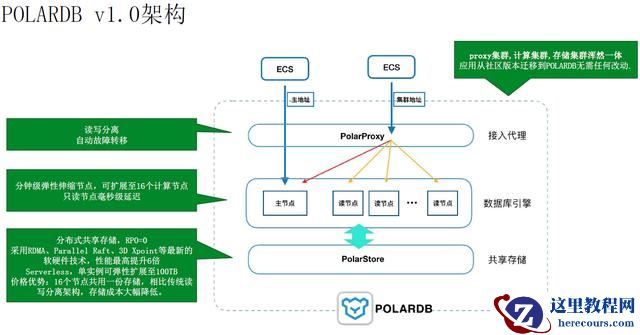
POLARDB v2.0 技术解读
26-03-03 - HPUX oracle 10G patch作业
HPUX oracle 10G patch作业
26-03-03 - ORACLE NBU调取oracle rman脚本备份归档不自动删除归档
ORACLE NBU调取oracle rman脚本备份归档不自动删除归档
26-03-03