
PG:创建一个类型为button的按钮,设置按钮的Action Type为firePartialAction和Event为exportexcel(按钮类型不用 submitButton 的原因是 submitButton类型的按钮,在导出后,再往页面添加行或者保存时会提示报浏览器后退的异常 )。 CO:processFormRequest代码: if ("exportexcel".equals(pageContext.getParameter(EVENT_PARAM))){ byte abtye0[] = (byte[])am.invokeMethod("export"); try { //获取DataObject DataObject dataObject = pageContext.getNamedDataObject("_SessionParameters"); //根据DataObject获取response HttpServletResponse httpservletresponse = (HttpServletResponse)dataObject.selectValue(null, "HttpServletResponse"); download(pageContext, httpservletresponse, abtye0); } catch (Exception e) { e.printStackTrace(); throw OAException.wrapperException(e); } } download方法代码: public void download(OAPageContext pageContext, HttpServletResponse response, byte[] abyte0) { String fileName = "export"; //fileName = pageContext.getMessage("CUX", "CUX_SRM_IMPORT_FILE_NAME", null); try { String charset = pageContext.getProfile("ICX_CLIENT_IANA_ENCODING"); //设置文件的格式 字符集 response.setContentType("application/vnd.ms-excel;charset=" + charset); //gb2312 //设置文件大小 response.setContentLength(abyte0.length); //throw new OAException("abyte0.length:"+abyte0.length,OAException.ERROR); //通知浏览器文件的名字 response.setHeader("Content-Disposition", "attachment;filename=" + fileName + ".xls"); //获取输出流 OutputStream toClient = response.getOutputStream(); //将字符数组写进输出流 toClient.write(abyte0); //强制刷新(页面弹出下载框) toClient.flush(); //关闭输出流 toClient.close(); } catch (Exception ex) { ex.printStackTrace(); } } //end download() AM,export代码: public byte[] export() { byte abyte0[] = null; CuxAslVOImpl vo = getCuxAslVO1(); CuxAslVORowImpl hRow = null; int rowcount = vo.getRowCount(); //取当前提取的记录集的记录数 if (rowcount == 0) throw new OAException("没有需要导出的数据", OAException.ERROR); RowSetIterator deleteIter = vo.createRowSetIterator("deleteIter"); //建立记录集的指示符 deleteIter.setRangeStart(0); //设置循环起点,相当于移动指针到第一条记录 deleteIter.setRangeSize(rowcount); //设置循环次数 //第一步,创建一个webbook,对应一个Excel文件 HSSFWorkbook wb = new HSSFWorkbook(); //第二步,在webbook中添加一个sheet,对应Excel文件中的sheet HSSFSheet sheet = wb.createSheet("export"); //第三步,在sheet中添加表头第0行,注意老版本poi对应Excel的行数列数有限制short HSSFRow row = sheet.createRow((int)0); //第四步,创建单元格,并设置值表头 设置表头居中 CellStyle style = wb.createCellStyle(); style.setAlignment(CellStyle.ALIGN_CENTER); //创建一个剧中格式 //CSV StringBuffer buffer = new StringBuffer("库存组织名称,物料编码,物料描述,供应商编码,供应商名称,供应商地点,状态,是否禁用,结算方式\r\n"); //Excel HSSFCell cell = row.createCell((short)0); cell.setCellValue("库存组织名称"); cell.setCellStyle(style); cell = row.createCell((short)1); cell.setCellValue("物料编码"); cell.setCellStyle(style); cell = row.createCell((short)2); cell.setCellValue("物料描述"); cell.setCellStyle(style); cell = row.createCell((short)3); cell.setCellValue("供应商编码"); cell.setCellStyle(style); cell = row.createCell((short)4); cell.setCellValue("供应商名称"); cell.setCellStyle(style); cell = row.createCell((short)5); cell.setCellValue("供应商地点"); cell.setCellStyle(style); cell = row.createCell((short)6); cell.setCellValue("状态"); cell.setCellStyle(style); cell = row.createCell((short)7); cell.setCellValue("是否禁用"); cell.setCellStyle(style); cell = row.createCell((short)8); cell.setCellValue("结算方式"); cell.setCellStyle(style); for (int i = 0; i < rowcount; i++) { row = sheet.createRow((int)i + 1); hRow = (CuxAslVORowImpl)deleteIter.getRowAtRangeIndex(i); //取得当前记录 //第五步,创建单元格,并设置值 row.createCell((short)0).setCellValue(hRow.getOrganizationName()); row.createCell((short)1).setCellValue(hRow.getItemNumber()); row.createCell((short)2).setCellValue(hRow.getItemDesc()); row.createCell((short)3).setCellValue(hRow.getVendorNumber()); row.createCell((short)4).setCellValue(hRow.getVendorName()); row.createCell((short)5).setCellValue(hRow.getVendorSiteCode()); row.createCell((short)6).setCellValue(hRow.getAslStatus()); row.createCell((short)7).setCellValue(hRow.getDisableFlag()); row.createCell((short)8).setCellValue(hRow.getPoSettlementMethod()); buffer.append(hRow.getOrganizationName() + "," + hRow.getItemNumber() + "," + hRow.getItemDesc() + "," + hRow.getVendorNumber() + "," + hRow.getVendorName() + "," + hRow.getVendorSiteCode() + "," + hRow.getAslStatus() + "," + hRow.getDisableFlag() + "," + hRow.getPoSettlementMethod() + "\r\n"); } //第六步,将文件转换成byte数组 try { //这里有两种导出格式,已屏蔽的是CSV,未屏蔽的是EXCEL //Excel //文件只能转成流,通过byte流转成二进制数组(流无法序列化做成参数传出) ByteArrayOutputStream os = new ByteArrayOutputStream(); //文件写入流 wb.write(os); //流转数组 abyte0 = os.toByteArray(); //关闭流 os.close(); // //CSV // //字符直接转byte数组 // abyte0 = buffer.toString().getBytes(); } catch (Exception e) { e.printStackTrace(); } deleteIter.closeRowSetIterator(); return abyte0; } //end export()
OAF将查询结果导出为EXCEL格式文件
来源:这里教程网
时间:2026-03-03 14:02:27
作者:
编辑推荐:
下一篇:
相关推荐
-

-
-
-
-
-
-
-
-
-
-
-
-
-
-

雷神推出 MIX PRO II 迷你主机:基于 Ultra 200H,玻璃上盖 + ARGB 灯效
2 月 9 日消息,雷神 (THUNDEROBOT) 现已宣布推出基于英
-

制造商 Musnap 推出彩色墨水屏电纸书 Ocean C:支持手写笔、第三方安卓应用
2 月 10 日消息,制造商 Musnap 现已在海外推出一款 Oce

热文推荐
- ORA-00054: resource busy and acquire with NOWAIT specified
- OGG-01423
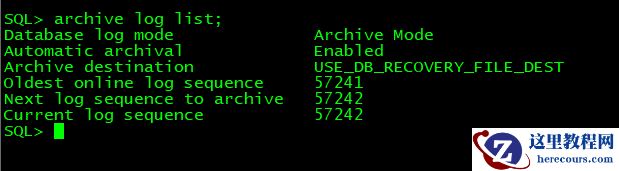
OGG-01423
26-03-03 - 携程生死符

携程生死符
26-03-03 - 12.2RAC利用asm创建ACFS用于部署OGG
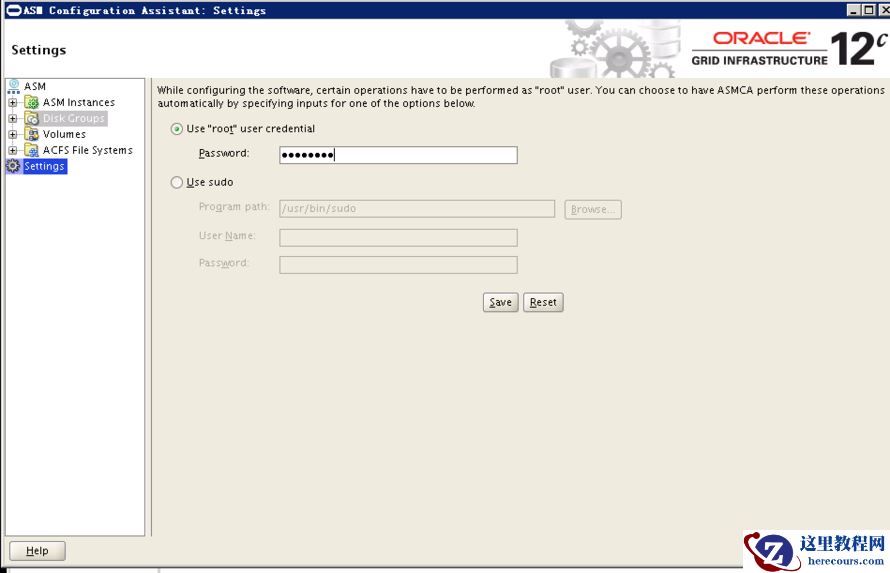
12.2RAC利用asm创建ACFS用于部署OGG
26-03-03 - Oracle DRM原理介绍
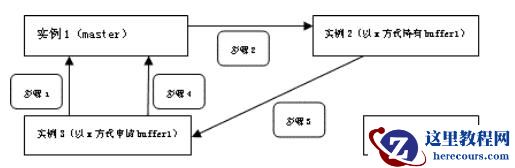
Oracle DRM原理介绍
26-03-03 - 在线教育:基因不同,命运不同

在线教育:基因不同,命运不同
26-03-03 - 苹果、三星、华为的2019财报三国杀
苹果、三星、华为的2019财报三国杀
26-03-03 - 电动车小牛、雅迪相撞:鹿死谁手
电动车小牛、雅迪相撞:鹿死谁手
26-03-03 - 2019,海尔真的慌了

2019,海尔真的慌了
26-03-03 - 诡异的TNS-12531、ORA-25253错误
诡异的TNS-12531、ORA-25253错误
26-03-03