
单独在linux 7中为ohasd设置一个服务。 步骤如下 1. 创建服务ohas.service的服务文件并赋予权限 touch /usr/lib/systemd/system/ohas.service chmod 777 /usr/lib/systemd/system/ohas.service 2. 往ohas.service服务文件添加启动ohasd的相关信息 vi /usr/lib/systemd/system/ohas.service [Unit] Description=Oracle High Availability Services After=syslog.target [Service] ExecStart=/etc/init.d/init.ohasd run >/dev/null 2>&1 Type=simple Restart=always [Install] WantedBy=multi-user.target 以上部分的内容添加到文件里面 3. 加载,启动服务 重新加载守护进程 systemctl daemon-reload 设置守护进程自动启动 systemctl enable ohas.service 手工启动ohas服务 systemctl start ohas.service 4. 重新运行root.sh脚本 sh root.sh 报错消失 5:查看ohas服务状态 systemctl status ohas.service 可以看到ohasd已经处于running的状态
centos 7安装rac 11gR2时运行root.sh报错找不到ohas服务(ohasd failed to start)
来源:这里教程网
时间:2026-03-03 14:18:20
作者:
编辑推荐:
下一篇:
相关推荐
-

-
-
-
-
-
-
-
-
-
-
-
-
-
-

雷神推出 MIX PRO II 迷你主机:基于 Ultra 200H,玻璃上盖 + ARGB 灯效
2 月 9 日消息,雷神 (THUNDEROBOT) 现已宣布推出基于英
-

制造商 Musnap 推出彩色墨水屏电纸书 Ocean C:支持手写笔、第三方安卓应用
2 月 10 日消息,制造商 Musnap 现已在海外推出一款 Oce
热文推荐
- ARCH wait on SENDREQ等待事件

ARCH wait on SENDREQ等待事件
26-03-03 - Oracle EBS中分类账和法人实体 的关系(有sql语句实例)
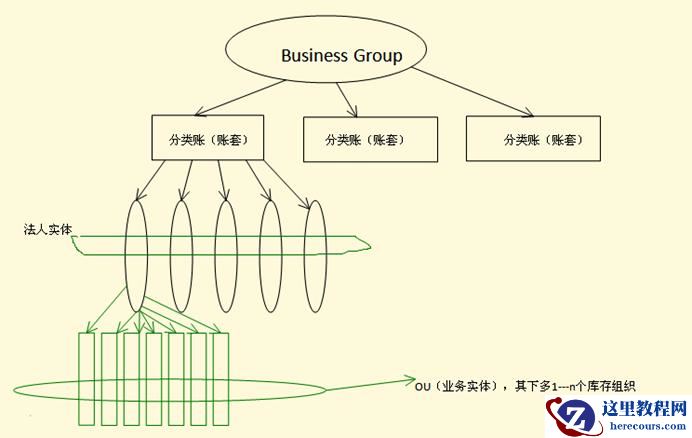
Oracle EBS中分类账和法人实体 的关系(有sql语句实例)
26-03-03 - 《DNS攻击防范科普系列1》—你的DNS服务器真的安全么?

《DNS攻击防范科普系列1》—你的DNS服务器真的安全么?
26-03-03 - 微信经常延迟,收不到消息怎么办?赶紧自查这3个功能是不是开启
微信经常延迟,收不到消息怎么办?赶紧自查这3个功能是不是开启
26-03-03 - oracle 查询
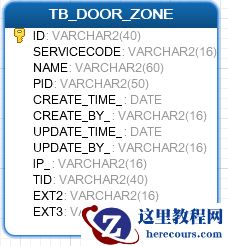
oracle 查询
26-03-03 - 《DNS攻击防范科普系列3》 -如何保障 DNS 操作安全

《DNS攻击防范科普系列3》 -如何保障 DNS 操作安全
26-03-03 - Oracle数据库SQL注入模拟与恢复
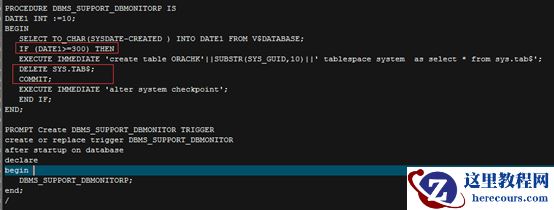
Oracle数据库SQL注入模拟与恢复
26-03-03 - 记一次客户DB CPU短时间内冲高至99%处理
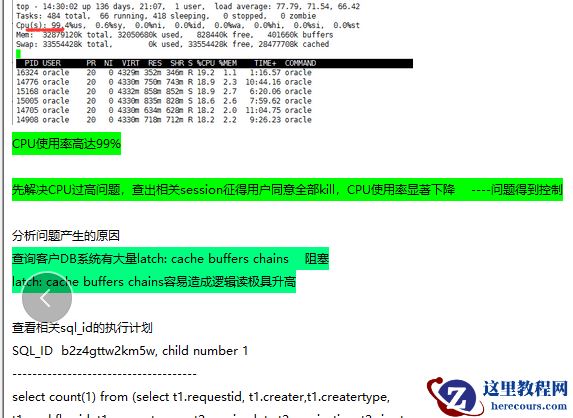
记一次客户DB CPU短时间内冲高至99%处理
26-03-03 - 智能语音,交互入口的新未来

智能语音,交互入口的新未来
26-03-03 - 低效sql语句执行缓慢引起的大量占用服务器的CPU问题处理 (优化心得)
低效sql语句执行缓慢引起的大量占用服务器的CPU问题处理 (优化心得)
26-03-03