
[20191106]12c DCD SQLNET.EXPIRE_TIME.txt 12之前DCD使用TNS包来"ping"客户端,并且依赖底层TCP堆栈,这有时可能需要更长的时间。现在,在12c中,这种情况已经改变, DCD探针由TCP Stack实现。DCD探测现在将使用TCP KEEPALIVE套接字选项来检查连接是否仍然可用。 在linux下实际上使用如下参数: # echo /proc/sys/net/ipv4/tcp_keepalive* | xargs -n 1 strings -1 -f /proc/sys/net/ipv4/tcp_keepalive_intvl: 75 /proc/sys/net/ipv4/tcp_keepalive_probes: 9 /proc/sys/net/ipv4/tcp_keepalive_time: 7200 --//参数解析: /proc/sys/net/ipv4/tcp_keepalive_time 当keepalive起用的时候,TCP发送keepalive消息的频度。默认是2小时。 /proc/sys/net/ipv4/tcp_keepalive_intvl 当探测没有确认时,keepalive探测包的发送间隔。缺省是75秒。 /proc/sys/net/ipv4/tcp_keepalive_probes 如果对方不予应答,keepalive探测包的发送次数。缺省值是9。 要使用新的实现,请将sqlnet.ora中的SQLNET.EXPIRE_TIME设置为探测之间的时间量(以分钟为单位)。如果操作系统支持TCP保持活动调 优,那么Oracle Net将自动使用新方法。除了Solaris之外,所有平台都支持新机制。 自己在linux下测试看看,首先找一台12c的服务器. 1.环境: SYSTEM@192.168.2.8:1521/orclcdb> select banner from v$version; BANNER ---------------------------------------------------------------------- Oracle Database 18c Enterprise Edition Release 18.0.0.0.0 - Production --//修改sqlnet.ora.加入: SQLNET.EXPIRE_TIME=1 --//在服务器执行: # tcpdump -i ens192 host 192.168.100.78 and not port 22 and port 1521 -nnn tcpdump: verbose output suppressed, use -v or -vv for full protocol decode listening on ens192, link-type EN10MB (Ethernet), capture size 262144 bytes 10:27:24.369267 IP 192.168.100.78.4164 > 192.168.2.8.1521: Flags [S], seq 2084757500, win 14600, options [mss 1460,sackOK,TS val 3040047700 ecr 0,nop,wscale 7], length 0 10:27:24.369360 IP 192.168.2.8.1521 > 192.168.100.78.4164: Flags [S.], seq 2301856063, ack 2084757501, win 28960, options [mss 1460,sackOK,TS val 783854486 ecr 3040047700,nop,wscale 7], length 0 10:27:24.369724 IP 192.168.100.78.4164 > 192.168.2.8.1521: Flags [.], ack 1, win 115, options [nop,nop,TS val 3040047700 ecr 783854486], length 0 10:27:24.370149 IP 192.168.100.78.4164 > 192.168.2.8.1521: Flags [P.], seq 1:214, ack 1, win 115, options [nop,nop,TS val 3040047701 ecr 783854486], length 213 10:27:24.370173 IP 192.168.2.8.1521 > 192.168.100.78.4164: Flags [.], ack 214, win 235, options [nop,nop,TS val 783854487 ecr 3040047701], length 0 10:27:24.385006 IP 192.168.2.8.1521 > 192.168.100.78.4164: Flags [P.], seq 1:9, ack 214, win 235, options [nop,nop,TS val 783854502 ecr 3040047701], length 8 10:27:24.385316 IP 192.168.100.78.4164 > 192.168.2.8.1521: Flags [.], ack 9, win 115, options [nop,nop,TS val 3040047716 ecr 783854502], length 0 10:27:24.385347 IP 192.168.100.78.4164 > 192.168.2.8.1521: Flags [P.], seq 214:427, ack 9, win 115, options [nop,nop,TS val 3040047716 ecr 783854502], length 213 10:27:24.385437 IP 192.168.2.8.1521 > 192.168.100.78.4164: Flags [P.], seq 9:41, ack 427, win 243, options [nop,nop,TS val 783854502 ecr 3040047716], length 32 10:27:24.385986 IP 192.168.100.78.4164 > 192.168.2.8.1521: Flags [P.], seq 427:588, ack 41, win 115, options [nop,nop,TS val 3040047717 ecr 783854502], length 161 10:27:24.386110 IP 192.168.2.8.1521 > 192.168.100.78.4164: Flags [P.], seq 41:168, ack 588, win 252, options [nop,nop,TS val 783854503 ecr 3040047717], length 127 10:27:24.387304 IP 192.168.100.78.4164 > 192.168.2.8.1521: Flags [P.], seq 588:626, ack 168, win 115, options [nop,nop,TS val 3040047718 ecr 783854503], length 38 10:27:24.387441 IP 192.168.2.8.1521 > 192.168.100.78.4164: Flags [P.], seq 168:409, ack 626, win 252, options [nop,nop,TS val 783854504 ecr 3040047718], length 241 10:27:24.388602 IP 192.168.100.78.4164 > 192.168.2.8.1521: Flags [P.], seq 626:707, ack 409, win 123, options [nop,nop,TS val 3040047719 ecr 783854504], length 81 10:27:24.389389 IP 192.168.2.8.1521 > 192.168.100.78.4164: Flags [P.], seq 409:435, ack 707, win 252, options [nop,nop,TS val 783854506 ecr 3040047719], length 26 10:27:24.391079 IP 192.168.100.78.4164 > 192.168.2.8.1521: Flags [P.], seq 707:953, ack 435, win 123, options [nop,nop,TS val 3040047722 ecr 783854506], length 246 10:27:24.395129 IP 192.168.2.8.1521 > 192.168.100.78.4164: Flags [P.], seq 435:825, ack 953, win 260, options [nop,nop,TS val 783854512 ecr 3040047722], length 390 10:27:24.396571 IP 192.168.100.78.4164 > 192.168.2.8.1521: Flags [P.], seq 953:2350, ack 825, win 131, options [nop,nop,TS val 3040047727 ecr 783854512], length 1397 10:27:24.403496 IP 192.168.2.8.1521 > 192.168.100.78.4164: Flags [P.], seq 825:2079, ack 2350, win 283, options [nop,nop,TS val 783854520 ecr 3040047727], length 1254 10:27:24.404466 IP 192.168.100.78.4164 > 192.168.2.8.1521: Flags [P.], seq 2350:2410, ack 2079, win 154, options [nop,nop,TS val 3040047735 ecr 783854520], length 60 10:27:24.404593 IP 192.168.2.8.1521 > 192.168.100.78.4164: Flags [P.], seq 2079:2174, ack 2410, win 283, options [nop,nop,TS val 783854521 ecr 3040047735], length 95 10:27:24.405061 IP 192.168.100.78.4164 > 192.168.2.8.1521: Flags [P.], seq 2410:2670, ack 2174, win 154, options [nop,nop,TS val 3040047736 ecr 783854521], length 260 10:27:24.405336 IP 192.168.2.8.1521 > 192.168.100.78.4164: Flags [P.], seq 2174:2949, ack 2670, win 305, options [nop,nop,TS val 783854522 ecr 3040047736], length 775 10:27:24.406164 IP 192.168.100.78.4164 > 192.168.2.8.1521: Flags [P.], seq 2670:2691, ack 2949, win 174, options [nop,nop,TS val 3040047737 ecr 783854522], length 21 10:27:24.406329 IP 192.168.2.8.1521 > 192.168.100.78.4164: Flags [P.], seq 2949:3121, ack 2691, win 305, options [nop,nop,TS val 783854523 ecr 3040047737], length 172 10:27:24.406771 IP 192.168.100.78.4164 > 192.168.2.8.1521: Flags [P.], seq 2691:2983, ack 3121, win 193, options [nop,nop,TS val 3040047737 ecr 783854523], length 292 10:27:24.407113 IP 192.168.2.8.1521 > 192.168.100.78.4164: Flags [P.], seq 3121:3302, ack 2983, win 327, options [nop,nop,TS val 783854524 ecr 3040047737], length 181 10:27:24.407816 IP 192.168.100.78.4164 > 192.168.2.8.1521: Flags [P.], seq 2983:3349, ack 3302, win 213, options [nop,nop,TS val 3040047738 ecr 783854524], length 366 10:27:24.408082 IP 192.168.2.8.1521 > 192.168.100.78.4164: Flags [P.], seq 3302:3534, ack 3349, win 348, options [nop,nop,TS val 783854525 ecr 3040047738], length 232 10:27:24.408494 IP 192.168.100.78.4164 > 192.168.2.8.1521: Flags [P.], seq 3349:3691, ack 3534, win 232, options [nop,nop,TS val 3040047739 ecr 783854525], length 342 10:27:24.408665 IP 192.168.2.8.1521 > 192.168.100.78.4164: Flags [P.], seq 3534:3948, ack 3691, win 370, options [nop,nop,TS val 783854525 ecr 3040047739], length 414 10:27:24.409099 IP 192.168.100.78.4164 > 192.168.2.8.1521: Flags [P.], seq 3691:3727, ack 3948, win 252, options [nop,nop,TS val 3040047740 ecr 783854525], length 36 10:27:24.409173 IP 192.168.2.8.1521 > 192.168.100.78.4164: Flags [P.], seq 3948:3965, ack 3727, win 370, options [nop,nop,TS val 783854526 ecr 3040047740], length 17 10:27:24.409445 IP 192.168.100.78.4164 > 192.168.2.8.1521: Flags [P.], seq 3727:3740, ack 3965, win 252, options [nop,nop,TS val 3040047740 ecr 783854526], length 13 10:27:24.409504 IP 192.168.2.8.1521 > 192.168.100.78.4164: Flags [P.], seq 3965:3982, ack 3740, win 370, options [nop,nop,TS val 783854526 ecr 3040047740], length 17 10:27:24.448834 IP 192.168.100.78.4164 > 192.168.2.8.1521: Flags [.], ack 3982, win 252, options [nop,nop,TS val 3040047780 ecr 783854526], length 0 --//在192.168.100.78上登录服务器,然后不要执行任何命令,前面的tcpdump就是登录时执行的一些sql语句输出. 10:28:24.506778 IP 192.168.2.8.1521 > 192.168.100.78.4164: Flags [.], ack 3740, win 370, options [nop,nop,TS val 783914624 ecr 3040047780], length 0 10:28:24.507079 IP 192.168.100.78.4164 > 192.168.2.8.1521: Flags [.], ack 3982, win 252, options [nop,nop,TS val 3040107836 ecr 783854526], length 0 10:29:24.538784 IP 192.168.2.8.1521 > 192.168.100.78.4164: Flags [.], ack 3740, win 370, options [nop,nop,TS val 783974656 ecr 3040107836], length 0 10:29:24.539073 IP 192.168.100.78.4164 > 192.168.2.8.1521: Flags [.], ack 3982, win 252, options [nop,nop,TS val 3040167866 ecr 783854526], length 0 10:30:24.698784 IP 192.168.2.8.1521 > 192.168.100.78.4164: Flags [.], ack 3740, win 370, options [nop,nop,TS val 784034816 ecr 3040167866], length 0 10:30:24.699109 IP 192.168.100.78.4164 > 192.168.2.8.1521: Flags [.], ack 3982, win 252, options [nop,nop,TS val 3040228025 ecr 783854526], length 0 --//你可以发现每分钟发出1个探查包.而使用11g你可以发现最大间隔是是 2 * SQLNET.EXPIRE_TIME.实际上我以前一直以为最大间隙是 --//仅仅出现在开始第1次实际上可以出现任何时间段. SYSTEM@192.168.2.8:1521/orclcdb> select sysdate from dual ; SYSDATE ------------------- 2019-11-06 10:33:11 # tcpdump -i ens192 host 192.168.100.78 and not port 22 and port 1521 -nnn ... 10:32:25.018782 IP 192.168.2.8.1521 > 192.168.100.78.4164: Flags [.], ack 3740, win 370, options [nop,nop,TS val 784155136 ecr 3040288183], length 0 10:32:25.019083 IP 192.168.100.78.4164 > 192.168.2.8.1521: Flags [.], ack 3982, win 252, options [nop,nop,TS val 3040348341 ecr 783854526], length 0 --//以下是执行select sysdate from dual ;的情况,可以看时间可以对上 10:33:11.435797 IP 192.168.100.78.4164 > 192.168.2.8.1521: Flags [P.], seq 3740:4003, ack 3982, win 252, options [nop,nop,TS val 3040394756 ecr 783854526], length 263 10:33:11.436227 IP 192.168.2.8.1521 > 192.168.100.78.4164: Flags [P.], seq 3982:4360, ack 4003, win 392, options [nop,nop,TS val 784201553 ecr 3040394756], length 378 10:33:11.436576 IP 192.168.100.78.4164 > 192.168.2.8.1521: Flags [.], ack 4360, win 271, options [nop,nop,TS val 3040394757 ecr 784201553], length 0 10:33:11.436957 IP 192.168.100.78.4164 > 192.168.2.8.1521: Flags [P.], seq 4003:4024, ack 4360, win 271, options [nop,nop,TS val 3040394758 ecr 784201553], length 21 10:33:11.437030 IP 192.168.2.8.1521 > 192.168.100.78.4164: Flags [P.], seq 4360:4532, ack 4024, win 392, options [nop,nop,TS val 784201554 ecr 3040394758], length 172 10:33:11.476822 IP 192.168.100.78.4164 > 192.168.2.8.1521: Flags [.], ack 4532, win 291, options [nop,nop,TS val 3040394798 ecr 784201554], length 0 10:34:11.514787 IP 192.168.2.8.1521 > 192.168.100.78.4164: Flags [.], ack 4024, win 392, options [nop,nop,TS val 784261632 ecr 3040394798], length 0 10:34:11.515077 IP 192.168.100.78.4164 > 192.168.2.8.1521: Flags [.], ack 4532, win 291, options [nop,nop,TS val 3040454834 ecr 784201554], length 0 10:35:11.674789 IP 192.168.2.8.1521 > 192.168.100.78.4164: Flags [.], ack 4024, win 392, options [nop,nop,TS val 784321792 ecr 3040454834], length 0 10:35:11.675108 IP 192.168.100.78.4164 > 192.168.2.8.1521: Flags [.], ack 4532, win 291, options [nop,nop,TS val 3040514992 ecr 784201554], length 0 --//依旧是1分钟一个探查包.而且重新计时. 2.如果在11g下你看到的情况是这样. --//11g服务器环境: # echo /proc/sys/net/ipv4/tcp_keepalive* | xargs -n 1 strings -1 -f /proc/sys/net/ipv4/tcp_keepalive_intvl: 75 /proc/sys/net/ipv4/tcp_keepalive_probes: 9 /proc/sys/net/ipv4/tcp_keepalive_time: 7200 # grep -i expire /u01/app/oracle/product/11.2.0.4/dbhome_1/network/admin/sqlnet.ora SQLNET.EXPIRE_TIME = 1 --//重启监听与数据库. --//注:我在测试时发现如果设置内核参数的情况下内核参数优先,这样即使在sqlnet.ora中设置SQLNET.EXPIRE_TIME = 1也无效. --//重启监听也不行,要重启数据库才有效.不知道为什么? # tcpdump -i eth0 host 192.168.98.6 and not port 22 and port 1521 -nnn tcpdump: verbose output suppressed, use -v or -vv for full protocol decode listening on eth0, link-type EN10MB (Ethernet), capture size 96 bytes --//从客户端登录(192.168.100.40),不要执行任何sql语句: # tcpdump -i eth0 host 192.168.98.6 and not port 22 and port 1521 -nnn tcpdump: verbose output suppressed, use -v or -vv for full protocol decode listening on eth0, link-type EN10MB (Ethernet), capture size 96 bytes --//以下是client登录时的情况: 11:05:39.766334 IP 192.168.98.6.59486 > 192.168.100.78.1521: S 479106083:479106083(0) win 8192 <mss 1460,nop,wscale 2,nop,nop,sackOK> 11:05:39.766529 IP 192.168.100.78.1521 > 192.168.98.6.59486: S 510739750:510739750(0) ack 479106084 win 14600 <mss 1460,nop,nop,sackOK,nop,wscale 7> 11:05:39.766625 IP 192.168.98.6.59486 > 192.168.100.78.1521: . ack 1 win 16425 11:05:39.776001 IP 192.168.98.6.59486 > 192.168.100.78.1521: P 1:279(278) ack 1 win 16425 11:05:39.776028 IP 192.168.100.78.1521 > 192.168.98.6.59486: . ack 279 win 123 11:05:39.778722 IP 192.168.100.78.1521 > 192.168.98.6.59486: P 1:9(8) ack 279 win 123 11:05:39.779030 IP 192.168.98.6.59486 > 192.168.100.78.1521: P 279:557(278) ack 9 win 16423 11:05:39.779182 IP 192.168.100.78.1521 > 192.168.98.6.59486: P 9:41(32) ack 557 win 131 11:05:39.779589 IP 192.168.98.6.59486 > 192.168.100.78.1521: P 557:733(176) ack 41 win 16415 11:05:39.779986 IP 192.168.100.78.1521 > 192.168.98.6.59486: P 41:168(127) ack 733 win 140 11:05:39.803917 IP 192.168.98.6.59486 > 192.168.100.78.1521: P 733:768(35) ack 168 win 16383 11:05:39.804505 IP 192.168.100.78.1521 > 192.168.98.6.59486: P 168:386(218) ack 768 win 140 11:05:39.805787 IP 192.168.98.6.59486 > 192.168.100.78.1521: . 768:2228(1460) ack 386 win 16328 11:05:39.805822 IP 192.168.98.6.59486 > 192.168.100.78.1521: P 2228:3830(1602) ack 386 win 16328 11:05:39.805833 IP 192.168.100.78.1521 > 192.168.98.6.59486: . ack 3830 win 188 11:05:39.806765 IP 192.168.100.78.1521 > 192.168.98.6.59486: . 386:1846(1460) ack 3830 win 188 11:05:39.806776 IP 192.168.100.78.1521 > 192.168.98.6.59486: P 1846:2886(1040) ack 3830 win 188 11:05:39.807212 IP 192.168.98.6.59486 > 192.168.100.78.1521: . ack 2886 win 16425 11:05:39.807463 IP 192.168.98.6.59486 > 192.168.100.78.1521: P 3830:4078(248) ack 2886 win 16425 11:05:39.824525 IP 192.168.100.78.1521 > 192.168.98.6.59486: P 2886:3206(320) ack 4078 win 210 11:05:39.828530 IP 192.168.98.6.59486 > 192.168.100.78.1521: P 4078:5709(1631) ack 3206 win 16345 11:05:39.828559 IP 192.168.100.78.1521 > 192.168.98.6.59486: . ack 5709 win 236 11:05:39.866181 IP 192.168.100.78.1521 > 192.168.98.6.59486: P 3206:4303(1097) ack 5709 win 236 11:05:39.867183 IP 192.168.98.6.59486 > 192.168.100.78.1521: P 5709:5765(56) ack 4303 win 16070 11:05:39.867597 IP 192.168.100.78.1521 > 192.168.98.6.59486: P 4303:4492(189) ack 5765 win 236 11:05:39.868157 IP 192.168.98.6.59486 > 192.168.100.78.1521: P 5765:6096(331) ack 4492 win 16425 11:05:39.869704 IP 192.168.100.78.1521 > 192.168.98.6.59486: P 4492:5229(737) ack 6096 win 259 11:05:39.870485 IP 192.168.98.6.59486 > 192.168.100.78.1521: P 6096:6117(21) ack 5229 win 16240 11:05:39.870901 IP 192.168.100.78.1521 > 192.168.98.6.59486: P 5229:5341(112) ack 6117 win 259 11:05:39.871357 IP 192.168.98.6.59486 > 192.168.100.78.1521: P 6117:6405(288) ack 5341 win 16212 11:05:39.886440 IP 192.168.100.78.1521 > 192.168.98.6.59486: P 5341:5462(121) ack 6405 win 281 11:05:39.887189 IP 192.168.98.6.59486 > 192.168.100.78.1521: P 6405:6816(411) ack 5462 win 16182 11:05:39.894197 IP 192.168.100.78.1521 > 192.168.98.6.59486: P 5462:5975(513) ack 6816 win 304 11:05:39.894651 IP 192.168.98.6.59486 > 192.168.100.78.1521: P 6816:7250(434) ack 5975 win 16425 11:05:39.896968 IP 192.168.100.78.1521 > 192.168.98.6.59486: P 5975:6251(276) ack 7250 win 327 11:05:39.897531 IP 192.168.98.6.59486 > 192.168.100.78.1521: P 7250:7600(350) ack 6251 win 16356 11:05:39.906603 IP 192.168.100.78.1521 > 192.168.98.6.59486: P 6251:6395(144) ack 7600 win 330 11:05:39.907060 IP 192.168.98.6.59486 > 192.168.100.78.1521: P 7600:7930(330) ack 6395 win 16320 11:05:39.908517 IP 192.168.100.78.1521 > 192.168.98.6.59486: P 6395:6709(314) ack 7930 win 330 11:05:39.908939 IP 192.168.98.6.59486 > 192.168.100.78.1521: P 7930:7962(32) ack 6709 win 16241 11:05:39.909376 IP 192.168.100.78.1521 > 192.168.98.6.59486: P 6709:6736(27) ack 7962 win 330 11:05:39.909823 IP 192.168.98.6.59486 > 192.168.100.78.1521: P 7962:7975(13) ack 6736 win 16234 11:05:39.910193 IP 192.168.100.78.1521 > 192.168.98.6.59486: P 6736:6763(27) ack 7975 win 330 11:05:40.110465 IP 192.168.100.78.1521 > 192.168.98.6.59486: P 6736:6763(27) ack 7975 win 330 11:05:40.110789 IP 192.168.98.6.59486 > 192.168.100.78.1521: . ack 6763 win 16228 <nop,nop,sack 1 {6736:6763}> ---//等,不要执行任何sql语句: 11:07:39.799684 IP 192.168.100.78.1521 > 192.168.98.6.59486: P 6763:6773(10) ack 7975 win 330 11:07:40.003365 IP 192.168.98.6.59486 > 192.168.100.78.1521: . ack 6773 win 16225 11:08:39.809941 IP 192.168.100.78.1521 > 192.168.98.6.59486: P 6773:6783(10) ack 7975 win 330 11:08:40.010580 IP 192.168.98.6.59486 > 192.168.100.78.1521: . ack 6783 win 16223 11:09:39.820181 IP 192.168.100.78.1521 > 192.168.98.6.59486: P 6783:6793(10) ack 7975 win 330 11:09:40.020849 IP 192.168.98.6.59486 > 192.168.100.78.1521: . ack 6793 win 16220 --//可以发现开始等2分钟,后面才是1分钟间隔.client执行如下: SCOTT@192.168.100.78:1521/book> Select sysdate from dual; SYSDATE ------------------- 2019-11-06 11:10:06 --//tcpdump -i eth0 host 192.168.98.6 and not port 22 and port 1521 -nnn的输出,时间能对上. 11:10:06.196810 IP 192.168.98.6.59486 > 192.168.100.78.1521: P 7975:8237(262) ack 6793 win 16220 11:10:06.199010 IP 192.168.100.78.1521 > 192.168.98.6.59486: P 6793:7071(278) ack 8237 win 330 11:10:06.200124 IP 192.168.98.6.59486 > 192.168.100.78.1521: P 8237:8258(21) ack 7071 win 16151 11:10:06.200509 IP 192.168.100.78.1521 > 192.168.98.6.59486: P 7071:7183(112) ack 8258 win 330 11:10:06.407235 IP 192.168.98.6.59486 > 192.168.100.78.1521: . ack 7183 win 16123 ---//等,不要执行任何sql语句: 11:11:39.830554 IP 192.168.100.78.1521 > 192.168.98.6.59486: P 7183:7193(10) ack 8258 win 330 11:11:40.038339 IP 192.168.98.6.59486 > 192.168.100.78.1521: . ack 7193 win 16120 11:12:39.840753 IP 192.168.100.78.1521 > 192.168.98.6.59486: P 7193:7203(10) ack 8258 win 330 11:12:40.041491 IP 192.168.98.6.59486 > 192.168.100.78.1521: . ack 7203 win 16118 11:13:39.850942 IP 192.168.100.78.1521 > 192.168.98.6.59486: P 7203:7213(10) ack 8258 win 330 11:13:40.052743 IP 192.168.98.6.59486 > 192.168.100.78.1521: . ack 7213 win 16115 --//你可以发现11.10:40没有发出探查包,因为11:10:06有sql语句执行.然后在11:11:40再发出探测包. --//你可以对比12c的情况,可以发现两者的不同.12C在发出sql语句后重新计时.而11g是定时发出探测包(后面的时间秒数都是39或者40). --//可以发现12c的这种改进更加科学.不会出现11g的情况,如果11g实际上最大间隔是2*EXPIRE_TIME. --//换一句话讲12c自动将sqlnet.ora中的SQLNET.EXPIRE_TIME设置为探测之间的时间量(以分钟为单位)。
[20191106]12c DCD SQLNET.EXPIRE_TIME.txt
来源:这里教程网
时间:2026-03-03 14:29:55
作者:
编辑推荐:
下一篇:
相关推荐
-

-
-
-
-
-
-
-
-
-
-
-
-
-
-

雷神推出 MIX PRO II 迷你主机:基于 Ultra 200H,玻璃上盖 + ARGB 灯效
2 月 9 日消息,雷神 (THUNDEROBOT) 现已宣布推出基于英
-

制造商 Musnap 推出彩色墨水屏电纸书 Ocean C:支持手写笔、第三方安卓应用
2 月 10 日消息,制造商 Musnap 现已在海外推出一款 Oce
热文推荐
- oracle
oracle
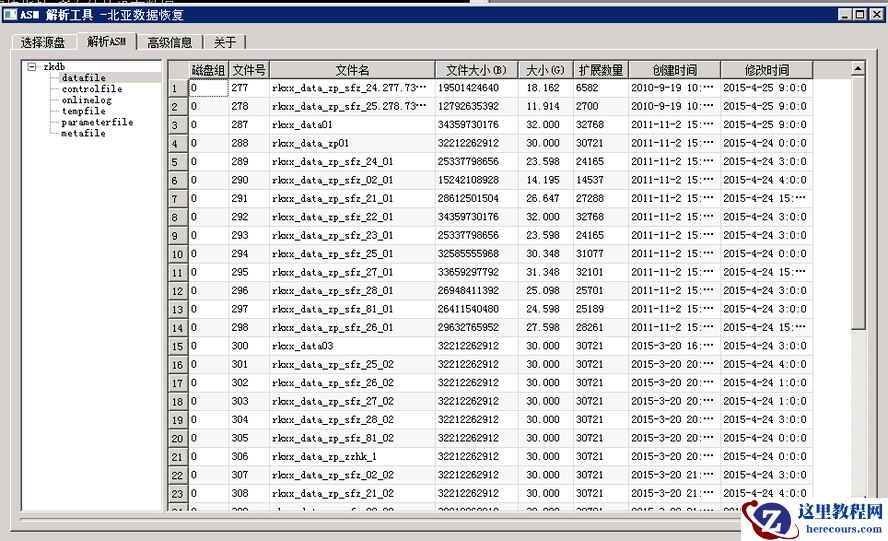
26-03-03 - Oracle ASM故障数据恢复解决方案
Oracle ASM故障数据恢复解决方案
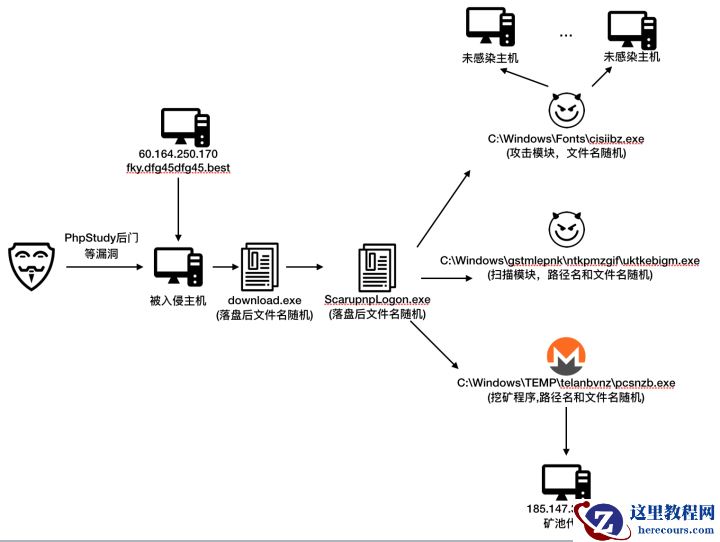
26-03-03 - 威胁快报|Bulehero挖矿蠕虫升级,PhpStudy后门漏洞加入武器库
- HAIP异常,导致RAC节点无法启动的解决方案

HAIP异常,导致RAC节点无法启动的解决方案
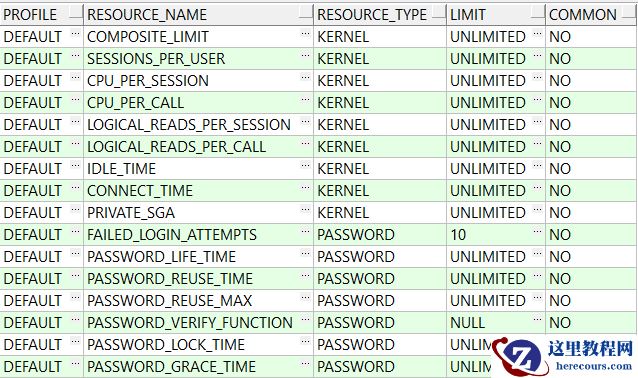
26-03-03 - Oracle EBS 数据库密码复杂度设置
Oracle EBS 数据库密码复杂度设置
26-03-03 - 今天才知道,微信中对方正在输入能永不显示,8年微信白玩了

今天才知道,微信中对方正在输入能永不显示,8年微信白玩了
26-03-03 - 0710_plsql 函数

0710_plsql 函数
26-03-03 - 阿里云入选Gartner 2019 WAF魔力象限,唯一亚太厂商!
阿里云入选Gartner 2019 WAF魔力象限,唯一亚太厂商!
26-03-03 - EBS FORM PLL 开发入门
EBS FORM PLL 开发入门
26-03-03 - 揭秘阿里云WAF背后神秘的AI智能防御体系
揭秘阿里云WAF背后神秘的AI智能防御体系
26-03-03