[20191113]oracle共享连接模式端口2.txt --//昨天的测试链接:http://blog.itpub.net/267265/viewspace-2663651/=>[20191112]oracle共享连接模式端口.txt --//链接里面还提到http://www.usn-it.de/index.php/2008/11/10/oracle-how-to-stop-a-mts-dispatcher-process/ --//可以执行如下,kill D000进程,自己也测试看看。 --//alter system shutdown immediate 'D000'; 1.环境: SYS@book> @ ver1 PORT_STRING VERSION BANNER ------------------------------ -------------- -------------------------------------------------------------------------------- x86_64/Linux 2.4.xx 11.2.0.4.0 Oracle Database 11g Enterprise Edition Release 11.2.0.4.0 - 64bit Production SYS@book> show parameter dispatchers NAME TYPE VALUE --------------- ------- ------------------------------------- dispatchers string (PROTOCOL=TCP) (SERVICE=book,bookXDB) max_dispatchers integer SYS@book> create pfile='/tmp/@.ora' from spfile; File created. --//保存1份pfile参数文件. # netstat -tunlp | egrep "Active|Proto|ora_[ds]" Active Internet connections (only servers) Proto Recv-Q Send-Q Local Address Foreign Address State PID/Program name tcp 0 0 :::38229 :::* LISTEN 36466/ora_d000_book udp 0 0 ::1:57385 :::* 36466/ora_d000_book udp 0 0 ::1:11314 :::* 36468/ora_s000_book 2.kill d000: SYS@book> alter system shutdown immediate 'D000'; System altered. --//alert.log出现: Wed Nov 13 08:34:13 2019 idle dispatcher 'D000' terminated, pid = (19, 1) # netstat -tunlp | egrep "Active|Proto|ora_[ds]" Active Internet connections (only servers) Proto Recv-Q Send-Q Local Address Foreign Address State PID/Program name udp 0 0 ::1:11314 :::* 36468/ora_s000_book # ps -ef | grep ora_[sd]000 oracle 36468 1 0 08:33 ? 00:00:00 ora_s000_book --//ora_d000_book进程消失.等了N久也没有出现. >sqlplus scott/book@192.168.100.78:1521/book SCOTT@192.168.100.78:1521/book> @ spid SID SERIAL# PROCESS SERVER SPID PID P_SERIAL# C50 ---------- ---------- ------------------------ --------- -------------------- ------- ---------- ------------------------------------------------- 267 3 7652:8308 DEDICATED 36540 19 3 alter system kill session '267,3' immediate; --//可以发现这个时候登录选择的是DEDICATED模式.注意我这里配置book支持2种服务模式. d:\tools\sqltemp>sqlplus -s -l scott/book@192.168.100.78:1521/book:SHARED ERROR: ORA-12520: TNS:listener could not find available handler for requested type of server SP2-0751: Unable to connect to Oracle. Exiting SQL*Plus SYS@book> alter system shutdown immediate 'S000'; alter system shutdown immediate 'S000' * ERROR at line 1: ORA-00127: dispatcher S000 does not exist --//我以前的做法是kill ora_s000_book进程. SYS@book> alter system set dispatchers='(PROTOCOL=TCP) (SERVICE=book,bookXDB)' scope=memory; System altered. # netstat -tunlp | egrep "Active|Proto|ora_[ds]" Active Internet connections (only servers) Proto Recv-Q Send-Q Local Address Foreign Address State PID/Program name tcp 0 0 :::53018 :::* LISTEN 36624/ora_d000_book udp 0 0 ::1:51280 :::* 36624/ora_d000_book udp 0 0 ::1:11314 :::* 36468/ora_s000_book --//对比前面的测试监听端口发生了变化. # ps -ef | grep ora_[sd]000 oracle 36468 1 0 08:33 ? 00:00:00 ora_s000_book oracle 36624 1 0 08:44 ? 00:00:00 ora_d000_book d:\tools\sqltemp>sqlplus -s -l scott/book@192.168.100.78:1521/book @ spid SID SERIAL# PROCESS SERVER SPID PID P_SERIAL# C50 ---------- ---------- ------------------------ --------- -------------------- ------- ---------- -------------------------------------------------- 281 7 7772:4532 SHARED 36468 20 1 alter system kill session '281,7' immediate; --//可以发现这个时候登录选择的是SHARED模式. --//换一句话讲这个修改dispatchers生效不需要重启服务. 3. 修改dispatchers参数: alter system set dispatchers= '(address=(partial=true)(protocol=tcp)(host=192.168.100.78)(port=30000))(dispatchers=1)(SERVICE=book,bookXDB)', '(address=(partial=true)(protocol=tcp)(host=192.168.100.78)(port=30005))(dispatchers=1)(SERVICE=book,bookXDB)' scope=memory sid='*'; --//注:scope=memory. --//修改前: # netstat -tunlp | egrep "Active|Proto|ora_[ds]" Active Internet connections (only servers) Proto Recv-Q Send-Q Local Address Foreign Address State PID/Program name tcp 0 0 :::53018 :::* LISTEN 36624/ora_d000_book ~~~~~~~~~~~~~~~~~~~~~~~~~~~~~~~~~~~~~~~~~~~~~~~~~~~~~~~~~~~~~~~~~~~~~~~~~~~~~~~~~~~~~~~~~~~~~~~~~~~~~~~~~~~ udp 0 0 ::1:51280 :::* 36624/ora_d000_book udp 0 0 ::1:11314 :::* 36468/ora_s000_book --//修改后: # netstat -tunlp | egrep "Active|Proto|ora_[ds]" Active Internet connections (only servers) Proto Recv-Q Send-Q Local Address Foreign Address State PID/Program name tcp 0 0 192.168.100.78:30005 0.0.0.0:* LISTEN 36678/ora_d002_book tcp 0 0 192.168.100.78:30000 0.0.0.0:* LISTEN 36676/ora_d001_book tcp 0 0 :::53018 :::* LISTEN 36624/ora_d000_book ~~~~~~~~~~~~~~~~~~~~~~~~~~~~~~~~~~~~~~~~~~~~~~~~~~~~~~~~~~~~~~~~~~~~~~~~~~~~~~~~~~~~~~~~~~~~~~~~~~~~~~~~~~~ udp 0 0 ::1:40457 :::* 36678/ora_d002_book udp 0 0 ::1:51280 :::* 36624/ora_d000_book udp 0 0 ::1:64603 :::* 36676/ora_d001_book udp 0 0 ::1:11314 :::* 36468/ora_s000_book --//注意下划线的端口没有变化. SYS@book> show parameter dispatchers NAME TYPE VALUE ---------------- --------- ---------------------------------------------------------------------------------------------------- dispatchers string (PROTOCOL=TCP) (SERVICE=book,bookXDB), (address=(partial=true)(protocol=tcp)(host=192.168.100.78)(po rt=30000))(dispatchers=1)(SERVICE=book,bookXDB), (address=(partial=true)(protocol=tcp)(host=192.168. 100.78)(port=30005))(dispatchers=1)(SERVICE=book,bookXDB) max_dispatchers integer --//有时候真心觉得oracle真变态,它是在原来基础上追加了参数dispatchers的内容. SYS@book> show spparameter dispatchers SID NAME TYPE VALUE -------- --------------- -------- -------------------------------------- * dispatchers string (PROTOCOL=TCP) (SERVICE=book,bookXDB) * max_dispatchers integer --//继续测试: alter system set dispatchers= '(address=(partial=true)(protocol=tcp)(host=192.168.100.78)(port=30000))(dispatchers=1)(SERVICE=book,bookXDB)', '(address=(partial=true)(protocol=tcp)(host=192.168.100.78)(port=30005))(dispatchers=1)(SERVICE=book,bookXDB)' scope=both sid='*'; --//注:scope=both SYS@book> show parameter dispatchers NAME TYPE VALUE ---------------- ------- ---------------------------------------------------------------------------------------------------- dispatchers string (PROTOCOL=TCP) (SERVICE=book,bookXDB), (address=(partial=true)(protocol=tcp)(host=192.168.100.78)(po rt=30000))(dispatchers=1)(SERVICE=book,bookXDB), (address=(partial=true)(protocol=tcp)(host=192.168. 100.78)(port=30005))(dispatchers=1)(SERVICE=book,bookXDB) max_dispatchers integer SYS@book> show spparameter dispatchers SID NAME TYPE VALUE -------- ---------------- -------- ---------------------------------------------------------------------------------------------------- * dispatchers string (PROTOCOL=TCP) (SERVICE=book,bookXDB) * dispatchers string (address=(partial=true)(protocol=tcp)(host=192.168.100.78)(port=30000))(dispatchers=1)(SERVICE=book,bookXDB) * dispatchers string (address=(partial=true)(protocol=tcp)(host=192.168.100.78)(port=30005))(dispatchers=1)(SERVICE=book,bookXDB) * max_dispatchers integer --//可以发现这样修改实际上是追加内容.oracle有时候难以理解. 4.连接测试: d:\tools\sqltemp>sqlplus -s -l scott/book@192.168.100.78:30000/book @spid SID SERIAL# PROCESS SERVER SPID PID P_SERIAL# C50 ---------- ---------- ------------------------ --------- -------------------- ------- ---------- -------------------------------------------------- 281 11 9076:7200 SHARED 36468 20 1 alter system kill session '281,11' immediate; --//SERVER=SHARED,spid=36468 # ps -ef | grep 3646[8] oracle 36468 1 0 08:33 ? 00:00:00 ora_s000_book --//sqlplus scott/book@192.168.100.78:30005/book 也是ok的. 5.收尾还原: --//略. --//参考链接:http://blog.itpub.net/267265/viewspace-2663651/=>[20191112]oracle共享连接模式端口.txt 6.总结: --//不需要重启参数dispatchers就能生效. --//修改dispatchers参数,内容在原来基础上追加
[20191113]oracle共享连接模式端口2.txt
来源:这里教程网
时间:2026-03-03 14:31:12
作者:
编辑推荐:
- [20191113]oracle共享连接模式端口2.txt03-03
- Datapump:EXCLUDE/INCLUDE03-03
- [20191113]一行命令了解rac运行状态.txt03-03
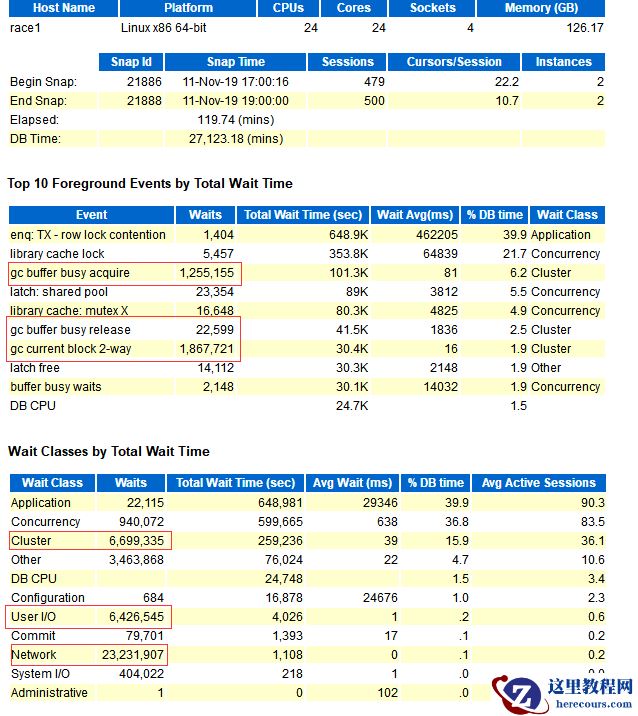
- RAC性能分析 - gc buffer busy acquire 等待事件03-03
- oracle参数open_cursors和session_cached_cursor详解03-03
- 修改数据库名(db_name)及实例名(Instance_name or Service_name)03-03
- Oracle 12c:ORA-28040 & ORA-0101703-03
- MaxCompute问答整理之10月03-03
下一篇:
相关推荐
-

-
-
-
-
-
-
-
-
-
-
-
-
-
-

雷神推出 MIX PRO II 迷你主机:基于 Ultra 200H,玻璃上盖 + ARGB 灯效
2 月 9 日消息,雷神 (THUNDEROBOT) 现已宣布推出基于英
-

制造商 Musnap 推出彩色墨水屏电纸书 Ocean C:支持手写笔、第三方安卓应用
2 月 10 日消息,制造商 Musnap 现已在海外推出一款 Oce


热文推荐
- RAC性能分析 - gc buffer busy acquire 等待事件
- 修改数据库名(db_name)及实例名(Instance_name or Service_name)
- Oracle 12c:ORA-28040 & ORA-01017
Oracle 12c:ORA-28040 & ORA-01017
26-03-03 - SQLNET.ORA 的常见用法
SQLNET.ORA 的常见用法
26-03-03 - ORACLE EBS凭证过账状态及审批状态取值
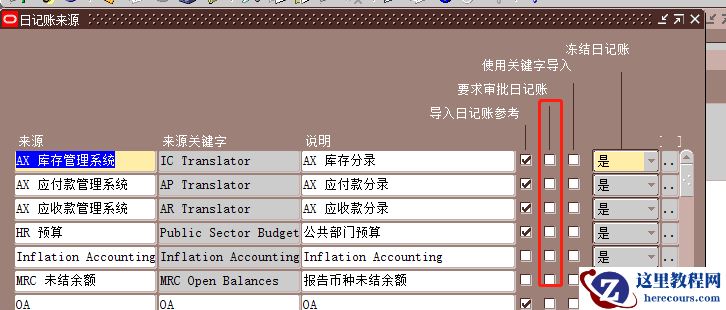
ORACLE EBS凭证过账状态及审批状态取值
26-03-03 - Dubbo 在 K8s 下的思考

Dubbo 在 K8s 下的思考
26-03-03 - Arthas 开源一周年,GitHub Star 16 K ,我们一直在坚持什么?
- 特惠双十一,购DTC票即送最新《数据安全警示录:Oracle DBA手记4》
- library cache lock等待事件
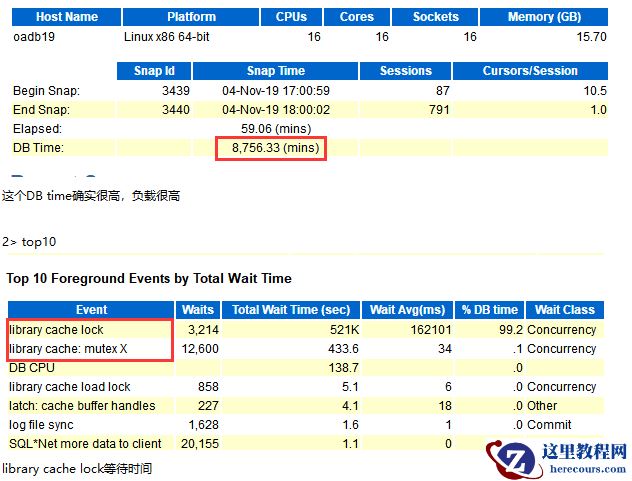
library cache lock等待事件
26-03-03 - 今天才知道!这2种方法能够能够关闭电脑弹窗广告,真的是学到了

今天才知道!这2种方法能够能够关闭电脑弹窗广告,真的是学到了
26-03-03