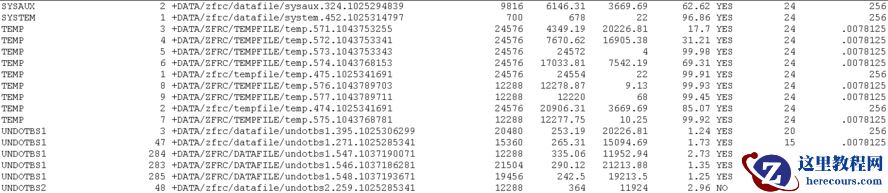
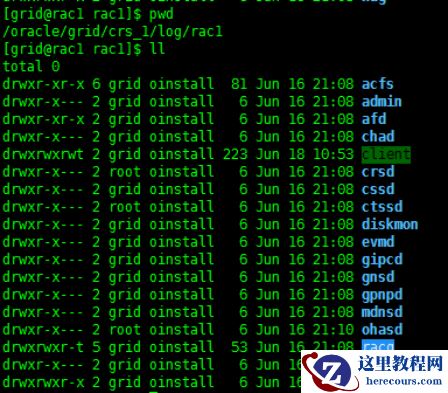
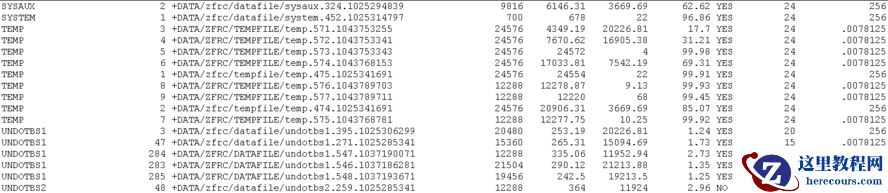
进行数据文件维护时,发现数据文件的名称存在大小写差异。在某个时间点以后创建的数据文件,名称中的db_name和“datafile”都是大写,而以前都是小写。
 查询官方文档
Directory for Datafiles and Controlfiles Become Uppercase in 18.3 DBCA. (Doc ID 2542927.1)在18.3.0.0版本开始,内部设计上的变化导致了此问题。同时还指向一个internal的文档,无权限浏览:
BUG:29294715
- 18.3 DBCA UPPERCASING DB_UNIQUE_NAME FOR DIRECTORY OF DATA FILES AND CONTROL FILES.进一步分析发现,我们将数据库升级到19c,并将compatible由11.2.0.4改为19.3.0.0后,数据文件路径就改为大写了。使用文件系统作为存储介质的数据库未出现此问题。
Directory for Datafiles and Controlfiles Become Uppercase in 18.3 DBCA. (Doc ID 2542927.1)
查询官方文档
Directory for Datafiles and Controlfiles Become Uppercase in 18.3 DBCA. (Doc ID 2542927.1)在18.3.0.0版本开始,内部设计上的变化导致了此问题。同时还指向一个internal的文档,无权限浏览:
BUG:29294715
- 18.3 DBCA UPPERCASING DB_UNIQUE_NAME FOR DIRECTORY OF DATA FILES AND CONTROL FILES.进一步分析发现,我们将数据库升级到19c,并将compatible由11.2.0.4改为19.3.0.0后,数据文件路径就改为大写了。使用文件系统作为存储介质的数据库未出现此问题。
Directory for Datafiles and Controlfiles Become Uppercase in 18.3 DBCA. (Doc ID 2542927.1)
APPLIES TO:
Oracle Database Configuration Assistant - Version 18.3.0.0.0 and later Information in this document applies to any platform.
SYMPTOMS
When you specified lowercase "DB_UNIQUE_NAME" variable(for example:orcl) in DB:18.3 DBCA to create DB instance after the instance be created, you will find the directory of data files and control files contains uppercase DB_UNIQUE_NAME which you specified. ----------------------------- /u01/app/oracle/oradata/ORCL ----------------------------- This result is different from the previous version(DB:12.2/DB:12.1).
If we save the DBCA scripts which can be generated by DBCA, we could see that even if you specified lowercase DB_UNIQUE_NAME in DBCA, the script is to create uppercase DB_UNIQUE_NAME in the directory path of data files and control files.
CHANGES
Using DB:18.3 DBCA to create database instance and specified lowercase "DB_UNIQUE_NAME" variable.
CAUSE
It is a limitation according to current design.
SOLUTION
The following method can avoid this issue. STEP 1: Generate the DBCA Scripts. STEP 2: Change the uppercase DB_UNIQUE_NAME to lowercase DB_UNIQUE_NAME manually. STEP 3: Execute these scripts to create DB instance.
编辑推荐:
- oracle升级后数据文件路径变为大写03-03
- 史上最全Oracle数据泵常用命令03-03
- 未来,什么样的产品经理才是不可替代的?03-03
- 公司、矩阵号一键管理系统03-03
- 12c Oracle OCP-062,063,071最新题库202003-03
- oracle增加字段带默认值03-03
- ASM磁盘组限制03-03
- 亲测好用!视频矩阵号管理软件,短视频同时发送至全网03-03
相关推荐
-

-
-
-
-
-
-
-
-
-
-
-
-
-
-

雷神推出 MIX PRO II 迷你主机:基于 Ultra 200H,玻璃上盖 + ARGB 灯效
2 月 9 日消息,雷神 (THUNDEROBOT) 现已宣布推出基于英
-

制造商 Musnap 推出彩色墨水屏电纸书 Ocean C:支持手写笔、第三方安卓应用
2 月 10 日消息,制造商 Musnap 现已在海外推出一款 Oce