
6月15号,在做oracle 19c for rhel7.6安装及打补丁时,遭遇了Unable to create patchObject和oui-patch.xml (权限不够)报错。这里记录一下问题分析处理过程,备忘! 集群环境的基本信息: 1、两节点的rac 2、操作系统版本rhel7.6 3、数据库版本19.3.0 4、应用补丁包p30899722_190000_Linux-x86-64.zip 问题场景: p30899722_190000_Linux-x86-64.zip 在两个节点的GI应用成功,在第一节点的DB应用成功,第二节点出现报错。 报错信息如下: [root@myrac2 ~]# /u01/app/oracle/product/19.0/db_1/OPatch/opatchauto apply /u01/soft/psu/30899722/ -oh /u01/app/oracle/product/19.0/db_1/ OPatchauto session is initiated at Tue Jun 15 13:26:41 2020 System initialization log file is /u01/app/oracle/product/19.0/db_1/cfgtoollogs/opatchautodb/systemconfig2020-06-15_01-26-47PM.log. 会话日志文件是/u01/app/oracle/product/19.0/db_1/cfgtoollogs/opatchauto/opatchauto2020-06-15_01-27-03PM.log 此会话的 ID 为 WLFG Executing OPatch prereq operations to verify patch applicability on home /u01/app/oracle/product/19.0/db_1 Patch applicability verification failed on home /u01/app/oracle/product/19.0/db_1 未能执行 [OPatchAutoBinaryAction] 补丁程序操作, 有关详细信息, 请查看日志。故障: Patch Target : myrac2->/u01/app/oracle/product/19.0/db_1 类型 [rac] Details: [ ---------------------------Patching Failed--------------------------------- Command execution failed during patching in home: /u01/app/oracle/product/19.0/db_1, host: myrac2. Command failed: /u01/app/oracle/product/19.0/db_1/OPatch/opatchauto apply /u01/soft/psu/30899722/ -oh /u01/app/oracle/product/19.0/db_1 -target_type rac_database -binary -invPtrLoc /u01/app/oracle/product/19.0/db_1//oraInst.loc -jre /u01/app/oracle/product/19.0/db_1/OPatch/jre -persistresult /u01/app/oracle/product/19.0/db_1/opatchautocfg/db/sessioninfo/sessionresult_analyze_myrac2_rac_2.ser -analyze -online -prepare_home Command failure output: ==Following patches FAILED in analysis for apply: Patch: /u01/soft/psu/30899722/30894985 Log: Reason: Failed during listing in Analysis: java.lang.Exception: oracle.opatch.opatchsdk. OPatchException: Unable to create patchObject Possible causes are: ORACLE_HOME/inventory/oneoffs/30869156 is corrupted. PatchObject constructor: Input file "/u01/app/oracle/product/19.0/db_1/inventory/oneoffs/30869156/etc/config/actions" or "/u01/app/oracle/product/19.0/db_1/inventory/oneoffs/30869156/etc/config/inventory" does not exist. Patch: /u01/soft/psu/30899722/30869156 Log: Reason: Failed during listing in Analysis: java.lang.Exception: oracle.opatch.opatchsdk.OPatchException: Unable to create patchObject Possible causes are: ORACLE_HOME/inventory/oneoffs/30869156 is corrupted. PatchObject constructor: Input file "/u01/app/oracle/product/19.0/db_1/inventory/oneoffs/30869156/etc/config/actions" or "/u01/app/oracle/product/19.0/db_1/inventory/oneoffs/30869156/etc/config/inventory" does not exist. After fixing the cause of failure Run opatchauto resume ] OPATCHAUTO-68061: 业务流程引擎失败。 OPATCHAUTO-68061: 业务流程引擎失败, 返回代码为 1 OPATCHAUTO-68061: 有关详细资料, 请查看日志。 OPatchAuto 失败。 OPatchauto session completed at Tue Jun 15 13:27:17 2020 Time taken to complete the session 0 minute, 37 seconds opatchauto failed with error code 42 [root@myrac2 ~]# 此时,回滚该补丁包会失败,报错依然是config必要文件缺失。 [root@myrac2 psu]# /u01/app/oracle/product/19.0/db_1/OPatch/opatchauto rollback /u01/soft/psu/30899722/ -oh /u01/app/oracle/product/19.0/db_1/ OPatchauto session is initiated at Tue Jun 15 13:40:42 2020 System initialization log file is /u01/app/oracle/product/19.0/db_1/cfgtoollogs/opatchautodb/systemconfig2020-06-15_01-40-44PM.log. 会话日志文件是/u01/app/oracle/product/19.0/db_1/cfgtoollogs/opatchauto/opatchauto2020-06-15_01-40-55PM.log 此会话的 ID 为 SDAD Executing OPatch prereq operations to verify patch applicability on home /u01/app/oracle/product/19.0/db_1 Patch applicability verification failed on home /u01/app/oracle/product/19.0/db_1 未能执行 [OPatchAutoBinaryAction] 补丁程序操作, 有关详细信息, 请查看日志。故障: Patch Target : myrac2->/u01/app/oracle/product/19.0/db_1 类型 [rac] Details: [ ---------------------------Patching Failed--------------------------------- Command execution failed during patching in home: /u01/app/oracle/product/19.0/db_1, host: myrac2. Command failed: /u01/app/oracle/product/19.0/db_1/OPatch/opatchauto rollback /u01/soft/psu/30899722/ -oh /u01/app/oracle/product/19.0/db_1 -target_type rac_database -binary -invPtrLoc /u01/app/oracle/product/19.0/db_1//oraInst.loc -jre /u01/app/oracle/product/19.0/db_1/OPatch/jre -persistresult /u01/app/oracle/product/19.0/db_1/opatchautocfg/db/sessioninfo/sessionresult_analyze_myrac2_rac_2.ser -analyze -online -prepare_home Command failure output: ==Following patches FAILED in analysis for rollback: Patch: /u01/soft/psu/30899722/30894985 Log: Reason: Failed during listing in Analysis: java.lang.Exception: oracle.opatch.opatchsdk. OPatchException: Unable to create patchObject Possible causes are: ORACLE_HOME/inventory/oneoffs/30869156 is corrupted. PatchObject constructor: Input file "/u01/app/oracle/product/19.0/db_1/inventory/oneoffs/30869156/etc/config/actions" or "/u01/app/oracle/product/19.0/db_1/inventory/oneoffs/30869156/etc/config/inventory" does not exist. Patch: /u01/soft/psu/30899722/30869156 Log: Reason: Failed during listing in Analysis: java.lang.Exception: oracle.opatch.opatchsdk.OPatchException: Unable to create patchObject Possible causes are: ORACLE_HOME/inventory/oneoffs/30869156 is corrupted. PatchObject constructor: Input file "/u01/app/oracle/product/19.0/db_1/inventory/oneoffs/30869156/etc/config/actions" or "/u01/app/oracle/product/19.0/db_1/inventory/oneoffs/30869156/etc/config/inventory" does not exist. After fixing the cause of failure Run opatchauto resume ] OPATCHAUTO-68061: 业务流程引擎失败。 OPATCHAUTO-68061: 业务流程引擎失败, 返回代码为 1 OPATCHAUTO-68061: 有关详细资料, 请查看日志。 OPatchAuto 失败。 OPatchauto session completed at Tue Jun 15 13:41:09 2020 Time taken to complete the session 0 minute, 27 seconds opatchauto failed with error code 42 [root@myrac2 psu]# 根据提示,查看/u01/app/oracle/product/19.0/db_1/inventory/oneoffs目录下相关文件确实有缺失。 [root@myrac2 psu]# cd /u01/app/oracle/product/19.0/db_1/inventory/oneoffs [root@myrac2 oneoffs]# ls 29517242 29585399 [root@myrac2 oneoffs]# 因为第一节点的DB_HOME成功应用了补丁,查看一节点的补丁相关文件是存在的。 [oracle@myrac1 ~]$ cd /u01/app/oracle/product/19.3.0/db_1/inventory/19.0 [oracle@myrac1 19.0]$ ls 29517242 29585399 30869156 30894985 [oracle@myrac1 19.0]$ 尝试将一节点 /u01/app/oracle/product/19.3.0/db_1/inventory/19.0下的30869156 30894985传输二节点。 [oracle@myrac1 19.0]$ scp -r 30869156 myrac2:/u01/app/oracle/product/19.3.0/db_1/inventory/19.0/ inventory.xml 100% 224KB 8.6MB/s 00:00 actions.xml 100% 2100KB 30.4MB/s 00:00 [oracle@myrac1 19.0]$ scp -r 30894985 myrac2:/u01/app/oracle/product/19.3.0/db_1/inventory/19.0/ inventory.xml 100% 55KB 2.2MB/s 00:00 actions.xml 100% 95KB 5.6MB/s 00:00 [oracle@myrac1 19.0]$ [root@myrac2 oneoffs]# ll 总用量 0 drwxr-x--- 4 oracle oinstall 29 6月 15 12:02 29517242 drwxr-x--- 4 oracle oinstall 29 6月 15 12:01 29585399 drwxr-xr-x 2 oracle oinstall 6 6月 15 13:50 30869156 drwxr-xr-x 4 oracle oinstall 29 6月 15 13:48 30894985 [root@myrac2 oneoffs]# 然后,在节点2继续应用补丁,竟然报错:FileNotFoundException: /u01/app/oraInventory/ContentsXML/oui-patch.xml (权限不够) [root@myrac2 oneoffs]# /u01/app/oracle/product/19.0/db_1/OPatch/opatchauto apply /u01/soft/psu/30899722/ -oh /u01/app/oracle/product/19.0/db_1/ OPatchauto session is initiated at Tue Jun 15 13:50:41 2020 System initialization log file is /u01/app/oracle/product/19.0/db_1/cfgtoollogs/opatchautodb/systemconfig2020-06-15_01-50-47PM.log. 会话日志文件是/u01/app/oracle/product/19.0/db_1/cfgtoollogs/opatchauto/opatchauto2020-06-15_01-51-04PM.log 此会话的 ID 为 BRA8 Executing OPatch prereq operations to verify patch applicability on home /u01/app/oracle/product/19.0/db_1 Patch applicability verified successfully on home /u01/app/oracle/product/19.0/db_1 Verifying SQL patch applicability on home /u01/app/oracle/product/19.0/db_1 "/bin/sh -c 'cd /u01/app/oracle/product/19.0/db_1; ORACLE_HOME=/u01/app/oracle/product/19.0/db_1 ORACLE_SID=orcl2 /u01/app/oracle/product/19.0/db_1/OPatch/datapatch -prereq -verbose'" command failed with errors. Please refer to logs for more details. SQL changes, if any, can be analyzed by manually retrying the same command. SQL patch applicability verified successfully on home /u01/app/oracle/product/19.0/db_1 Preparing to bring down database service on home /u01/app/oracle/product/19.0/db_1 Successfully prepared home /u01/app/oracle/product/19.0/db_1 to bring down database service Bringing down database service on home /u01/app/oracle/product/19.0/db_1 Database service successfully brought down on home /u01/app/oracle/product/19.0/db_1 Performing prepatch operation on home /u01/app/oracle/product/19.0/db_1 Perpatch operation completed successfully on home /u01/app/oracle/product/19.0/db_1 Start applying binary patch on home /u01/app/oracle/product/19.0/db_1 Failed while applying binary patches on home /u01/app/oracle/product/19.0/db_1 未能执行 [OPatchAutoBinaryAction] 补丁程序操作, 有关详细信息, 请查看日志。故障: Patch Target : myrac2->/u01/app/oracle/product/19.0/db_1 类型 [rac] Details: [ ---------------------------Patching Failed--------------------------------- Command execution failed during patching in home: /u01/app/oracle/product/19.0/db_1, host: myrac2. Command failed: /u01/app/oracle/product/19.0/db_1/OPatch/opatchauto apply /u01/soft/psu/30899722/ -oh /u01/app/oracle/product/19.0/db_1 -target_type rac_database -binary -invPtrLoc /u01/app/oracle/product/19.0/db_1//oraInst.loc -jre /u01/app/oracle/product/19.0/db_1/OPatch/jre -persistresult /u01/app/oracle/product/19.0/db_1/opatchautocfg/db/sessioninfo/sessionresult_myrac2_rac_2.ser -analyzedresult /u01/app/oracle/product/19.0/db_1/opatchautocfg/db/sessioninfo/sessionresult_analyze_myrac2_rac_2.ser Command failure output: ==Following patches FAILED in apply: Patch: /u01/soft/psu/30899722/30869156 Log: /u01/app/oracle/product/19.0/db_1/cfgtoollogs/opatchauto/core/opatch/opatch2020-06-15_13-51-31下午_1.log Reason: Failed during Patching: oracle.opatch.opatchsdk.OPatchException: ApplySession 在系统修改阶段失败... 'ApplySession::apply failed: java.io. IOException: oracle.sysman.oui.patch.PatchException: java.io.FileNotFoundException: /u01/app/oraInventory/ContentsXML/oui-patch.xml (权限不够)' After fixing the cause of failure Run opatchauto resume ] OPATCHAUTO-68061: 业务流程引擎失败。 OPATCHAUTO-68061: 业务流程引擎失败, 返回代码为 1 OPATCHAUTO-68061: 有关详细资料, 请查看日志。 OPatchAuto 失败。 OPatchauto session completed at Tue Jun 15 13:53:44 2020 Time taken to complete the session 3 minutes, 4 seconds opatchauto failed with error code 42 [root@myrac2 oneoffs]# 于是,对比两个节点/u01/app/oraInventory/ContentsXML/oui-patch.xml 文件的权限。 [root@myrac2 oneoffs]# ll /u01/app/oraInventory/ContentsXML/oui-patch.xml -rw-r--r-- 1 grid oinstall 174 6月 15 13:13 /u01/app/oraInventory/ContentsXML/oui-patch.xml [root@myrac2 oneoffs]# [root@myrac1 diag]# ll /u01/app/oraInventory/ContentsXML/oui-patch.xml -rw-rw---- 1 grid oinstall 174 6月 15 13:19 /u01/app/oraInventory/ContentsXML/oui-patch.xml [root@myrac1 diag]# 处理措施是将节点2的/u01/app/oraInventory/ContentsXML/oui-patch.xml修改成660权限。 [root@myrac2 oneoffs]# chmod 660 /u01/app/oraInventory/ContentsXML/oui-patch.xml [root@myrac2 oneoffs]# ll /u01/app/oraInventory/ContentsXML/oui-patch.xml -rw-rw---- 1 grid oinstall 174 6月 15 13:13 /u01/app/oraInventory/ContentsXML/oui-patch.xml [root@myrac2 oneoffs]# 然后,在节点2上继续应用补丁,竟然又提示:30894985、30869156缺失 [root@myrac2 oneoffs]# /u01/app/oracle/product/19.0/db_1/OPatch/opatchauto apply /u01/soft/psu/30899722/ -oh /u01/app/oracle/product/19.0/db_1/ OPatchauto session is initiated at Tue Jun 15 13:54:28 2020 System initialization log file is /u01/app/oracle/product/19.0/db_1/cfgtoollogs/opatchautodb/systemconfig2020-06-15_01-54-35PM.log. 会话日志文件是/u01/app/oracle/product/19.0/db_1/cfgtoollogs/opatchauto/opatchauto2020-06-15_01-54-49PM.log 此会话的 ID 为 27ZL Executing OPatch prereq operations to verify patch applicability on home /u01/app/oracle/product/19.0/db_1 Patch applicability verification failed on home /u01/app/oracle/product/19.0/db_1 未能执行 [OPatchAutoBinaryAction] 补丁程序操作, 有关详细信息, 请查看日志。故障: Patch Target : myrac2->/u01/app/oracle/product/19.0/db_1 类型 [rac] Details: [ ---------------------------Patching Failed--------------------------------- Command execution failed during patching in home: /u01/app/oracle/product/19.0/db_1, host: myrac2. Command failed: /u01/app/oracle/product/19.0/db_1/OPatch/opatchauto apply /u01/soft/psu/30899722/ -oh /u01/app/oracle/product/19.0/db_1 -target_type rac_database -binary -invPtrLoc /u01/app/oracle/product/19.0/db_1//oraInst.loc -jre /u01/app/oracle/product/19.0/db_1/OPatch/jre -persistresult /u01/app/oracle/product/19.0/db_1/opatchautocfg/db/sessioninfo/sessionresult_analyze_myrac2_rac_2.ser -analyze -online -prepare_home Command failure output: ==Following patches FAILED in analysis for apply: Patch: /u01/soft/psu/30899722/30894985 Log: Reason: Failed during listing in Analysis: java.lang.Exception: oracle.opatch.opatchsdk.OPatchException: Unable to create patchObject Possible causes are: ORACLE_HOME/inventory/oneoffs/30869156 is corrupted. PatchObject constructor: Input file "/u01/app/oracle/product/19.0/db_1/inventory/oneoffs/30869156/etc/config/actions" or "/u01/app/oracle/product/19.0/db_1/inventory/oneoffs/30869156/etc/config/inventory" does not exist. Patch: /u01/soft/psu/30899722/30869156 Reason: Failed during listing in Analysis: java.lang.Exception: oracle.opatch.opatchsdk.OPatchException: Unable to create patchObject Possible causes are: ORACLE_HOME/inventory/oneoffs/30869156 is corrupted. PatchObject constructor: Input file "/u01/app/oracle/product/19.0/db_1/inventory/oneoffs/30869156/etc/config/actions" or "/u01/app/oracle/product/19.0/db_1/inventory/oneoffs/30869156/etc/config/inventory" does not exist. After fixing the cause of failure Run opatchauto resume ] OPATCHAUTO-68061: 业务流程引擎失败。 OPATCHAUTO-68061: 业务流程引擎失败, 返回代码为 1 OPATCHAUTO-68061: 有关详细资料, 请查看日志。 OPatchAuto 失败。 OPatchauto session completed at Tue Jun 15 13:55:03 2020 Time taken to complete the session 0 minute, 35 seconds opatchauto failed with error code 42 [root@myrac2 oneoffs]# [root@myrac2 oneoffs]# ll 总用量 0 drwxr-x--- 4 oracle oinstall 29 6月 15 12:02 29517242 drwxr-x--- 4 oracle oinstall 29 6月 15 12:01 29585399 drwxr-xr-x 4 oracle oinstall 29 6月 15 13:48 30894985 [root@myrac2 oneoffs]# 再次从一节点将30869156传递到二节点。 [oracle@myrac1 19.0]$ scp -r 30894985 myrac2:/u01/app/oracle/product/19.3.0/db_1/inventory/19.0/inventory.xml 100% 55KB 2.2MB/s 00:00 actions.xml 100% 95KB 5.6MB/s 00:00 [oracle@myrac1 19.0] [oracle@myrac1 19.0]$ scp -r 30869156 myrac2:/u01/app/oracle/product/19.3.0/db_1/inventory/19.0/ inventory.xml 100% 224KB 8.6MB/s 00:00 actions.xml 100% 2100KB 30.4MB/s 00:00 [oracle@myrac1 19.0] 在二节点继续应用补丁成功! [root@myrac2 oneoffs]# ll 总用量 0 drwxr-x--- 4 oracle oinstall 29 6月 15 12:02 29517242 drwxr-x--- 4 oracle oinstall 29 6月 15 12:01 29585399 drwxr-xr-x 4 oracle oinstall 29 6月 15 13:55 30869156 drwxr-xr-x 4 oracle oinstall 29 6月 15 13:48 30894985 [root@myrac2 oneoffs]# /u01/app/oracle/product/19.0/db_1/OPatch/opatchauto apply /u01/soft/psu/30899722/ -oh /u01/app/oracle/product/19.0/db_1/ OPatchauto session is initiated at Tue Jun 15 13:56:13 2020 System initialization log file is /u01/app/oracle/product/19.0/db_1/cfgtoollogs/opatchautodb/systemconfig2020-06-15_01-56-16PM.log. 会话日志文件是/u01/app/oracle/product/19.0/db_1/cfgtoollogs/opatchauto/opatchauto2020-06-15_01-56-29PM.log 此会话的 ID 为 Executing OPatch prereq operations to verify patch applicability on home /u01/app/oracle/product/19.0/db_1 Patch applicability verified successfully on home /u01/app/oracle/product/19.0/db_1 Verifying "/bin/sh -c 'cd /u01/app/oracle/product/19.0/db_1; ORACLE_HOME=/u01/app/oracle/product/19.0/db_1 ORACLE_SID=orcl2 /u01/app/oracle/product/19.0/db_1/OPatch/datapatch -prereq -verbose'" command failed with errors. Please refer to logs for more details. SQL changes, if any, can be analyzed by manually retrying the same command. SQL patch applicability verified successfully on home /u01/app/oracle/product/19.0/db_1 Preparing to bring down database service on home /u01/app/oracle/product/19.0/db_1 Successfully prepared home /u01/app/oracle/product/19.0/db_1 to bring down database service Bringing down database service on home /u01/app/oracle/product/19.0/db_1 Database service successfully brought down on home /u01/app/oracle/product/19.0/db_1 Performing prepatch operation on home /u01/app/oracle/product/19.0/db_1 Perpatch operation completed successfully on home /u01/app/oracle/product/19.0/db_1 Start applying binary patch on home /u01/app/oracle/product/19.0/db_1 Binary patch applied successfully on home /u01/app/oracle/product/19.0/db_1 Performing postpatch operation on home /u01/app/oracle/product/19.0/db_1 Postpatch operation completed successfully on home /u01/app/oracle/product/19.0/db_1 Starting database service on home /u01/app/oracle/product/19.0/db_1 Database service successfully started on home /u01/app/oracle/product/19.0/db_1 Preparing home /u01/app/oracle/product/19.0/db_1 after database service restarted No step execution required......... Trying to apply SQL patch on home /u01/app/oracle/product/19.0/db_1 "/bin/sh -c 'cd /u01/app/oracle/product/19.0/db_1;ORACLE_HOME=/u01/app/oracle/product/19.0/db_1 ORACLE_SID=orcl2 /u01/app/oracle/product/19.0/db_1/OPatch/datapatch -verbose'" command failed with errors. Please refer to logs for more details. SQL changes, if any, can be applied by manually retrying the same command. SQL patch applied successfully on home /u01/app/oracle/product/19.0/db_1 OPatchAuto 成功。 --------------------------------Summary-------------------------------- Patching is completed successfully. Please find the summary as follows: Host:myrac2 RAC Home:/u01/app/oracle/product/19.0/db_1 Version:19.0.0.0.0 Summary: ==Following patches were SKIPPED: Patch: /u01/soft/psu/30899722/30869304 Reason: This patch is not applicable to this specified target type - "rac_database" Patch: /u01/soft/psu/30899722/30898856 Reason: This patch is not applicable to this specified target type - "rac_database" Patch: /u01/soft/psu/30899722/30869156 Reason: This patch is already been applied, so not going to apply again. ==Following patches were SUCCESSFULLY applied: Patch: /u01/soft/psu/30899722/30894985 Log: /u01/app/oracle/product/19.0/db_1/cfgtoollogs/opatchauto/core/opatch/opatch2020-06-15_13-56-53下午_1.log OPatchauto session completed at Tue Jun 15 13:57:30 2020 Time taken to complete the session 1 minute, 17 seconds [root@myrac2 oneoffs]#
ORACLE 19C RAC FOR RHEL7 打补丁报错OPatchException: Unable to create patchObject
来源:这里教程网
时间:2026-03-03 15:55:39
作者:
编辑推荐:
- 工具推荐:头条mcn管理工具,文章同时上传03-03
- ORACLE 19C RAC FOR RHEL7 打补丁报错OPatchException: Unable to create patchObject03-03
- 机构矩阵号管理工具,文章、短视频一键同步03-03
- ORA-00600: internal error code, arguments: [13013], [5001], [267], [8389014]03-03
- 微信“拍一拍”功能是产品经理拍脑子想出来的吗?03-03
- Oracle数据库(单机)巡检报告03-03
- 工具推荐:企鹅号矩阵号运营工具,文章、短视频同时多发至全网03-03
- 爱奇艺mcn运营系统,图文、视频一键多发03-03
相关推荐
-

-
-
-
-
-
-
-
-
-
-
-
-
-
-

雷神推出 MIX PRO II 迷你主机:基于 Ultra 200H,玻璃上盖 + ARGB 灯效
2 月 9 日消息,雷神 (THUNDEROBOT) 现已宣布推出基于英
-

制造商 Musnap 推出彩色墨水屏电纸书 Ocean C:支持手写笔、第三方安卓应用
2 月 10 日消息,制造商 Musnap 现已在海外推出一款 Oce
热文推荐
- 工具推荐:头条mcn管理工具,文章同时上传

工具推荐:头条mcn管理工具,文章同时上传
26-03-03 - 机构矩阵号管理工具,文章、短视频一键同步

机构矩阵号管理工具,文章、短视频一键同步
26-03-03 - 微信“拍一拍”功能是产品经理拍脑子想出来的吗?

微信“拍一拍”功能是产品经理拍脑子想出来的吗?
26-03-03 - Oracle数据库(单机)巡检报告
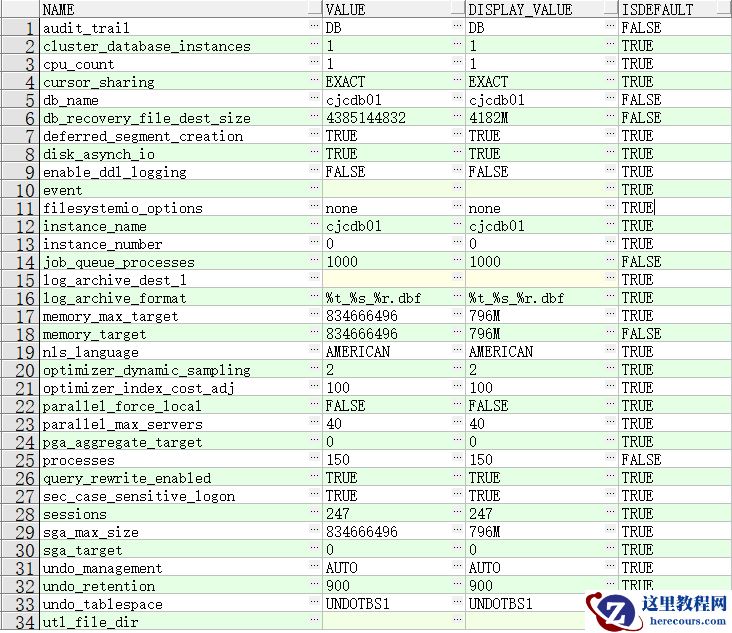
Oracle数据库(单机)巡检报告
26-03-03 - 工具推荐:企鹅号矩阵号运营工具,文章、短视频同时多发至全网

工具推荐:企鹅号矩阵号运营工具,文章、短视频同时多发至全网
26-03-03 - 爱奇艺mcn运营系统,图文、视频一键多发

爱奇艺mcn运营系统,图文、视频一键多发
26-03-03 - DBA换新电脑后必装哪些工具?

DBA换新电脑后必装哪些工具?
26-03-03 - 新媒体工具:企鹅号矩阵号运营系统,短视频一键分发

新媒体工具:企鹅号矩阵号运营系统,短视频一键分发
26-03-03 - 推荐!百家号矩阵号运营系统,文章、短视频同时上传

推荐!百家号矩阵号运营系统,文章、短视频同时上传
26-03-03 - 一点号矩阵运营软件,小视频、短视频一键发布到全网

一点号矩阵运营软件,小视频、短视频一键发布到全网
26-03-03