[20210902]为什么会使用多个共享内存段.txt --//昨天测试kernel.sem = SEMMSL SEMMNS SEMOPM SEMMNI参数时遇到的问题,做一个记录. 1.环境: --//为了反复测试,我建立一个实例,没有数据文件. $ cat /tmp/test.ora test.__db_cache_size=1258291200 test.__oracle_base='/u01/app/oracle'#ORACLE_BASE set from environment test.__shared_pool_size=1048576000 *.db_name='test' *.processes=200 *.sga_target=2500M *.undo_management='auto' --//设置环境变量: $ export ORACLE_SID=test # egrep "^kernel.s[he]|^vm.nr_" /etc/sysctl.conf kernel.shmmax = 68719476736 kernel.shmall = 4294967296 kernel.shmmni = 4096 kernel.sem = 102 26112 204 128 vm.nr_hugepages = 404 vm.nr_overcommit_hugepages = 1300 # sysctl -p --//kernel.shmmax=68719476736, 68719476736/1024/1024/1024 = 64G,理论sga_target=2500M,11g下正常建立3个共享内存段. --//可是实际情况确实6个.通过例子说明. 2.测试: SYS@test> startup force nomount pfile='/tmp/@.ora'; ORACLE instance started. Total System Global Area 2622255104 bytes Fixed Size 2256112 bytes Variable Size 1124074256 bytes Database Buffers 1476395008 bytes Redo Buffers 19529728 bytes $ ipcs -m ------ Shared Memory Segments -------- key shmid owner perms bytes nattch status 0x00000000 45645826 oracle 640 33554432 18 0x00000000 45678595 oracle 640 654311424 18 0x00000000 45711364 oracle 640 134217728 18 0x00000000 45744133 oracle 640 16777216 18 0x00000000 45776902 oracle 640 1795162112 18 0x8a931fb8 45809671 oracle 640 2097152 18 --//使用6个共享内存段. $ ipcs -m -u ------ Shared Memory Status -------- segments allocated 8 pages allocated 643681 pages resident 79750 pages swapped 0 Swap performance: 0 attempts 0 successes --//segments allocated 8 ,实际上有2个被root用户使用.如果仔细看alert日志: Starting ORACLE instance (normal) ************************ Large Pages Information ******************* Per process system memlock (soft) limit = 60 GB Total Shared Global Region in Large Pages = 802 MB (31%) Large Pages used by this instance: 401 (802 MB) Large Pages unused system wide = 3 (6144 KB) Large Pages configured system wide = 404 (808 MB) Large Page size = 2048 KB RECOMMENDATION: Total System Global Area size is 2514 MB. For optimal performance, prior to the next instance restart: 1. Increase the number of unused large pages by at least 853 (page size 2048 KB, total size 1706 MB) system wide to get 100% of the System Global Area allocated with large pages ******************************************************************** --//噢,我给hugepages仅仅404,完全不能满足需求,但是我定义了vm.nr_overcommit_hugepages = 1300,1300*2M=2600M,完全满足不需要 --//建立使用这么多的共享内存段.为什么呢? --//仔细看http://blog.itpub.net/267265/viewspace-2145481/=>0927hugepages与nr_overcommit_hugepages --//才发现要定义use_large_pages=only才可以使用. $ cat /tmp/test.ora test.__db_cache_size=1258291200 test.__oracle_base='/u01/app/oracle'#ORACLE_BASE set from environment test.__shared_pool_size=1048576000 *.db_name='test' *.processes=200 *.sga_target=2500M *.undo_management='auto' *.use_large_pages=only SYS@test> startup force nomount pfile='/tmp/@.ora'; ORACLE instance started. Total System Global Area 2622255104 bytes Fixed Size 2256112 bytes Variable Size 1124074256 bytes Database Buffers 1476395008 bytes Redo Buffers 19529728 bytes $ ipcs -m ------ Shared Memory Segments -------- key shmid owner perms bytes nattch status 0x00000000 45875202 oracle 640 33554432 18 0x00000000 45907971 oracle 640 2600468480 18 0x8a931fb8 45940740 oracle 640 2097152 18 $ ipcs -m -u ------ Shared Memory Status -------- segments allocated 5 pages allocated 643681 pages resident 131681 pages swapped 0 Swap performance: 0 attempts 0 successes --//这样就对了.有时候陷入困境,思维一下子跳不出来. --//alert.log ************************ Large Pages Information ******************* Parameter use_large_pages = only Per process system memlock (soft) limit = 60 GB Total Shared Global Region in Large Pages = 2514 MB (100%) Large Pages used by this instance: 1257 (2514 MB) Large Pages unused system wide = 0 (0 KB) Large Pages configured system wide = 1257 (2514 MB) Large Page size = 2048 KB ******************************************************************** # grep -i pages /proc/meminfo AnonPages: 277180 kB AnonHugePages: 86016 kB HugePages_Total: 1257 HugePages_Free: 1000 HugePages_Rsvd: 1000 HugePages_Surp: 853 Hugepagesize: 2048 kB --//HugePages_Total: 1257,从vm.nr_overcommit_hugepages借用了853,853+404 = 1257. --//HugePages_Total-HugePages_Free+HugePages_Rsvd 就是 目前实例需要的页面数量.
[20210902]为什么会使用多个共享内存段.txt
来源:这里教程网
时间:2026-03-03 16:54:21
作者:
编辑推荐:
- [20210902]为什么会使用多个共享内存段.txt03-03
- Oracle:RBO 简介03-03
- 【SQL】关于Oracle12c SQL调整中一些变化03-03
- kill session ORA-0003103-03
- 农夫山泉挺赚钱03-03
- 【ASK_ORACLE】你知道怎么又快同时又干净地关闭Oracle数据库吗?03-03
- 我司可提供各专业职称,可用于申报新办、延续、增项,投标03-03
- 【PDB】Oracle pdb维护常用sql命令03-03
下一篇:
相关推荐
-

-
-
-
-
-
-
-
-
-
-
-
-
-
-

雷神推出 MIX PRO II 迷你主机:基于 Ultra 200H,玻璃上盖 + ARGB 灯效
2 月 9 日消息,雷神 (THUNDEROBOT) 现已宣布推出基于英
-

制造商 Musnap 推出彩色墨水屏电纸书 Ocean C:支持手写笔、第三方安卓应用
2 月 10 日消息,制造商 Musnap 现已在海外推出一款 Oce
热文推荐
- kill session ORA-00031
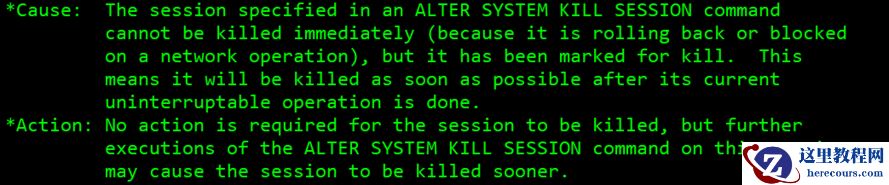
kill session ORA-00031
26-03-03 - 农夫山泉挺赚钱
农夫山泉挺赚钱
26-03-03 - 中通财报:“增收不增利”怪圈难破
中通财报:“增收不增利”怪圈难破
26-03-03 - 【SQL】Oracle批量提交和频繁提交区别测试
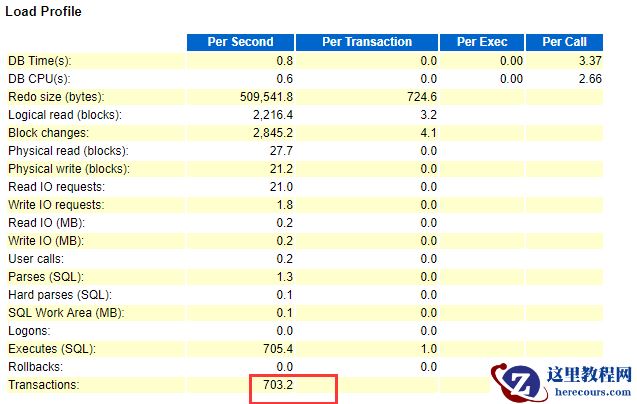
【SQL】Oracle批量提交和频繁提交区别测试
26-03-03 - 唯品会的“成年烦心事”
唯品会的“成年烦心事”
26-03-03 - 21C在RHEL单节点图形化安装
21C在RHEL单节点图形化安装
26-03-03 - 高增长趋缓,金山云拉开了新战局帷幕
高增长趋缓,金山云拉开了新战局帷幕
26-03-03 - 云集的社交电商转弯
云集的社交电商转弯
26-03-03 - 【ORACLE21C】Oracle21c 只读目录说明
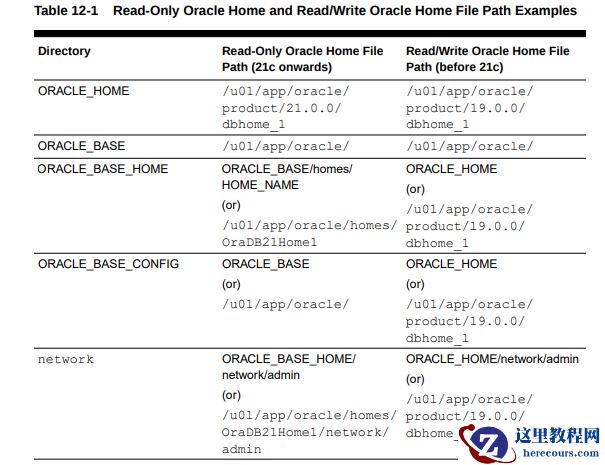
【ORACLE21C】Oracle21c 只读目录说明
26-03-03 - Oracle RAC NFS挂载文件系统

Oracle RAC NFS挂载文件系统
26-03-03