[20220228]测试Max_idle_blocker_time 参数.txt --//今天本来想测试Max_idle_blocker_time在19c的情况,发现不起作用,我使用sys用户测试,我估计可能对于sys用户这样的设置可能不 --//起作用.我又做了max_idle_time的测试发现问题依旧,我没有19c的测试环境,先在18c上测试Max_idle_blocker_time的情况. 1.环境: SYS@xxx.xxx.x.x:1521/orclcdb> @ prxx ============================== PORT_STRING : x86_64/Linux 2.4.xx VERSION : 18.0.0.0.0 BANNER : Oracle Database 18c Enterprise Edition Release 18.0.0.0.0 - Production BANNER_FULL : Oracle Database 18c Enterprise Edition Release 18.0.0.0.0 - Production Version 18.3.0.0.0 BANNER_LEGACY : Oracle Database 18c Enterprise Edition Release 18.0.0.0.0 - Production CON_ID : 0 PL/SQL procedure successfully completed. SYS@xxx.xxx.x.x:1521/orclcdb> alter system set max_idle_time=1 scope=memory; System altered. --//1分钟. 2.登录普通用户的PDB会话测试: --//session 1: TTT@xxx.xxx.x.x:1521/orcl> show parameter max_idle_ PARAMETER_NAME TYPE VALUE -------------- ------- ----- max_idle_time integer 1 TTT@xxx.xxx.x.x:1521/orcl> @ spid SID SERIAL# PROCESS SERVER SPID PID P_SERIAL# C50 ---- ---------- ------- --------- ------ ------- ---------- -------------------------------------------------- 45 63449 54371 DEDICATED 15672 48 298944 alter system kill session '45,63449' immediate; --//记下sid=45. TTT@xxx.xxx.x.x:1521/orcl> host sleep 122 TTT@xxx.xxx.x.x:1521/orcl> show parameter max_idle_ ORA-03113: end-of-file on communication channel Process ID: 15071 Session ID: 280 Serial number: 37330 --//我以前的测试必须等待2*max_idle_time时间。而不是max_idle_time. --//重新登陆,我的测试环境就我一个人使用,一般情况下sid依旧等于45. --//session 1: SYS@xxx.xxx.x.x:1521/orcl> select sysdate from dual; SYSDATE ------------------- 2022-02-28 15:21:53 --//session 2: TTT@xxx.xxx.x.x:1521/orcl> select SECONDS_IN_WAIT,event from v$session where sid=45 ; SECONDS_IN_WAIT EVENT --------------- --------------------------- 97 SQL*Net message from client TTT@xxx.xxx.x.x:1521/orcl> select SECONDS_IN_WAIT,event from v$session where sid=45 ; SECONDS_IN_WAIT EVENT --------------- ---------------------------------------- 122 SQL*Net message from client TTT@xxx.xxx.x.x:1521/orcl> @ sid 45 sid = 45 SPID PID SID SERIAL# CLIENT_INFO PNAME TRACEFILE PROGRAM TERMINAL SQL_ID STATUS C50 ------ ------- ---------- ---------- -------------------- ------ ---------------------------------------------------------------------------- ---------------------------------------- ------------ -------------------------- ---------------- -------------------------------------------------- 15672 48 45 63449 /u01/app/oracle/diag/rdbms/orclcdb/orclcdb/trace/orclcdb_ora_15672.trc sqlplus@gxqyydg4 (TNS V1-V3) pts/2 INACTIVE alter system kill session '45,63449' immediate; --//过去122秒,进程还在.视乎总是多一点点,不知道具体算法,我估计一段时间轮询。 TTT@xxx.xxx.x.x:1521/orcl> @ sid 45 sid = 45 no rows selected --//sid=45消失. --//回到会话执行: --//session 1: TTT@xxx.xxx.x.x:1521/orcl> select sysdate from dual; ERROR: ORA-03114: not connected to ORACLE --//已经kill 。 --//如果是sys用户登录呢? --//session 1: SYS@xxx.xxx.x.x:1521/orcl> show user USER is "SYS" --//当前时sys用户. SYS@xxx.xxx.x.x:1521/orcl> @ spid SID SERIAL# PROCESS SERVER SPID PID P_SERIAL# C50 ---- ---------- ------- ------------------ ------ ------- ---------- -------------------------------------------------- 38 37824 54481 DEDICATED 17224 64 132996 alter system kill session '38,37824' immediate; --//打开另外会话: --//session 2: TTT@xxx.xxx.x.x:1521/orcl> select SECONDS_IN_WAIT,event from v$session where sid=38 ; SECONDS_IN_WAIT EVENT --------------- ---------------------------------------- 133 SQL*Net message from client --//回到原来会话: --//session 1: SYS@xxx.xxx.x.x:1521/orcl> select sysdate from dual; SYSDATE ------------------- 2022-02-28 17:22:53 --//可以发现对于sys用户该参数max_idle_time无效。 3.换一种方式测试: --//session 1: TTT@xxx.xxx.x.x:1521/orcl> @ spid SID SERIAL# PROCESS SERVER SPID PID P_SERIAL# C50 --- ---------- ------- ------------------ ------ ------- ---------- -------------------------------------------------- 291 35911 59525 DEDICATED 18855 62 30182 alter system kill session '291,35911' immediate; --//session 2: $ seq 200 | xargs -IQ echo -e 'set head off verify off \nselect SECONDS_IN_WAIT,SERIAL#,event from v$session where sid=&1 ;\nhost sleep 1\n'| sqlplus -s -l ttt/oracle@xxx.xxx.x.x:1521/orcl @ ver1 291 172 SQL*Net message from client no rows selected 151 44251 SQL*Net message from client no rows selected 144 33075 SQL*Net message from client no rows selected 154 5619 SQL*Net message from client no rows selected 137 45124 SQL*Net message from client no rows selected 169 46894 SQL*Net message from client no rows selected --//可以发现并不是max_idle_time*2. --//我设置alter system set max_idle_time=3 scope=memory;重复测试仅仅记录结果。 298 265 SQL*Net message from client 298 265 SQL*Net message from client 294 29591 SQL*Net message from client 244 44065 SQL*Net message from client 259 38284 SQL*Net message from client --//不知道为什么仅仅做一个记录吧。
[20220228]测试Max_idle_blocker_time 参数.txt
来源:这里教程网
时间:2026-03-03 17:29:28
作者:
编辑推荐:
- [20220228]测试Max_idle_blocker_time 参数.txt03-03
- STANDBY_FILE_MANAGEMENT参数未设置auto导致的ADG备库异常03-03
- Oracle 架构汇总03-03
- MEMORY_TARGET not supported on this system03-03
- 【X$VIEW】X$部分视频说明03-03
- [20220301]oracle如何定位使用library cache mutex.txt03-03
- [20220302]oracle如何定位使用library cache mutex 2.txt03-03
- [20220303]oracle如何定位使用library cache mutex 3.txt03-03
下一篇:
相关推荐
-

-
-
-
-
-
-
-
-
-
-
-
-
-
-

雷神推出 MIX PRO II 迷你主机:基于 Ultra 200H,玻璃上盖 + ARGB 灯效
2 月 9 日消息,雷神 (THUNDEROBOT) 现已宣布推出基于英
-

制造商 Musnap 推出彩色墨水屏电纸书 Ocean C:支持手写笔、第三方安卓应用
2 月 10 日消息,制造商 Musnap 现已在海外推出一款 Oce
热文推荐
- Oracle 架构汇总
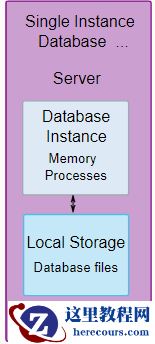
Oracle 架构汇总
26-03-03 - 盖世无双之国产数据库风云榜-2022年02月
盖世无双之国产数据库风云榜-2022年02月
26-03-03 - db file sequential read

db file sequential read
26-03-03 - Oracle ADG 备库添加备库
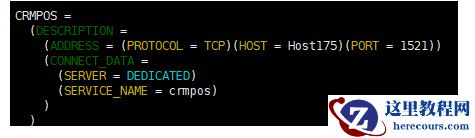
Oracle ADG 备库添加备库
26-03-03 - 数据库对比系列之一
数据库对比系列之一
26-03-03 - DBFS取代ASM部署Oracle RAC 11.2.0.4
DBFS取代ASM部署Oracle RAC 11.2.0.4
26-03-03 - opatch打补丁,RAC19C
opatch打补丁,RAC19C
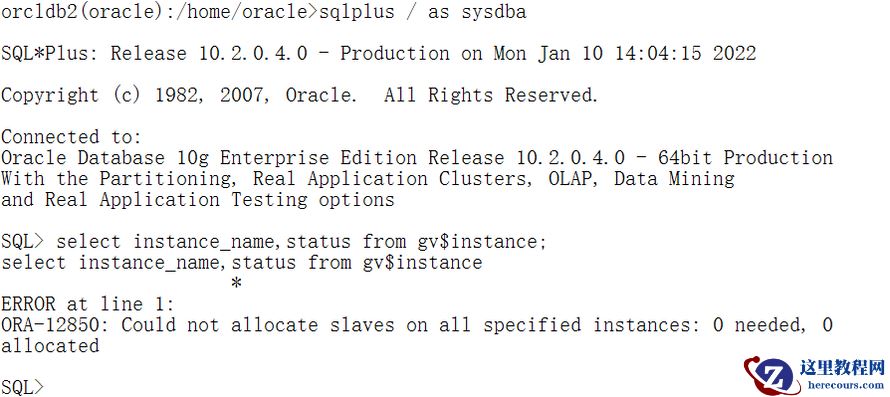
26-03-03 - ORACLE 10.2.0.4 rac for aix query gv$instance with ORA-12850
- 酒旅江湖战事:携程坚挺,美团蓄力,抖音来战
酒旅江湖战事:携程坚挺,美团蓄力,抖音来战
26-03-03 - Oracle ASM扩容(NFS)

Oracle ASM扩容(NFS)
26-03-03