Oracle 高水位线(high water mask)在不同段管理模式下的推进 众所周知,Oracle高水位线标志着该线以下的block均被Oracle格式过,通俗一点讲就是该高水位线以下的block都被Oracle使用过。 通常在执行insert操作时,当高水位线以下block不够用时,Oracle将会推进高水位线。更进一步讲,当有多个进程在同时进行insert操作时,比较 容易引起高水位线争用,主要表现为enq: HW – contention。这在段管理模式为手动的情况下(SEGMENT SPACE MANAGEMENT MANUAL),更加容易发生。 本文所探讨的是,Oracle高水位线如何在不同段管理模式下手动推进。 一、在段管理模式为手动时,block主要由freelist管理 (1)首先创建测试表空间,注意关键字SEGMENT SPACE MANAGEMENT MANUAL SQL> create tablespace zhoul2 datafile '/oradata/mcstar/zhoul201.dbf' size 20m autoextend on SEGMENT SPACE MANAGEMENT MANUAL; Tablespace created. SQL> conn /as sysdba Connected. SQL> create user zhoul2 identified by zhoul2 default tablespace zhoul2; User created. SQL> grant dba to zhoul2; Grant succeeded. (2)创建测试表格,并对其进行100%采样,观察其高水位线标记 SQL> conn zhoul2/zhoul2 Connected. SQL> create table zhoul2test as select * from sys.obj$; Table created. SQL> exec DBMS_STATS.GATHER_TABLE_STATS (ownname=>user,tabname=>'ZHOUL2TEST',estimate_percent=>100); PL/SQL procedure successfully completed. 查看zhoul2test表格占用空间 SQL> select sum(blocks) from dba_extents where owner='ZHOUL2' and segment_name='ZHOUL2TEST'; SUM(BLOCKS) ———– 1024 查看zhoul2test高水位线block SQL> select BLOCKS from dba_tables where OWNER='ZHOUL2' and TABLE_NAME='ZHOUL2TEST'; BLOCKS ———- 895 (3)手动推进高水位线,并分析表格,可以看到高水位线已经推进至1023,并占用1152个block空间 SQL> alter table zhoul2test allocate extent (instance 1); Table altered. SQL> exec DBMS_STATS.GATHER_TABLE_STATS (ownname=>user,tabname=>'ZHOUL2TEST',estimate_percent=>100); PL/SQL procedure successfully completed. SQL> select sum(blocks) from dba_extents where owner='ZHOUL2' and segment_name='ZHOUL2TEST'; SUM(BLOCKS) ———– 1152 SQL> select BLOCKS from dba_tables where OWNER='ZHOUL2' and TABLE_NAME='ZHOUL2TEST'; BLOCKS ———- 1023 那我们再来看看不加instance属性的分配语句,看看是否也会推进高水位线 SQL> alter table zhoul2test allocate extent; Table altered. SQL> exec DBMS_STATS.GATHER_TABLE_STATS (ownname=>user,tabname=>'ZHOUL2TEST',estimate_percent=>100); PL/SQL procedure successfully completed. 可以看到,在执行上述语句之后,Oracle只会给ZHOUL2TEST分配空间,但并不会推高水位线。 SQL> select sum(blocks) from dba_extents where owner='ZHOUL2' and segment_name='ZHOUL2TEST'; SUM(BLOCKS) ———– 1280 SQL> select BLOCKS from dba_tables where OWNER='ZHOUL2' and TABLE_NAME='ZHOUL2TEST'; BLOCKS ———- 1023 在这里再引申一下,在rac环境下,alter table *** allocate extent (instance 1)的用法。在rac环境下,当表空间为手动段管理模式时, 当有多个会话同时插入一张表时,由于存在GCS,多个节点需要同步插入块的状态,极容易引起全局范围的热块等待,或者全局范围内的块请求。 针对这一情况,Oracle推出了freelist groups技术。如将表格属性修改为freelists 100 freelist groups 2后,再将表格按照如下语法进行extent预分配: alter table *** allocate extent (size 10m instance 1); alter table *** allocate extent (size 10m instance 2); 此时,每个freelist group会有多个freelist,Oracle选择block插入时,会根据instance id进行hash运算,已确定使用哪个freelist group下的freelist。 采用此方法,可以有效避免高水位线的争用和热块在实例间的传输。 ************** 二、在段管理模式为自动时,block主要由assm管理 在表空间创建时,如果指定语法SEGMENT SPACE MANAGEMENT AUTO,则表示block由assm管理。 首先验证一下 alter table *** allocate extent (instance 1)是否在ASSM管理模式下也会推进高水位线? SQL> exec DBMS_STATS.GATHER_TABLE_STATS (ownname=>user,tabname=>'ZHOULTEST',estimate_percent=>100); PL/SQL procedure successfully completed. SQL> select sum(blocks) from dba_extents where owner='ZHOUL' and segment_name='ZHOULTEST'; SUM(BLOCKS) ———– 11136 SQL> select BLOCKS from dba_tables where OWNER='ZHOUL' and TABLE_NAME='ZHOULTEST'; BLOCKS ———- 10115 执行手动分配语句,并再次进行100%采样 SQL> alter table zhoultest allocate extent (size 10m instance 1); Table altered. SQL> exec DBMS_STATS.GATHER_TABLE_STATS (ownname=>user,tabname=>'ZHOULTEST',estimate_percent=>100); PL/SQL procedure successfully completed. 可以看到在物理空间增加的同时,在assm管理模式下,手动推进并不会提高高水位线 SQL> select sum(blocks) from dba_extents where owner='ZHOUL' and segment_name='ZHOULTEST'; SUM(BLOCKS) ———– 12416 SQL> select BLOCKS from dba_tables where OWNER='ZHOUL' and TABLE_NAME='ZHOULTEST'; BLOCKS ———- 10115 再次使用Oracle提供的脚本进行高水位查看,详见metalink doc 820043.1 set serveroutput on declare TOTAL_BLOCKS number; TOTAL_BYTES number; UNUSED_BLOCKS number; UNUSED_BYTES number; LAST_USED_EXTENT_FILE_ID number; LAST_USED_EXTENT_BLOCK_ID number; LAST_USED_BLOCK number; begin dbms_space.unused_space( 'ZHOUL', 'ZHOULTEST', 'TABLE', TOTAL_BLOCKS, TOTAL_BYTES, UNUSED_BLOCKS, UNUSED_BYTES, LAST_USED_EXTENT_FILE_ID, LAST_USED_EXTENT_BLOCK_ID, LAST_USED_BLOCK); dbms_output.put_line('OBJECT_NAME = FREELIST_T'); dbms_output.put_line('———————————–'); dbms_output.put_line('TOTAL_BLOCKS = '||TOTAL_BLOCKS); dbms_output.put_line('UNUSED_BLOCKS = '||UNUSED_BLOCKS); dbms_output.put_line('LAST_USED_EXTENT_BLOCK_ID = '||LAST_USED_EXTENT_BLOCK_ID); dbms_output.put_line('LAST_USED_BLOCK = '||LAST_USED_BLOCK); end; / 输出结果为: OBJECT_NAME = FREELIST_T ———————————– TOTAL_BLOCKS = 12416 UNUSED_BLOCKS = 2176 LAST_USED_EXTENT_BLOCK_ID = 3593 LAST_USED_BLOCK = 1024 PL/SQL procedure successfully completed. 查看在ASSM下,高水位block的分布情况 set serveroutput on declare v_unformatted_blocks number; v_unformatted_bytes number; v_fs1_blocks number; v_fs1_bytes number; v_fs2_blocks number; v_fs2_bytes number; v_fs3_blocks number; v_fs3_bytes number; v_fs4_blocks number; v_fs4_bytes number; v_full_blocks number; v_full_bytes number; begin dbms_space.space_usage ( 'ZHOUL', 'ZHOULTEST', 'TABLE', v_unformatted_blocks, v_unformatted_bytes, v_fs1_blocks, v_fs1_bytes, v_fs2_blocks, v_fs2_bytes, v_fs3_blocks, v_fs3_bytes, v_fs4_blocks, v_fs4_bytes, v_full_blocks, v_full_bytes); dbms_output.put_line('Unformatted Blocks = '||v_unformatted_blocks); dbms_output.put_line('Blocks with 00-25% free space = '||v_fs1_blocks); dbms_output.put_line('Blocks with 26-50% free space = '||v_fs2_blocks); dbms_output.put_line('Blocks with 51-75% free space = '||v_fs3_blocks); dbms_output.put_line('Blocks with 76-100% free space = '||v_fs4_blocks); dbms_output.put_line('Full Blocks = '||v_full_blocks); end; / 输出结果为 Unformatted Blocks = 0 Blocks with 00-25% free space = 17 Blocks with 26-50% free space = 0 Blocks with 51-75% free space = 0 Blocks with 76-100% free space = 212 Full Blocks = 9868 PL/SQL procedure successfully completed. 10115-(17+212+9868)=18,那么这18个块去哪里了呢? SQL> select HEADER_FILE,HEADER_BLOCK from dba_segments where owner='ZHOUL' and segment_name='ZHOULTEST'; HEADER_FILE HEADER_BLOCK ———– ———— 7 5131 SQL> alter system dump datafile 7 block 5131; System altered. 找到跟踪文件,可以看到表格ZHOULTEST 第一级位图的High HWM block=Low HWM block=0×01c00e0c,转换之后为file#=7,block#=3596 ——————————————————– Low HighWater Mark : Highwater:: 0×01c01209 ext#: 80 blk#: 1024 ext size: 1024 #blocks in seg. hdr's freelists: 0 #blocks below: 10240 mapblk 0×00000000 offset: 80 Level 1 BMB for High HWM block: 0×01c00e0c Level 1 BMB for Low HWM block: 0×01c00e0c 通过bbed查看file#=7,block#=3596,由数据文件头0×20转换成十进制数字32后,可知这是FIRST LEVEL BITMAP BLOCK BBED> dump block 3596 File: /oradata/mcstar/zhoul01.dbf (0) Block: 3596 Offsets: 0 to 511 Dba:0×00000000 ———————————————————————— 20a20000 0c0ec001 bfb54407 000a0104 27ae0000 00000000 00000000 00000000 00000000 00000000 00000000 00000000 00000000 00000000 00000000 00000000 00000000 00000000 00000000 04000000 ffffffff 00000000 00000000 00010000 01000100 01000000 00000000 00000000 00000000 ac000000 8eea8e4d 8eea8e4d 00000000 00000000 00000000 00000000 0a14c001 8c000000 50000000 00040000 00040000 0912c001 00000000 50000000 00000000 83270000 00000000 01000000 d31b0100 00000000 00000000 0911c001 00010000 00000000 00000000 00000000 00000000 00000000 00000000 00000000 00000000 00000000 00000000 00000000 00000000 00000000 00000000 00000000 00000000 00000000 00000000 00000000 00000000 00000000 00000000 00000000 00000000 00000000 00000000 00000000 00000000 00000000 00000000 00000000 00000000 00000000 00000000 00000000 00000000 00000000 00000000 00000000 00000000 00000000 00000000 00000000 00000000 00000000 00000000 11111111 11111111 11111111 11111111 11111111 11111111 11111111 11111111 11111111 11111111 11111111 11111111 11111111 11111111 11111111 11111111 11111111 11111111 11111111 11111111 11111111 11112111 11111111 11111111 11111111 11111111 11111111 11111111 11111111 再次dump block印证了猜想 SQL> alter system dump datafile 7 block 3596; System altered. ump of First Level Bitmap Block ——————————– nbits : 4 nranges: 1 parent dba: 0×01c0140a poffset: 140 unformatted: 0 total: 256 first useful block: 0 owning instance : 1 instance ownership changed at 03/27/2011 15:43:10 Last successful Search 03/27/2011 15:43:10 Freeness Status: nf1 1 nf2 0 nf3 0 nf4 0 Extent Map Block Offset: 4294967295 First free datablock : 172 Bitmap block lock opcode 0 Locker xid: : 0×0000.000.00000000 Inc #: 0 Objd: 72659 HWM Flag: HWM Set Highwater:: 0×01c01209 ext#: 80 blk#: 1024 ext size: 1024 #blocks in seg. hdr's freelists: 0 #blocks below: 10115 mapblk 0×00000000 offset: 80 ——————————————————– DBA Ranges : ——————————————————– 0×01c01109 Length: 256 Offset: 0 回到刚才跟踪文件,将0×01c04509转化成10进制为file#=7 block#=17673 。。。 Extent 96 : L1 dba: 0×01c04409 Data dba: 0×01c04489 Extent 97 : L1 dba: 0×01c04509 Data dba: 0×01c0450a 此值刚好对应 SQL>select EXTENT_ID,block_id,BLOCKS from dba_extents where owner='ZHOUL' and segment_name='ZHOULTEST'; 。。。 96 17545 128 97 17673 128 98 rows selected. 继续dump SQL> alter system dump datafile 7 block 17673; System altered. 查看dump文件可以看到很多数据块均为格式化: Dump of First Level Bitmap Block ——————————– nbits : 4 nranges: 1 parent dba: 0×01c0140a poffset: 149 unformatted: 127 total: 128 first useful block: 1 owning instance : 1 instance ownership changed at Last successful Search Freeness Status: nf1 0 nf2 0 nf3 0 nf4 0 Extent Map Block Offset: 4294967295 First free datablock : 1 Bitmap block lock opcode 0 Locker xid: : 0×0000.000.00000000 Inc #: 0 Objd: 72659 ——————————————————– DBA Ranges : ——————————————————– 0×01c04509 Length: 128 Offset: 0 0:Metadata 1:unformatted 2:unformatted 3:unformatted 4:unformatted 5:unformatted 6:unformatted 7:unformatted 8:unformatted 9:unformatted 10:unformatted 11:unformatted 12:unformatted 13:unformatted 14:unformatted 15:unformatted 16:unformatted 17:unformatted 18:unformatted 19:unformatted 20:unformatted 21:unformatted 22:unformatted 23:unformatted 24:unformatted 25:unformatted 26:unformatted 27:unformatted 28:unformatted 29:unformatted 30:unformatted 31:unformatted 32:unformatted 33:unformatted 34:unformatted 35:unformatted 。。。 也就意味在assm下,数据高水位线随着extent的扩展而自动推进,当然全表扫描将扫描第一级位图的High HWM block以下的数据。 此试验也验证了tom书中Oracle9i10g编程艺术的话: In an ASSM tablespace, however,there is an HWM and a low HWM (see Figure 10-2). In MSSM, when the HWM is advanced (e.g., as rows are inserted), all of the blocks are formatted and valid, and Oracle can read themsafely. With ASSM, however, when the HWM is advanced, Oracle doesn’t format all of the blocks immediately—they are only formatted and made safe to read upon their first use. So, when full scanning a segment, we have to know if the blocks to be read are “safe” or unformat- ted (meaning they contain nothing of interest and we do not process them). To make it so that not every block in the table need go through this safe/not safe check, Oracle maintains a low HWM and an HWM. Oracle will full scan the table up to the HWM—and for all of the blocks below the low HWM, it will just read and process them. For blocks between the low HWM and the HWM, it must be more careful and refer to the ASSM bitmap information used to manage these blocks to see which of them it should read and which it should just ignore.
Ooracle 高水位线(high water mask)在不同段管理模式下的推进
来源:这里教程网
时间:2026-03-03 19:00:36
作者:
编辑推荐:
下一篇:
相关推荐
-

-
-
-
-
-
-
-
-
-
-
-
-
-
-

雷神推出 MIX PRO II 迷你主机:基于 Ultra 200H,玻璃上盖 + ARGB 灯效
2 月 9 日消息,雷神 (THUNDEROBOT) 现已宣布推出基于英
-

制造商 Musnap 推出彩色墨水屏电纸书 Ocean C:支持手写笔、第三方安卓应用
2 月 10 日消息,制造商 Musnap 现已在海外推出一款 Oce

热文推荐
- ORA-02354 ORA-01555 ORA-22924
ORA-02354 ORA-01555 ORA-22924
26-03-03 - 修改主机时区对Oracle的影响分析

修改主机时区对Oracle的影响分析
26-03-03 - Oracle 标准审计功能及开启
Oracle 标准审计功能及开启
26-03-03 - 研究Oracle 延迟块清除(defered block cleanout)
- ORACLE下一次奇怪的job停止问题分析及处理

ORACLE下一次奇怪的job停止问题分析及处理
26-03-03 - Oracle标准审计,关闭AUDIT
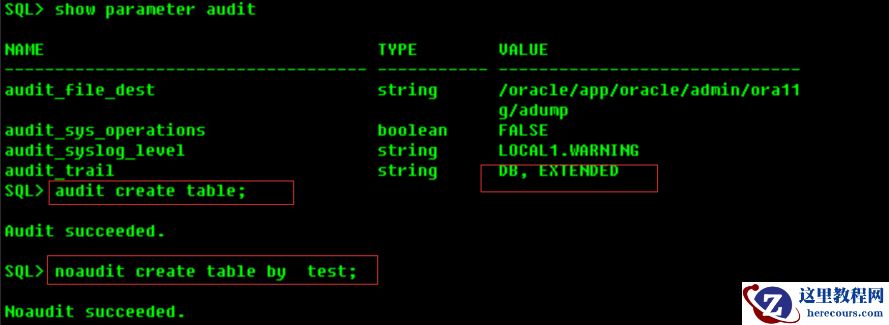
Oracle标准审计,关闭AUDIT
26-03-03 - Oracle 在查询的where子句中,索引的索引列/前导列是否作为单个表谓词提供列进行匹配
- Oracle 标准审计,设置AUDIT_SYSLOG _LEVEL参数
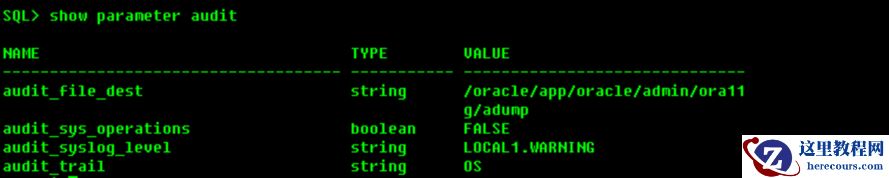
Oracle 标准审计,设置AUDIT_SYSLOG _LEVEL参数
26-03-03 - 一次异常宕机后数据库启动报ora-600[4000]错误恢复
![一次异常宕机后数据库启动报ora-600[4000]错误恢复](https://www.herecours.com/d/file/efpub/2026/03-03/20260303165723846558.jpg "一次异常宕机后数据库启动报ora-600[4000]错误恢复")
一次异常宕机后数据库启动报ora-600[4000]错误恢复
26-03-03 - 数据库数据恢复-Oracle数据库truncate table如何恢复数据?