问题描述 Oracle RAC数据库打完DB、OJVM补丁后所有节点启动时报ORA-01565、ORA-17503、ORA-15001、ORA-15040错解决方法 sqlplus / as sysdba; SQL*Plus: Release 11.2.0.4.0 Production on Thu Jan 4 14:17:42 2024 Copyright (c) 1982, 2013, Oracle. All rights reserved. Connected to an idle instance. SQL> startup ORA-01565: error in identifying file '+DGSYSTEM/fgerpdb/spfilefgerpdb.ora' ORA-17503: ksfdopn:2 Failed to open file +DGSYSTEM/fgerpdb/spfilefgerpdb.ora ORA-15001: diskgroup "DGSYSTEM" does not exist or is not mounted ORA-15040: diskgroup is incomplete SQL> exit Disconnected 解决方法经过查询 无法启动数据库是由于打补丁时HOME/bin/oracle的文件属组权限被更改为oracle:oinstall。通过在root用户下修改该 属组文件权限为: oracle:asmadmin并赋予 6751权限即可; 6751分别制定了ugoa的权限 第一位6代表u(所有者)有读、写权限,没有执行权限 第二位7代表g(组)有读、写、执行权限 第三位5代表o(其它用户)有读、执行权限 第四位1代表a(所有者、组、其它用户)有执行权限 四位6751如果用三位表示就是675,第四位继承umask的值 在集群的所有节点上执行如下命令修改: chown oracle:asmadmin /oracle/app/oracle/product/11.2.0/db_1/bin/oracle chmod 6751 /oracle/app/oracle/product/11.2.0/db_1/bin/oracle $ ls -l /oracle/app/oracle/product/11.2.0/db_1/bin/oracle-rw sr-s--x 1 oracle asmadmin 239773120 Jan 4 14:11 /oracle/app/oracle/product/11.2.0/db_1/bin/oracle $ sqlplus / as sysdba; SQL*Plus: Release 11.2.0.4.0 Production on Thu Jan 4 14:51:36 2024 Copyright (c) 1982, 2013, Oracle. All rights reserved. Connected to an idle instance. SQL> SQL> startup ORACLE instance started. Total System Global Area 2004267008 bytes Fixed Size 2254624 bytes Variable Size 637536480 bytes Database Buffers 1358954496 bytes Redo Buffers 5521408 bytes Database mounted. Database opened. SQL> exit
Oracle RAC数据库打完补丁后启动时报错ORA-01565、ORA-17503、ORA-15001、ORA-15040
来源:这里教程网
时间:2026-03-03 19:12:16
作者:
编辑推荐:
- Oracle RAC数据库打完补丁后启动时报错ORA-01565、ORA-17503、ORA-15001、ORA-1504003-03
- oracle 一次undo坏块案例03-03
- oracle 内核介绍——检查点队列链表CKPT-Q03-03
- oracle RFS[16]: No standby redo logfiles available for thread 103-03
- oracle Buffer pin锁的过程(Buffer busy waits)03-03
- oracle 一次ORA-00600:[krrfro_cachedscn]案例03-03
- oracle 通过tar包刷数据字典方式升级(10g-11g)03-03
- 江波龙 MWC26 巴塞罗那展示 HLC UFS 与 pTLC UFS 嵌入式闪存解决方案03-03
下一篇:
相关推荐
-

-
-
-
-
-
-
-
-
-
-
-
-
-
-

雷神推出 MIX PRO II 迷你主机:基于 Ultra 200H,玻璃上盖 + ARGB 灯效
2 月 9 日消息,雷神 (THUNDEROBOT) 现已宣布推出基于英
-

制造商 Musnap 推出彩色墨水屏电纸书 Ocean C:支持手写笔、第三方安卓应用
2 月 10 日消息,制造商 Musnap 现已在海外推出一款 Oce
![oracle RFS[16]: No standby redo logfiles available for thread 1](https://www.herecours.com/d/file/efpub/2026/03-03/20260303170150846975.jpg "oracle RFS[16]: No standby redo logfiles available for thread 1")

热文推荐
- oracle 一次undo坏块案例
oracle 一次undo坏块案例
26-03-03 - oracle 内核介绍——检查点队列链表CKPT-Q
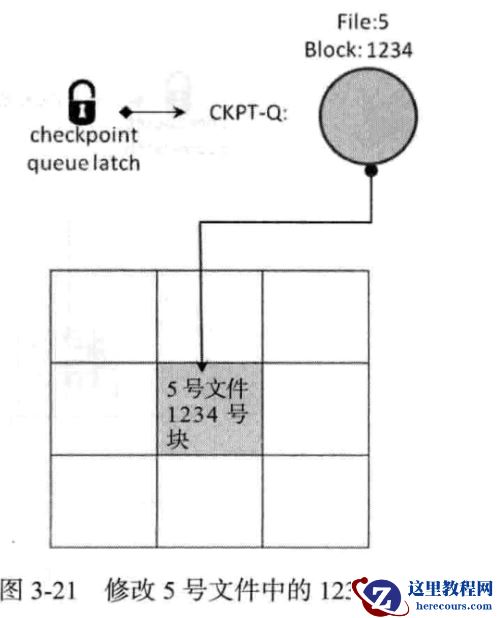
oracle 内核介绍——检查点队列链表CKPT-Q
26-03-03 - oracle RFS[16]: No standby redo logfiles available for thread 1
- oracle Buffer pin锁的过程(Buffer busy waits)
- oracle 一次ORA-00600:[krrfro_cachedscn]案例
- oracle 通过tar包刷数据字典方式升级(10g-11g)
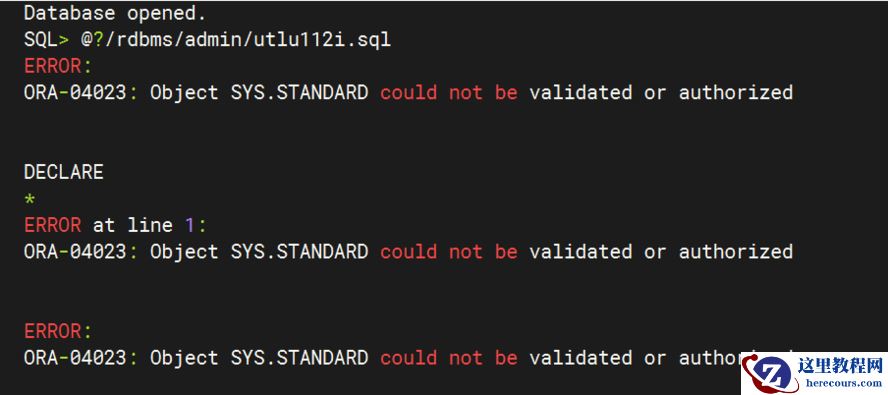
oracle 通过tar包刷数据字典方式升级(10g-11g)
26-03-03 - 江波龙 MWC26 巴塞罗那展示 HLC UFS 与 pTLC UFS 嵌入式闪存解决方案
- 消息称索尼《战神》系列 IP 续作今年内官宣,游戏主角为奎托斯妻子“劳菲”
- 航嘉推出 1250W 重火力金牌全模组电源,999 元

航嘉推出 1250W 重火力金牌全模组电源,999 元
26-03-03 - 开发商 Iron Galaxy Studios 暗示正重制 B 社经典游戏《辐射:新维加斯》,有望引入虚幻引擎 5
![oracle 一次ORA-00600:[krrfro_cachedscn]案例](https://www.herecours.com/d/file/efpub/2026/03-03/20260303170138846944.jpg "oracle 一次ORA-00600:[krrfro_cachedscn]案例")