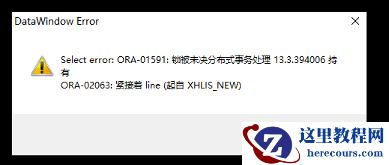
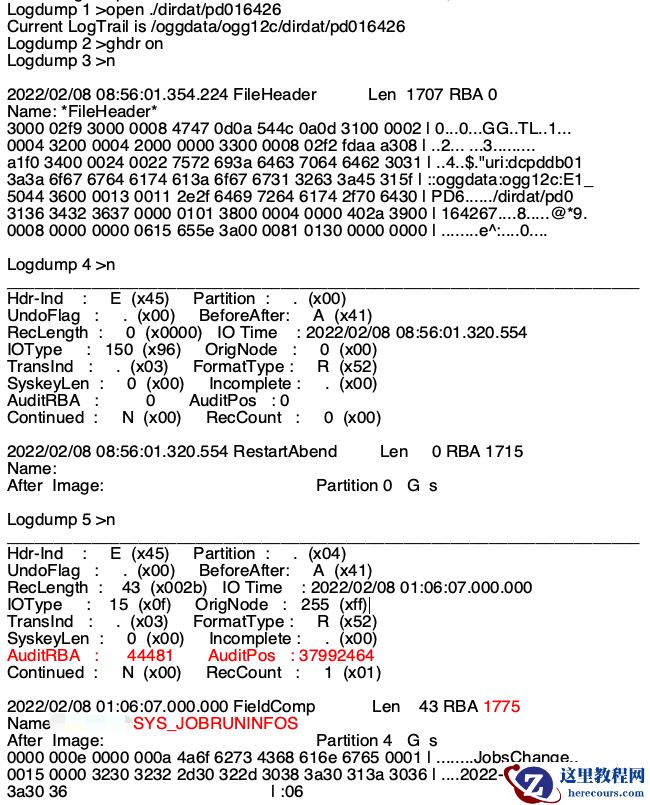
用户反馈ogg数据未实时同步至目标库,检查应用进程日志,部分报错信息如下:

根据日志看到在做抽取ddl时出现报错,mos匹配后,定位到时由于auto space advisor在shrink打标的空间时导致的。(参考文档:Extract Abend - OGG-00458 Cannot Find Metadata Property (Doc ID 2179454.1) )
 禁用:auto space advisorSteps to disable the "auto space advisor"1. Check the status of the "auto space advisor".SQL> SELECT client_name, status FROM dba_autotask_client;set lines 180 pages 1000col client_name for a40col attributes for a60select client_name, status,attributes,service_name from dba_autotask_client/2. Execute the below to disable the "auto space advisor".BEGINDBMS_AUTO_TASK_ADMIN.disable(client_name => 'auto space advisor',operation => NULL,window_name => NULL);END;/3. Check if the "auto space advisor" is disabled.set lines 180 pages 1000col client_name for a40col attributes for a60select client_name, status,attributes,service_name from dba_autotask_client/Restart the Extract process after disabling the "auto space advisor".Note: Please check with your Oracle Core DBA before disabling this "auto space advisor".4. To enable the "auto space advisor" execute the below,BEGINDBMS_AUTO_TASK_ADMIN.enable(client_name => 'auto space advisor',operation => NULL,window_name => NULL);END;/5. Check if the "auto space advisor" is disabled.set lines 180 pages 1000col client_name for a40col attributes for a60select client_name, status,attributes,service_name from dba_autotask_client/
编辑推荐:
- asm增加磁盘由于Bug19874632导致磁盘块头丢失ORA-1519603-03
- auto space advisor导致ogg进程异常(OGG-00458)03-03
- OGG 跳过当前事务的几种方法03-03
- OGG DDL安装和卸载03-03
- OGG-01705 报错处理03-03
- rac数据库默认网关不通导致集群异常03-03
- OGG 捕获truncate操作03-03
- rac数据库宕机重启未生成日志03-03
相关推荐
-

-
-
-
-
-
-
-
-
-
-
-
-
-
-

雷神推出 MIX PRO II 迷你主机:基于 Ultra 200H,玻璃上盖 + ARGB 灯效
2 月 9 日消息,雷神 (THUNDEROBOT) 现已宣布推出基于英
-

制造商 Musnap 推出彩色墨水屏电纸书 Ocean C:支持手写笔、第三方安卓应用
2 月 10 日消息,制造商 Musnap 现已在海外推出一款 Oce

![[20240328]为什么找不到执行计划.txt](/d/file/efpub/2026/03-03/smalld5ec2a9eb823803817e78ab3dd5852981772538681.jpg "[20240328]为什么找不到执行计划.txt")