
1.1 删除 DB 实例 [oracle@rac1 ~]$ srvctl remove instance -db orcl -instance orcl2 1.2 从集群中删除节点 $ORACLE_HOME/oui/bin 在保留节点上运行以下命令以更新该节点上的清单: [oracle@rac1 bin]$ /oracle/app/product/193000/db_1/oui/bin/./runInstaller -updateNodeList ORACLE_HOME=/oracle/app/product/193000/db_1 "CLUSTER_NODES={rac1}" -local 1.3 移除集群中二节点的 VIP [root@rac1 ~]# /oracle/grid/crs_1/bin/srvctl stop vip -n rac2 [root@rac1 ~]# /oracle/grid/crs_1/bin/srvctl remove vip -i rac2-vip -f 检查是否移除成功二节点 VIP [root@rac1 ~]# /oracle/grid/crs_1/bin/crsctl stat res -t 检查二节点 ping 状态 [grid@rac1 ~]$ olsnodes -s -t rac1 Active Unpinned rac2 Inactive Unpinned (如果二节点是 ping 状态,需要执行这步: [grid@rac1 ~]$crsctl unpin css -n rac2 1.4 删除二节点 [root@rac1 ~]# /oracle/grid/crs_1/bin/crsctl delete node -n rac2 CRS-4661: Node rac2 successfully deleted. 1.5 更新 GI 的 inventory 信息 su - gird cd $ORACLE_HOME/oui/bin [grid@rac1 bin]$ /oracle/app/product/193000/db_1/oui/bin/./runInstaller -updateNodeList ORACLE_HOME=/oracle/app/product/193000/db_1 "CLUSTER_NODES={rac1}" CRS=TRUE -local Starting Oracle Universal Installer... Checking swap space: must be greater than 500 MB. Actual 15500 MB Passed The inventory pointer is located at /etc/oraInst.loc 二:重新添加二节点到集群中 ( 1 ):添加相应的用户和组,用户及用户组 ID 相同 ( 2 ):配置 hosts 文件 , 新增节点和原有都配置为相同 ( 3 ):配置系统参数,用户参数和原有节点一样,配置网络 ( 4 ):创建相应的目录,并保证权限对应(根据实际情况创建目录 , 非常重要) ( 5 ):检查多路径,盘权限 2 、配置用户之间的 SSH 、安装集群 rpm 包: 到 grid 软件解压目录下: [root@rac1 sshsetup]# cd $GI_HOME/oui/prov/resources/scripts/sshUserSetup.sh grid 用户的 ssh : ./sshUserSetup.sh -user grid -hosts "rac1 rac2" -advanced –noPromptPassphrase oracle 用户的 ssh : ./sshUserSetup.sh -user oracle -hosts "rac1 rac2" -advanced –noPromptPassphrase 将 grid 软件目录下的 rpm 包传到二节点: [grid@rac1 ~]$ scp /oracle/grid/crs_1/cv/rpm/cvuqdisk-1.0.10-1.rpm 192.168.238.146:/home/grid/ 3. 二节点安装 rpm 包: [root@rac2 grid]# rpm -ivh cvuqdisk-1.0.10-1.rpm Preparing... ################################# [100%] package cvuqdisk-1.0.10-1.x86_64 is already installed 4 、检查 rac2 是否满足 rac 安装条件 [grid@rac1 ~]$ cluvfy stage -pre nodeadd -n rac2 Check: TCP connectivity of subnet "10.0.0.0" Source Destination Connected? ------------------------------ ------------------------------ ---------------- rac1:192.168.40.101 rac2:10.0.0.3 failed Verifying Device Checks for ASM ...FAILED Verifying Access Control List check ...FAILED rac2: PRVF-9992 : Group of device "/dev/asmdisk2" did not match the expected group. [Expected = "asmadmin"; Found = "oinstall"] on nodes: [rac1,rac2] Verifying /dev/shm mounted as temporary file system ...FAILED rac2: PRVE-0421 : No entry exists in /etc/fstab for mounting /dev/shm 第一个报错需要将共享盘数组权限更改为 asmadmin, 第二个报错可忽略 [grid@rac1 addnode]$ $GI_HOME/addnode/addnode.sh -silent "CLUSTER_NEW_NODES=rac2 CLUSTER_NEW_PRIVATE_NODE_NAMES=rac2-pri CLUSTER_NEW_VIRTUAL_HOSTNAMES=rac2-vip" Copy Files to Remote Nodes in progress. .................................................. 6% Done. .................................................. 11% Done. .................... Copy Files to Remote Nodes successful. Prepare Configuration in progress. Prepare Configuration successful. .................................................. 21% Done. You can find the log of this install session at: /oracle/oraInventory/logs/addNodeActions2021-07-21_05-21-25PM.log Instantiate files in progress. Instantiate files successful. .................................................. 49% Done. Saving cluster inventory in progress. .................................................. 83% Done. Saving cluster inventory successful. The Cluster Node Addition of /oracle/grid/crs_1 was successful. Please check '/oracle/oraInventory/logs/silentInstall2021-07-21_05-21-25PM.log' for more details. Setup Oracle Base in progress. Setup Oracle Base successful. .................................................. 90% Done. Update Inventory in progress. You can find the log of this install session at: /oracle/oraInventory/logs/addNodeActions2021-07-21_05-21-25PM.log Update Inventory successful. .................................................. 97% Done. As a root user, execute the following script(s): 1. /oracle/oraInventory/orainstRoot.sh 2. /oracle/grid/crs_1/root.sh Execute /oracle/oraInventory/orainstRoot.sh on the following nodes: [rac2] Execute /oracle/grid/crs_1/root.sh on the following nodes: [rac2] The scripts can be executed in parallel on all the nodes. Successfully Setup Software with warning(s). .................................................. 100% Done. 然后根据提示在待修复节点上运行脚本。 此次在跑 root.sh 脚本时发现,报如下错误 oracle.ops.mgmt.cluster.ClusterException: scp: /oracle/grid/crs_1/gpnp/profiles/peer/profile.xml: No such file or directory 于是去正常节点检查这个文件,发现在另外一个目录下,于是将此文件拷贝到该目录,重新跑 root.sh 脚本,成功加入二节点 Performing root user operation. The following environment variables are set as: ORACLE_OWNER= grid ORACLE_HOME= /oracle/grid/crs_1 Copying dbhome to /usr/local/bin ... Copying oraenv to /usr/local/bin ... Copying coraenv to /usr/local/bin ... Entries will be added to the /etc/oratab file as needed by Database Configuration Assistant when a database is created Finished running generic part of root script. http://blog.tszbsc.cn/i?id=/2025060510867508 Now product-specific root actions will be performed. Relinking oracle with rac_on option Using configuration parameter file: /oracle/grid/crs_1/crs/install/crsconfig_params The log of current session can be found at: /oracle/gridbase/crsdata/rac2/crsconfig/rootcrs_rac2_2021-07-21_06-09-57PM.log http://blog.eocjcq.cn/i?id=/2025060597826106 2021/07/21 18:10:13 CLSRSC-594: Executing installation step 1 of 19: 'SetupTFA'. 2021/07/21 18:10:13 CLSRSC-594: Executing installation step 2 of 19: 'ValidateEnv'. 2021/07/21 18:10:13 CLSRSC-363: User ignored prerequisites during installation 2021/07/21 18:10:13 CLSRSC-594: Executing installation step 3 of 19: 'CheckFirstNode'. 2021/07/21 18:10:13 CLSRSC-4002: Successfully installed Oracle Trace File Analyzer (TFA) Collector. 2021/07/21 18:10:14 CLSRSC-594: Executing installation step 4 of 19: 'GenSiteGUIDs'. http://blog.tszbsc.cn/i?id=/2025060554483591 2021/07/21 18:10:17 CLSRSC-594: Executing installation step 5 of 19: 'SetupOSD'. 2021/07/21 18:10:17 CLSRSC-594: Executing installation step 6 of 19: 'CheckCRSConfig'. oracle.ops.mgmt.cluster.ClusterException: scp: /oracle/grid/crs_1/gpnp/wallets/peer/cwallet.sso: No such file or directory 2021/07/21 18:10:23 CLSRSC-180: An error occurred while executing the command '/oracle/grid/crs_1/bin/cluutil -copy -sourcefile /oracle/grid/crs_1/gpnp/wallets/peer/cwallet.sso -fromnodesfile /tmp/nEoOrw_ITb -destfile /oracle/grid/crs_1/gpnp/wallets/peer/cwallet.sso -nodelist rac2' 2021/07/21 18:10:28 CLSRSC-594: Executing installation step 7 of 19: 'SetupLocalGPNP'. 2021/07/21 18:10:32 CLSRSC-594: Executing installation step 8 of 19: 'CreateRootCert'. 2021/07/21 18:10:32 CLSRSC-594: Executing installation step 9 of 19: 'ConfigOLR'. 2021/07/21 18:10:50 CLSRSC-594: Executing installation step 10 of 19: 'ConfigCHMOS'. http://blog.tszbsc.cn/i?id=/2025060551190270 2021/07/21 18:11:24 CLSRSC-594: Executing installation step 11 of 19: 'CreateOHASD'. 2021/07/21 18:11:29 CLSRSC-594: Executing installation step 12 of 19: 'ConfigOHASD'. 2021/07/21 18:11:29 CLSRSC-330: Adding Clusterware entries to file 'oracle-ohasd.service' 2021/07/21 18:12:50 CLSRSC-594: Executing installation step 13 of 19: 'InstallAFD'.http://blog.mmsziv.cn/i?id=/2025060521486219http://blog.eocjcq.cn/i?id=/2025060584454979http://blog.ytnixj.cn/i?id=/2025060564821278http://blog.ytnixj.cn/i?id=/2025060554266966http://blog.ujaiwk.cn/i?id=/2025060547974980http://blog.mmsziv.cn/i?id=/2025060554017283 2021/07/21 18:12:54 CLSRSC-594: Executing installation step 14 of 19: 'InstallACFS'. 2021/07/21 18:14:42 CLSRSC-594: Executing installation step 15 of 19: 'InstallKA'. 2021/07/21 18:14:45 CLSRSC-594: Executing installation step 16 of 19: 'InitConfig'. 2021/07/21 18:15:19 CLSRSC-594: Executing installation step 17 of 19: 'StartCluster'. 2021/07/21 18:17:33 CLSRSC-343: Successfully started Oracle Clusterware stack 2021/07/21 18:17:33 CLSRSC-594: Executing installation step 18 of 19: 'ConfigNode'. clscfg: EXISTING configuration version 19 detected. http://blog.eocjcq.cn/i?id=/2025060598671380 Successfully accumulated necessary OCR keys. Creating OCR keys for user 'root', privgrp 'root'.. Operation successful. 2021/07/21 18:18:45 CLSRSC-594: Executing installation step 19 of 19: 'PostConfig'. 2021/07/21 18:19:18 CLSRSC-325: Configure Oracle Grid Infrastructure for a Cluster ... succeeded 验证是否成功添加新节点 :
19c如何将RAC故障节点重构
来源:这里教程网
时间:2026-03-03 22:01:36
作者:
编辑推荐:
下一篇:
相关推荐
-

-
-
-
-
-
-
-
-
-
-
-
-
-
-

雷神推出 MIX PRO II 迷你主机:基于 Ultra 200H,玻璃上盖 + ARGB 灯效
2 月 9 日消息,雷神 (THUNDEROBOT) 现已宣布推出基于英
-

制造商 Musnap 推出彩色墨水屏电纸书 Ocean C:支持手写笔、第三方安卓应用
2 月 10 日消息,制造商 Musnap 现已在海外推出一款 Oce
热文推荐
- weblogic12.2以上版本补丁安装标准化实施文档
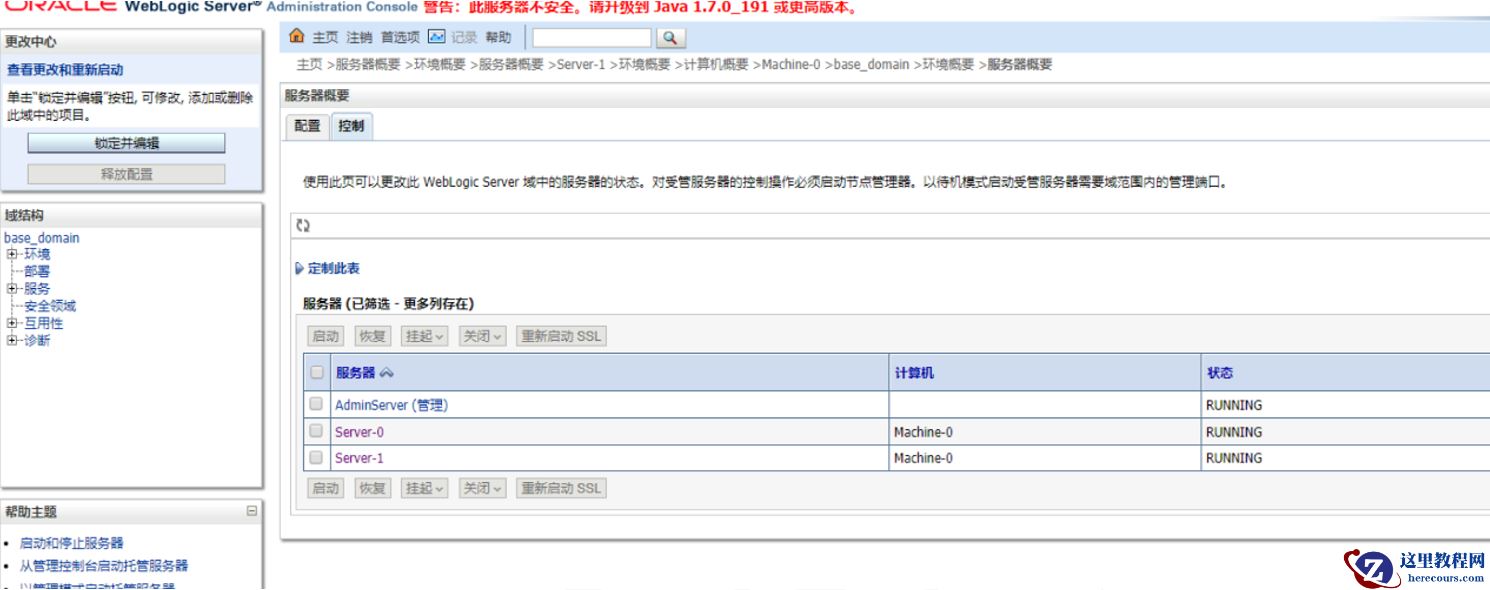
weblogic12.2以上版本补丁安装标准化实施文档
26-03-03 - RMAN恢复报错RMAN-06555及其解决方案
RMAN恢复报错RMAN-06555及其解决方案
26-03-03 - 欢迎加入[数据库技术交流群],一起打怪升级!
![欢迎加入[数据库技术交流群],一起打怪升级!](https://www.herecours.com/d/file/efpub/2026/03-03/20260303181143854475.jpg "欢迎加入[数据库技术交流群],一起打怪升级!")
欢迎加入[数据库技术交流群],一起打怪升级!
26-03-03 - 记一次Oracle数据库索引迁移案例
记一次Oracle数据库索引迁移案例
26-03-03 - Oracle控制文件损坏恢复方案
Oracle控制文件损坏恢复方案
26-03-03 - 逆算法内卷:搜狐凭垂直生态“复利效应”,筑起互联网长青护城河
逆算法内卷:搜狐凭垂直生态“复利效应”,筑起互联网长青护城河
26-03-03 - Oracle 19c TFA工具的安装与使用详解
Oracle 19c TFA工具的安装与使用详解
26-03-03 - Oracle附加日志概述
Oracle附加日志概述
26-03-03 - 技术推动广告高效变现,这些科技公司的估值正在被重塑
技术推动广告高效变现,这些科技公司的估值正在被重塑
26-03-03 - 直播带货“困局”:董明珠为何还是需要孟羽童?
直播带货“困局”:董明珠为何还是需要孟羽童?
26-03-03