
当Electron应用从“工具类”迈向“企业级应用”,开发者面临的不再是基础API的调用,而是多窗口协同、离线数据同步、系统权限管控、性能瓶颈突破等复杂问题。本文以企业级“客户管理系统(CRM)”的开发实战为背景,聚焦Electron在复杂场景下的核心难点,提供可落地的解决方案与工程化最佳实践,帮助开发者构建稳定、高效、安全的桌面应用。
一、多窗口协同:企业级应用的窗口管理艺术
企业级应用常涉及“主窗口+详情窗口+设置窗口+弹窗”的多窗口架构,需解决窗口间数据通信、状态同步、层级管理等问题,避免出现“窗口游离”“数据不一致”等体验缺陷。
1.1 窗口分类与生命周期管理
根据窗口功能属性进行分类,制定统一的生命周期管理策略,确保窗口创建、显示、隐藏、关闭的流程可控。
窗口分类标准:
1. 主窗口(MainWindow):应用核心载体,唯一实例,关闭则退出应用;
2. 业务窗口(BusinessWindow):如客户详情、订单编辑,可多实例,依赖主窗口存在;
3. 配置窗口(ConfigWindow):如系统设置、个人中心,单实例,模态/非模态可选;
4. 提示窗口(ToastWindow):如操作成功提示、网络异常告警,轻量无框,自动销毁。
实战代码:窗口管理中心
// src/main/services/WindowManager.js
const { BrowserWindow, ipcMain, app } = require('electron');
const path = require('path');
class WindowManager {
  constructor() {
    // 窗口实例缓存:key为窗口类型+ID,value为窗口实例
    this.windowCache = new Map();
    // 主窗口唯一标识
    this.mainWindowKey = 'main-1';
    // 初始化窗口通信监听
    this.initIpcHandlers();
  }
  // 初始化IPC处理器
  initIpcHandlers() {
    // 创建业务窗口(如客户详情)
    ipcMain.handle('window:create-business', async (_, windowType, params) => {
      return this.createBusinessWindow(windowType, params);
    });
    // 关闭业务窗口
    ipcMain.handle('window:close-business', (_, windowKey) => {
      this.closeWindow(windowKey);
      return true;
    });
    // 主窗口关闭时,关闭所有关联窗口
    ipcMain.on('window:main-close', () => {
      this.closeAllBusinessWindows();
      app.quit();
    });
    <"https://zq.zhaopin.com/moment/74815413">
<"https://zq.zhaopin.com/moment/74815427">
<"https://zq.zhaopin.com/moment/74815503">
<"https://zq.zhaopin.com/moment/74815472">
<"https://zq.zhaopin.com/moment/74815484">
<"https://zq.zhaopin.com/moment/74815516">
<"https://zq.zhaopin.com/moment/74815516">
<"https://zq-mobile.zhaopin.com/moment/74815636">
<"https://zhiq.zhaopin.com/moment/74815561">
<"https://zq.zhaopin.com/moment/74815651">
  }
  // 创建主窗口
  createMainWindow() {
    const mainWindow = new BrowserWindow({
      width: 1440,
      height: 900,
      minWidth: 1200,
      minHeight: 720,
      webPreferences: {
        preload: path.join(__dirname, '../preload/main-preload.js'),
        contextIsolation: true,
        nodeIntegration: false
      },
      title: '企业CRM系统',
      show: false // 先隐藏,加载完成后再显示,避免白屏
    });
    // 加载页面(开发/生产环境适配)
    const isDev = process.env.NODE_ENV === 'development';
    mainWindow.loadURL(isDev ? 'http://localhost:5173' : `file://${path.join(__dirname, '../../dist/index.html')}`);
    // 页面加载完成后显示窗口,并执行淡入动画
    mainWindow.on('ready-to-show', () => {
      mainWindow.show();
      mainWindow.focus();
      // 窗口淡入效果
      mainWindow.setOpacity(0);
      let opacity = 0;
      const timer = setInterval(() => {
        opacity += 0.1;
        mainWindow.setOpacity(opacity);
        if (opacity >= 1) clearInterval(timer);
      }, 30);
    });
    // 缓存主窗口实例
    this.windowCache.set(this.mainWindowKey, mainWindow);
    return mainWindow;
  }
  // 创建业务窗口(支持多实例,如客户详情窗口)
  createBusinessWindow(windowType, params) {
    // 生成唯一窗口Key(类型+时间戳,确保多实例唯一)
    const windowKey = `${windowType}-${Date.now()}`;
    // 根据窗口类型配置尺寸
    const windowConfig = this.getWindowConfigByType(windowType);
    const businessWindow = new BrowserWindow({
      ...windowConfig,
      parent: this.windowCache.get(this.mainWindowKey), // 关联主窗口
      modal: windowType === 'customer-detail' ? false : true, // 详情窗口非模态,设置窗口模态
      show: false,
      webPreferences: {
        preload: path.join(__dirname, '../preload/business-preload.js'),
        contextIsolation: true,
        nodeIntegration: false
      }
    });
    // 加载对应页面(通过URL参数传递初始化数据)
    const queryParams = new URLSearchParams(params).toString();
    const pageUrl = isDev
      ? `http://localhost:5173/#/${windowType}?${queryParams}`
      : `file://${path.join(__dirname, '../../dist/index.html#', windowType)}?${queryParams}`;
    businessWindow.loadURL(pageUrl);
    // 窗口加载完成后显示
    businessWindow.on('ready-to-show', () => {
      businessWindow.show();
    });
    // 窗口关闭时从缓存中移除
    businessWindow.on('closed', () => {
      this.windowCache.delete(windowKey);
      // 通知主窗口更新状态
      this.windowCache.get(this.mainWindowKey).webContents.send('window:business-closed', windowType, params.id);
    });
    // 缓存业务窗口实例
    this.windowCache.set(windowKey, businessWindow);
    return { windowKey, success: true };
  }
  // 根据窗口类型获取配置
  getWindowConfigByType(windowType) {
    const configMap = {
      'customer-detail': { width: 800, height: 600, title: '客户详情' },
      'order-edit': { width: 900, height: 700, title: '编辑订单' },
      'system-setting': { width: 700, height: 500, title: '系统设置' }
    };
    return configMap[windowType] || { width: 600, height: 400, title: '业务窗口' };
  }
  // 关闭指定窗口
  closeWindow(windowKey) {
    const window = this.windowCache.get(windowKey);
    if (window && !window.isDestroyed()) {
      window.close();
    }
  }
  // 关闭所有业务窗口
  closeAllBusinessWindows() {
    this.windowCache.forEach((window, key) => {
      if (key !== this.mainWindowKey && !window.isDestroyed()) {
        window.close();
      }
    });
  }
}
// 单例模式导出
module.exports = new WindowManager();
1.2 窗口间数据通信:高效与安全的平衡
多窗口间需频繁传递数据(如主窗口向详情窗口传递客户ID,详情窗口向主窗口同步更新结果),传统IPC通信在复杂场景下易出现“回调混乱”,需构建分层通信机制。
方案对比与选型
|
通信方式 |
适用场景 |
优点 |
缺点 |
|---|---|---|---|
|
ipcMain/ipcRenderer |
简单指令、小数据传输(≤10KB) |
原生支持、使用简单 |
多窗口通信需手动转发,易冗余 |
|
MessageChannel |
两个窗口间高频通信 |
双向通信、低延迟 |
仅支持两个端点,不适合多窗口广播 |
|
全局事件总线(主进程中转) |
多窗口广播、复杂数据同步 |
统一管理、支持广播 |
需自定义事件规范,避免冲突 |
|
共享内存(SharedArrayBuffer) |
大数据传输(如Excel导出文件) |
零拷贝、高性能 |
使用复杂,需处理数据同步锁 |
实战代码:全局事件总线实现
// src/main/services/EventBus.js
const { ipcMain, BrowserWindow } = require('electron');
class EventBus {
  constructor() {
    // 事件订阅者缓存:key为事件名,value为订阅窗口列表
    this.subscribers = new Map();
    this.init();
  }
  init() {
    // 监听渲染进程的订阅请求
    ipcMain.on('event:subscribe', (event, eventName) => {
      const window = BrowserWindow.fromWebContents(event.sender);
      if (!window) return;
      // 为窗口添加唯一标识
      const windowId = window.id;
      // 若事件不存在则初始化,否则添加订阅者
      if (!this.subscribers.has(eventName)) {
        this.subscribers.set(eventName, new Set());
      }
      this.subscribers.get(eventName).add(windowId);

      // 窗口关闭时移除订阅
      window.on('closed', () => {
        this.subscribers.get(eventName)?.delete(windowId);
      });
      <"https://zq-mobile.zhaopin.com/moment/74815676">
<"https://zhiq.zhaopin.com/moment/74815729">
<"https://zq.zhaopin.com/moment/74815688">
<"https://zq-mobile.zhaopin.com/moment/74815911">
<"https://zhiq.zhaopin.com/moment/74815922">
<"https://zq.zhaopin.com/moment/74815903">
<"https://zq-mobile.zhaopin.com/moment/74815892">
<"https://zhiq.zhaopin.com/moment/74816128">
<"https://zq.zhaopin.com/moment/74815933">
<"https://zq-mobile.zhaopin.com/moment/74815959">
    });
    // 监听渲染进程的发布请求
    ipcMain.on('event:publish', (_, eventName, data) => {
      this.publish(eventName, data);
    });
  }
  // 发布事件到所有订阅窗口
  publish(eventName, data) {
    const subscribers = this.subscribers.get(eventName);
    if (!subscribers || subscribers.size === 0) return;

    // 遍历所有订阅窗口,发送事件
    subscribers.forEach(windowId => {
      const window = BrowserWindow.fromId(windowId);
      if (window && !window.isDestroyed()) {
        window.webContents.send(`event:${eventName}`, data);
      }
    });
  }
  // 主进程主动发布事件
  publishFromMain(eventName, data) {
    this.publish(eventName, data);
  }
}
module.exports = new EventBus();
// 渲染进程使用示例(客户详情窗口)
// 1. 订阅“客户更新”事件
window.electronAPI.subscribeEvent('customer-updated');
// 2. 监听事件回调
window.electronAPI.onEvent('customer-updated', (data) => {
  if (data.id === currentCustomerId) {
    // 更新当前窗口的客户数据
    refreshCustomerData(data);
  }
});
// 3. 发布“客户修改”事件(修改完成后)
const handleSaveCustomer = async (customerData) => {
  const result = await window.electronAPI.saveCustomer(customerData);
  if (result.success) {
    // 发布事件,通知所有订阅窗口更新
    window.electronAPI.publishEvent('customer-updated', customerData);
  }
};
二、离线数据同步:企业应用的核心可靠性保障
企业级应用必须支持离线工作模式——销售人员在无网络环境下录入客户信息,联网后自动同步至服务器。需解决本地数据存储、冲突解决、增量同步三大核心问题。
2.1 本地数据存储方案:SQLite+PouchDB
采用“SQLite(结构化数据)+ PouchDB(文档数据+同步能力)”的组合方案,兼顾查询性能与同步便利性。
实战代码:本地数据服务
# 1. 安装依赖
npm install sqlite3@5.1.6 pouchdb@7.3.1 pouchdb-adapter-leveldb@7.3.1 --save
# 2. 本地数据库初始化(src/main/services/LocalDbService.js)
const sqlite3 = require('sqlite3').verbose();
const PouchDB = require('pouchdb');
const path = require('path');
const { app } = require('electron');
class LocalDbService {
  constructor() {
    // 数据库存储路径(应用数据目录,避免被用户误删)
    this.dbPath = path.join(app.getPath('userData'), 'crm-db');
    // 初始化SQLite(用户、角色等结构化数据)
    this.initSqlite();
    // 初始化PouchDB(客户、订单等文档数据,支持同步)
    this.initPouchDb();
  }
  // 初始化SQLite数据库
  initSqlite() {
    this.sqliteDb = new sqlite3.Database(path.join(this.dbPath, 'structure.db'), (err) => {
      if (err) {
        console.error('SQLite初始化失败:', err.message);
        return;
      }
      // 创建用户表
      this.sqliteDb.run(`CREATE TABLE IF NOT EXISTS users (
        id TEXT PRIMARY KEY,
        username TEXT NOT NULL,
        role TEXT NOT NULL,
        last_login_time DATETIME
      )`);
    });
  }
  // 初始化PouchDB(客户数据)
  initPouchDb() {
    // 本地客户数据库
    this.customerDb = new PouchDB(path.join(this.dbPath, 'customer-db'), {
      adapter: 'leveldb'
    });
    // 远程服务器数据库(与本地同步)
    this.remoteCustomerDb = new PouchDB('https://your-server.com/couchdb/customer', {
      auth: {
        username: 'sync-user',
        password: 'sync-password'
      }
    });
  }
  // SQLite查询示例(获取当前登录用户)
  getCurrentUser() {
    return new Promise((resolve, reject) => {
      this.sqliteDb.get('SELECT * FROM users WHERE id = ?', [app.getPath('userData')], (err, row) => {
        if (err) return reject(err);
        resolve(row);
      });
    });
  }
  // PouchDB存储客户数据
  saveCustomer(customerData) {
    // 添加本地标识与时间戳
    const data = {
      ...customerData,
      _id: customerData.id || `local-${Date.now()}`, // 本地生成ID(未同步前)
      localCreatedAt: new Date().toISOString(),
      syncStatus: 'pending' // 同步状态:pending/synced/conflict
    };
    return this.customerDb.put(data);
  }
  // 客户数据同步(与远程服务器)
  syncCustomerData() {
    return new Promise((resolve, reject) => {
      // 双向同步:本地→远程,远程→本地
      this.customerDb.sync(this.remoteCustomerDb, {
        live: false, // 非实时同步,手动触发
        retry: true, // 失败自动重试
        batch_size: 50 // 批量同步,减少请求次数
      }).on('change', (change) => {
        // 处理同步变化(如远程新增客户)
        console.log('同步变化:', change.change.docs.length);
      }).on('conflict', (err) => {
        // 处理冲突(如本地与远程同时修改同一客户)
        this.handleConflict(err);
      }).on('complete', (info) => {
        // 同步完成,更新本地数据状态
        this.updateSyncStatus(info);
        resolve(info);
      }).on('error', (err) => {
        reject(err);
      });
    });
  }
  // 冲突处理策略(以“服务器数据为主,保留本地修改作为备注”)
  handleConflict(err) {
    const conflictDoc = err.status === 409 ? err.doc : null;
    if (!conflictDoc) return;
    // 获取远程版本
    this.remoteCustomerDb.get(conflictDoc._id).then(remoteDoc => {
      // 保留本地修改,添加到“localChanges”字段
      const mergedDoc = {
        ...remoteDoc,
        localChanges: conflictDoc,
        syncStatus: 'conflict_resolved'
      };
      // 提交合并后的文档
      return this.customerDb.put(mergedDoc);
    });
  }
  // 更新同步状态
  updateSyncStatus(syncInfo) {
    const syncedDocs = syncInfo.push.docs.filter(doc => doc.syncStatus === 'pending');
    syncedDocs.forEach(doc => {
      this.customerDb.put({
        ...doc,
        syncStatus: 'synced',
        syncTime: new Date().toISOString()
      });
    });
  }
}
module.exports = new LocalDbService();
2.2 增量同步与冲突解决
采用“基于时间戳的增量同步+版本号冲突检测”策略,减少同步数据量,确保数据一致性。
冲突解决核心原则:
1. 系统配置类数据:服务器优先;
2. 业务数据(如客户备注):合并双方修改;
3. 操作日志类数据:保留所有记录,按时间排序。
三、系统权限管控与安全加固:企业级应用的底线
企业应用需防止数据泄露——禁止未授权用户导出客户数据,限制本地文件访问范围,确保敏感数据加密存储。
3.1 应用内权限控制:基于角色的访问控制(RBAC)
在主进程实现权限校验逻辑,渲染进程仅能调用有权限的API,避免前端篡改权限。
实战代码:权限服务
// src/main/services/PermissionService.js
const LocalDbService = require('./LocalDbService');
class PermissionService {
  constructor() {
    // 权限配置:角色→可执行操作
    this.permissionMap = {
      'admin': ['export-customer', 'delete-customer', 'modify-system-setting'],
      'sales': ['add-customer', 'edit-customer', 'view-customer'],
      'viewer': ['view-customer']
    };
  }
  // 校验权限
  async checkPermission(userId, action) {
    // 从本地数据库获取用户角色
    const user = await LocalDbService.getCurrentUser(userId);
    if (!user) return false;
    // 校验角色是否拥有该操作权限
    return this.permissionMap[user.role]?.includes(action) || false;
  }
  // 权限拦截中间件(用于IPC请求)
  permissionMiddleware(action) {
    return async (event, ...args) => {
      // 从请求中获取用户ID(需在登录时存储到主进程)
      const userId = event.sender.browserWindowOptions?.userId;
      if (!userId) return { success: false, error: '未登录' };

      // 校验权限
      const hasPermission = await this.checkPermission(userId, action);
      if (!hasPermission) {
        return { success: false, error: '无操作权限' };
      }

      // 权限通过,执行后续逻辑(通过args传递回调)
      const callback = args.pop();
      return callback(...args);
    };
  }
}
module.exports = new PermissionService();
// IPC请求权限拦截示例(src/main/index.js)
const PermissionService = require('./services/PermissionService');
// 导出客户数据(需要admin权限)
ipcMain.handle('customer:export', PermissionService.permissionMiddleware('export-customer'), async (_, exportParams) => {
  // 权限通过后执行导出逻辑
  const result = await CustomerService.exportCustomers(exportParams);
  return result;
});
// 添加客户(sales和admin权限均可)
ipcMain.handle('customer:add', PermissionService.permissionMiddleware('add-customer'), async (_, customerData) => {
  return LocalDbService.saveCustomer(customerData);
});
3.2 敏感数据加密:AES+硬件信息绑定
客户手机号、合同金额等敏感数据,本地存储时需加密;同时将应用与设备硬件信息绑定,防止应用被拷贝到其他设备使用。
实战代码:加密服务
# 1. 安装依赖
npm install crypto-js@4.1.1 node-machine-id@1.1.12 --save
# 2. 加密服务实现(src/main/services/EncryptionService.js)
const CryptoJS = require('crypto-js');
const { machineIdSync } = require('node-machine-id');
const { app } = require('electron');
class EncryptionService {
  constructor() {
    // 生成设备唯一密钥(硬件信息+应用ID)
    this.secretKey = this.generateDeviceKey();
  }
  // 生成设备唯一密钥(绑定设备,无法迁移)
  generateDeviceKey() {
    // 获取设备唯一ID
    const machineId = machineIdSync();
    // 应用固定ID
    const appId = 'crm-app-2024';
    // 混合生成32位密钥(AES-256需要32位密钥)
    return CryptoJS.SHA256(machineId + appId).toString().slice(0, 32);
  }
  // 加密数据
  encrypt(data) {
    const plaintext = typeof data === 'object' ? JSON.stringify(data) : data;
    return CryptoJS.AES.encrypt(plaintext, this.secretKey).toString();
  }
  // 解密数据
  decrypt(ciphertext) {
    const bytes = CryptoJS.AES.decrypt(ciphertext, this.secretKey);
    const plaintext = bytes.toString(CryptoJS.enc.Utf8);
    // 尝试解析为JSON(兼容对象和字符串)
    try {
      return JSON.parse(plaintext);
    } catch (e) {
      return plaintext;
    }
  }
  // 加密存储敏感数据(如服务器密码)
  saveSensitiveData(key, data) {
    const encryptedData = this.encrypt(data);
    // 存储到应用配置文件
    const { app } = require('electron');
    const Store = require('electron-store');
    const store = new Store();
    store.set(`sensitive.${key}`, encryptedData);
  }
  // 获取敏感数据
  getSensitiveData(key) {
    const Store = require('electron-store');
    const store = new Store();
    const encryptedData = store.get(`sensitive.${key}`);
    if (!encryptedData) return null;
    return this.decrypt(encryptedData);
  }
}
四、性能优化:突破Electron应用的性能瓶颈
企业级应用数据量大(如万级客户列表),易出现渲染卡顿、内存泄漏等问题。需从渲染、内存、IO三个维度进行优化。
4.1 渲染优化:虚拟列表+按需加载
使用vue-virtual-scroller实现虚拟列表,仅渲染可视区域内的客户数据,解决万级数据渲染卡顿问题。
实战代码:虚拟列表组件
<!-- src/renderer/components/VirtualCustomerList.vue -->
<template>
  <virtual-scroller
    class="customer-list"
    :items="customerList"
    :item-size="60"
    key-field="id"
  >
    <template #item="{ item }">
      <div class="customer-item" @click="handleSelect(item)">
        <div class="customer-name">{{ item.name }}</div>
        <div class="customer-phone">{{ formatPhone(item.phone) }}</div>
        <div class="customer-tag" :class="getTagClass(item.level)">
          {{ item.level }}
        </div>
      </div>
    </template>
    <template #empty>
      <div class="empty-tip">暂无客户数据</div>
    </template>
  </virtual-scroller>
</template>
<script setup>
import { ref, onMounted } from 'vue';
import { VirtualScroller } from 'vue-virtual-scroller';
import 'vue-virtual-scroller/dist/vue-virtual-scroller.css';
const props = defineProps({
  pageSize: {
    type: Number,
    default: 50
  }
});
const emit = defineEmits(['select']);
const customerList = ref([]);
let currentPage = 1;
let isLoading = false;
// 初始化加载数据
onMounted(() => {
  loadCustomerData();
  // 监听滚动到底部,加载下一页
  window.addEventListener('scroll', handleScroll);
});
// 加载客户数据(按需加载)
const loadCustomerData = async () => {
  if (isLoading) return;
  isLoading = true;
  const result = await window.electronAPI.getCustomerList({
    page: currentPage,
    pageSize: props.pageSize
  });
  if (result.success) {
    customerList.value = [...customerList.value, ...result.data];
    currentPage++;
  }
  isLoading = false;
};
// 滚动到底部加载下一页
const handleScroll = () => {
  const scrollTop = document.documentElement.scrollTop || document.body.scrollTop;
  const scrollHeight = document.documentElement.scrollHeight;
  const clientHeight = document.documentElement.clientHeight;
  if (scrollTop + clientHeight >= scrollHeight - 200 && !isLoading) {
    loadCustomerData();
  }
};
// 格式化手机号(加密中间四位)
const formatPhone = (phone) => {
  if (!phone) return '';
  return phone.replace(/(\d{3})(\d{4})(\d{4})/, '$1****$3');
};
// 根据客户等级获取标签样式
const getTagClass = (level) => {
  const classMap = {
    '重要': 'tag-important',
    '普通': 'tag-normal',
    '潜在': 'tag-potential'
  };
  return classMap[level] || 'tag-normal';
};
// 选择客户
const handleSelect = (item) => {
  emit('select', item);
};
</script>
4.2 内存优化:进程内存监控与释放
主进程定期监控渲染进程内存使用情况,当内存占用超过阈值时,触发垃圾回收或重启业务窗口。
实战代码:内存监控服务
// src/main/services/MemoryMonitorService.js
const { BrowserWindow, ipcMain } = require('electron');
const os = require('os');
class MemoryMonitorService {
  constructor() {
    // 内存阈值(单个渲染进程内存超过2GB触发回收)
    this.memoryThreshold = 2 * 1024 * 1024 * 1024; // 2GB
    // 监控间隔(30秒)
    this.monitorInterval = 30000;
    // 启动监控
    this.startMonitor();
  }
  // 启动内存监控
  startMonitor() {
    setInterval(() => {
      this.checkAllWindowsMemory();
    }, this.monitorInterval);
  }
  // 检查所有渲染进程内存
  checkAllWindowsMemory() {
    BrowserWindow.getAllWindows().forEach(window => {
      if (window.isDestroyed()) return;
      // 获取进程内存信息
      window.webContents.getProcessMemoryInfo().then(memoryInfo => {
        // 私有内存超过阈值,触发优化
        if (memoryInfo.privateBytes > this.memoryThreshold) {
          this.optimizeWindowMemory(window);
        }
      });
    });
  }
  // 优化窗口内存(触发垃圾回收+页面刷新)
  optimizeWindowMemory(window) {
    // 1. 通知渲染进程执行垃圾回收
    window.webContents.send('memory:gc');
    // 2. 5秒后检查内存是否下降,未下降则刷新页面
    setTimeout(() => {
      window.webContents.getProcessMemoryInfo().then(memoryInfo => {
        if (memoryInfo.privateBytes > this.memoryThreshold) {
          // 保留页面状态后刷新
          window.webContents.send('memory:save-state-before-refresh');
          setTimeout(() => {
            window.webContents.reload();
          }, 1000);
        }
      });
    }, 5000);
  }
}
module.exports = new MemoryMonitorService();
五、工程化最佳实践:企业级应用的开发规范
多人协作开发企业级应用,需制定统一的开发规范与工程化流程,确保代码可维护、版本可追溯、发布可控制。
5.1 代码规范与提交规范
# 1. ESLint+Prettier配置(.eslintrc.js)
module.exports = {
  env: {
    browser: true,
    es2021: true,
    node: true
  },
  extends: [
    'eslint:recommended',
    'plugin:vue/vue3-essential',
    'plugin:prettier/recommended'
  ],
  parserOptions: {
    ecmaVersion: 'latest',
    sourceType: 'module'
  },
  plugins: ['vue'],
  rules: {
    // 强制使用const/let,禁止var
    'no-var': 'error',
    // 禁止未使用的变量
    'no-unused-vars': ['error', { argsIgnorePattern: '^_' }],
    // Vue组件命名规范(PascalCase)
    'vue/component-definition-name-casing': ['error', 'PascalCase'],
    // 缩进规范(2个空格)
    'indent': ['error', 2]
  }
};
# 2. Git提交规范(使用husky+commitlint)
npm install husky@8.0.3 commitlint@17.7.1 @commitlint/config-conventional@17.7.0 --save-dev
# 3. 提交规范配置(commitlint.config.js)
module.exports = {
  extends: ['@commitlint/config-conventional'],
  rules: {
    'type-enum': [
      2,
      'always',
      ['feat', 'fix', 'docs', 'style', 'refactor', 'test', 'chore', 'revert']
    ],
    'subject-case': [0] // 允许标题大小写灵活
  }
};
5.2 版本管理与发布流程
采用“语义化版本(SemVer)+ 灰度发布”策略,版本号格式为“主版本号.次版本号.修订号”(如1.2.3),确保版本迭代清晰。
语义化版本规则:
1. 主版本号(Major):不兼容的API变更(如1.0.0 → 2.0.0);
2. 次版本号(Minor):向后兼容的功能新增(如1.1.0 → 1.2.0);
3. 修订号(Patch):向后兼容的问题修复(如1.2.2 → 1.2.3)。
六、实战总结:企业级Electron应用的核心素养
开发企业级Electron应用,需跳出“前端开发”的思维定式,树立“桌面应用工程化”的理念,核心素养可总结为三点:
- 系统思维:将应用视为“主进程+多渲染进程+本地服务+远程服务”的复杂系统,而非单一页面,注重模块间的协同与隔离。
- 可靠性优先:企业应用的核心需求是“稳定可用”,离线能力、数据安全、异常处理需优先于视觉效果,确保极端场景下(断网、断电)数据不丢失。
- 工程化落地:通过规范、工具、流程解决多人协作问题,让代码可维护、版本可追溯、发布可控制,降低长期维护成本。
Electron为企业级桌面应用开发提供了高效的技术路径,但真正的价值在于开发者对业务场景的理解与技术方案的落地能力。后续可基于本文的基础框架,扩展视频会议集成、电子签章、本地打印机适配等更复杂的企业级功能,进一步提升应用的核心竞争力。
编辑推荐:
- 异机用 LogMiner 挖掘归档日志:实践要点与最小化恢复思路03-03
- Electron实战应用进阶:复杂场景解决方案与最佳实践03-03
- AWR 报告为什么会“缺失”?一次关于 Oracle 性能诊断的深入排查03-03
- 每个被OGG运维逼疯的人,都值得掌握下logdump...03-03
- 解决 Oracle 11g Data Guard ORA-16047 的实战经验03-03
- 深入数据库性能优化:从参数调优到RAC高可用架构构建03-03
- 安谋科技发布NPU IP“周易”X3 驱动架构革新再定义端侧AI03-03
- 操作系统大会2025 | 麒麟信安系列新品发布!智创未来 再启新程03-03
相关推荐
-

-
-
-
-
-
-
-
-
-
-
-
-
-
-

雷神推出 MIX PRO II 迷你主机:基于 Ultra 200H,玻璃上盖 + ARGB 灯效
2 月 9 日消息,雷神 (THUNDEROBOT) 现已宣布推出基于英
-

制造商 Musnap 推出彩色墨水屏电纸书 Ocean C:支持手写笔、第三方安卓应用
2 月 10 日消息,制造商 Musnap 现已在海外推出一款 Oce
热文推荐
- 异机用 LogMiner 挖掘归档日志:实践要点与最小化恢复思路
异机用 LogMiner 挖掘归档日志:实践要点与最小化恢复思路
26-03-03 - AWR 报告为什么会“缺失”?一次关于 Oracle 性能诊断的深入排查
AWR 报告为什么会“缺失”?一次关于 Oracle 性能诊断的深入排查
26-03-03 - 解决 Oracle 11g Data Guard ORA-16047 的实战经验
- 深入数据库性能优化:从参数调优到RAC高可用架构构建
深入数据库性能优化:从参数调优到RAC高可用架构构建
26-03-03 - 安谋科技发布NPU IP“周易”X3 驱动架构革新再定义端侧AI
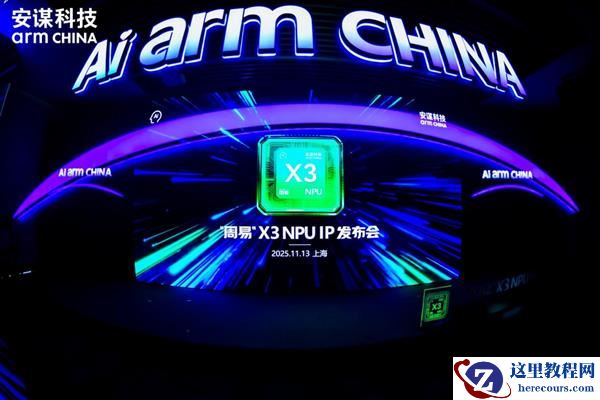
安谋科技发布NPU IP“周易”X3 驱动架构革新再定义端侧AI
26-03-03 - 操作系统大会2025 | 麒麟信安系列新品发布!智创未来 再启新程
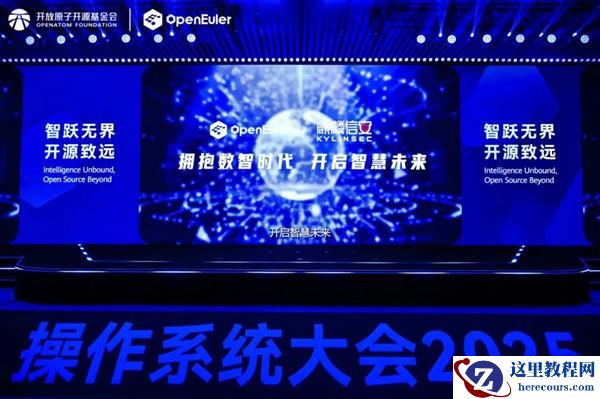
操作系统大会2025 | 麒麟信安系列新品发布!智创未来 再启新程
26-03-03 - 海尔智慧楼宇地铁七连冠后 又发力高铁
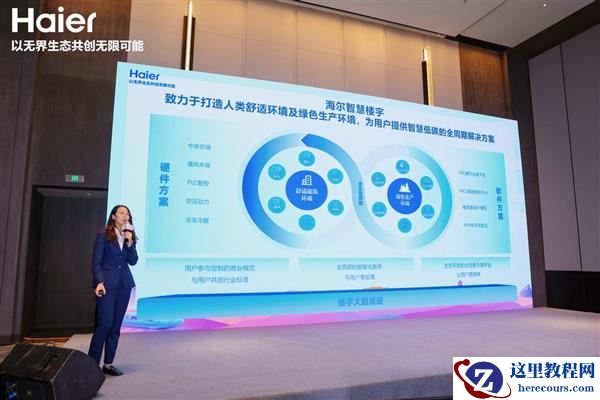
海尔智慧楼宇地铁七连冠后 又发力高铁
26-03-03 - AI共智 开源共享|2025开放原子开发者大会开源鸿蒙技术分论坛即将启幕

AI共智 开源共享|2025开放原子开发者大会开源鸿蒙技术分论坛即将启幕
26-03-03 - 继地铁第一份额后 海尔智慧楼宇与中铁一院达成战略合作
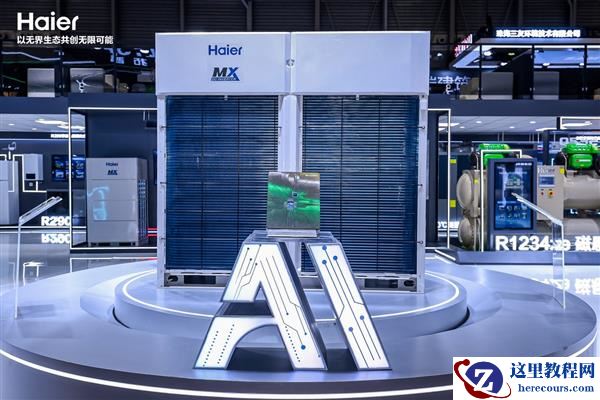
继地铁第一份额后 海尔智慧楼宇与中铁一院达成战略合作
26-03-03 - 第49期 OGG同步延时问题排除
第49期 OGG同步延时问题排除
26-03-03