
测试操作系统:Centos 7.6 测试IP :192.168.112.88 操作系统安装信息:最小化安装 官方网站: http://ora2pg.darold.net/ Requirement The Oracle Instant Client or a full Oracle instaaltion must be installed on the system. You can download the RPM from Oracle download center: rpm -ivh oracle-instantclient12.2-basic-12.2.0.1.0-1.x86_64.rpm rpm -ivh oracle-instantclient12.2-devel-12.2.0.1.0-1.x86_64.rpm rpm -ivh oracle-instantclient12.2-jdbc-12.2.0.1.0-1.x86_64.rpm rpm -ivh oracle-instantclient12.2-sqlplus-12.2.0.1.0-1.x86_64.rpm or simply download the corresponding ZIP archives from Oracle download center and install them where you want, for example: /opt/oracle/instantclient_12_2/ You also need a modern Perl distribution (perl 5.10 and more). To connect to a database and proceed to his migration you need the DBI Perl module > 1.614. To migrate an Oracle database you need the DBD::Oracle Perl modules to be installed. To migrate a MySQL database you need the DBD::MySQL Perl modules. These modules are used to connect to the database but they are not mandatory if you want to migrate DDL input files. To install DBD::Oracle and have it working you need to have the Oracle client libraries installed and the ORACLE_HOME environment variable must be defined. If you plan to export a MySQL database you need to install the Perl module DBD::mysql which requires that the mysql client libraries are installed. On some Perl distribution you may need to install the Time::HiRes Perl module. 1.准备 oracle instant client 环境 1.1 解压软件 [root@ora2pg u01]# unzip instantclient-sqlplus-linux.x64-12.2.0.1.0.zip [root@ora2pg u01]# unzip instantclient-sdk-linux.x64-12.2.0.1.0.zip [root@ora2pg u01]# unzip instantclient-jdbc-linux.x64-12.2.0.1.0.zip [root@ora2pg u01]# unzip instantclient-basic-linux.x64-12.2.0.1.0.zip 1.2 配置环境变量 PATH=$PATH:$HOME/bin:/u01/instantclient_12_2 export LD_LIBRARY_PATH=$LD_LIBRARY_PATH:/pgsoft/lib:/u01/instantclient_12_2 export PATH 2.准备 DBD::Oracle , DBI 安装依赖包 yum install perl-DBI perl-DBD-Pg perl-ExtUtils-MakeMaker gcc 3. 准备ora2pg 环境 下载文件: ora2pg-20.0.zip 下载后解压执行 perl Makefile.PL make make install 4. 配置 /etc/ora2pg.conf # oracle connect info ORACLE_DSN dbi:Oracle:host=192.168.112.77;sid=testdb;port=1521 ORACLE_USER SYSTEM ORACLE_PWD oracle # oracle schema SCHEMA MYUSER # oracle type TYPE TABLE COPY DATA OUTPUT table.sql psql -U postgres -d postgres -h 127.0.0.1 -p 5432 -f TABLE_table.sql psql -U postgres -d postgres -h 127.0.0.1 -p 5432 -f COPY_table.sql 或者 psql -U postgres -d postgres -h 127.0.0.1 -p 5432 -f INSERT_table.sql 5. 生成迁移模板 [root@ora2pg ora2pg-20.0]# ora2pg --project_base /u01/migration/ --init_project test_project
Ora2Pg
来源:这里教程网
时间:2026-03-14 19:53:07
作者:
编辑推荐:
下一篇:
相关推荐
-

-
-
-
-
-
-
-
-
-
-
-
-
-
-

雷神推出 MIX PRO II 迷你主机:基于 Ultra 200H,玻璃上盖 + ARGB 灯效
2 月 9 日消息,雷神 (THUNDEROBOT) 现已宣布推出基于英
-

制造商 Musnap 推出彩色墨水屏电纸书 Ocean C:支持手写笔、第三方安卓应用
2 月 10 日消息,制造商 Musnap 现已在海外推出一款 Oce
热文推荐
- 美创科技运维日记|postgresql-pg简易异步流复制搭建

美创科技运维日记|postgresql-pg简易异步流复制搭建
26-03-14 - 如何利用PostgreSQL实现海量数据无限空间存储
如何利用PostgreSQL实现海量数据无限空间存储
26-03-14 - Excel快速选择一列的高效快捷方法实例教程

Excel快速选择一列的高效快捷方法实例教程
26-03-14 - PostgreSQL.Live生而全球 敢于颠覆

PostgreSQL.Live生而全球 敢于颠覆
26-03-14 - PostgreSQL 10.1中文手册 PDF版 完整版高清下载
PostgreSQL 10.1中文手册 PDF版 完整版高清下载
26-03-14 - 企业级云数据库最佳实践

企业级云数据库最佳实践
26-03-14 - 直播就在今晚!PostgreSQL专题 【恩墨面对面】

直播就在今晚!PostgreSQL专题 【恩墨面对面】
26-03-14 - PostgreSQL:Redhat 7.8 上安装
PostgreSQL:Redhat 7.8 上安装
26-03-14 - Wxcel 表格数据有增加 图表自适应
Wxcel 表格数据有增加 图表自适应
26-03-14 - Greenplum 学习实践-总体思维导图
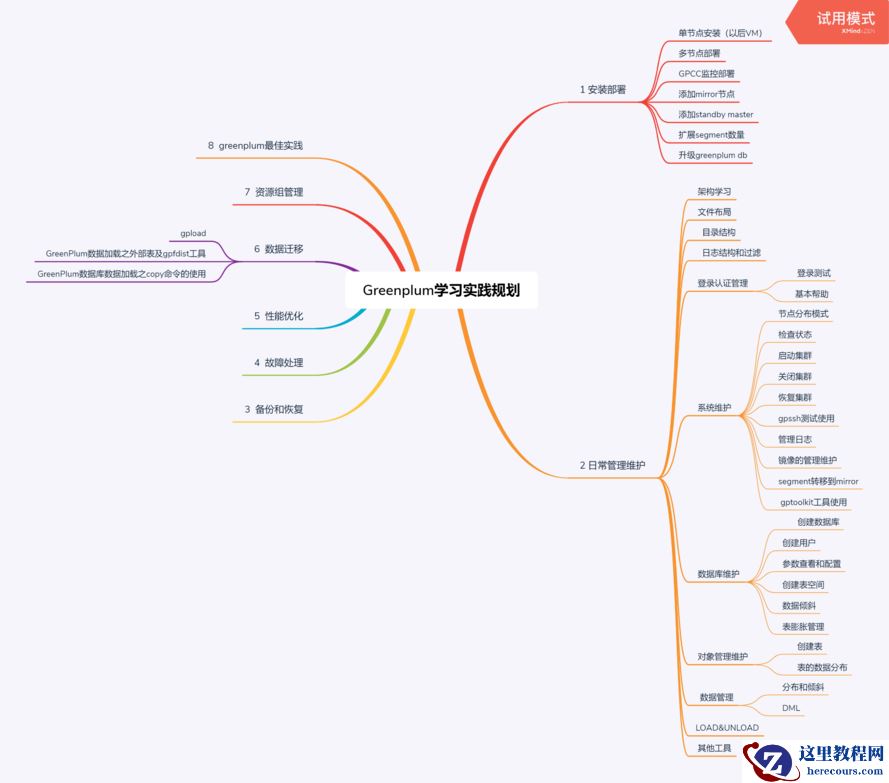
Greenplum 学习实践-总体思维导图
26-03-14