
测试环境信息: 测试操作系统:Centos 7.6 IP信息 :192.168.112.88 系统安装信息:最小化安装 官方网站: https://www.postgresql.org 可以看到下载界面只有 RPM 与 编译安装介质. 选择other linux 寻求 Linux - Generic 显示如下描述. PostgreSQL is available integrated with the package management on most Linux platforms. When available, this is the recommended way to install PostgreSQL, since it provides proper integration with the operating system, including automatic patching and other management functionality. Should packages not be available for your distribution, or there are issues with your package manager, there are graphical installers available. Finally, most Linux systems make it easy to build from source. PG对RPM或编译安装方式比较友好,早期版本应该支持 Linux Generic. 下载编译安装介质 postgresql-12.4.tar.gz 安装步骤参考 Chapter 16. Installation from Source Code Part III. Server Administration 1.(16.3) Getting the Source gunzip postgresql-12.4.tar.gz tar xf postgresql-12.4.tar 2.(16.4) Installation Procedure 2.1 Configuration The first step of the installation procedure is to configure the source tree for your system and choose the options you would like. This is done by running the configure script. For a default installation simply enter: ./configure This script will run a number of tests to determine values for various system dependent variables and detect any quirks of your operating system, and finally will create several files in the build tree to record what it found. You can also run configure in a directory outside the source tree, if you want to keep the build directory separate. This procedure is also called a VPATH build. Here's how: mkdir build_dir cd build_dir /path/to/source/tree/configure [options go here] make The default configuration will build the server and utilities, as well as all client applications and interfaces that require only a C compiler. All files will be installed under /usr/local/pgsql by default. You can customize the build and installation process by supplying one or more of the following command line options to configure: --prefix=PREFIX Install all files under the directory PREFIX instead of /usr/local/pgsql. The actual files will be installed into various subdirectories; no files will ever be installed directly into the PREFIX directory. If you have special needs, you can also customize the individual subdirectories with the following options. However, if you leave these with their defaults, the installation will be relocatable, meaning you can move the directory after installation. (The man and doc locations are not affected by this.) For relocatable installs, you might want to use configure's --disable-rpath option. Also, you will need to tell the operating system how to find the shared libraries. 我们这里建立postgresql 软件目录,使用--prefix参数指定目录 mkdir /pgsoft [root@PGHOST postgresql-12.4]# ./configure --prefix=/pgsoft checking build system type... x86_64-pc-linux-gnu checking host system type... x86_64-pc-linux-gnu checking which template to use... linux checking whether NLS is wanted... no checking for default port number... 5432 checking for block size... 8kB checking for segment size... 1GB checking for WAL block size... 8kB checking for gcc... no checking for cc... no configure: error: in `/u01/postgresql-12.4': configure: error: no acceptable C compiler found in $PATH See `config.log' for more details 根据错误提示缺少 C 编译器. 查看文档信息 16.2. Requirements GNU make version 3.80 or newer is required; other make programs or older GNU make versions will not work. (GNU make is sometimes installed under the name gmake.) To test for GNU make enter: You need an ISO/ANSI C compiler (at least C99-compliant). Recent versions of GCC are recommended, but PostgreSQL is known to build using a wide variety of compilers from different vendors. tar is required to unpack the source distribution, in addition to either gzip or bzip2. The GNU Readline library is used by default. It allows psql (the PostgreSQL command line SQL interpreter) to remember each command you type, and allows you to use arrow keys to recall and edit previous commands. This is very helpful and is strongly recommended. If you don't want to use it then you must specify the --without-readline option to configure. As an alternative, you can often use the BSD-licensed libedit library, originally developed on NetBSD. The libedit library is GNU Readline-compatible and is used if libreadline is not found, or if --with-libedit-preferred is used as an option to configure. If you are using a package-based Linux distribution, be aware that you need both the readline and readline-devel packages, if those are separate in your distribution. The zlib compression library is used by default. If you don't want to use it then you must specify the --without-zlib option to configure. Using this option disables support for compressed archives in pg_dump and pg_restore. 部分略 安装依赖信息 [root@PGHOST /]# yum install c++ gcc readline readline-devel zlib zlib-devel Loaded plugins: fastestmirror Determining fastest mirrors 2.2 Build make make[1]: Leaving directory `/u01/postgresql-12.4/config' All of PostgreSQL successfully made. Ready to install. 2.3 Regression Tests make check ============== initializing database system ============== pg_regress: initdb failed Examine /u01/postgresql-12.4/src/test/regress/log/initdb.log for the reason. Command was: "initdb" -D "/u01/postgresql-12.4/src/test/regress/./tmp_check/data" --no-clean --no-sync > "/u01/postgresql-12.4/src/test/regress/log/initdb.log" 2>&1 make[1]: *** [check] Error 2 make[1]: Leaving directory `/u01/postgresql-12.4/src/test/regress' make: *** [check] Error 2 查看错误日志 [root@PGHOST yum.repos.d]# cat /u01/postgresql-12.4/src/test/regress/log/initdb.log | more Running in no-clean mode. Mistakes will not be cleaned up. initdb: error: cannot be run as root Please log in (using, e.g., "su") as the (unprivileged) user that will own the server process. 仔细查看官方文档: 16.1. Short Version ./configure make su make install adduser postgres mkdir /usr/local/pgsql/data chown postgres /usr/local/pgsql/data su - postgres /usr/local/pgsql/bin/initdb -D /usr/local/pgsql/data /usr/local/pgsql/bin/pg_ctl -D /usr/local/pgsql/data -l logfile start /usr/local/pgsql/bin/createdb test /usr/local/pgsql/bin/psql test 添加postgres 用户应该是在 make install 后.此时在 initdb 步骤报错暂时跳过,继续安装过程. 2.4.Installing the Files make install make[1]: Leaving directory `/u01/postgresql-12.4/config' PostgreSQL installation complete. 可以看到软件安装完成. 3.(16.5) Post-Installation Setup 3.1 (16.5.1) Shared Libraries The method to set the shared library search path varies between platforms, but the most widely-used method is to set the environment variable LD_LIBRARY_PATH like so: In Bourne shells (sh, ksh, bash, zsh): LD_LIBRARY_PATH=/usr/local/pgsql/lib export LD_LIBRARY_PATH or in csh or tcsh: setenv LD_LIBRARY_PATH /usr/local/pgsql/lib 3.2 (16.5.2) Environment Variables To do this, add the following to your shell start-up file, such as ~/.bash_profile (or /etc/profile, if you want it to affect all users): PATH=/usr/local/pgsql/bin:$PATH export PATH If you are using csh or tcsh, then use this command: set path = ( /usr/local/pgsql/bin $path ) 4.(Chapter 18) Server Setup and Operation 4.1.(18.1) The PostgreSQL User Account useradd postgres passwd postgres 4.2.(18.2) Creating a Database Cluster [root@PGHOST ~]# chown postgres:postgres /pgsoft/ [root@PGHOST ~]# su - postgres [postgres@PGHOST data]$ initdb -D /pgsoft/data/ The files belonging to this database system will be owned by user "postgres". This user must also own the server process. The database cluster will be initialized with locale "en_US.UTF-8". The default database encoding has accordingly been set to "UTF8". The default text search configuration will be set to "english". Data page checksums are disabled. fixing permissions on existing directory /pgsoft/data ... ok creating subdirectories ... ok selecting dynamic shared memory implementation ... posix selecting default max_connections ... 100 selecting default shared_buffers ... 128MB selecting default time zone ... America/New_York creating configuration files ... ok running bootstrap script ... ok performing post-bootstrap initialization ... ok syncing data to disk ... ok initdb: warning: enabling "trust" authentication for local connections You can change this by editing pg_hba.conf or using the option -A, or --auth-local and --auth-host, the next time you run initdb. Success. You can now start the database server using: pg_ctl -D /pgsoft/data/ -l logfile start 5.数据库检查 5.1 启动数据库 [postgres@PGHOST ~]$ pg_ctl start -D $PGDATA waiting for server to start....2020-09-29 05:13:52.463 EDT [34554] LOG: starting PostgreSQL 12.4 on x86_64-pc-linux-gnu, compiled by gcc (GCC) 4.8.5 20150623 (Red Hat 4.8.5-36), 64-bit 2020-09-29 05:13:52.465 EDT [34554] LOG: listening on IPv6 address "::1", port 5432 2020-09-29 05:13:52.465 EDT [34554] LOG: listening on IPv4 address "127.0.0.1", port 5432 2020-09-29 05:13:52.467 EDT [34554] LOG: listening on Unix socket "/tmp/.s.PGSQL.5432" 2020-09-29 05:13:52.489 EDT [34555] LOG: database system was shut down at 2020-09-29 05:12:32 EDT 2020-09-29 05:13:52.494 EDT [34554] LOG: database system is ready to accept connections done server started 5.2 检查运行情况 [postgres@PGHOST ~]$ pg_ctl status pg_ctl: server is running (PID: 34554) /pgsoft/bin/postgres "-D" "/pgsoft/data"
postgresql安装(source)
来源:这里教程网
时间:2026-03-14 19:53:12
作者:
编辑推荐:
- Excel流水表格速转二维表格实现教程03-14
- postgresql安装(source)03-14
- Excel利用SUMPRODUCT函数及条件格式制作同期数据自动对比表03-14
- excel2013数据透视表教程:实现帕累托80/20原则03-14
- pgbadger 慢日志分析工具03-14
- Excel筛选后复制粘贴案例和操作内容03-14
- oracle_fdw03-14
- Excel “自定义”会使你的效率提升多少?试试才知道03-14
下一篇:
相关推荐
-

-
-
-
-
-
-
-
-
-
-
-
-
-
-

雷神推出 MIX PRO II 迷你主机:基于 Ultra 200H,玻璃上盖 + ARGB 灯效
2 月 9 日消息,雷神 (THUNDEROBOT) 现已宣布推出基于英
-

制造商 Musnap 推出彩色墨水屏电纸书 Ocean C:支持手写笔、第三方安卓应用
2 月 10 日消息,制造商 Musnap 现已在海外推出一款 Oce
热文推荐
- 美创科技运维日记|postgresql-pg简易异步流复制搭建

美创科技运维日记|postgresql-pg简易异步流复制搭建
26-03-14 - 如何利用PostgreSQL实现海量数据无限空间存储
如何利用PostgreSQL实现海量数据无限空间存储
26-03-14 - Excel快速选择一列的高效快捷方法实例教程

Excel快速选择一列的高效快捷方法实例教程
26-03-14 - PostgreSQL.Live生而全球 敢于颠覆

PostgreSQL.Live生而全球 敢于颠覆
26-03-14 - PostgreSQL 10.1中文手册 PDF版 完整版高清下载
PostgreSQL 10.1中文手册 PDF版 完整版高清下载
26-03-14 - 企业级云数据库最佳实践

企业级云数据库最佳实践
26-03-14 - 直播就在今晚!PostgreSQL专题 【恩墨面对面】

直播就在今晚!PostgreSQL专题 【恩墨面对面】
26-03-14 - PostgreSQL:Redhat 7.8 上安装
PostgreSQL:Redhat 7.8 上安装
26-03-14 - Wxcel 表格数据有增加 图表自适应
Wxcel 表格数据有增加 图表自适应
26-03-14 - Greenplum 学习实践-总体思维导图
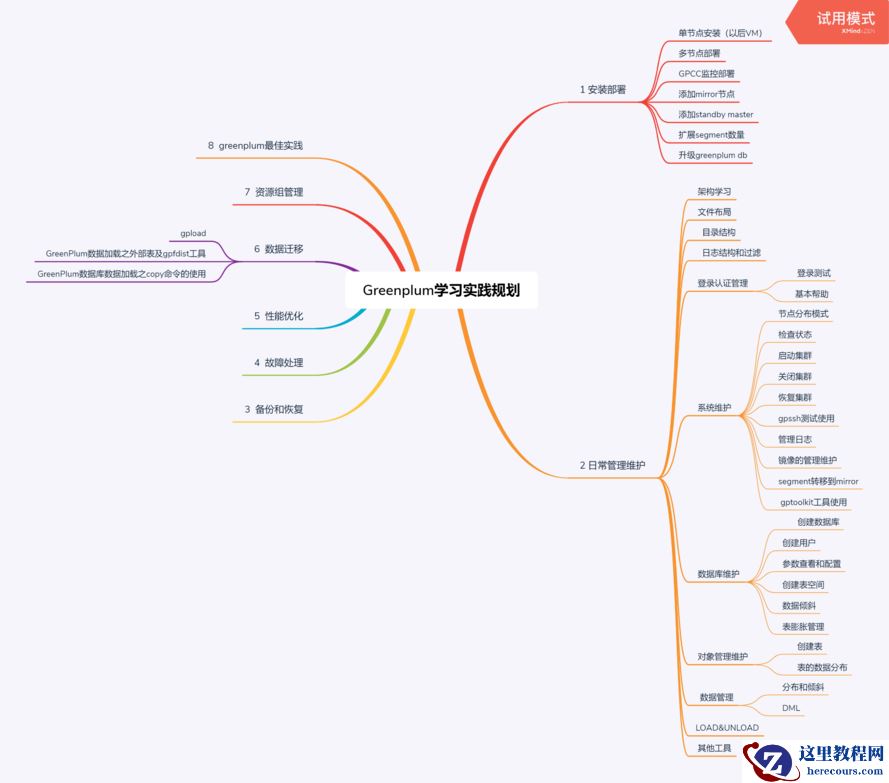
Greenplum 学习实践-总体思维导图
26-03-14