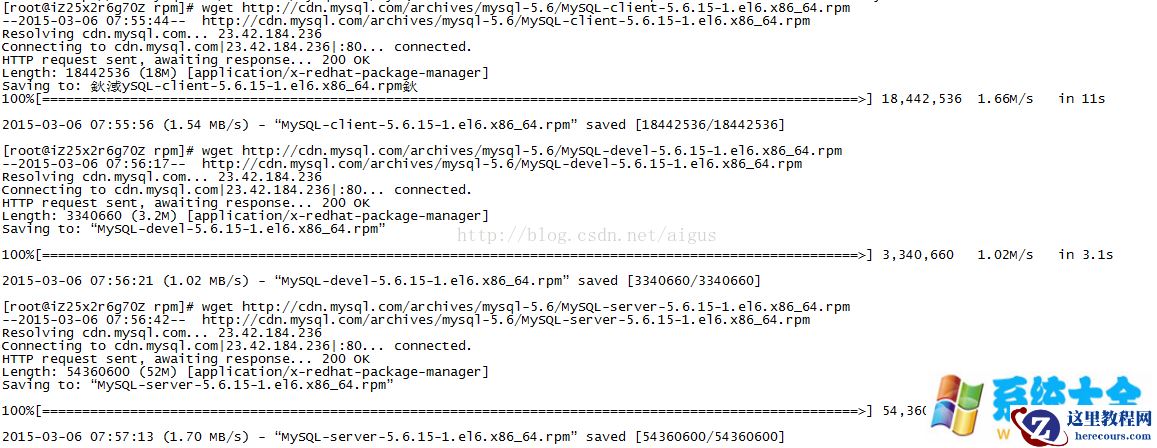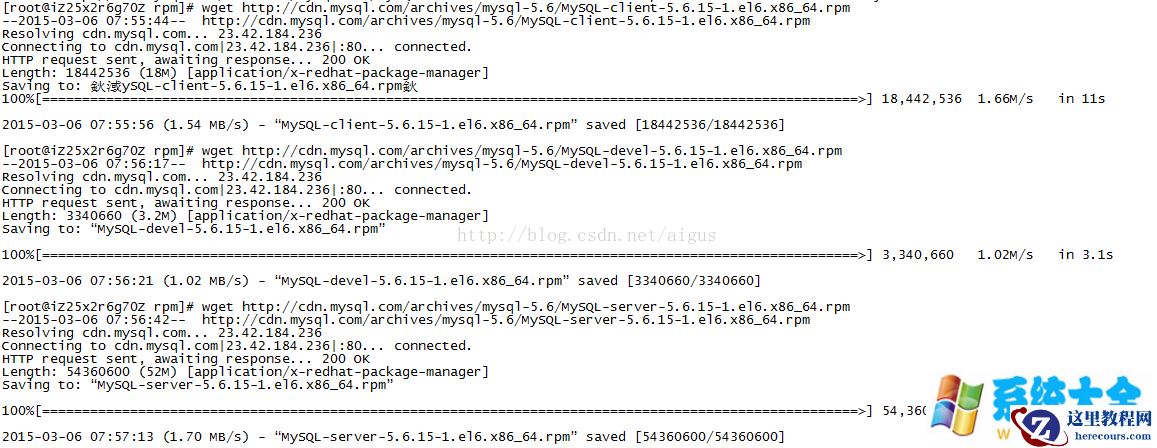
接下来就是安装了分别依次执行:
[root@iZ25in7iu0fZ rpm]# rpm -ivh MySQL-server-5.6.15-1.el6.x86_64.rpm
Preparing... ########################################### [100%]
1:MySQL-server ########################################### [100%]
2015-03-06 08:16:03 0 [Warning] TIMESTAMP with implicit DEFAULT value is deprecated. Please use --explicit_defaults_fZ喎 "https://www.herecours.com/d/file/efpub/2026/26-26/20260226151014569279.br 2015-03-06 08:16:07 28629 [Note] Binlog end
2015-03-06 08:16:07 28629 [Note] InnoDB: FTS optimize thread exiting.
2015-03-06 08:16:07 28629 [Note] InnoDB: Starting shutdown...
2015-03-06 08:16:08 28629 [Note] InnoDB: Shutdown completed; log sequence number 1625977
2015-03-06 08:16:08 0 [Warning] TIMESTAMP with implicit DEFAULT value is deprecated. Please use --explicit_defaults_for_timestamp server option (see documentation for more details).
2015-03-06 08:16:08 28652 [Note] InnoDB: The InnoDB memory heap is disabled
2015-03-06 08:16:08 28652 [Note] InnoDB: Mutexes and rw_locks use GCC atomic builtins
2015-03-06 08:16:08 28652 [Note] InnoDB: Compressed tables use zlib 1.2.3
2015-03-06 08:16:08 28652 [Note] InnoDB: Using Linux native AIO
2015-03-06 08:16:08 28652 [Note] InnoDB: Using CPU crc32 instructions
2015-03-06 08:16:08 28652 [Note] InnoDB: Initializing buffer pool, size = 128.0M
2015-03-06 08:16:08 28652 [Note] InnoDB: Completed initialization of buffer pool
2015-03-06 08:16:08 28652 [Note] InnoDB: Highest supported file format is Barracuda.
2015-03-06 08:16:08 28652 [Note] InnoDB: 128 rollback segment(s) are active.
2015-03-06 08:16:08 28652 [Note] InnoDB: Waiting for purge to start
2015-03-06 08:16:08 28652 [Note] InnoDB: 5.6.15 started; log sequence number 1625977
2015-03-06 08:16:08 28652 [Note] Binlog end
2015-03-06 08:16:08 28652 [Note] InnoDB: FTS optimize thread exiting.
2015-03-06 08:16:08 28652 [Note] InnoDB: Starting shutdown...
2015-03-06 08:16:10 28652 [Note] InnoDB: Shutdown completed; log sequence number 1625987
[root@iZ25in7iu0fZ rpm]# rpm -ivh MySQL-devel-5.6.15-1.el6.x86_64.rpm
Preparing... ########################################### [100%]
1:MySQL-devel ########################################### [100%]
[root@iZ25in7iu0fZ rpm]# rpm -ivh MySQL-client-5.6.15-1.el6.x86_64.rpm
Preparing... ########################################### [100%]
1:MySQL-client ########################################### [100%]
修改配置文件位置。
[root@iZ25in7iu0fZ rpm]# cp /usr/mysql/my-default.cnf /etc/my.cnf初始化MySQL及设置密码
cp /usr/mysql/my-default.cnf /etc/my.cnf
/usr/bin/mysql_install_db
cat /root/.mysql_secret
记录最后的密码
mysql -p ---输入记录的密码,即可登录mysql。
set password for 'root'@'localhost' =password('新密码');
flush privileges;
exit设置自启动
chkconfig mysql on
MySQL的默认安装位置接下来就是安装了分别依次执行:
[root@iZ25in7iu0fZ rpm]# rpm -ivh MySQL-server-5.6.15-1.el6.x86_64.rpm
Preparing... ########################################### [100%]
1:MySQL-server ########################################### [100%]
2015-03-06 08:16:03 0 [Warning] TIMESTAMP with implicit DEFAULT value is deprecated. Please use --explicit_defaults_fZ喎 "https://www.herecours.com/d/file/efpub/2026/26-26/20260226151014569279.br 2015-03-06 08:16:07 28629 [Note] Binlog end
2015-03-06 08:16:07 28629 [Note] InnoDB: FTS optimize thread exiting.
2015-03-06 08:16:07 28629 [Note] InnoDB: Starting shutdown...
2015-03-06 08:16:08 28629 [Note] InnoDB: Shutdown completed; log sequence number 1625977
2015-03-06 08:16:08 0 [Warning] TIMESTAMP with implicit DEFAULT value is deprecated. Please use --explicit_defaults_for_timestamp server option (see documentation for more details).
2015-03-06 08:16:08 28652 [Note] InnoDB: The InnoDB memory heap is disabled
2015-03-06 08:16:08 28652 [Note] InnoDB: Mutexes and rw_locks use GCC atomic builtins
2015-03-06 08:16:08 28652 [Note] InnoDB: Compressed tables use zlib 1.2.3
2015-03-06 08:16:08 28652 [Note] InnoDB: Using Linux native AIO
2015-03-06 08:16:08 28652 [Note] InnoDB: Using CPU crc32 instructions
2015-03-06 08:16:08 28652 [Note] InnoDB: Initializing buffer pool, size = 128.0M
2015-03-06 08:16:08 28652 [Note] InnoDB: Completed initialization of buffer pool
2015-03-06 08:16:08 28652 [Note] InnoDB: Highest supported file format is Barracuda.
2015-03-06 08:16:08 28652 [Note] InnoDB: 128 rollback segment(s) are active.
2015-03-06 08:16:08 28652 [Note] InnoDB: Waiting for purge to start
2015-03-06 08:16:08 28652 [Note] InnoDB: 5.6.15 started; log sequence number 1625977
2015-03-06 08:16:08 28652 [Note] Binlog end
2015-03-06 08:16:08 28652 [Note] InnoDB: FTS optimize thread exiting.
2015-03-06 08:16:08 28652 [Note] InnoDB: Starting shutdown...
2015-03-06 08:16:10 28652 [Note] InnoDB: Shutdown completed; log sequence number 1625987
[root@iZ25in7iu0fZ rpm]# rpm -ivh MySQL-devel-5.6.15-1.el6.x86_64.rpm
Preparing... ########################################### [100%]
1:MySQL-devel ########################################### [100%]
[root@iZ25in7iu0fZ rpm]# rpm -ivh MySQL-client-5.6.15-1.el6.x86_64.rpm
Preparing... ########################################### [100%]
1:MySQL-client ########################################### [100%]
修改配置文件位置。
[root@iZ25in7iu0fZ rpm]# cp /usr/mysql/my-default.cnf /etc/my.cnf初始化MySQL及设置密码
cp /usr/mysql/my-default.cnf /etc/my.cnf
/usr/bin/mysql_install_db
cat /root/.mysql_secret
记录最后的密码
mysql -p ---输入记录的密码,即可登录mysql。
set password for 'root'@'localhost' =password('新密码');
flush privileges;
exit设置自启动
chkconfig mysql on
MySQL的默认安装位置
1 arb/mysql/ #数据库目录
2 /usr/mysql #配置文件目录
3 /usr/bin #相关命令目录
4 /etc/init.d/mysql #启动脚本 修改字符集和数据存放目录
原来配置文件:
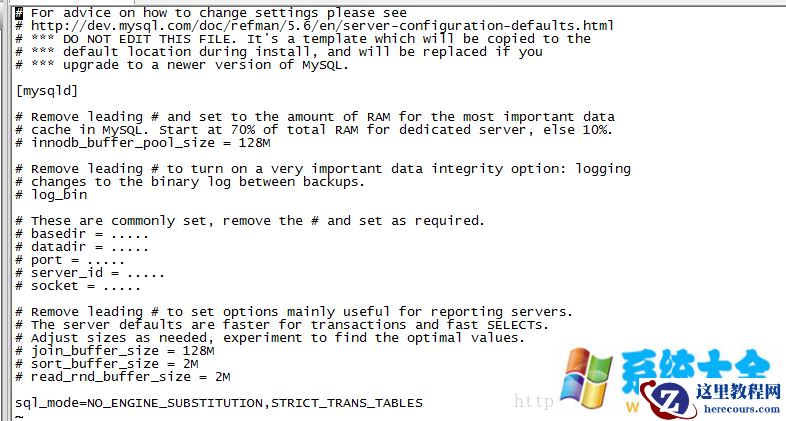
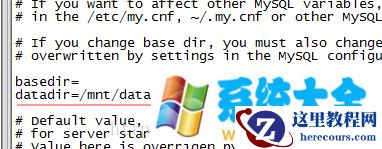
更改之后为: # For advice on how to change settings please see # https://www.herecours.com/d/file/efpub/2026/26-26/20260226151014569280.html # *** DO NOT EDIT THIS FILE. It"s a template which will be copied to the # *** default location during install, and will be replaced if you # *** upgrade to a newer version of MySQL. [client] port = 3306 default-character-set=utf8 [mysqld] # Remove leading # and set to the amount of RAM for the most important data # cache in MySQL. Start at 70% of total RAM for dedicated server, else 10%. # innodb_buffer_pool_size = 128M # Remove leading # to turn on a very important data integrity option: logging # changes to the binary log between backups. # log_bin # These are commonly set, remove the # and set as required. # basedir = ..... datadir = /mnt/data/mysql port = 3306 # server_id = ..... # socket = ..... lower_case_table_names=1 max_connections=1000 collation_server = utf8_general_ci character_set_server = utf8 # default-character-set=utf8 # init_connect='SET NAMES utf8' # Remove leading # to set options mainly useful for reporting servers. # The server defaults are faster for transactions and fast SELECTs. # Adjust sizes as needed, experiment to find the optimal values. # join_buffer_size = 128M # sort_buffer_size = 2M # read_rnd_buffer_size = 2M sql_mode=NO_ENGINE_SUBSTITUTION,STRICT_TRANS_TABLES [mysql] default-character-set = utf8 注意标红的。 然后就是修改数据库的数据目录: vi /etc/init.d/mysql
重启数据库: service mysql restart 大功告成。