Spring Boot Whitelabel Error 教程展示了如何在 Spring Boot 应用中配置和显示错误消息。
Spring 是流行的 Java 应用框架,而 Spring Boot 是 Spring 的演进,可以帮助轻松地创建独立的,生产级的基于 Spring 的应用。
WhiteLabel 错误页面
WhiteLabel 错误页面是通用的 Spring Boot 错误页面,当不存在自定义错误页面时显示。
server.error.whitelabel.enabled=false
通过将server.error.whitelabel.enabled设置为false,可以在application.properties文件中禁用 WhiteLabel 错误。
spring.autoconfigure.exclude=org.springframework.boot.autoconfigure.web.servlet.error.ErrorMvcAutoConfiguration
禁用 WhiteLabel 错误的另一种方法是排除ErrorMvcAutoConfiguration。
@SpringBootApplication(exclude = {ErrorMvcAutoConfiguration.class})public class Application {或者,可以在注解中进行排除。
当禁用 WhiteLabel 错误页面并且未提供自定义错误页面时,将显示 Web 服务器的错误页面(Tomcat,Jetty)。
Spring Boot 自定义错误页面
如果不使用 Thymeleaf 的模板引擎,我们可以在一个src/main/resources/public/errors目录放置一个普通的自定义错误页。
resources/public/errors/404.html
<!DOCTYPE html><html lang="en"><head> <meta charset="UTF-8"> <title>404 - resource not found</title></head><body><h2>404 - Resource not found</h2><p>The requested resource was not found; - public</p></body></html>
这是一个 404 错误一般错误页面。
resources/templates/error.html
<!DOCTYPE html><html><head> <title>Error occurred</title></head><body><h1>Error occurred</h1><p> An error has occurred. Please contact the administrator; - template generic</p></body></html>
可以将使用模板的通用错误页面放置在src/main/resources/templates/目录中。
resources/templates/error/404.html
<!DOCTYPE html><html lang="en"><html xmlns:th="http://www.thymeleaf.org"><head> <meta charset="UTF-8"> <title>404 - resource not found</title></head><body><h2>404 - Resource not found</h2><p>The requested resource was not found; template - specific</p><p th:text="{error}">Error Info</p><p th:text="{status}">Status</p></body></html>可以将使用模板的特定错误页面放在src/main/resources/templates/error/目录中。
Spring Boot 自定义错误页面示例
在下面的示例中,我们创建一个简单的 Spring Boot 应用,其中使用针对 404 错误的自定义错误页面。
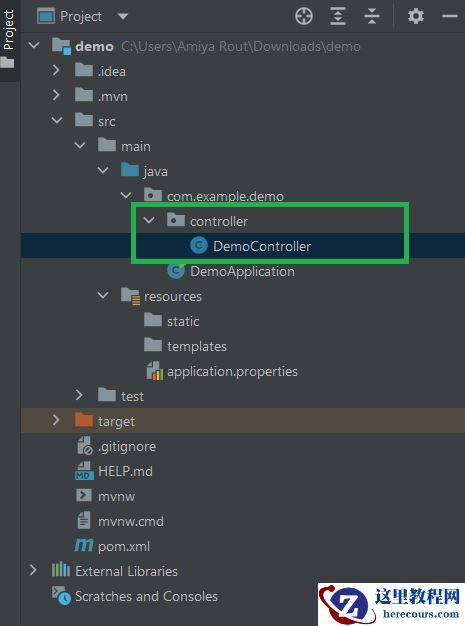
pom.xmlsrc├───main│ ├───java│ │ └───com│ │ └───zetcode│ │ │ Application.java│ │ └───controller│ │ MyController.java│ └───resources│ │ application.properties│ └───templates│ └───error│ 404.html└───test └───java
这是 Spring 应用的项目结构。
pom.xml
<?xml version="1.0" encoding="UTF-8"?><project xmlns="http://maven.apache.org/POM/4.0.0" xmlns:xsi="http://www.w3.org/2001/XMLSchema-instance" xsi:schemaLocation="http://maven.apache.org/POM/4.0.0 http://maven.apache.org/xsd/maven-4.0.0.xsd"> <modelVersion>4.0.0</modelVersion> <groupId>com.zetcode</groupId> <artifactId>springbootwhitelabelerror</artifactId> <version>1.0-SNAPSHOT</version> <packaging>jar</packaging> <properties> <project.build.sourceEncoding>UTF-8</project.build.sourceEncoding> <maven.compiler.source>11</maven.compiler.source> <maven.compiler.target>11</maven.compiler.target> </properties> <parent> <groupId>org.springframework.boot</groupId> <artifactId>spring-boot-starter-parent</artifactId> <version>2.1.7.RELEASE</version> </parent> <dependencies> <dependency> <groupId>org.springframework.boot</groupId> <artifactId>spring-boot-starter-web</artifactId> </dependency> <dependency> <groupId>org.springframework.boot</groupId> <artifactId>spring-boot-starter-thymeleaf</artifactId> </dependency> </dependencies> <build> <plugins> <plugin> <groupId>org.springframework.boot</groupId> <artifactId>spring-boot-maven-plugin</artifactId> </plugin> </plugins> </build></project>
这是 Maven pom.xml文件。 我们有spring-boot-starter-web和spring-boot-starter-thymeleaf。
resources/application.properties
#server.error.whitelabel.enabled=false#spring.autoconfigure.exclude=org.springframework.boot.autoconfigure.web.servlet.error.ErrorMvcAutoConfiguration
在application.properties中,我们可以使用这些设置中的 on 来关闭 WhiteLabel Error。 如果我们提供一个自定义错误页面,它将自动优先于 WhiteLabel 错误。
com/zetcode/controller/MyController.java
package com.zetcode.controller;import org.springframework.web.bind.annotation.GetMapping;import org.springframework.web.bind.annotation.RestController;@RestControllerpublic class MyController { @GetMapping("/") public String home() { return "Home page"; }}我们有一个简单的控制器,用于返回首页的文本消息。
resources/templates/error/404.html
<!DOCTYPE html><html lang="en"><html xmlns:th="http://www.thymeleaf.org"><head> <meta charset="UTF-8"> <title>404 - resource not found</title></head><body><h2>404 - Resource not found</h2><p>The requested resource was not found; template - specific</p><p th:text="{error}">Error Info</p><p th:text="{status}">Status</p></body></html>这是使用 Thymeleaf 创建的自定义模板错误页面。
com/zetcode/Application.java
package com.zetcode;import org.springframework.boot.SpringApplication;import org.springframework.boot.autoconfigure.SpringBootApplication;@SpringBootApplicationpublic class Application { public static void main(String[] args) { SpringApplication.run(Application.class, args); }}这段代码设置了 Spring Boot 应用。
在本教程中,我们介绍了 WhiteLabel 错误,并展示了如何创建自定义错误页面。