Spring Boot MongoDB 教程展示了如何在 Spring Boot 框架中访问 MongoDB 中的数据。
Spring 是流行的 Java 应用框架,而 Spring Boot 是 Spring 的演进,可以帮助轻松地创建独立的,生产级的基于 Spring 的应用。
MongoDB
MongoDB 是 NoSQL 跨平台的面向文档的数据库。 它是可用的最受欢迎的数据库之一。 MongoDB 由 MongoDB Inc.开发,并作为免费和开源软件发布。
Spring Data MongoDB 项目提供了与 MongoDB 文档数据库的集成。
安装 MongoDB
以下命令可用于在基于 Debian 的 Linux 上安装 MongoDB。
$ sudo apt-get install mongodb
该命令将安装 MongoDB 随附的必要软件包。
$ sudo service mongodb statusmongodb start/running, process 975
使用sudo service mongodb status命令,我们检查mongodb服务器的状态。
$ sudo service mongodb startmongodb start/running, process 6448
mongodb服务器由sudo service mongodb start命令启动。
Spring Boot MongoDB 示例
在以下示例中,我们创建一个使用 MongoDB 数据库的简单 Spring Boot 应用。 请注意,默认情况下,没有任何特定配置,Spring Boot 会尝试使用test数据库名称连接到本地托管的 MongoDB 实例。
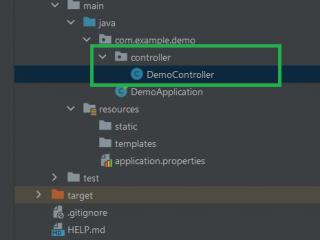
pom.xmlsrc├───main│ ├───java│ │ └───com│ │ └───zetcode│ │ │ Application.java│ │ │ MyRunner.java│ │ ├───model│ │ │ Country.java│ │ └───repository│ │ CountryRepository.java│ └───resources│ application.properties└───test └───java └───com └───zetcode MongoTest.java
这是 Spring 应用的项目结构。
pom.xml
<?xml version="1.0" encoding="UTF-8"?><project xmlns="http://maven.apache.org/POM/4.0.0" xmlns:xsi="http://www.w3.org/2001/XMLSchema-instance" xsi:schemaLocation="http://maven.apache.org/POM/4.0.0 http://maven.apache.org/xsd/maven-4.0.0.xsd"> <modelVersion>4.0.0</modelVersion> <groupId>com.zetcode</groupId> <artifactId>springbootmongodb</artifactId> <version>1.0-SNAPSHOT</version> <packaging>jar</packaging> <properties> <project.build.sourceEncoding>UTF-8</project.build.sourceEncoding> <maven.compiler.source>11</maven.compiler.source> <maven.compiler.target>11</maven.compiler.target> </properties> <parent> <groupId>org.springframework.boot</groupId> <artifactId>spring-boot-starter-parent</artifactId> <version>2.1.1.RELEASE</version> </parent> <dependencies> <dependency> <groupId>org.springframework.boot</groupId> <artifactId>spring-boot-starter-data-mongodb</artifactId> </dependency> <dependency> <groupId>org.springframework.boot</groupId> <artifactId>spring-boot-starter-test</artifactId> <scope>test</scope> </dependency> </dependencies> <build> <plugins> <plugin> <groupId>org.springframework.boot</groupId> <artifactId>spring-boot-maven-plugin</artifactId> </plugin> </plugins> </build></project>
这是 Maven pom.xml文件。
Spring Boot 启动器是一组方便的依赖项描述符,可以极大地简化 Maven 配置。 spring-boot-starter-parent具有 Spring Boot 应用的一些常用配置。 spring-boot-starter-data-mongodb是使用 MongoDB 面向文档的数据库和 Spring Data MongoDB 的入门。 spring-boot-starter-test是使用包含 JUnit,Hamcrest 和 Mockito 的库测试 Spring Boot 应用的入门程序。
在spring-boot-maven-plugin提供了 Maven 的春季启动支持,使我们能够打包可执行的 JAR 或 WAR 档案。 它的spring-boot:run目标运行春季启动应用。
resources/application.properties
spring.main.banner-mode=offlogging.level.org.springframework=ERROR
在application.properties中,我们打开 Spring Boot 横幅并设置日志记录属性。 默认情况下,Spring Boot 会尝试使用测试数据库连接到 MongoDB 的本地托管实例。
# mongodbspring.data.mongodb.host=localhostspring.data.mongodb.port=27017spring.data.mongodb.database=testdb
如果要配置 MongoDB,可以设置相应的属性。
com/zetcode/model/Country.java
package com.zetcode.model;import org.springframework.data.annotation.Id;import org.springframework.data.mongodb.core.mapping.Document;import java.util.Objects;@Documentpublic class Country { @Id private String id; private String name; private int population; public Country(String name, int population) { this.name = name; this.population = population; } public String getId() { return id; } public void setId(String id) { this.id = id; } public String getName() { return name; } public void setName(String name) { this.name = name; } public int getPopulation() { return population; } public void setPopulation(int population) { this.population = population; } @Override public boolean equals(Object o) { if (this == o) return true; if (o == null || getClass() != o.getClass()) return false; Country country = (Country) o; return population == country.population && Objects.equals(id, country.id) && Objects.equals(name, country.name); } @Override public int hashCode() { return Objects.hash(id, name, population); } @Override public String toString() { final StringBuilder sb = new StringBuilder("Country{"); sb.append("id='").append(id).append('\''); sb.append(", name='").append(name).append('\''); sb.append(", population=").append(population); sb.append('}'); return sb.toString(); }}这是Country bean,具有三个属性:id,name和population。
@Documentpublic class Country {Bean 用可选的@Document注解修饰。
@Idprivate String id;
id用@Id注解修饰。 Spring 会自动为一个新生成的国家对象生成一个新的 id。
com/zetcode/repository/CountryRepository.java
package com.zetcode.repository;import com.zetcode.model.Country;import org.springframework.data.mongodb.repository.MongoRepository;public interface CountryRepository extends MongoRepository<Country, String> {}通过从MongoRepository扩展,我们可以直接使用许多操作,包括标准 CRUD 操作。
com/zetcode/MyRunner.java
package com.zetcode;import com.zetcode.model.Country;import com.zetcode.repository.CountryRepository;import org.slf4j.Logger;import org.slf4j.LoggerFactory;import org.springframework.beans.factory.annotation.Autowired;import org.springframework.boot.CommandLineRunner;import org.springframework.stereotype.Component;@Componentpublic class MyRunner implements CommandLineRunner { private static final Logger logger = LoggerFactory.getLogger(MyRunner.class); @Autowired private CountryRepository repository; @Override public void run(String... args) throws Exception { repository.deleteAll(); repository.save(new Country("China", 1382050000)); repository.save(new Country("India", 1313210000)); repository.findAll().forEach((country) -> { logger.info("{}", country); }); }}我们有一个命令行运行器。 在其run()方法中,我们访问 MongoDB。
@Autowiredprivate CountryRepository repository;
CountryRepository注入了@Autowired注解。
repository.deleteAll();
如果有,我们将使用deleteAll()删除所有国家。
repository.save(new Country("China", 1382050000));我们用save()保存一个国家。
repository.findAll().forEach((country) -> { logger.info("{}", country);});我们使用findAll()方法遍历数据库中的所有国家。
com/zetcode/Application.java
package com.zetcode;import org.springframework.boot.SpringApplication;import org.springframework.boot.autoconfigure.SpringBootApplication;@SpringBootApplicationpublic class Application { public static void main(String[] args) { SpringApplication.run(Application.class, args); }}这段代码设置了 Spring Boot 应用。
com/zetcode/MongoTest.java
package com.zetcode;import com.zetcode.model.Country;import com.zetcode.repository.CountryRepository;import org.junit.Before;import org.junit.Test;import org.junit.runner.RunWith;import org.springframework.beans.factory.annotation.Autowired;import org.springframework.boot.test.context.SpringBootTest;import org.springframework.data.domain.Example;import org.springframework.test.context.junit4.SpringRunner;import java.util.Optional;import static junit.framework.TestCase.assertEquals;import static org.assertj.core.api.Assertions.assertThat;@RunWith(SpringRunner.class)@SpringBootTestpublic class MongoTest { @Autowired private CountryRepository repository; private static final int NUMBER_OF_COUNTRIES = 6; @Before public void init() { repository.deleteAll(); repository.save(new Country("China", 1382050000)); repository.save(new Country("India", 1313210000)); repository.save(new Country("USA", 324666000)); repository.save(new Country("Indonesia", 260581000)); repository.save(new Country("Brazil", 207221000)); repository.save(new Country("Pakistan", 196626000)); } @Test public void countAllCountries() { var countries = repository.findAll(); assertEquals(NUMBER_OF_COUNTRIES, countries.size()); } @Test public void countOneCountry() { Example<Country> example = Example.of(new Country("China", 1382050000)); assertThat(repository.count(example)).isEqualTo(1L); } @Test public void setsIdOnSave() { Country nigeria = repository.save(new Country("Nigeria", 186988000)); assertThat(nigeria.getId()).isNotNull(); } @Test public void findOneCountry() { Example<Country> example = Example.of(new Country("India", 1313210000)); Optional<Country> country = repository.findOne(example); assertThat(country.get().getName()).isEqualTo("India"); }}我们有四种测试方法。
@Beforepublic void init() { repository.deleteAll(); repository.save(new Country("China", 1382050000)); repository.save(new Country("India", 1313210000)); repository.save(new Country("USA", 324666000)); repository.save(new Country("Indonesia", 260581000)); repository.save(new Country("Brazil", 207221000)); repository.save(new Country("Pakistan", 196626000));}在init()方法中,我们保存了六个国家。
@Testpublic void countAllCountries() { var countries = repository.findAll(); assertEquals(NUMBER_OF_COUNTRIES, countries.size());}我们测试数据库中有六个国家。
@Testpublic void countOneCountry() { Example<Country> example = Example.of(new Country("China", 1382050000)); assertThat(repository.count(example)).isEqualTo(1L);}此方法测试数据库中只有一个中国。
@Testpublic void setsIdOnSave() { Country nigeria = repository.save(new Country("Nigeria", 186988000)); assertThat(nigeria.getId()).isNotNull();}我们测试了在保存新国家/地区时,自动生成的 ID 不等于null。
@Testpublic void findOneCountry() { Example<Country> example = Example.of(new Country("India", 1313210000)); Optional<Country> country = repository.findOne(example); assertThat(country.get().getName()).isEqualTo("India");}我们测试findOne()方法找到一个国家,即印度。
在本教程中,我们学习了如何在 Spring Boot 应用中使用 MongoDB。