Spring Boot RouterFunction 教程展示了如何在 Spring Boot 应用中创建功能路由。
反应式编程
反应式编程是一种编程范例,它是功能性的,基于事件的,非阻塞的,异步的,并且以数据流处理为中心。 术语反应式来自以下事实:我们对诸如鼠标单击或 I / O 事件之类的更改做出反应。
传统的 Spring MVC 应用使用诸如@GetMapping之类的注解将请求路径映射到控制器动作。 功能路由 API 是此映射的替代方法。
RouterFunction
RouterFunction表示路由到处理程序功能的功能。
Spring Boot RouterFunction 示例
在以下应用中,我们创建具有功能路由的反应式 Spring Boot 应用。
pom.xmlsrc├───main│ ├───java│ │ └───com│ │ └───zetcode│ │ │ Application.java│ │ └───routes│ │ MyRoutes.java│ └───resources└───test └───java └───com └───zetcode └───routes MyRoutesTest.java
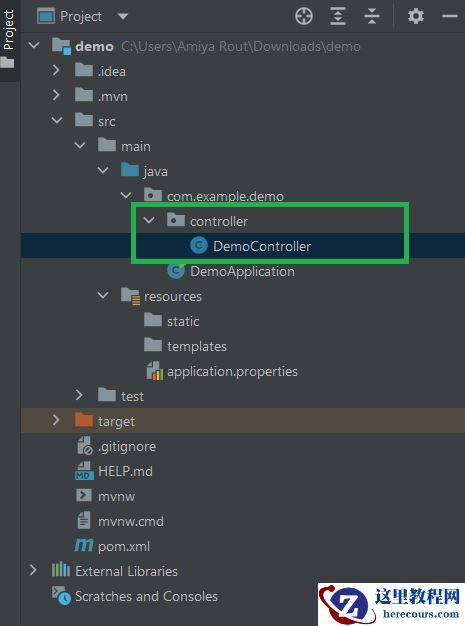
这是 Spring 应用的项目结构。
pom.xml
<?xml version="1.0" encoding="UTF-8"?><project xmlns="http://maven.apache.org/POM/4.0.0" xmlns:xsi="http://www.w3.org/2001/XMLSchema-instance" xsi:schemaLocation="http://maven.apache.org/POM/4.0.0 http://maven.apache.org/xsd/maven-4.0.0.xsd"> <modelVersion>4.0.0</modelVersion> <groupId>com.zetcode</groupId> <artifactId>springbootrouterfunction</artifactId> <version>1.0-SNAPSHOT</version> <packaging>jar</packaging> <properties> <project.build.sourceEncoding>UTF-8</project.build.sourceEncoding> <maven.compiler.source>11</maven.compiler.source> <maven.compiler.target>11</maven.compiler.target> </properties> <parent> <groupId>org.springframework.boot</groupId> <artifactId>spring-boot-starter-parent</artifactId> <version>2.1.5.RELEASE</version> </parent> <dependencies> <dependency> <groupId>org.springframework.boot</groupId> <artifactId>spring-boot-starter-webflux</artifactId> </dependency> <dependency> <groupId>org.springframework.boot</groupId> <artifactId>spring-boot-starter-test</artifactId> <scope>test</scope> </dependency> </dependencies> <build> <plugins> <plugin> <groupId>org.springframework.boot</groupId> <artifactId>spring-boot-maven-plugin</artifactId> </plugin> </plugins> </build></project>
这是 Maven pom.xml文件。 RouterFunction依赖于spring-boot-starter-webflux。
com/zetcode/routes/MyRoutes.java
package com.zetcode.routes;import org.springframework.context.annotation.Bean;import org.springframework.context.annotation.Configuration;import org.springframework.web.reactive.function.server.RouterFunction;import org.springframework.web.reactive.function.server.ServerResponse;import static org.springframework.web.reactive.function.BodyInserters.fromObject;import static org.springframework.web.reactive.function.server.RequestPredicates.GET;import static org.springframework.web.reactive.function.server.RouterFunctions.route;import static org.springframework.web.reactive.function.server.ServerResponse.ok;@Configurationpublic class MyRoutes { @Bean RouterFunction<ServerResponse> home() { return route(GET("/"), request -> ok().body(fromObject("Home page"))); } @Bean RouterFunction<ServerResponse> about() { return route(GET("/about"), request -> ok().body(fromObject("About page"))); }}我们定义了两个功能路线。
@BeanRouterFunction<ServerResponse> home() { return route(GET("/"), request -> ok().body(fromObject("Home page")));}通过功能路由,我们可以编写简单而优雅的代码。 在这里,我们返回主页的简单文本消息。
com/zetcode/routes/MyRoutesTest.java
package com.zetcode.routes;import org.junit.Test;import org.junit.runner.RunWith;import org.springframework.beans.factory.annotation.Autowired;import org.springframework.boot.test.context.SpringBootTest;import org.springframework.test.context.junit4.SpringRunner;import org.springframework.test.web.reactive.server.WebTestClient;@RunWith(SpringRunner.class)@SpringBootTest(webEnvironment = SpringBootTest.WebEnvironment.RANDOM_PORT)public class MyRoutesTest { @Autowired private WebTestClient client; @Test public void test_home_page() { client.get().uri("/").exchange().expectStatus().isOk() .expectBody(String.class).isEqualTo("Home page"); } @Test public void test_about_page() { client.get().uri("/about").exchange().expectStatus().isOk() .expectBody(String.class).isEqualTo("About page"); }}使用WebTestClient,我们测试了两条路线。
com/zetcode/Application.java
package com.zetcode;import org.springframework.boot.SpringApplication;import org.springframework.boot.autoconfigure.SpringBootApplication;@SpringBootApplicationpublic class Application { public static void main(String[] args) { SpringApplication.run(Application.class, args); }}这段代码设置了 Spring Boot 应用。
$ mvn spring-boot:run
我们运行该应用并导航到localhost:8080。
在本教程中,我们学习了如何通过RouterFunction使用功能路由。