在本教程中,我们将在 Spring 中创建简单的 Web 应用。 创建了三个 Web 应用。 每个应用都以不同的方式配置。
在我们的 Spring Web 应用中,我们使用 Spring 5 和 Thymeleaf 3。
Spring 是流行的 Java 应用框架。 Spring Boot 致力于以最小的努力来创建独立的,生产级的基于 Spring 的应用。
有三种配置 Spring Web 应用的基本方法:
XML 格式Java 配置Spring Boot 自动配置传统上,Spring 使用 XML 文件来配置应用。 后来,创建了一种新方法,其中在 Java 配置类中完成配置。 Spring Boot 自动配置魔术是配置 Spring Web 应用的最新方法。
使用 XML 的 Spring Web 应用配置
在第一个示例中,我们创建一个以 XML 文件配置的 Spring Web 应用。
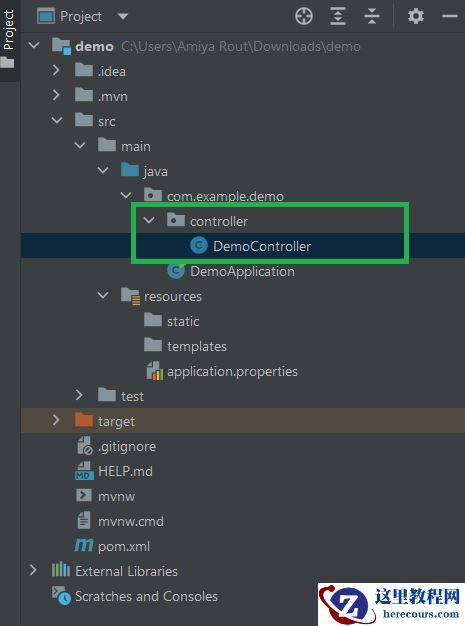
pom.mxlsrc├───main│ ├───java│ │ └───com│ │ └───zetcode│ │ └───controller│ │ HomeController.java│ ├───resources│ └───webapp│ │ index.html│ └───WEB-INF│ │ spring-servlet.xml│ │ web.xml│ └───templates│ showMessage.html└───test └───java
这是项目结构。
pom.xml
<?xml version="1.0" encoding="UTF-8"?><project xmlns="http://maven.apache.org/POM/4.0.0" xmlns:xsi="http://www.w3.org/2001/XMLSchema-instance" xsi:schemaLocation="http://maven.apache.org/POM/4.0.0 http://maven.apache.org/xsd/maven-4.0.0.xsd"> <modelVersion>4.0.0</modelVersion> <groupId>com.zetcode</groupId> <artifactId>springwebfirst</artifactId> <version>1.0-SNAPSHOT</version> <packaging>war</packaging> <properties> <project.build.sourceEncoding>UTF-8</project.build.sourceEncoding> <maven.compiler.source>11</maven.compiler.source> <maven.compiler.target>11</maven.compiler.target> </properties> <dependencies> <dependency> <groupId>org.slf4j</groupId> <artifactId>slf4j-api</artifactId> <version>1.7.25</version> </dependency> <dependency> <groupId>org.slf4j</groupId> <artifactId>slf4j-simple</artifactId> <version>1.7.25</version> </dependency> <dependency> <groupId>javax.servlet</groupId> <artifactId>javax.servlet-api</artifactId> <version>4.0.1</version> <scope>provided</scope> </dependency> <dependency> <groupId>org.thymeleaf</groupId> <artifactId>thymeleaf-spring5</artifactId> <version>3.0.11.RELEASE</version> </dependency> <dependency> <groupId>org.thymeleaf</groupId> <artifactId>thymeleaf</artifactId> <version>3.0.11.RELEASE</version> </dependency> <dependency> <groupId>org.springframework</groupId> <artifactId>spring-webmvc</artifactId> <version>5.1.3.RELEASE</version> </dependency> </dependencies> <build> <plugins> <plugin> <groupId>org.apache.maven.plugins</groupId> <artifactId>maven-war-plugin</artifactId> <version>3.2.2</version> </plugin> </plugins> </build></project>
这是 Maven 构建文件。 我们具有以下依赖关系:slf4j-api和slf4j-simple用于日志记录,javax.servlet-api用于 Java Servlet 技术,thymeleaf-spring5和thymeleaf用于 Thymeleaf 模板引擎,以及spring-webmvc用于创建 Spring Web MVC 应用。
maven-war-plugin创建 Web 存档(WAR)。
WEB-INF/spring-servlet.xml
<?xml version="1.0" encoding="UTF-8"?><beans xmlns="http://www.springframework.org/schema/beans" xmlns:xsi="http://www.w3.org/2001/XMLSchema-instance" xmlns:context="http://www.springframework.org/schema/context" xmlns:mvc="http://www.springframework.org/schema/mvc" xsi:schemaLocation="http://www.springframework.org/schema/beans http://www.springframework.org/schema/beans/spring-beans.xsd http://www.springframework.org/schema/context http://www.springframework.org/schema/context/spring-context.xsd http://www.springframework.org/schema/mvc http://www.springframework.org/schema/mvc/spring-mvc.xsd"> <context:component-scan base-package="com.zetcode"/> <mvc:annotation-driven/> <mvc:default-servlet-handler/> <bean id="templateResolver" class="org.thymeleaf.spring5.templateresolver.SpringResourceTemplateResolver"> <property name="prefix" value="/WEB-INF/templates/"/> <property name="suffix" value=".html"/> <property name="templateMode" value="HTML"/> </bean> <bean class="org.thymeleaf.spring5.view.ThymeleafViewResolver"> <property name="templateEngine" ref="templateEngine"/> </bean> <bean id="templateEngine" class="org.thymeleaf.spring5.SpringTemplateEngine"> <property name="templateResolver" ref="templateResolver"/> </bean></beans>
spring-servlet.xml配置 Spring Web 应用。 它启用组件扫描,Spring Web 注解(@Controller)并配置 Thymeleaf 模板。
<context:component-scan base-package="com.zetcode" />
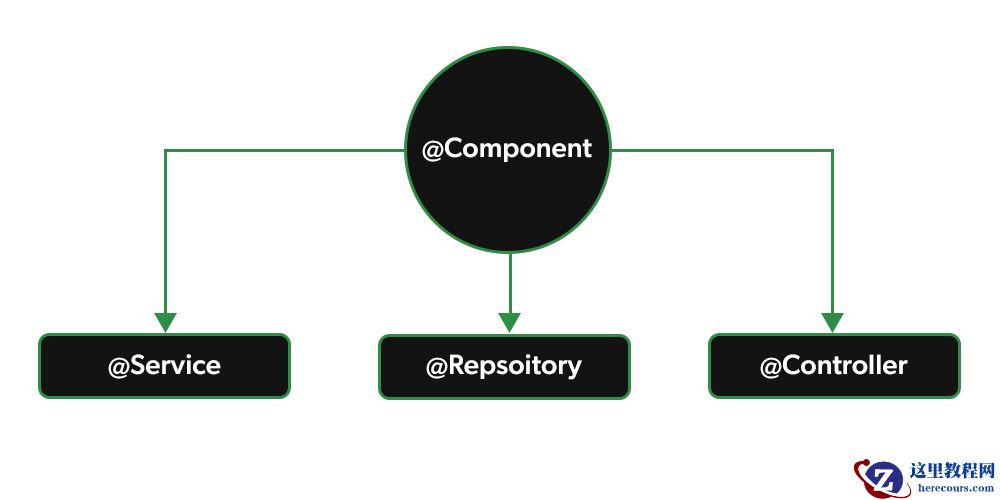
这告诉 Spring 在哪里寻找带有@Controller,@Repository,@Service,@Component注解的类并进行注册。 在我们的例子中,我们有一个带有@Controller注释的控制器。
<mvc:annotation-driven/>
<mvc:annotation-driven/>启用基于 Web 的 Spring 注释。
<mvc:default-servlet-handler/>
我们需要此标记来启用静态 HTML 文件。 主页上有一个静态的index.html。
<bean id="templateResolver" class="org.thymeleaf.spring5.templateresolver.SpringResourceTemplateResolver"> <property name="prefix" value="/WEB-INF/templates/"/> <property name="suffix" value=".html"/> <property name="templateMode" value="HTML"/></bean><bean class="org.thymeleaf.spring5.view.ThymeleafViewResolver"> <property name="templateEngine" ref="templateEngine"/></bean><bean id="templateEngine" class="org.thymeleaf.spring5.SpringTemplateEngine"> <property name="templateResolver" ref="templateResolver"/></bean>
这些行用模板引擎,模板视图解析器和模板解析器配置 Thymeleaf。 在模板解析器中,我们指定模板的位置及其扩展名。
WEB-INF/web.xml
<?xml version="1.0" encoding="UTF-8"?><web-app xmlns="http://xmlns.jcp.org/xml/ns/javaee" xmlns:xsi="http://www.w3.org/2001/XMLSchema-instance" xsi:schemaLocation="http://xmlns.jcp.org/xml/ns/javaee http://xmlns.jcp.org/xml/ns/javaee/web-app_4_0.xsd" version="4.0"> <welcome-file-list> <welcome-file>index.html</welcome-file> </welcome-file-list> <servlet> <servlet-name>spring</servlet-name> <servlet-class> org.springframework.web.servlet.DispatcherServlet </servlet-class> <load-on-startup>1</load-on-startup> </servlet> <servlet-mapping> <servlet-name>spring</servlet-name> <url-pattern>/</url-pattern> </servlet-mapping> <session-config> <session-timeout> 30 </session-timeout> </session-config></web-app>
在web.xml文件中,我们设置了 Spring DispatcherServlet并选择了欢迎文件。 DispatcherServlet是 Spring 的前端控制器。 该 Servlet 映射到扩展名为*.html的 URL。
com/zetcode/controller/HomeController.java
package com.zetcode.controller;import org.springframework.stereotype.Controller;import org.springframework.web.bind.annotation.GetMapping;@Controllerpublic class HomeController { @GetMapping("/message") public String message() { return "showMessage"; }}HTTP 请求由控制器处理。 它准备一个模型并返回一个视图。 返回的showMessage字符串映射到位于WEB-INF/templates/目录中的showMessage.html文件。
WEB-INF/templates/showMessage.html
<!DOCTYPE html><html lang="en"><head> <meta charset="UTF-8"> <title>Message</title></head><body><p> Hello there</p></body></html>
showMessage.html文件显示一条消息。
index.html
<!DOCTYPE html><html><head> <meta charset="UTF-8"> <title>Home page</title></head><body><p> <a href="message">Show message</a></p></body></html>
index.html是主页。 它包含一个链接。
使用 Java 配置进行 Spring Web 应用配置
在第二个示例中,我们创建一个在 Java config 类中配置的 Spring Web 应用。 在该示例中,web.xml和spring-servlet.xml被替换为MyWebInitializer.java和WebConfig.java。
pom.xmlsrc├───main│ ├───java│ │ └───com│ │ └───zetcode│ │ ├───config│ │ │ MyWebInitializer.java│ │ │ WebConfig.java│ │ └───controller│ │ MyController.java│ ├───resources│ └───webapp│ └───WEB-INF│ └───templates│ index.html│ showMessage.html└───test └───java
这是项目结构。 pom.xml文件与第一个示例中的相同。
com/zetcode/config/WebConfig.java
package com.zetcode.config;import org.springframework.beans.factory.annotation.Autowired;import org.springframework.context.ApplicationContext;import org.springframework.context.annotation.Bean;import org.springframework.context.annotation.ComponentScan;import org.springframework.context.annotation.Configuration;import org.springframework.web.servlet.ViewResolver;import org.springframework.web.servlet.config.annotation.EnableWebMvc;import org.springframework.web.servlet.config.annotation.ViewResolverRegistry;import org.springframework.web.servlet.config.annotation.WebMvcConfigurer;import org.thymeleaf.spring5.SpringTemplateEngine;import org.thymeleaf.spring5.templateresolver.SpringResourceTemplateResolver;import org.thymeleaf.spring5.view.ThymeleafViewResolver;@Configuration@EnableWebMvc@ComponentScan(basePackages = {"com.zetcode"})public class WebConfig implements WebMvcConfigurer { @Autowired private ApplicationContext applicationContext; @Bean public SpringResourceTemplateResolver templateResolver() { var templateResolver = new SpringResourceTemplateResolver(); templateResolver.setApplicationContext(applicationContext); templateResolver.setPrefix("/WEB-INF/templates/"); templateResolver.setSuffix(".html"); return templateResolver; } @Bean public SpringTemplateEngine templateEngine() { var templateEngine = new SpringTemplateEngine(); templateEngine.setTemplateResolver(templateResolver()); templateEngine.setEnableSpringELCompiler(true); return templateEngine; } @Bean public ViewResolver viewResolver() { var resolver = new ThymeleafViewResolver(); var registry = new ViewResolverRegistry(null, applicationContext); resolver.setTemplateEngine(templateEngine()); registry.viewResolver(resolver); return resolver; }}使用WebConfig.java代替spring-servlet.xml文件。 在WebConfig中,我们使用@EnableWebMvc启用 Spring Web 注解,使用@ComponentScan启用组件扫描,并配置 Thymeleaf 模板引擎。
com/zetcode/config/MyWebInitializer.java
package com.zetcode.config;import org.springframework.web.servlet.support.AbstractAnnotationConfigDispatcherServletInitializer;public class MyWebInitializer extends AbstractAnnotationConfigDispatcherServletInitializer { @Override protected Class<?>[] getRootConfigClasses() { return null; } @Override protected Class<?>[] getServletConfigClasses() { return new Class[]{WebConfig.class}; } @Override protected String[] getServletMappings() { return new String[]{"/"}; }}使用MyWebInitializer类代替web.xml文件。 我们指定 servlet 配置类的名称。
com/zetcode/controller/MyController.java
package com.zetcode.controller;import org.springframework.stereotype.Controller;import org.springframework.web.bind.annotation.GetMapping;@Controllerpublic class MyController { @GetMapping("/") public String index() { return "index"; } @GetMapping("/message") public String message() { return "showMessage"; }}这是控制器。 我们有主页和 showMessage 页面的映射。
WEB-INF/templates/showMessage.html
<!DOCTYPE html><html><head> <meta charset="UTF-8"> <title>Message</title></head><body><p>Today is a sunny day!</p></body></html>
showMessage.html文件显示一条消息。
WEB-INF/templates/index.html
<!DOCTYPE html><html><head> <meta charset="UTF-8"> <title>Home page</title></head><body><p> <a href="message.html">Show message</a></p></body></html>
index.html是主页。 它包含一个链接。
Spring Boot Web 应用
在第三个示例中,我们使用 Spring Boot 创建一个 Web 应用。 Spring Boot 使用另一种默认方法。 它通过嵌入式 Web 服务器使用 JAR 存档。
pom.xmlsrc├───main│ ├───java│ │ └───com│ │ └───zetcode│ │ │ Application.java│ │ └───controller│ │ MyController.java│ └───resources│ │ application.properties│ ├───static│ │ index.html│ └───templates│ showMessage.html└───test └───java
这是项目结构。
pom.xml
<?xml version="1.0" encoding="UTF-8"?><project xmlns="http://maven.apache.org/POM/4.0.0" xmlns:xsi="http://www.w3.org/2001/XMLSchema-instance" xsi:schemaLocation="http://maven.apache.org/POM/4.0.0 http://maven.apache.org/xsd/maven-4.0.0.xsd"> <modelVersion>4.0.0</modelVersion> <groupId>com.zetcode</groupId> <artifactId>springbootwebfirst</artifactId> <version>1.0-SNAPSHOT</version> <packaging>jar</packaging> <properties> <project.build.sourceEncoding>UTF-8</project.build.sourceEncoding> <maven.compiler.source>11</maven.compiler.source> <maven.compiler.target>11</maven.compiler.target> </properties> <parent> <groupId>org.springframework.boot</groupId> <artifactId>spring-boot-starter-parent</artifactId> <version>2.1.0.RELEASE</version> </parent> <dependencies> <dependency> <groupId>org.springframework.boot</groupId> <artifactId>spring-boot-starter-web</artifactId> </dependency> <dependency> <groupId>org.springframework.boot</groupId> <artifactId>spring-boot-starter-thymeleaf</artifactId> </dependency> </dependencies> <build> <plugins> <plugin> <groupId>org.springframework.boot</groupId> <artifactId>spring-boot-maven-plugin</artifactId> </plugin> </plugins> </build></project>
这是 Maven 构建文件。 spring-boot-starter-web是使用 Spring MVC 构建 Web(包括 RESTful)应用的入门 POM。 spring-boot-starter-thymeleaf是 Thymeleaf 模板引擎的启动器 POM。
请注意,包装设置为 JAR。
com/zetcode/controller/MyController.java
package com.zetcode.controller;import org.springframework.stereotype.Controller;import org.springframework.web.bind.annotation.GetMapping;@Controllerpublic class MyController { @GetMapping("/message") public String message() { return "showMessage"; }}这是 Spring Boot Web 应用的控制器类。 控制器以@Controller注释修饰。 控制器具有一个映射。 映射解析为showMessage.html模板,该模板位于WEB-INF/templates目录中。
Application.java
package com.zetcode;import org.springframework.boot.SpringApplication;import org.springframework.boot.autoconfigure.SpringBootApplication;@SpringBootApplicationpublic class Application { public static void main(String[] args) { SpringApplication.run(Application.class, args); }}Application设置 Spring Boot 应用。
WEB-INF/templates/showMessage.html
<!DOCTYPE html><html><head> <meta charset="UTF-8"> <title>Message</title></head><body><p>Today is a cold day</p></body></html>
showMessage.html显示一条简单消息。
WEB-INF/static/index.html
<!DOCTYPE html><html><head> <meta charset="UTF-8"> <title>Home page</title></head><body><p> <a href="message">Show message</a></p></body></html>
index.html是包含链接的应用的主页。 静态资源(例如,纯 HTML 文件)被放入static目录。
在本教程中,我们创建了第一个 Spring Web 应用。