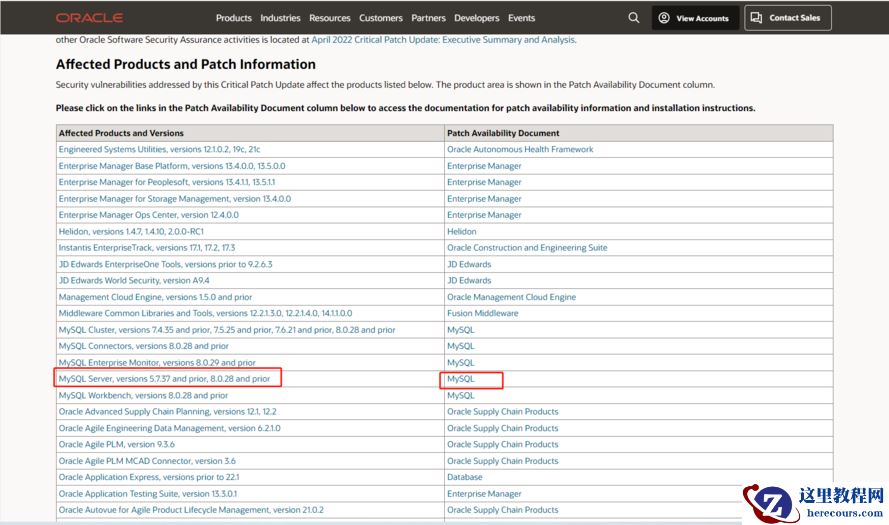
centos7.5 设置Mysql开机自启动
两种方法:
方法1:针对contos7之前,在 /etc/rc.d/rc.local文件中设置非系统服务开机自启动!注意contos7之后也是可以使用的,但是建议使用方法2,并且/etc/rc.d/rc.local文件中会有提示建议你添加systemd服务!
文件会在linux系统各项服务都启动完毕后再被运行,可以将脚本路径加到该文件里
/etc/rc.d/rc.local
注意:
/etc/rc.d/rc.local 用于添加开机启动命令
/etc/rc.local是/etc/rc.d/rc.local的软连接
1.确保权限
chmod +x /etc/rc.d/rc.local
2.创建mysql启动脚本
[root@B-JS25-BASE79-00 ~]# cat start_mysql.sh
/usr/local/mysql/bin/mysqld_safe --defaults-file=/etc/my.cnf &
给该脚本权限
chmod +x start_mysql.sh
3.编辑/etc/rc.d/rc.local文件,在末尾添加前面定义的启动脚本
vi /etc/rc.d/rc.local
/root/start_mysql.sh
4.最后重启,试试效果
reboot
5.待服务器启动后,查看mysql进程,如下所示,发现数据库自启动了!
[root@B-JS25-BASE79-00 ~]# ps -ef | grep mysql
root 1073 1 0 15:49 ? 00:00:00 /bin/sh /usr/local/mysql/bin/mysqld_safe --defaults-file=/etc/my.cnf
mysql 2375 1073 7 15:50 ? 00:00:00 /usr/local/mysql/bin/mysqld --defaults-file=/etc/my.cnf --basedir=/usr/local/mysql --datadir=/home/data/mysql --plugin-dir=/usr/local/mysql/lib/plugin --user=mysql --log-error=B-JS25-BASE79-00.err --open-files-limit=65535 --pid-file=/home/data/mysql/mysql.pid --socket=/tmp/mysql.sock --port=3306
注意:如果是centos7之后,/etc/rc.d/rc.local文件中有提示,建议你添加systemd服务器,
[root@bogon rc.d]# cat /etc/rc.d/rc.local
#!/bin/bash
# THIS FILE IS ADDED FOR COMPATIBILITY PURPOSES
#
It is highly advisable to create own systemd services or udev rules
# to run scripts during boot instead of using this file.
# In contrast to previous versions due to parallel execution during boot
# this script will NOT be run after all other services.
#
# Please note that you must run 'chmod +x /etc/rc.d/rc.local' to ensure
# that this script will be executed during boot.
touch /var/lock/subsys/local
方法2:如果是系统服务,那么可以使用systemctl enable mysqld.service来设置开机自启动!
1)如果是使用yum安装,那么就会自动添加mysql成系统服务,那么可以直接systemctl enable mysqld.service设置开机自启动:
启动mysql服务
systemctl start mysqld.service
停止mysql服务
systemctl stop mysqld.service
重启mysql服务
systemctl restart mysqld.service
查看mysql服务当前状态
systemctl status mysqld.service
设置mysql服务开机自启动!!!
systemctl enable mysqld.service
停止mysql服务开机自启动
systemctl disable mysqld.service
2)如果不是yum安装,就需要先把非系统服务添加systemctl服务中,这样就成为了linux系统服务了,然后就可以使用systemctl enable mysqld.service设置开机自启动:
1、首先添加到linux的
systemd
服务:如下三个目录均可以
/lib/system/system/
使用CentOS官方提供的软件安装后,默认的启动脚本配置文件都放在这里,这里的数据尽量不要修改。要修改时,请到 /etc/system/system低下修改较佳。
/etc/system/system/ -----tidb的服务都是添加到这个目录下,
管理员依据主机系统的需求所建立的执行脚本,其实这个目录有点像之前的/etc/rc.d/rc5.d/Sxx 之类的功能。执行优先顺序要比/run/system/system/ 高。
/run/system/system/
系统执行过程中所产生的服务脚本。
定义一个测试服务名字为:mysql3307.service的服务,添加到/etc/system/system/目录中,这样就添加到linux systemd服务了!
[root@java system]# pwd
/etc/systemd/system
[root@java system]#cat mysql3307.service
[Unit]
Description=MySQL Server
After=network.target
[Install]
WantedBy=multi-user.target
[Service]
Type=forking
TimeoutSec=0
PermissionsStartOnly=true
ExecStart=/data/mysql57/bin/mysqld --defaults-file=/etc/my3307.cnf --daemonize
#修改成你自己的启动命令!
LimitNOFILE = 65535
Restart=always
RestartSec=3
RestartPreventExitStatus=1
PrivateTmp=false
此服务的其它的一些操作命令;
systemctl enable mysql3307.service ---设置开启自启动
systemctl start mysql3307.service ----开启此服务
systemctl stop mysql3307.service -----关闭此服务
systemctl status mysql3307.service -----查看服务状态
注意 ; (1)/data/mysql57/bin/mysqld 路径为 可执行文档所在路径;/etc/my3307.cnf 配置未见;
(2)Restart=on-failure 是决定 服务Failure 时,是否自动拉起;RestartSec=3 尝试拉起间隔;
Restart=always决定服务都自动拉起,tidb就是使用的always
编辑推荐:
下一篇:
相关推荐
-

-
-
-
-
-
-
-
-
-
-
-
-
-
-

雷神推出 MIX PRO II 迷你主机:基于 Ultra 200H,玻璃上盖 + ARGB 灯效
2 月 9 日消息,雷神 (THUNDEROBOT) 现已宣布推出基于英
-

制造商 Musnap 推出彩色墨水屏电纸书 Ocean C:支持手写笔、第三方安卓应用
2 月 10 日消息,制造商 Musnap 现已在海外推出一款 Oce

热文推荐
- 使用RestCloud ETL Shell组件实现定时调度DataX离线任务
- Restcloud新手小白使用感受

Restcloud新手小白使用感受
26-03-01 - 包拯断案 | 别再让慢sql背锅@还故障一个真相

包拯断案 | 别再让慢sql背锅@还故障一个真相
26-03-01 - RestCloud ETL WebService数据同步到本地

RestCloud ETL WebService数据同步到本地
26-03-01 - RestCloud ETL解决shell脚本参数化

RestCloud ETL解决shell脚本参数化
26-03-01 - RestCloud ETL与Kettle对比分析

RestCloud ETL与Kettle对比分析
26-03-01 - ETL过程中数据精度不准确问题

ETL过程中数据精度不准确问题
26-03-01 - Java培训MySQL体系构架、存储引擎和索引结构
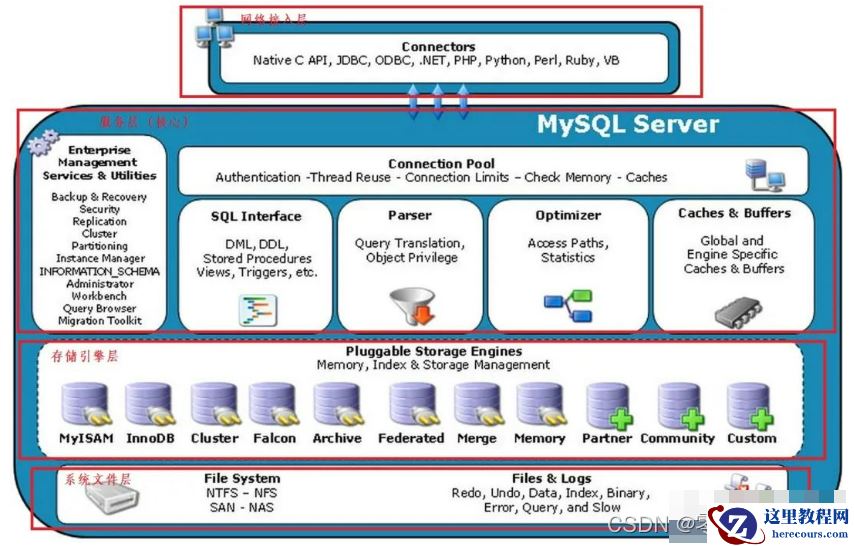
Java培训MySQL体系构架、存储引擎和索引结构
26-03-01 - 谁有Oracle Support Identifier帐号,帮我下载一个漏洞补丁,万分感谢。。膜拜。。
- 国内首款开源MySQL HTAP数据库即将发布,三大看点提前告知

国内首款开源MySQL HTAP数据库即将发布,三大看点提前告知
26-03-01