
CHG: Restart Dataguard Standby databases Stop Dataguard Standby Database: PreStep: Backout the CI on the OEM You could backup the whole CN_DATABASE during the CHG. Step 1: Stop Primary redo transport on DR Server: Redo transport can be stopoed on DR with dataguard broker $ dgmgrl / DGMGRL> show configuration; DGMGRL> show database shrars; DGMGRL> EDIT DATABASE shrars SET STATE='TRANSPORT-OFF'; DGMGRL> show database shrars; Step 2: Stop Standby Redo Apply DGMGRL> show database shrars_sb; DGMGRL> EDIT DATABASE shrars_sb SET STATE='APPLY-OFF'; DGMGRL> show database shrars_sb; Step 3: Stop listener $ lsnrctl status listener_shrars $ lsnrctl stop listener_shrars $ lsnrctl status listener_shrars Step 4: Stop database $ sqlplus / as sysdba; SQL> shutdown immediate; Step 5: Check and stop OEM agent $ cd /data/oracle/product/agent/agent12c/core/12.1.0.5.0/bin $ ./emctl status agent $ ./emctl stop agent Start Dataguard Standby Database: Step 1: Start listener: $ lsnrctl start listener_shrars $ lsnrctl status listener_shrars Step 2: Start Database $ sqlplus / as sysdba; SQL> startup mount; Step 3: Start Standby Redo Apply $ dgmgrl / DGMGRL> show configuration; DGMGRL> show database shrars_sb; DGMGRL> EDIT DATABASE shrars_sb SET STATE='APPLY-ON'; DGMGRL> show database shrars_sb; Step 4: Stop Primary redo transport on DR Server DGMGRL> show database shrars; DGMGRL> EDIT DATABASE shrars SET STATE='TRANSPORT-ON'; DGMGRL> show database shrars; Step 5: Check and stop OEM agent $ cd /data/oracle/product/agent/agent12c/core/12.1.0.5.0/bin $ ./emctl status agent $ ./emctl start agent
CHG: Restart Dataguard Standby databases
来源:这里教程网
时间:2026-03-03 11:56:06
作者:
编辑推荐:
- CHG: Restart Dataguard Standby databases03-03
- word2010怎么插入图表03-03
- Word2010怎么并排查看多个文档03-03
- oracle数据泵导入遭遇bug记录03-03
- 怎么设置word2010的纸张大小03-03
- 在Word2010中绘制流程图的方法步骤03-03
- [20180819]关于父子游标问题(11g).txt03-03
- OCP认证052考试最新题库及答案整理-803-03
下一篇:
相关推荐
-

-
-
-
-
-
-
-
-
-
-
-
-
-
-

雷神推出 MIX PRO II 迷你主机:基于 Ultra 200H,玻璃上盖 + ARGB 灯效
2 月 9 日消息,雷神 (THUNDEROBOT) 现已宣布推出基于英
-

制造商 Musnap 推出彩色墨水屏电纸书 Ocean C:支持手写笔、第三方安卓应用
2 月 10 日消息,制造商 Musnap 现已在海外推出一款 Oce
热文推荐
- buffer busy waits引起的会话突增
buffer busy waits引起的会话突增
26-03-03 - Check FRA usage
Check FRA usage
26-03-03 - Install Oracle 11g on Red Hat Enterprise 6.5
- Word2010怎么改变文字方向
Word2010怎么改变文字方向
26-03-03 - 关于高水位的知识

关于高水位的知识
26-03-03 - ORACLE 12C 优化器的一些新特性总结(一)
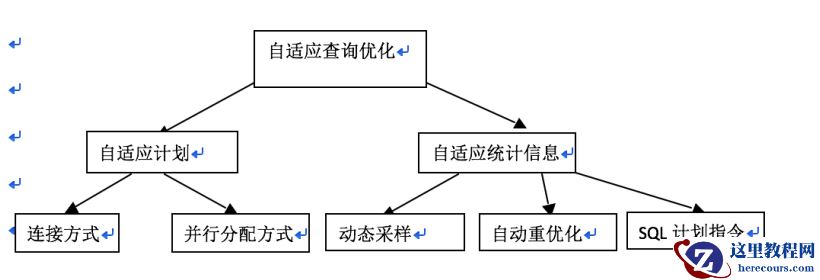
ORACLE 12C 优化器的一些新特性总结(一)
26-03-03 - SACC2018:深度培训课程破解千万级项目落地方案

SACC2018:深度培训课程破解千万级项目落地方案
26-03-03 - 自治数据库是甲骨文跻身云计算超级玩家的致胜关键吗?

自治数据库是甲骨文跻身云计算超级玩家的致胜关键吗?
26-03-03 - ORACLE 12C 优化器的一些新特性总结(二)

ORACLE 12C 优化器的一些新特性总结(二)
26-03-03 - 注册静态监听(Register static listener)

注册静态监听(Register static listener)
26-03-03