
11.2.0.4.rac 主机修改时区导致db无法open os:redhat linux db:11.2.0.4 rac desc:crs启动后,除db外都可以正常启动。 查看crs和db的log,文件最后修改时间跟主机时间一致,但log里的时间不一致,如下为crs和dblog里的日志 crs log ========================================== 2015-05-04 10:30:24.139: [client(19430)]CRS-4743:File /u02/app/11.2.0/grid/oc4j/j2ee/home/OC4J_DBWLM_config/system-jazn-data.xml was updated from OCR(Size: 13365(New), 13378(Old) bytes) 2015-05-04 10:31:33.583: [cssd(18287)]CRS-1601:CSSD Reconfiguration complete. Active nodes are gzsjdb1 gzsjdb2 . 2015-05-04 10:31:56.583: [crsd(19096)]CRS-2772:Server 'gzsjdb2' has been assigned to pool 'Generic'. 2015-05-04 10:31:56.584: [crsd(19096)]CRS-2772:Server 'gzsjdb2' has been assigned to pool 'ora.jzxn'. #出问题时日志 2015-05-04 16:31:02.619: #问题解决后的日志 [client(26295)]CRS-10051:CVU found following errors with Clusterware setup : PRVF-7573 : Sufficient swap size is not available on node "gzsjdb1" [Required = 16GB (1.6777216E7KB) ; Found = 10GB (1.0485752E7KB)] PRVF-5415 : Check to see if NTP daemon or service is running failed PRVG-1101 : SCAN name "scan-cl db log ============================ Fri Jun 12 03:45:16 2015 #出问题时日志 Thread 1 advanced to log sequence 54 (LGWR switch) Current log# 3 seq# 54 mem# 0: /oradata/oradata/jzxn/redo03.log Fri Jun 12 03:47:38 2015 Thread 1 cannot allocate new log, sequence 55 Checkpoint not complete Current log# 3 seq# 54 mem# 0: /oradata/oradata/jzxn/redo03.log Fri Jun 12 03:47:43 2015 opidcl aborting process unknown ospid (29020) as a result of ORA-28 Fri Jun 12 05:13:24 2015 Thread 1 advanced to log sequence 55 (LGWR switch) Current log# 1 seq# 55 mem# 0: /oradata/oradata/jzxn/redo01.log Fri Jun 12 14:31:04 2015 #问题解决后的日志 Starting ORACLE instance (normal) ************************ Large Pages Information ******************* Per process system memlock (soft) limit = UNLIMITED Total Shared Global Region in Large Pages = 0 KB (0%) 解决过程:起初没有注意这个时间问题,对crs重启后,仍然是db的资源不正常,后发现日志时间不对,经询问项目组节点2由默认时间(Etc/GMT-1)改为东8区(Asia/Shanghai)的时区后,节点2就无法连接db,节点1修改时区后仍可连接。直至今天节点1也无法连接db. 出现db日志、crs日志等和主机时间不一致,是因为在rac新颁布中,grid也有属于自己的时区,在安装过程中,默认值与操作系统的TZ环境变量相同。 本例是因为时间不一致,导致db无法open,修改grid时区后,重启crs,db可以正常open. 1.查看系统时区 $cat /etc/sysconfig/clock ZONE=Asia/Shanghai 2.查看crs里配置的时区 [root@gzsjdb1 install]# cat s_crsconfig_gzsjdb1_env.txt.bak ### This file can be used to modify the NLS_LANG environment variable, which determines the charset to be used for messages. ### For example, a new charset can be configured by setting NLS_LANG=JAPANESE_JAPAN.UTF8 ### Do not modify this file except to change NLS_LANG, or under the direction of Oracle Support Services TZ=Etc/GMT-1 #仍然为默认的美国时区 NLS_LANG=AMERICAN_AMERICA.AL32UTF8 TNS_ADMIN= ORACLE_BASE= 3.修改crs的时区为Asia/Shanghai [root@gzsjdb1 install]# cat s_crsconfig_gzsjdb1_env.txt ### This file can be used to modify the NLS_LANG environment variable, which determines the charset to be used for messages. ### For example, a new charset can be configured by setting NLS_LANG=JAPANESE_JAPAN.UTF8 ### Do not modify this file except to change NLS_LANG, or under the direction of Oracle Support Services TZ=Asia/Shanghai NLS_LANG=AMERICAN_AMERICA.AL32UTF8 TNS_ADMIN= ORACLE_BASE= [root@gzsjdb1 install]# pwd /u02/app/11.2.0/grid/crs/install [root@gzsjdb1 install]# 4.重启crs 5.经验证crs日志,db日志等都与主机保持一致,通过plsqldev可以登录数据库。 [root@gzsjdb2 ~]# date Fri Jun 12 15:12:58 CST 2015
RAC下主机修改时区导致db无法open
来源:这里教程网
时间:2026-03-03 12:54:13
作者:
编辑推荐:
- RAC下主机修改时区导致db无法open03-03
- RMAN全备后如何恢复表空间03-03
- Word文档排版小技巧,Word排版必会知识教程03-03
- Word2010导航功能阅读超长文档技巧03-03
- Oracle集群技术 | OLR与套接字文件(二)03-03
- Word表格操作技巧大全03-03
- Word中的几个文本选择技巧03-03
- Oracle“并行执行”——监控视图03-03
下一篇:
相关推荐
-

-
-
-
-
-
-
-
-
-
-
-
-
-
-

雷神推出 MIX PRO II 迷你主机:基于 Ultra 200H,玻璃上盖 + ARGB 灯效
2 月 9 日消息,雷神 (THUNDEROBOT) 现已宣布推出基于英
-

制造商 Musnap 推出彩色墨水屏电纸书 Ocean C:支持手写笔、第三方安卓应用
2 月 10 日消息,制造商 Musnap 现已在海外推出一款 Oce

热文推荐
- RMAN命令LIST操作总结
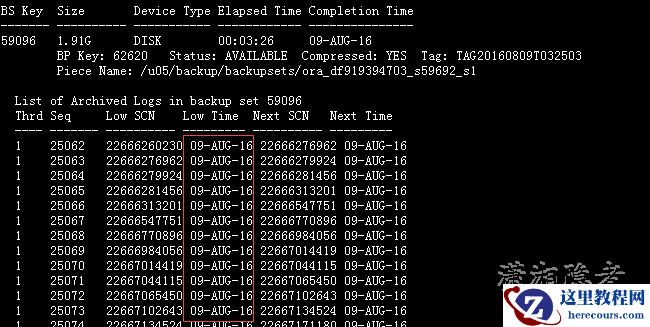
RMAN命令LIST操作总结
26-03-03 - Oracle各版本补丁的支持周期
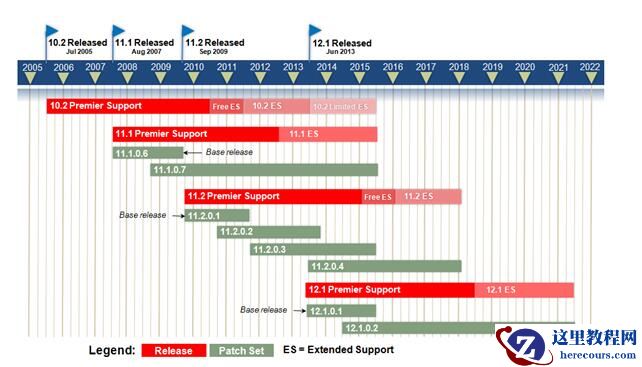
Oracle各版本补丁的支持周期
26-03-03 - Flashback database必须要有之前的archivelog吗?
- Oracle11gR2 Smart Flash Cache测试说明

Oracle11gR2 Smart Flash Cache测试说明
26-03-03 - RMAN -- Frequently Asked Question (FAQ) (Doc ID 469777.1)
- Word 中如何取消所有的超级链接 技巧

Word 中如何取消所有的超级链接 技巧
26-03-03 - Oracle11g RAC安装GI时会遇到INS-06006报错处理过程
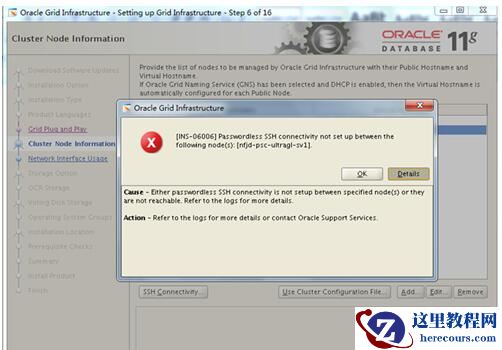
Oracle11g RAC安装GI时会遇到INS-06006报错处理过程
26-03-03 - Oracle利用coe_load_sql_profile脚本绑定执行计划

Oracle利用coe_load_sql_profile脚本绑定执行计划
26-03-03 - Oracle静态监听和动态监听

Oracle静态监听和动态监听
26-03-03 - 静默错误:为什么看了那么多灾难,还是过不好备份这一关?

静默错误:为什么看了那么多灾难,还是过不好备份这一关?
26-03-03
