
[20190510]快速建立执行脚本.txt --//上午在测试建立表空间备份时,浪费一点点时间.脚本如下: $ cat d10.sql drop tablespace t01 including contents and datafiles; drop tablespace t02 including contents and datafiles; drop tablespace t03 including contents and datafiles; drop tablespace t04 including contents and datafiles; drop tablespace t05 including contents and datafiles; drop tablespace t06 including contents and datafiles; drop tablespace t07 including contents and datafiles; drop tablespace t08 including contents and datafiles; drop tablespace t09 including contents and datafiles; drop tablespace t10 including contents and datafiles; CREATE TABLESPACE T01 DATAFILE '/mnt/ramdisk/book/T01.dbf' SIZE 6M AUTOEXTEND OFF LOGGING ONLINE EXTENT MANAGEMENT LOCAL AUTOALLOCATE BLOCKSIZE 8K SEGMENT SPACE MANAGEMENT AUTO FLASHBACK ON; CREATE TABLESPACE T02 DATAFILE '/mnt/ramdisk/book/T02.dbf' SIZE 6M AUTOEXTEND OFF LOGGING ONLINE EXTENT MANAGEMENT LOCAL AUTOALLOCATE BLOCKSIZE 8K SEGMENT SPACE MANAGEMENT AUTO FLASHBACK ON; CREATE TABLESPACE T03 DATAFILE '/mnt/ramdisk/book/T03.dbf' SIZE 6M AUTOEXTEND OFF LOGGING ONLINE EXTENT MANAGEMENT LOCAL AUTOALLOCATE BLOCKSIZE 8K SEGMENT SPACE MANAGEMENT AUTO FLASHBACK ON; CREATE TABLESPACE T04 DATAFILE '/mnt/ramdisk/book/T04.dbf' SIZE 6M AUTOEXTEND OFF LOGGING ONLINE EXTENT MANAGEMENT LOCAL AUTOALLOCATE BLOCKSIZE 8K SEGMENT SPACE MANAGEMENT AUTO FLASHBACK ON; CREATE TABLESPACE T05 DATAFILE '/mnt/ramdisk/book/T05.dbf' SIZE 6M AUTOEXTEND OFF LOGGING ONLINE EXTENT MANAGEMENT LOCAL AUTOALLOCATE BLOCKSIZE 8K SEGMENT SPACE MANAGEMENT AUTO FLASHBACK ON; CREATE TABLESPACE T06 DATAFILE '/mnt/ramdisk/book/T06.dbf' SIZE 6M AUTOEXTEND OFF LOGGING ONLINE EXTENT MANAGEMENT LOCAL AUTOALLOCATE BLOCKSIZE 8K SEGMENT SPACE MANAGEMENT AUTO FLASHBACK ON; CREATE TABLESPACE T07 DATAFILE '/mnt/ramdisk/book/T07.dbf' SIZE 6M AUTOEXTEND OFF LOGGING ONLINE EXTENT MANAGEMENT LOCAL AUTOALLOCATE BLOCKSIZE 8K SEGMENT SPACE MANAGEMENT AUTO FLASHBACK ON; CREATE TABLESPACE T08 DATAFILE '/mnt/ramdisk/book/T08.dbf' SIZE 6M AUTOEXTEND OFF LOGGING ONLINE EXTENT MANAGEMENT LOCAL AUTOALLOCATE BLOCKSIZE 8K SEGMENT SPACE MANAGEMENT AUTO FLASHBACK ON; CREATE TABLESPACE T09 DATAFILE '/mnt/ramdisk/book/T09.dbf' SIZE 6M AUTOEXTEND OFF LOGGING ONLINE EXTENT MANAGEMENT LOCAL AUTOALLOCATE BLOCKSIZE 8K SEGMENT SPACE MANAGEMENT AUTO FLASHBACK ON; CREATE TABLESPACE T10 DATAFILE '/mnt/ramdisk/book/T10.dbf' SIZE 6M AUTOEXTEND OFF LOGGING ONLINE EXTENT MANAGEMENT LOCAL AUTOALLOCATE BLOCKSIZE 8K SEGMENT SPACE MANAGEMENT AUTO FLASHBACK ON; create table t01 tablespace t01 as select rownum id ,to_char(rownum,'FM000000')||lpad('A',26,'A') name from dual connect by level<=1e5; create table t02 tablespace t02 as select rownum id ,to_char(rownum,'FM000000')||lpad('B',26,'B') name from dual connect by level<=1e5; create table t03 tablespace t03 as select rownum id ,to_char(rownum,'FM000000')||lpad('C',26,'C') name from dual connect by level<=1e5; create table t04 tablespace t04 as select rownum id ,to_char(rownum,'FM000000')||lpad('D',26,'D') name from dual connect by level<=1e5; create table t05 tablespace t05 as select rownum id ,to_char(rownum,'FM000000')||lpad('E',26,'E') name from dual connect by level<=1e5; create table t06 tablespace t06 as select rownum id ,to_char(rownum,'FM000000')||lpad('F',26,'F') name from dual connect by level<=1e5; create table t07 tablespace t07 as select rownum id ,to_char(rownum,'FM000000')||lpad('G',26,'G') name from dual connect by level<=1e5; create table t08 tablespace t08 as select rownum id ,to_char(rownum,'FM000000')||lpad('H',26,'H') name from dual connect by level<=1e5; create table t09 tablespace t09 as select rownum id ,to_char(rownum,'FM000000')||lpad('I',26,'I') name from dual connect by level<=1e5; create table t10 tablespace t10 as select rownum id ,to_char(rownum,'FM000000')||lpad('J',26,'J') name from dual connect by level<=1e5; alter system checkpoint; alter system checkpoint; alter system checkpoint; --//实际上脚本很有规律.实际上单独写1个,然后替换参数就ok了. --//我开始copy and paste,一些地方忘记修改了.浪费许多时间. $ cat dx.sql drop tablespace t&1 including contents and datafiles; CREATE TABLESPACE T&1 DATAFILE '/mnt/ramdisk/book/T&1.dbf' SIZE 6M AUTOEXTEND OFF LOGGING ONLINE EXTENT MANAGEMENT LOCAL AUTOALLOCATE BLOCKSIZE 8K SEGMENT SPACE MANAGEMENT AUTO FLASHBACK ON; create table t&1 tablespace t&1 as select rownum id ,to_char(rownum,'FM000000')||lpad('&&2',26,'&&2') name from dual connect by level<=1e5; SCOTT@book> @ dx 01 A old 1: drop tablespace t&1 including contents and datafiles new 1: drop tablespace t01 including contents and datafiles Tablespace dropped. old 1: CREATE TABLESPACE T&1 DATAFILE '/mnt/ramdisk/book/T&1.dbf' SIZE 6M AUTOEXTEND OFF LOGGING ONLINE EXTENT MANAGEMENT LOCAL AUTOALLOCATE BLOCKSIZE 8K SEGMENT SPACE MANAGEMENT AUTO FLASHBACK ON new 1: CREATE TABLESPACE T01 DATAFILE '/mnt/ramdisk/book/T01dbf' SIZE 6M AUTOEXTEND OFF LOGGING ONLINE EXTENT MANAGEMENT LOCAL AUTOALLOCATE BLOCKSIZE 8K SEGMENT SPACE MANAGEMENT AUTO FLASHBACK ON Tablespace created. old 1: create table t&1 tablespace t&1 as select rownum id ,to_char(rownum,'FM000000')||lpad('&&2',26,'&&2') name from dual connect by level<=1e5 new 1: create table t01 tablespace t01 as select rownum id ,to_char(rownum,'FM000000')||lpad('A',26,'A') name from dual connect by level<=1e5 Table created. --//这样又快有简单,不容易出错. --//如何建立1到10个呢? $ paste -d " " <(seq -f "%02g" 10 ) <((echo A B C D E F G H I J | tr ' ' '\n' )) | xargs -IQ echo @ dx Q @ dx 01 A @ dx 02 B @ dx 03 C @ dx 04 D @ dx 05 E @ dx 06 F @ dx 07 G @ dx 08 H @ dx 09 I @ dx 10 J --//执行如下就可以了. $ paste -d " " <(seq -f "%02g" 10 ) <((echo A B C D E F G H I J | tr ' ' '\n' )) | xargs -IQ echo @ dx Q | sqlplus -s -l scott/book --//还有一点奇怪的地方是 $ echo $BASH_VERSION 3.2.25(1)-release $ echo {A..F}| tr ' ' '\n' A B C D E F --//可以发现可以每行输出1个. $ paste -d " " <(seq -f "%02g" 6 ) <(echo {A..F}| tr ' ' '\n' ) 01 A B C D E F 02 03 04 05 06 --//感觉这个是BUG(我的测试Oracle Linux Server release 5.9,我感觉这个版本bash的问题多多),我在rhel 7 测试没有问题. --//这样写就没有问题.不知道为什么. $ paste -d " " <(seq -f "%02g" 6 ) <(echo A B C D E F| tr ' ' '\n' ) 01 A 02 B 03 C 04 D 05 E 06 F
[20190510]快速建立执行脚本.txt
来源:这里教程网
时间:2026-03-03 13:38:44
作者:
编辑推荐:
- [20190510]快速建立执行脚本.txt03-03
- [20190510]rman备份的疑问8.txt03-03
- oracle复合索引介绍(多字段索引)03-03
- oracle 固定执行计划03-03
- 4-dw_退化维03-03
- PostgreSQL、Oracle/MySQL和SQL Server的MVCC实现原理方式03-03
- ORACLE统计抽样默认比例03-03
- 2011-10-10 COLLECTION的EXISTS接受NULL参数的表现03-03
下一篇:
相关推荐
-

-
-
-
-
-
-
-
-
-
-
-
-
-
-

雷神推出 MIX PRO II 迷你主机:基于 Ultra 200H,玻璃上盖 + ARGB 灯效
2 月 9 日消息,雷神 (THUNDEROBOT) 现已宣布推出基于英
-

制造商 Musnap 推出彩色墨水屏电纸书 Ocean C:支持手写笔、第三方安卓应用
2 月 10 日消息,制造商 Musnap 现已在海外推出一款 Oce

热文推荐
- oracle 固定执行计划
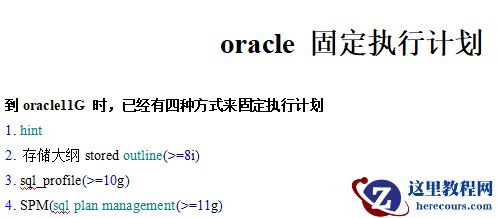
oracle 固定执行计划
26-03-03 - 4-dw_退化维

4-dw_退化维
26-03-03 - Oracle RAC+DG环境搭建(CentOS 7+Oracle 12C)(二)配置远程桌面
- oracle spool

oracle spool
26-03-03 - Oracle ADW业务数据平台点亮DTCC2019数据库技术大会!

Oracle ADW业务数据平台点亮DTCC2019数据库技术大会!
26-03-03 - 2011-10-13 10G新特性DML ERROR LOG
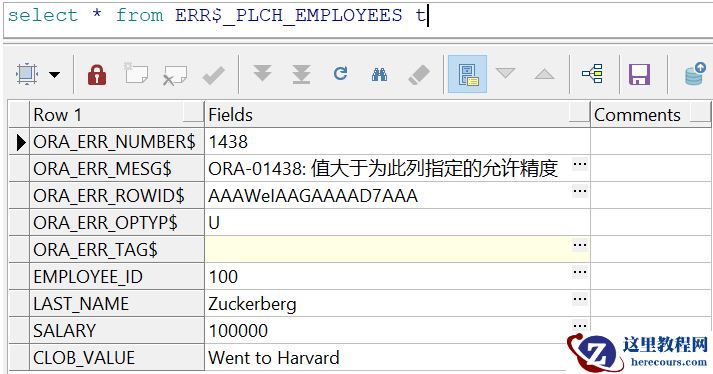
2011-10-13 10G新特性DML ERROR LOG
26-03-03 - 大会资料下载|热门技术风口下开发者应该关注些什么?

大会资料下载|热门技术风口下开发者应该关注些什么?
26-03-03 - 1-dw_数据仓库
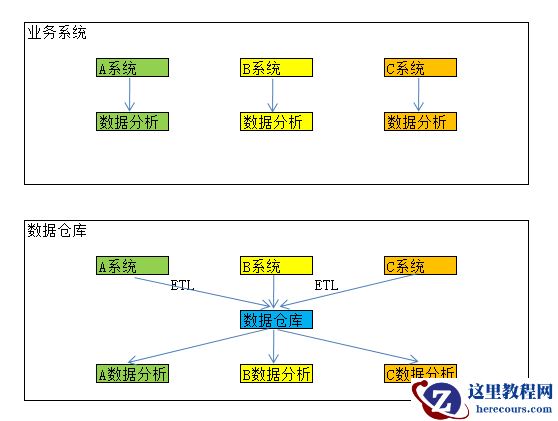
1-dw_数据仓库
26-03-03 - 2-dw_事实表、维度表

2-dw_事实表、维度表
26-03-03 - [20190506]视图嵌套与绑定变量.txt
![[20190506]视图嵌套与绑定变量.txt](https://www.herecours.com/d/file/efpub/2026/03-03/20260303132007833059.jpg?x-oss-process=style/bb "[20190506]视图嵌套与绑定变量.txt")
[20190506]视图嵌套与绑定变量.txt
26-03-03