[20200214]xargs与别名.txt --//上午在优化sql语句时,发现xargs与alias的程序存在一点点小问题,做一个记录。 $ alias rrlsql='rlwrap sqlplus ' $ rrlsql -s -l scott/book @ ver1 <<< ' ' PORT_STRING VERSION BANNER ------------------------------ -------------- -------------------------------------------------------------------------------- x86_64/Linux 2.4.xx 11.2.0.4.0 Oracle Database 11g Enterprise Edition Release 11.2.0.4.0 - 64bit Production $ echo @ver1 | xargs -I{} rrlsql scott/book {} xargs: rrlsql: No such file or directory --//也就是xargs不支持别名,应该是另外开一个shell,里面的环境与登录的bash shell环境不一致。 $ echo @ver1 | xargs -I{} sqlplus -s -l scott/book {} PORT_STRING VERSION BANNER ------------------------------ -------------- -------------------------------------------------------------------------------- x86_64/Linux 2.4.xx 11.2.0.4.0 Oracle Database 11g Enterprise Edition Release 11.2.0.4.0 - 64bit Production $ alias ls alias ls='ls --color=auto --time-style=+"%Y-%m-%d %H:%M:%S"' $ echo bb1.txt | xargs ls -l -rw-r--r-- 1 oracle oinstall 230 Feb 12 16:03 bb1.txt $ ls -l bb1.txt -rw-r--r-- 1 oracle oinstall 230 2020-02-12 16:03:45 bb1.txt --//注意我显示的日期格式,执行时并没有现在别名ls。 https://stackoverflow.com/questions/34795432/using-xargs-to-pass-a-variable-to-alias-command https://stackoverflow.com/questions/979453/how-can-i-use-aliased-commands-with-xargs $ echo bb1.txt | xargs -IQ bash -c 'ls -l Q' -rw-r--r-- 1 oracle oinstall 230 Feb 12 16:03 bb1.txt --//不行。 $ echo bb1.txt | xargs -IQ bash -ic 'ls -l Q' -rw-r--r-- 1 oracle oinstall 230 2020-02-12 16:03:45 bb1.txt https://stackoverflow.com/questions/979453/how-can-i-use-aliased-commands-with-xargs Aliases are shell-specific - in this case, most likely bash-specific. To execute an alias, you need to execute bash, but aliases are only loaded for interactive shells (more precisely, .bashrc will only be read for an interactive shell). bash -i runs an interactive shell (and sources .bashrc). bash -c cmd runs cmd. --//我必须讲别名放入.bashrc文件中,重新登录打开新的终端: --//加入如下.bashrc. alias rrlsql='rlwrap sqlplus ' $ echo @ver1 | xargs -IQ bash -ci 'rrlsql -s -l scott/book Q' PORT_STRING VERSION BANNER ------------------------------ -------------- -------------------------------------------------------------------------------- x86_64/Linux 2.4.xx 11.2.0.4.0 Oracle Database 11g Enterprise Edition Release 11.2.0.4.0 - 64bit Production --//OK!! --//在测试中我还遇到一个问题。 $ echo 4xamnunv51w9j | xargs -IQ bash -ci rrlsql -s -l scott/book @dpc Q '' SQL*Plus: Release 11.2.0.4.0 Production on Fri Feb 14 16:07:46 2020 Copyright (c) 1982, 2013, Oracle. All rights reserved. Enter user-name: --//必须加双引号才OK。 $ echo 4xamnunv51w9j | xargs -IQ bash -ci "rrlsql -s -l scott/book @dpc Q ''" PLAN_TABLE_OUTPUT ------------------------------------- SQL_ID 4xamnunv51w9j, child number 0 ------------------------------------- select * from dept where deptno=10 Plan hash value: 2852011669 ---------------------------------------------------------------------------------------- | Id | Operation | Name | E-Rows |E-Bytes| Cost (%CPU)| E-Time | ---------------------------------------------------------------------------------------- | 0 | SELECT STATEMENT | | | | 1 (100)| | | 1 | TABLE ACCESS BY INDEX ROWID| DEPT | 1 | 20 | 1 (0)| 00:00:01 | |* 2 | INDEX UNIQUE SCAN | PK_DEPT | 1 | | 0 (0)| | ---------------------------------------------------------------------------------------- Query Block Name / Object Alias (identified by operation id): ------------------------------------------------------------- 1 - SEL$1 / DEPT@SEL$1 2 - SEL$1 / DEPT@SEL$1 Predicate Information (identified by operation id): --------------------------------------------------- 2 - access("DEPTNO"=10) Note ----- - Warning: basic plan statistics not available. These are only collected when: * hint 'gather_plan_statistics' is used for the statement or * parameter 'statistics_level' is set to 'ALL', at session or system level 31 rows selected. argment : typical all advanced partition predicate remote note parallel projection alias peeked_binds outline adaptive --//另外的问题: --//我的rlsql定义的是函数 $ echo 4xamnunv51w9j | xargs -IQ rlsql -s -l scott/book @dpc Q '' Enter value for 2: SP2-0546: User requested Interrupt or EOF detected. argment : typical all advanced partition predicate remote note parallel projection alias peeked_binds outline adaptive --//最后1个参数''无法解析,加入引号或者\转义可以通过。 $ echo 4xamnunv51w9j | xargs -IQ rlsql -s -l scott/book @dpc Q "''" $ echo 4xamnunv51w9j | xargs -IQ rlsql -s -l scott/book @dpc Q \'\' $ echo 4xamnunv51w9j | xargs -IQ rlsql -s -l scott/book @dpc Q all
[20200214]xargs与别名.txt
来源:这里教程网
时间:2026-03-03 15:02:49
作者:
编辑推荐:
下一篇:
相关推荐
-

-
-
-
-
-
-
-
-
-
-
-
-
-
-

雷神推出 MIX PRO II 迷你主机:基于 Ultra 200H,玻璃上盖 + ARGB 灯效
2 月 9 日消息,雷神 (THUNDEROBOT) 现已宣布推出基于英
-

制造商 Musnap 推出彩色墨水屏电纸书 Ocean C:支持手写笔、第三方安卓应用
2 月 10 日消息,制造商 Musnap 现已在海外推出一款 Oce
![ORA-07445: exception encountered: core dump [kglic0()+774]](https://www.herecours.com/d/file/efpub/2026/03-03/20260303140743838137.jpg?x-oss-process=style/bb "ORA-07445: exception encountered: core dump [kglic0()+774]")
热文推荐
- Oracle日常问题处理ORA-04031

Oracle日常问题处理ORA-04031
26-03-03 - Oracle日常问题-数据库无法启动(案例一)

Oracle日常问题-数据库无法启动(案例一)
26-03-03 - ACE(04):我的 2020 年 ACE 计划

ACE(04):我的 2020 年 ACE 计划
26-03-03 - ORA-07445: exception encountered: core dump [kglic0()+774]
- 2020 从新开始:你应该知道的Oracle认证新变化
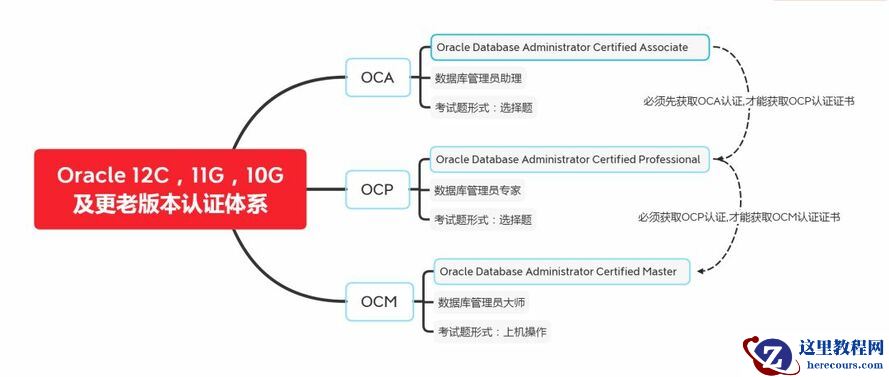
2020 从新开始:你应该知道的Oracle认证新变化
26-03-03 - Oracle 12C新特性-数据泵新参数(VIEWS_AS_TABLES)
- 直播预告丨先睹为快!Oracle 20c新特性解析 - 2020云和恩墨大讲堂
- startup 启动报错
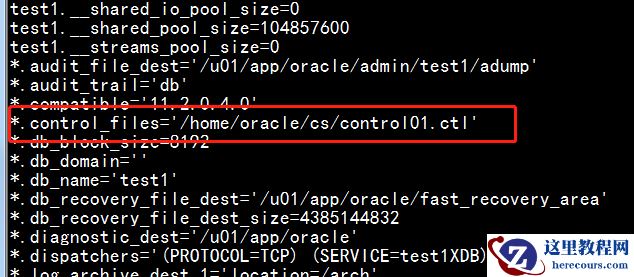
startup 启动报错
26-03-03 - 5-10年的DBA如何独当一面?这10个建议送给你(附图书工具推荐)
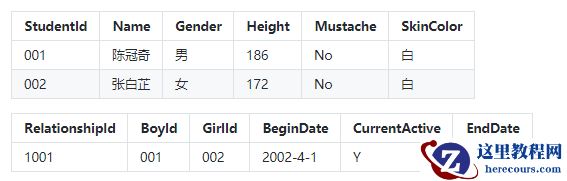
5-10年的DBA如何独当一面?这10个建议送给你(附图书工具推荐)
26-03-03 - Oracle 12C升级到18C

Oracle 12C升级到18C
26-03-03