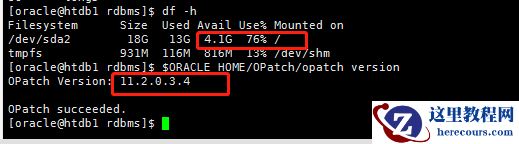
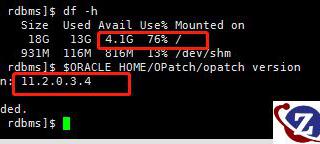
下载安装psu补丁(one-off的不用更新数据字典,直接apply即可) mos里输入latest opatch下载最新的OPatch工具和patch 27734982 下载需要的补丁 https://updates.oracle.com/download/6880880.html 2.下载之后上传到环境中,然后将之前的OPatch重命名,将下载的OPatch移动到ORACLE_HOME下 3.然后opatch version查看当前的版本和查看数据字典里面的版本 SQL> select action_time,version,comments from dba_registry_history; ACTION_TIME VERSION COMMENTS ------------------------------ -------------------- ------------------------- 10-SEP-19 03.37.01.011112 PM 11.2.0.4 Patchset 11.2.0.2.0 4.然后cd到下载的补丁里$ cd 27734982/ 先冲突检测 $/u01/app/oracle/product/11.2.0/db_1/OPatch/opatch prereq CheckConflictAgainstOHWithDetail -ph ./ 没有问题即可关实例、关监听开始应用 [oracle@dandb 27734982]$ /u01/app/oracle/product/11.2.0/db_1/OPatch/opatch apply Oracle Interim Patch Installer version 11.2.0.3.25 Copyright (c) 2019, Oracle Corporation. All rights reserved. Oracle Home : /u01/app/oracle/product/11.2.0/db_1 Central Inventory : /u01/app/oraInventory from : /u01/app/oracle/product/11.2.0/db_1/oraInst.loc OPatch version : 11.2.0.3.25 OUI version : 11.2.0.4.0 Log file location : /u01/app/oracle/product/11.2.0/db_1/cfgtoollogs/opatch/opatch2019-09-11_23-14-47PM_1.log Verifying environment and performing prerequisite checks... OPatch continues with these patches: 17478514 18031668 18522509 19121551 19769489 20299013 20760982 21352635 21948347 22502456 23054359 24006111 24732075 25869727 26609445 26392168 26925576 27338049 27734982 Do you want to proceed? [y|n] y User Responded with: Y 5、安装因权限问题报错,将那个报错的文件赋予权限chmod 775,回退 ./OPatch rollback -id 27734982 即回退到打27734982补丁之前 6.然后继续安装 [oracle@dandb 27734982]$ /u01/app/oracle/product/11.2.0/db_1/OPatch/opatch apply Patching component oracle.rdbms.rman, 11.2.0.4.0... Composite patch 27734982 successfully applied. Log file location: /u01/app/oracle/product/11.2.0/db_1/cfgtoollogs/opatch/opatch2019-09-11_23-30-38PM_1.log OPatch succeeded. 7.升级数据字典 [oracle@dandb ~]$ cd /u01/app/oracle/product/11.2.0/db_1/rdbms/admin [oracle@dandb admin]$ sqlplus / as sysdba SQL>startup SQL>@catbundle.sql psu apply . . . Commit complete. SQL> SPOOL off SQL> SET echo off Check the following log file for errors: /u01/app/oracle/cfgtoollogs/catbundle/catbundle_PSU_MUCHEN_APPLY_2019Sep11_23_56_35.log SQL> 7.查看数据字典里面的版本 SQL> select action_time,version,comments from dba_registry_history; SQL> select action_time,version,comments from dba_registry_history; ACTION_TIME VERSION COMMENTS ---------------------------------------- -------------------- ---------------------------------------- 10-SEP-19 03.37.01.011112 PM 11.2.0.4 Patchset 11.2.0.2.0 11-SEP-19 11.56.58.942033 PM 11.2.0.4 PSU 11.2.0.4.180717