[20201218]数据文件OS头的修复.txt --//昨天看了http://www.killdb.com/2020/12/10/数据文件头部位图block损坏怎么办,我自己以前也做过类似测试。 --//我把以前的测试看了一遍,自己感觉当时的测试非常混乱,概念也很混乱。决定重新学习,重复测试看看。 1.环境: SCOTT@book> @ ver1 PORT_STRING VERSION BANNER ------------------------------ -------------- -------------------------------------------------------------------------------- x86_64/Linux 2.4.xx 11.2.0.4.0 Oracle Database 11g Enterprise Edition Release 11.2.0.4.0 - 64bit Production SCOTT@book> alter system dump datafile 4 block 2; System altered. SCOTT@book> alter system dump datafile 4 block 3; System altered. SCOTT@book> alter system dump datafile 4 block 127; System altered. --//首先简单说明一下,数据文件第0块就是os块,如果建立数据文件指定的大小10M,而实际上生产文件大小是10+db_block_size,一般 --//选择db_block_size=8192, 这样实际文件大小是10*1024*1024+8192. --//数据文件第1块就是数据文件头,更新检查点就是写这块信息,比如执行alter system checkpoint;命令。 --//第2块为type: 0x1d=KTFB Bitmapped File Space Header --//第3块为type: 0x1e=KTFB Bitmapped File Space Bitmap ... --//第127块为type: 0x1e=KTFB Bitmapped File Space Bitmap --//说明几点:10g与11g的情况有点不同,实际上10g如果如果数据文件很大,可能在尾部还会出现位图区。参考链接: http://blog.itpub.net/267265/viewspace-2148389/ =>[20171206]位图区一定在数据文件开头吗.txt --//另外我没有考虑建立小数据文件的情况,因为生产系统不会建立很小的数据文件,比如你可以尝试建立88k的大小,这种情况不在考 --//虑以及测试范围。 --//可以参考http://blog.itpub.net/267265/viewspace-2127936/=>[20161107]关于数据文件位图区.txt --//另外我个人认为这种破坏1,2个块的情况很少出现,除非遇到oracle的bug,最大的可能前面1M的区域被覆盖。 --//当然测试恢复给几种情况单独非常测试以及恢复。 2.本测试主要解决数据文件OS头的修复: --//说明一点,os都,数据文件头是不能使用 alter system dump datafile转储的,执行成功并不能看到任何信息。 SCOTT@book> alter system dump datafile 4 block 0; System altered. SCOTT@book> alter system dump datafile 4 block 1; System altered. *** 2020-12-18 09:56:43.069 End dump data blocks tsn: 4 file#: 4 minblk 2 maxblk 0 *** 2020-12-18 09:57:36.533 Start dump data blocks tsn: 4 file#:4 minblk 1 maxblk 1 Block 1 (file header) not dumped:use dump file header command End dump data blocks tsn: 4 file#: 4 minblk 2 maxblk 1 SCOTT@book> @ bbvi 4 0 BVI_COMMAND ---------------------------------------------------------------------------------------------------- bvi -b 0 -s 8192 /mnt/ramdisk/book/users01.dbf xxd -c16 -g 2 -s 0 -l 8192 /mnt/ramdisk/book/users01.dbf dd if=/mnt/ramdisk/book/users01.dbf bs=8192 skip=0 count=1 of=4_0.dd conv=notrunc 2>/dev/null od -j 0 -N 8192 -t x1 -v /mnt/ramdisk/book/users01.dbf hexdump -s 0 -n 8192 -C -v /mnt/ramdisk/book/users01.dbf alter system dump datafile '/mnt/ramdisk/book/users01.dbf' block 0; alter session set events 'immediate trace name set_tsn_p1 level 5'; alter session set events 'immediate trace name buffer level 16777216'; 9 rows selected. $ od -j 0 -N 8192 -t x1 /mnt/ramdisk/book/users01.dbf 0000000 00 a2 00 00 00 00 c0 ff 00 00 00 00 00 00 00 00 0000020 66 32 00 00 00 20 00 00 00 c8 00 00 7d 7c 7b 7a 0000040 a0 81 00 00 00 00 00 00 00 00 00 00 00 00 00 00 0000060 00 00 00 00 00 00 00 00 00 00 00 00 00 00 00 00 * 0020000 $ ls -l /mnt/ramdisk/book/users01.dbf -rw-r----- 1 oracle oinstall 419438592 2020-12-18 10:00:50 /mnt/ramdisk/book/users01.dbf --//419438592-8192 = 419430400 --//419430400/1024/1024 = 400,数据文件大小400M。 419430400/8192 = 51200 51200 = 0xc800 --//对比另外的文件: $ ls -l /mnt/ramdisk/book/tea01.dbf -rw-r----- 1 oracle oinstall 41951232 2020-12-18 08:46:21 /mnt/ramdisk/book/tea01.dbf --//40*1024*1024+8192 = 41951232,建立数据文件大小40M。 $ od -j 0 -N 8192 -t x1 /mnt/ramdisk/book/tea01.dbf 0000000 00 a2 00 00 00 00 c0 ff 00 00 00 00 00 00 00 00 0000020 66 ee 00 00 00 20 00 00 00 14 00 00 7d 7c 7b 7a ~~~~~~~~~~~ 0000040 a0 81 00 00 00 00 00 00 00 00 00 00 00 00 00 00 0000060 00 00 00 00 00 00 00 00 00 00 00 00 00 00 00 00 * 0020000 $ od -A d -j 0 -N 8192 -t x1 /mnt/ramdisk/book/tea01.dbf 0000000 00 a2 00 00 00 00 c0 ff 00 00 00 00 00 00 00 00 0000016 66 ee 00 00 00 20 00 00 00 14 00 00 7d 7c 7b 7a 0000032 a0 81 00 00 00 00 00 00 00 00 00 00 00 00 00 00 0000048 00 00 00 00 00 00 00 00 00 00 00 00 00 00 00 00 * 0008192 --//40*1024*1024/8192 = 5120 --//5120 = 0x1400 --//对比大概就可以知道主要差异就是在这里,偏移在下划线位置0x24-0x27. --// 8192 = 0x2000,可以猜测0x20-0x21 --//0x16-0x17是校验和。 --//0x28-0x31是用来标识数据文件的特殊串,我自己这样认为的。 --//实际上这些并不重要,如果os文件头损坏,很简单你只要建立相同大小的数据文件块大小选择一致,使用它覆盖原来的os头就ok了。 3.尝试建立一个数据文件看看。 --//抽取数据文件的定义。 CREATE TABLESPACE TEA DATAFILE '/mnt/ramdisk/book/tea01.dbf' SIZE 40M AUTOEXTEND ON NEXT 1M MAXSIZE UNLIMITED LOGGING ONLINE EXTENT MANAGEMENT LOCAL AUTOALLOCATE BLOCKSIZE 8K SEGMENT SPACE MANAGEMENT MANUAL FLASHBACK ON; --//建立一个类似的数据文件大小一样就ok了。我特意建立大小一样块大小一样,其它参数不一致的情况。 CREATE TABLESPACE sugar DATAFILE '/mnt/ramdisk/book/sugar01.dbf' SIZE 40M AUTOEXTEND ON NEXT 2M MAXSIZE 80M LOGGING EXTENT MANAGEMENT LOCAL UNIFORM SIZE 1M BLOCKSIZE 8K SEGMENT SPACE MANAGEMENT AUTO FLASHBACK ON; SCOTT@book> select * from v$dbfile; FILE# NAME ---------- ---------------------------------------- 6 /mnt/ramdisk/book/tea01.dbf 5 /mnt/ramdisk/book/example01.dbf 4 /mnt/ramdisk/book/users01.dbf 3 /mnt/ramdisk/book/undotbs01.dbf 2 /mnt/ramdisk/book/sysaux01.dbf 1 /mnt/ramdisk/book/system01.dbf 7 /mnt/ramdisk/book/sugar01.dbf 7 rows selected. $ od -A d -j 0 -N 8192 -t x1 /mnt/ramdisk/book/sugar01.dbf 0000000 00 a2 00 00 00 00 c0 ff 00 00 00 00 00 00 00 00 0000016 66 ee 00 00 00 20 00 00 00 14 00 00 7d 7c 7b 7a 0000032 a0 81 00 00 00 00 00 00 00 00 00 00 00 00 00 00 0000048 00 00 00 00 00 00 00 00 00 00 00 00 00 00 00 00 * 0008192 $ od -A d -j 0 -N 8192 -t x1 /mnt/ramdisk/book/tea01.dbf 0000000 00 a2 00 00 00 00 c0 ff 00 00 00 00 00 00 00 00 0000016 66 ee 00 00 00 20 00 00 00 14 00 00 7d 7c 7b 7a 0000032 a0 81 00 00 00 00 00 00 00 00 00 00 00 00 00 00 0000048 00 00 00 00 00 00 00 00 00 00 00 00 00 00 00 00 * 0008192 --//对比完成一致。 $ diff -Nur <(od -A d -j 0 -N 8192 -t x1 /mnt/ramdisk/book/tea01.dbf ) <(od -A d -j 0 -N 8192 -t x1 /mnt/ramdisk/book/sugar01.dbf ) --//diff对比就可以说明问题。 4.这样修复os头非常简单,这样使用新建立的数据文件os头覆盖原来的位置就ok了。 --//测试: $ dd if=/dev/zero of=/mnt/ramdisk/book/users01.dbf count=1 bs=8192 conv=notrunc 1+0 records in 1+0 records out 8192 bytes (8.2 kB) copied, 3.8125e-05 seconds, 215 MB/s --//再次说明,测试使用dd要小心小心再小心,输入输出文件不要搞错,另外特别注意要加上 conv=notrunc,不然 --//mnt/ramdisk/book/users01.dbf文件会被截断。 --//另外注意我并没有选择/mnt/ramdisk/book/tea01.dbf作为测试对象!!这样主要目的是为了验证不同与原来的os头会出现什么情况。 SYS@book> shutdown abort ORACLE instance shut down. SYS@book> startup ORACLE instance started. Total System Global Area 643084288 bytes Fixed Size 2255872 bytes Variable Size 205521920 bytes Database Buffers 427819008 bytes Redo Buffers 7487488 bytes Database mounted. ORA-01157: cannot identify/lock data file 4 - see DBWR trace file ORA-01110: data file 4: '/mnt/ramdisk/book/users01.dbf' --//查看对应转储文件: DDE: Problem Key 'ORA 1110' was flood controlled (0x1) (no incident) ORA-01110: data file 4: '/mnt/ramdisk/book/users01.dbf' ORA-01157: cannot identify/lock data file 4 - see DBWR trace file ORA-01110: data file 4: '/mnt/ramdisk/book/users01.dbf' $ dbv file=/mnt/ramdisk/book/users01.dbf DBVERIFY: Release 11.2.0.4.0 - Production on Fri Dec 18 10:50:14 2020 Copyright (c) 1982, 2011, Oracle and/or its affiliates. All rights reserved. DBV-00107: Unknown header format (0) (0) ~~~~~~~~~~~~~~~~~~~~~~~~~~~~~~~~~~~~~~~~ SYS@book> alter database datafile 4 offline ; Database altered. $ dd if=/mnt/ramdisk/book/sugar01.dbf of=/mnt/ramdisk/book/users01.dbf count=1 bs=8192 conv=notrunc 1+0 records in 1+0 records out 8192 bytes (8.2 kB) copied, 3.989e-05 seconds, 205 MB/s --//再次提醒使用dd要小心。注意文件大小不一致。 $ dbv file=/mnt/ramdisk/book/users01.dbf DBVERIFY: Release 11.2.0.4.0 - Production on Fri Dec 18 10:52:39 2020 Copyright (c) 1982, 2011, Oracle and/or its affiliates. All rights reserved. DBVERIFY - Verification starting : FILE = /mnt/ramdisk/book/users01.dbf DBVERIFY - Verification complete Total Pages Examined : 5120 Total Pages Processed (Data) : 3782 Total Pages Failing (Data) : 0 Total Pages Processed (Index): 739 Total Pages Failing (Index): 0 Total Pages Processed (Other): 582 Total Pages Processed (Seg) : 0 Total Pages Failing (Seg) : 0 Total Pages Empty : 17 Total Pages Marked Corrupt : 0 Total Pages Influx : 0 Total Pages Encrypted : 0 Highest block SCN : 423619826 (3.423619826) SYS@book> alter database open ; alter database open * ERROR at line 1: ORA-01113: file 4 needs media recovery ORA-01110: data file 4: '/mnt/ramdisk/book/users01.dbf' SYS@book> recover datafile 4; Media recovery complete. SYS@book> alter database open ; Database altered. SYS@book> select * from scott.dept where rownum=1; DEPTNO DNAME LOC ---------- -------------- ------------- 10 ACCOUNTING NEW YORK --//可以发现并没有出现问题,注意现在os头看到的大小是40M。 $ od -A d -j 0 -N 8192 -t x1 /mnt/ramdisk/book/users01.dbf 0000000 00 a2 00 00 00 00 c0 ff 00 00 00 00 00 00 00 00 0000016 66 ee 00 00 00 20 00 00 00 14 00 00 7d 7c 7b 7a 0000032 a0 81 00 00 00 00 00 00 00 00 00 00 00 00 00 00 0000048 00 00 00 00 00 00 00 00 00 00 00 00 00 00 00 00 * 0008192 SYS@book> alter database datafile '/mnt/ramdisk/book/users01.dbf' resize 300m; Database altered. $ od -A d -j 0 -N 8192 -t x1 /mnt/ramdisk/book/users01.dbf 0000000 00 a2 00 00 00 00 c0 ff 00 00 00 00 00 00 00 00 0000016 66 6c 00 00 00 20 00 00 00 96 00 00 7d 7c 7b 7a 0000032 a0 81 00 00 00 00 00 00 00 00 00 00 00 00 00 00 0000048 00 00 00 00 00 00 00 00 00 00 00 00 00 00 00 00 * 0008192 --//300*1024*1024/8192 = 38400 --//38400 = 0x9600,大小可以对上。 5.总结: --//OS头恢复相对容易,就是使用dd要小心,如果害怕错误,使用bvi直接修改就不错的选择,因为改动并不是很多。
[20201218]数据文件OS头的修复.txt
来源:这里教程网
时间:2026-03-03 16:17:28
作者:
编辑推荐:
- [20201218]数据文件OS头的修复.txt03-03
- kubernetes-部署Oracle数据库步骤03-03
- 12.2 oracle restart环境dg库无法启动03-03
- 安装12.2版本oracle restart时,GI用户的附属组设置03-03
- ORA-29702拷贝RAC Oracle软件启动单实例03-03
- 杀锁03-03
- [20201130]11g or_expand提示.txt03-03
- oracle工具 awr format03-03
下一篇:
相关推荐
-

-
-
-
-
-
-
-
-
-
-
-
-
-
-

雷神推出 MIX PRO II 迷你主机:基于 Ultra 200H,玻璃上盖 + ARGB 灯效
2 月 9 日消息,雷神 (THUNDEROBOT) 现已宣布推出基于英
-

制造商 Musnap 推出彩色墨水屏电纸书 Ocean C:支持手写笔、第三方安卓应用
2 月 10 日消息,制造商 Musnap 现已在海外推出一款 Oce
热文推荐
- kubernetes-部署Oracle数据库步骤

kubernetes-部署Oracle数据库步骤
26-03-03 - ora-20003报错,ora-06512报错
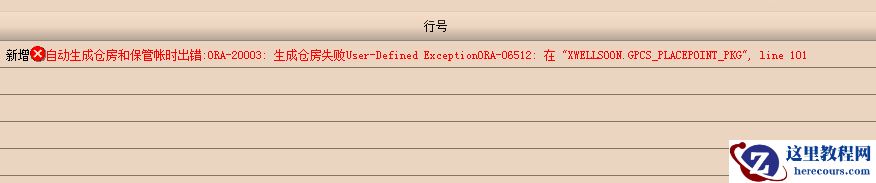
ora-20003报错,ora-06512报错
26-03-03 - Oracle、NoSQL和NewSQL 数据库技术对比

Oracle、NoSQL和NewSQL 数据库技术对比
26-03-03 - exp和imp详解
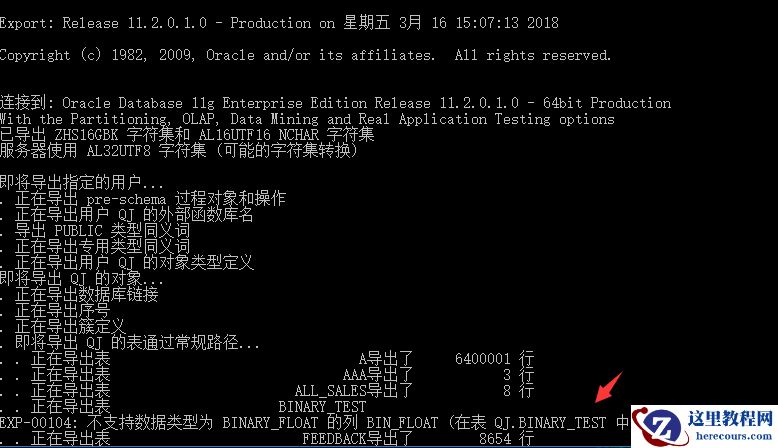
exp和imp详解
26-03-03 - oracle删除表中数据(delete与truncate)

oracle删除表中数据(delete与truncate)
26-03-03 - SQL Server数据库mdf文件中了勒索病毒*.mdf.[helpbackup@email.tg].Devos
- G006-ORACLE-INS-SIFS-01 ORACLE 19C SIFS Ins ON RHEL 8.2
- G008-ORACLE-DG ORACLE 19C Active Data Guard DML Redirection
- 查看oracle数据库中,哪些表的字段是null值比较多
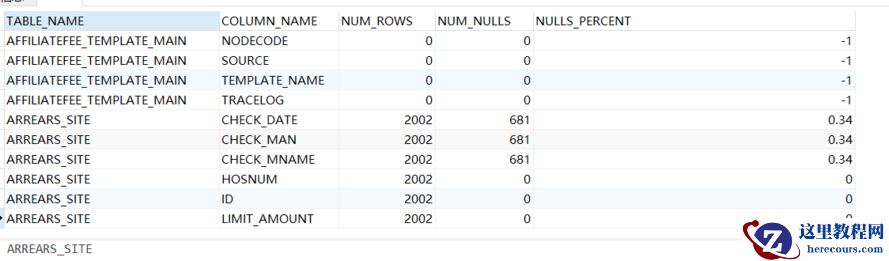
查看oracle数据库中,哪些表的字段是null值比较多
26-03-03 - Oracle数据库服务器dbf文件中了勒索病毒,扩展名被篡改为.CC7H
Oracle数据库服务器dbf文件中了勒索病毒,扩展名被篡改为.CC7H
26-03-03
![SQL Server数据库mdf文件中了勒索病毒*.mdf.[helpbackup@email.tg].Devos](https://www.herecours.com/d/file/efpub/2026/03-03/20260303150512841218.jpg?x-oss-process=style/bb "SQL Server数据库mdf文件中了勒索病毒*.mdf.[helpbackup@email.tg].Devos")