
[20210326]Disk file operations IO与RAC.txt --//上午测试了Disk file operations IO与文件型数据库的情况,链接http://blog.itpub.net/267265/viewspace-2765123/ --//下午测试Disk file operations IO与RAC的情况,注意这里的rac不包括exadata。 1.环境: SYS@aaa.bbb.cc.dd:1521/zzzz> @ ver1 PORT_STRING VERSION BANNER ------------------------------ -------------- -------------------------------------------------------------------------------- x86_64/Linux 2.4.xx 11.2.0.4.0 Oracle Database 11g Enterprise Edition Release 11.2.0.4.0 - 64bit Production 2.测试一: --//查询参数文件信息测试。 SYS@aaa.bbb.cc.dd:1521/zzzz> @ spid SID SERIAL# PROCESS SERVER SPID PID P_SERIAL# C50 ---------- ---------- ------------------------ --------- ------ ------- ---------- -------------------------------------------------- 3404 20629 4540 DEDICATED 29689 204 28 alter system kill session '3404,20629' immediate; # ll /proc/29689/fd total 0 lr-x------ 1 root root 64 2021-03-26 15:36:17 0 -> /dev/null l-wx------ 1 root root 64 2021-03-26 15:36:17 1 -> /dev/null lrwx------ 1 root root 64 2021-03-26 15:36:17 10 -> /u01/app/oracle/admin/zzzz/adump/zzzz1_ora_29689_20210326153613020534143795.aud lrwx------ 1 root root 64 2021-03-26 15:36:17 17 -> socket:[2820331075] l-wx------ 1 root root 64 2021-03-26 15:36:17 2 -> /dev/null lrwx------ 1 root root 64 2021-03-26 15:36:17 256 -> /dev/asm-diskg ~~~~~~~~~~~~~~~~~~~~~~~~~~~~~~~~~~~~~~~~~~~~~~~~~~~~~~~~~~~~~~~~~~~ lrwx------ 1 root root 64 2021-03-26 15:36:17 257 -> /dev/asm-diskf ~~~~~~~~~~~~~~~~~~~~~~~~~~~~~~~~~~~~~~~~~~~~~~~~~~~~~~~~~~~~~~~~~~~ lr-x------ 1 root root 64 2021-03-26 15:36:17 3 -> /dev/null lrwx------ 1 root root 64 2021-03-26 15:36:17 4 -> socket:[2820331090] lr-x------ 1 root root 64 2021-03-26 15:36:17 5 -> /proc/29689/fd lr-x------ 1 root root 64 2021-03-26 15:36:17 6 -> /dev/zero lrwx------ 1 root root 64 2021-03-26 15:36:17 7 -> socket:[2820331091] lr-x------ 1 root root 64 2021-03-26 15:36:17 8 -> /u01/app/oracle/product/11.2.0/dbhome_1/rdbms/mesg/oraus.msb lrwx------ 1 root root 64 2021-03-26 15:36:17 9 -> socket:[2820331092] --//可以发现登录后直接打开两个磁盘组。 SYS@aaa.bbb.cc.dd:1521/zzzz> show parameter spfile NAME TYPE VALUE ------- ------- ------------------------- spfile string +DATA/zzzz/spfilezzzz.ora --//可以发现参数文件位于磁盘组中。 SYS@aaa.bbb.cc.dd:1521/zzzz> @ 10046on 12 Session altered. SYS@aaa.bbb.cc.dd:1521/zzzz> SELECT value FROM v$spparameter WHERE name = 'log_file_name_convert' and ordinal = 1; VALUE ---------------------------------------- /u01/app/oracle/oradata/zzzzdg/onlinelog SYS@aaa.bbb.cc.dd:1521/zzzz> @ 10046off Session altered. $ grep 'Disk file operations I/O' /u01/app/oracle/diag/rdbms/zzzz/zzzz1/trace/zzzz1_ora_29689.trc WAIT #140152988646448: nam='Disk file operations I/O' ela= 286 FileOperation=2 fileno=0 filetype=13 obj#=-1 tim=1616744384399350 WAIT #140152988646448: nam='Disk file operations I/O' ela= 505 FileOperation=5 fileno=0 filetype=13 obj#=-1 tim=1616744384408638 --//可以发现一样出现Disk file operations I/O,这也是我困惑的地方。 ===================== PARSING IN CURSOR #140152988646448 len=84 dep=0 uid=0 oct=3 lid=0 tim=1616744384394608 hv=1982556480 ad='5fba4c6e0' sqlid='ctf9dvtv2qua0' SELECT value FROM v$spparameter WHERE name = 'log_file_name_convert' and ordinal = 1 END OF STMT PARSE #140152988646448:c=6998,e=7176,p=0,cr=0,cu=0,mis=1,r=0,dep=0,og=1,plh=524338161,tim=1616744384394606 EXEC #140152988646448:c=0,e=31,p=0,cr=0,cu=0,mis=0,r=0,dep=0,og=1,plh=524338161,tim=1616744384394719 WAIT #140152988646448: nam='SQL*Net message to client' ela= 2 driver id=1413697536 #bytes=1 p3=0 obj#=-1 tim=1616744384394754 WAIT #140152988646448: nam='KSV master wait' ela= 170 p1=0 p2=0 p3=0 obj#=-1 tim=1616744384395253 WAIT #140152988646448: nam='KSV master wait' ela= 3933 p1=0 p2=0 p3=0 obj#=-1 tim=1616744384399231 WAIT #140152988646448: nam='ASM file metadata operation' ela= 110 msgop=17 locn=0 p3=0 obj#=-1 tim=1616744384399279 WAIT #140152988646448: nam='Disk file operations I/O' ela= 286 FileOperation=2 fileno=0 filetype=13 obj#=-1 tim=1616744384399350 WAIT #140152988646448: nam='Parameter File I/O' ela= 7807 blkno=1 #blks=1 read/write=1 obj#=-1 tim=1616744384407215 --//读参数文件的块大小是512字节。 WAIT #140152988646448: nam='Parameter File I/O' ela= 139 blkno=2 #blks=7 read/write=1 obj#=-1 tim=1616744384407447 WAIT #140152988646448: nam='KSV master wait' ela= 95 p1=0 p2=0 p3=0 obj#=-1 tim=1616744384407991 WAIT #140152988646448: nam='KSV master wait' ela= 495 p1=0 p2=0 p3=0 obj#=-1 tim=1616744384408515 --//KSV master wait 有表示什么等待事件。 WAIT #140152988646448: nam='ASM file metadata operation' ela= 56 msgop=18 locn=0 p3=0 obj#=-1 tim=1616744384408538 WAIT #140152988646448: nam='Disk file operations I/O' ela= 505 FileOperation=5 fileno=0 filetype=13 obj#=-1 tim=1616744384408638 FETCH #140152988646448:c=7999,e=20469,p=0,cr=0,cu=0,mis=0,r=1,dep=0,og=1,plh=524338161,tim=1616744384415247 WAIT #140152988646448: nam='SQL*Net message from client' ela= 894 driver id=1413697536 #bytes=1 p3=0 obj#=-1 tim=1616744384416204 FETCH #140152988646448:c=0,e=1085,p=0,cr=0,cu=0,mis=0,r=0,dep=0,og=1,plh=524338161,tim=1616744384417338 STAT #140152988646448 id=1 cnt=1 pid=0 pos=1 obj=0 op='FIXED TABLE FULL X$KSPSPFILE (cr=0 pr=0 pw=0 time=20462 us cost=0 size=38 card=1)' WAIT #140152988646448: nam='SQL*Net message to client' ela= 1 driver id=1413697536 #bytes=1 p3=0 obj#=-1 tim=1616744384417636 *** 2021-03-26 15:39:51.267 WAIT #140152988646448: nam='SQL*Net message from client' ela= 6849709 driver id=1413697536 #bytes=1 p3=0 obj#=-1 tim=1616744391267364 CLOSE #140152988646448:c=0,e=20,dep=0,type=0,tim=1616744391267503 ===================== --//使用rac访问存储设备,并没有对应的数据文件描述符。 # strace -f -p 29689 -o /tmp/aa1.txt # cat /tmp/aa1.txt 29689 read(17, "\1m\0\0\6\0\0\0\0\0\21i#\376\377\377\377\377\377\377\377\1\0\0\0\0\0\0\0\1\0\0"..., 8208) = 365 29689 getrusage(RUSAGE_SELF, {ru_utime={0, 141978}, ru_stime={0, 53991}, ...}) = 0 29689 times({tms_utime=14, tms_stime=5, tms_cutime=0, tms_cstime=0}) = 13588225942 29689 getrusage(RUSAGE_SELF, {ru_utime={0, 141978}, ru_stime={0, 53991}, ...}) = 0 29689 getrusage(RUSAGE_SELF, {ru_utime={0, 141978}, ru_stime={0, 53991}, ...}) = 0 29689 times({tms_utime=14, tms_stime=5, tms_cutime=0, tms_cstime=0}) = 13588225942 29689 getrusage(RUSAGE_SELF, {ru_utime={0, 141978}, ru_stime={0, 53991}, ...}) = 0 29689 times({tms_utime=14, tms_stime=5, tms_cutime=0, tms_cstime=0}) = 13588225942 29689 getrusage(RUSAGE_SELF, {ru_utime={0, 141978}, ru_stime={0, 53991}, ...}) = 0 29689 times({tms_utime=14, tms_stime=5, tms_cutime=0, tms_cstime=0}) = 13588225942 29689 getrusage(RUSAGE_SELF, {ru_utime={0, 141978}, ru_stime={0, 53991}, ...}) = 0 29689 getrusage(RUSAGE_SELF, {ru_utime={0, 141978}, ru_stime={0, 53991}, ...}) = 0 29689 times({tms_utime=14, tms_stime=5, tms_cutime=0, tms_cstime=0}) = 13588225942 29689 getrusage(RUSAGE_SELF, {ru_utime={0, 141978}, ru_stime={0, 53991}, ...}) = 0 29689 getrusage(RUSAGE_SELF, {ru_utime={0, 141978}, ru_stime={0, 53991}, ...}) = 0 29689 getrusage(RUSAGE_SELF, {ru_utime={0, 141978}, ru_stime={0, 53991}, ...}) = 0 29689 getrusage(RUSAGE_SELF, {ru_utime={0, 141978}, ru_stime={0, 53991}, ...}) = 0 29689 getrusage(RUSAGE_SELF, {ru_utime={0, 141978}, ru_stime={0, 53991}, ...}) = 0 29689 times({tms_utime=14, tms_stime=5, tms_cutime=0, tms_cstime=0}) = 13588225942 29689 open("/proc/4686/stat", O_RDONLY) = 13 29689 read(13, "4686 (oracle) S 1 4686 4686 0 -1"..., 999) = 206 29689 close(13) = 0 29689 semctl(7667733, 32, SETVAL, 0x7fff00000001) = 0 29689 semtimedop(7667733, {{25, -1, 0}}, 1, {3, 0}) = 0 29689 semtimedop(7667733, {{25, -1, 0}}, 1, {3, 0}) = 0 29689 pread(257, "C\"\0\0\1\0\0\0\0\0\0\0\0\0\1\4\266\352\0\0\0\0\0\0\0\0\0\0\0\0\0\0"..., 512, 91379204096) = 512 29689 pread(257, "C\"\0\0\2\0\0\0\0\0\0\0\0\0\1\4 p\0\0zzzz1.__db_c"..., 3584, 91379204608) = 3584 ~~~~~~~~~~~~~=>应该读取参数文件信息。"" 29689 open("/proc/8984/stat", O_RDONLY) = 13 29689 read(13, "8984 (oracle) S 1 8984 8984 0 -1"..., 999) = 206 29689 close(13) = 0 29689 semctl(7700502, 181, SETVAL, 0x7fff00000001) = 0 29689 semtimedop(7667733, {{25, -1, 0}}, 1, {3, 0}) = 0 29689 semtimedop(7667733, {{25, -1, 0}}, 1, {3, 0}) = 0 29689 open("/proc/12318/stat", O_RDONLY) = 13 29689 read(13, "12318 (oracle) S 1 12318 12318 0"..., 999) = 211 29689 close(13) = 0 29689 times({tms_utime=14, tms_stime=5, tms_cutime=0, tms_cstime=0}) = 13588225942 29689 open("/u01/app/oracle/product/11.2.0/dbhome_1/oracore/mesg/lrmus.msb", O_RDONLY) = 13 29689 fcntl(13, F_SETFD, FD_CLOEXEC) = 0 29689 lseek(13, 0, SEEK_SET) = 0 29689 read(13, "\25\23\"\1\23\3\t\t\0\0\0\0\0\0\0\0\0\0\0\0\0\0\0\0\0\0\0\0\0\0\0\0"..., 256) = 256" 29689 close(13) = 0 29689 getrusage(RUSAGE_SELF, {ru_utime={0, 148977}, ru_stime={0, 54991}, ...}) = 0 29689 getrusage(RUSAGE_SELF, {ru_utime={0, 148977}, ru_stime={0, 54991}, ...}) = 0 29689 getrusage(RUSAGE_SELF, {ru_utime={0, 148977}, ru_stime={0, 54991}, ...}) = 0 29689 times({tms_utime=14, tms_stime=5, tms_cutime=0, tms_cstime=0}) = 13588225943 29689 write(17, "\1\231\0\0\6\0\0\0\0\0\20\27\0\0\0007\360\225M\260\rO\33\336-\271\314@i+vx"..., 409) = 409 29689 read(17, "\0\25\0\0\6\0\0\0\0\0\3\5%\3\0\0\0\310\0\0\0", 8208) = 21 29689 getrusage(RUSAGE_SELF, {ru_utime={0, 148977}, ru_stime={0, 54991}, ...}) = 0 29689 times({tms_utime=14, tms_stime=5, tms_cutime=0, tms_cstime=0}) = 13588225943 29689 getrusage(RUSAGE_SELF, {ru_utime={0, 148977}, ru_stime={0, 54991}, ...}) = 0 29689 getrusage(RUSAGE_SELF, {ru_utime={0, 149977}, ru_stime={0, 54991}, ...}) = 0 29689 getrusage(RUSAGE_SELF, {ru_utime={0, 149977}, ru_stime={0, 54991}, ...}) = 0 29689 getrusage(RUSAGE_SELF, {ru_utime={0, 149977}, ru_stime={0, 54991}, ...}) = 0 29689 times({tms_utime=14, tms_stime=5, tms_cutime=0, tms_cstime=0}) = 13588225943 29689 write(17, "\0\254\0\0\6\0\0\0\0\0\4\1\0\0\0#\0\1\1\0\0\0{\5\0\0\0\0\3\0\0\0"..., 172) = 172 29689 read(17, <unfinished ...> # ps -fp 4686,8984,12318 UID PID PPID C STIME TTY TIME CMD oracle 4686 1 0 2020 ? 02:04:03 ora_o003_zzzz1 oracle 8984 1 0 2020 ? 02:20:32 ora_o002_zzzz1 oracle 12318 1 0 2020 ? 03:00:09 ora_pmon_zzzz1 --//http://www.itpub.net/thread-1306120-1-1.html "O00 (ASM slave processes) A group of slave processes establish connections to the ASM instance. Through this connection pool database processes can send messages to the ASM instance. For example opening a file sends the open request to the ASM instance via a slave. However slaves are not used for long running operations such as creating a file. The use slave (pool) connections eliminate the overhead of logging into the ASM instance for short requests" --//很明显oracle通过O00进程通讯确定访问存储的某个位置,获取参数信息。 --//如果你执行上面语句多次,可以每次都会出现2次Disk file operations I/O。 3.测试二: --//访问数据块看看。 @ 10046on 12 select * from scott.dept where rownum=1; select * from scott.dept where rownum=1; select * from scott.dept where rownum=1; @ 10046off --//注:scott.dept表对应数据块应该不在数据缓存。 $ grep 'Disk file operations I/O' /u01/app/oracle/diag/rdbms/zzzz/zzzz1/trace/zzzz1_ora_29689.trc WAIT #140152988646448: nam='Disk file operations I/O' ela= 286 FileOperation=2 fileno=0 filetype=13 obj#=-1 tim=1616744384399350 WAIT #140152988646448: nam='Disk file operations I/O' ela= 505 FileOperation=5 fileno=0 filetype=13 obj#=-1 tim=1616744384408638 WAIT #140152989023104: nam='Disk file operations I/O' ela= 116 FileOperation=2 fileno=0 filetype=13 obj#=-1 tim=1616745081982853 WAIT #140152989023104: nam='Disk file operations I/O' ela= 244 FileOperation=5 fileno=0 filetype=13 obj#=-1 tim=1616745081984267 --//以上是查询参数文件的情况。 WAIT #140152989022160: nam='Disk file operations I/O' ela= 6 FileOperation=2 fileno=4 filetype=2 obj#=-1 tim=1616745929491311 WAIT #140152989910704: nam='Disk file operations I/O' ela= 5 FileOperation=2 fileno=1 filetype=2 obj#=-1 tim=1616745929508543 --//也就是数据块没有缓存的情况下,会出现Disk file operations I/O。后续的执行就不需要了,因为数据已经在数据缓存里面了。 # ll /proc/29689/fd total 0 lr-x------ 1 root root 64 2021-03-26 15:36:17 0 -> /dev/null l-wx------ 1 root root 64 2021-03-26 15:36:17 1 -> /dev/null lrwx------ 1 root root 64 2021-03-26 15:36:17 10 -> /u01/app/oracle/admin/zzzz/adump/zzzz1_ora_29689_20210326153613020534143795.aud l-wx------ 1 root root 64 2021-03-26 15:39:27 11 -> /u01/app/oracle/diag/rdbms/zzzz/zzzz1/trace/zzzz1_ora_29689.trc l-wx------ 1 root root 64 2021-03-26 15:39:27 12 -> /u01/app/oracle/diag/rdbms/zzzz/zzzz1/trace/zzzz1_ora_29689.trm lrwx------ 1 root root 64 2021-03-26 15:36:17 17 -> socket:[2820331075] l-wx------ 1 root root 64 2021-03-26 15:36:17 2 -> /dev/null lrwx------ 1 root root 64 2021-03-26 15:36:17 256 -> /dev/asm-diskg lrwx------ 1 root root 64 2021-03-26 15:36:17 257 -> /dev/asm-diskf lr-x------ 1 root root 64 2021-03-26 15:36:17 3 -> /dev/null lrwx------ 1 root root 64 2021-03-26 15:36:17 4 -> socket:[2820331090] lr-x------ 1 root root 64 2021-03-26 15:36:17 5 -> /proc/29689/fd lr-x------ 1 root root 64 2021-03-26 15:36:17 6 -> /dev/zero lrwx------ 1 root root 64 2021-03-26 15:36:17 7 -> socket:[2820331091] lr-x------ 1 root root 64 2021-03-26 15:36:17 8 -> /u01/app/oracle/product/11.2.0/dbhome_1/rdbms/mesg/oraus.msb lrwx------ 1 root root 64 2021-03-26 15:36:17 9 -> socket:[2820331092] --//数据文件在存储里面,根本不可能看到对应数据文件的文件句柄。 SYS@aaa.bbb.cc.dd:1521/zzzz> alter system flush buffer_cache; System altered. --//再次重复。 @ 10046on 12 select * from scott.dept where rownum=1; select * from scott.dept where rownum=1; select * from scott.dept where rownum=1; @ 10046off $ grep 'Disk file operations I/O' /u01/app/oracle/diag/rdbms/zzzz/zzzz1/trace/zzzz1_ora_29689.trc WAIT #140152988646448: nam='Disk file operations I/O' ela= 286 FileOperation=2 fileno=0 filetype=13 obj#=-1 tim=1616744384399350 WAIT #140152988646448: nam='Disk file operations I/O' ela= 505 FileOperation=5 fileno=0 filetype=13 obj#=-1 tim=1616744384408638 WAIT #140152989023104: nam='Disk file operations I/O' ela= 116 FileOperation=2 fileno=0 filetype=13 obj#=-1 tim=1616745081982853 WAIT #140152989023104: nam='Disk file operations I/O' ela= 244 FileOperation=5 fileno=0 filetype=13 obj#=-1 tim=1616745081984267 WAIT #140152989022160: nam='Disk file operations I/O' ela= 6 FileOperation=2 fileno=4 filetype=2 obj#=-1 tim=1616745929491311 WAIT #140152989910704: nam='Disk file operations I/O' ela= 5 FileOperation=2 fileno=1 filetype=2 obj#=-1 tim=1616745929508543 --//没有再次出现Disk file operations I/O,该进程如何知道打开了对应存储上的文件(也许这样讲不妥)。 --//这又是我困惑的地方.... --//还有一个细节问题obj#= -1 ,看不到访问的数据段号。文件型的数据库可以看到正是的数据段号。 4.继续测试: --//退出,重新登录: SYS@aaa.bbb.cc.dd:1521/zzzz> @ spid SID SERIAL# PROCESS SERVER SPID PID P_SERIAL# C50 ---------- ---------- ------------------------ --------- ------ ------- ---------- -------------------------------------------------- 8465 18673 4874 DEDICATED 23133 638 33 alter system kill session '8465,18673' immediate; --//session 2,刷新数据缓存。 SYS@aaa.bbb.cc.dd:1521/zzzz> alter system flush buffer_cache; System altered. SYS@aaa.bbb.cc.dd:1521/zzzz> @ bh 4 135 INST_ID HLADDR DBARFIL DBABLK CLASS CLASS_TYPE STATE TCH CR_SCN_BAS CR_SCN_WRP CR_UBA_FIL CR_UBA_BLK CR_UBA_SEQ BA LE_ADDR OBJECT_NAME ---------- ---------------- ---------- ---------- ---------- ------------------ ---------- ---------- ---------- ---------- ---------- ---------- ---------- ---------------- ---------------- ------------ 1 00000006650B1BF0 4 135 1 data block free 0 0 0 0 0 0 000000042193E000 00 DEPT 1 00000006650B1BF0 4 135 1 data block free 0 0 0 0 0 0 00000004B8FEC000 00 DEPT 1 00000006650B1BF0 4 135 1 data block free 0 0 0 0 0 0 00000003ECA80000 00 DEPT 1 00000006650B1BF0 4 135 1 data block free 0 0 0 0 0 0 0000000248CFA000 00 DEPT 1 00000006650B1BF0 4 135 1 data block free 0 0 0 0 0 0 00000002C06F6000 00 DEPT --//使用strace跟踪。 # strace -f -p 23133 -o /tmp/bb1.txt 23133 read(17, "\1@\0\0\6\0\0\0\0\0\21i\r\376\377\377\377\377\377\377\377\1\0\0\0\0\0\0\0\1\0\0"..., 8208) = 320 23133 getrusage(RUSAGE_SELF, {ru_utime={0, 32994}, ru_stime={0, 39993}, ...}) = 0 23133 times({tms_utime=3, tms_stime=3, tms_cutime=0, tms_cstime=0}) = 13588505434 23133 getrusage(RUSAGE_SELF, {ru_utime={0, 32994}, ru_stime={0, 39993}, ...}) = 0 23133 getrusage(RUSAGE_SELF, {ru_utime={0, 32994}, ru_stime={0, 39993}, ...}) = 0 23133 times({tms_utime=3, tms_stime=3, tms_cutime=0, tms_cstime=0}) = 13588505434 23133 getrusage(RUSAGE_SELF, {ru_utime={0, 32994}, ru_stime={0, 39993}, ...}) = 0 23133 times({tms_utime=3, tms_stime=3, tms_cutime=0, tms_cstime=0}) = 13588505434 23133 getrusage(RUSAGE_SELF, {ru_utime={0, 32994}, ru_stime={0, 39993}, ...}) = 0 23133 times({tms_utime=3, tms_stime=3, tms_cutime=0, tms_cstime=0}) = 13588505434 23133 getrusage(RUSAGE_SELF, {ru_utime={0, 32994}, ru_stime={0, 39993}, ...}) = 0 23133 getrusage(RUSAGE_SELF, {ru_utime={0, 32994}, ru_stime={0, 39993}, ...}) = 0 23133 times({tms_utime=3, tms_stime=3, tms_cutime=0, tms_cstime=0}) = 13588505434 23133 getrusage(RUSAGE_SELF, {ru_utime={0, 32994}, ru_stime={0, 39993}, ...}) = 0 23133 getrusage(RUSAGE_SELF, {ru_utime={0, 32994}, ru_stime={0, 39993}, ...}) = 0 23133 getrusage(RUSAGE_SELF, {ru_utime={0, 32994}, ru_stime={0, 39993}, ...}) = 0 23133 getrusage(RUSAGE_SELF, {ru_utime={0, 32994}, ru_stime={0, 39993}, ...}) = 0 23133 getrusage(RUSAGE_SELF, {ru_utime={0, 32994}, ru_stime={0, 39993}, ...}) = 0 23133 pread(256, "#\242\0\0\202\0\0\1\344\16\16\0\0\0\1\4\306\377\0\0\0\0\0\0\0\0\0\0\0\0\0\0"..., 8192, 89648021504) = 8192 23133 pread(256, "\6\242\0\0\203\0\0\1\344\16\16\0\0\0\2\4]p\0\0\1\0\f\0BT\1\0\344\16\16\0"..., 40960, 89648029696) = 40960 23133 getrusage(RUSAGE_SELF, {ru_utime={0, 32994}, ru_stime={0, 40993}, ...}) = 0 23133 getrusage(RUSAGE_SELF, {ru_utime={0, 32994}, ru_stime={0, 40993}, ...}) = 0 23133 getrusage(RUSAGE_SELF, {ru_utime={0, 32994}, ru_stime={0, 40993}, ...}) = 0 23133 times({tms_utime=3, tms_stime=4, tms_cutime=0, tms_cstime=0}) = 13588505434 23133 write(17, "\2\20\0\0\6\0\0\0\0\0\20\27\0\0\0\"\356\245\265\313\365\275?\253\246\343Z]\365\231\362x"..., 528) = 528 23133 read(17, "\0\25\0\0\6\0\0\0\0\0\3\5\17\4\0\0\0\310\0\0\0", 8208) = 21 23133 getrusage(RUSAGE_SELF, {ru_utime={0, 32994}, ru_stime={0, 40993}, ...}) = 0 23133 times({tms_utime=3, tms_stime=4, tms_cutime=0, tms_cstime=0}) = 13588505434 23133 getrusage(RUSAGE_SELF, {ru_utime={0, 32994}, ru_stime={0, 40993}, ...}) = 0 23133 getrusage(RUSAGE_SELF, {ru_utime={0, 32994}, ru_stime={0, 40993}, ...}) = 0 23133 getrusage(RUSAGE_SELF, {ru_utime={0, 32994}, ru_stime={0, 40993}, ...}) = 0 23133 times({tms_utime=3, tms_stime=4, tms_cutime=0, tms_cstime=0}) = 13588505434 23133 write(17, "\0\254\0\0\6\0\0\0\0\0\4\1\0\0\0\r\0\1\1\0\0\0{\5\0\0\0\0\4\0\0\0"..., 172) = 172 23133 read(17, <unfinished ...> $ grep 'Disk file operations I/O' /u01/app/oracle/diag/rdbms/zzzz/zzzz1/trace/zzzz1_ora_23133.trc WAIT #140162283050592: nam='Disk file operations I/O' ela= 10 FileOperation=2 fileno=4 filetype=2 obj#=-1 tim=1616747928207529 --//只要登录进程访问不再缓存的数据块,并且对应数据文件重来没有打开过,就会出现Disk file operations I/O。 --//这些与文件型数据库类似。 --//主要问题在于oracle用户进程如何与asm实例进程通讯的,这也是我困惑的地方。 --//知道这点,估计这个问题很容易理解。那位知道... 5.看看这台服务器Disk file operations I/O的情况: --//顺便讲讲查看控制文件的情况。 SYS@aaa.bbb.cc.dd:1521/zzzz> @ ashtop sql_id "MACHINE<>'IMC' and event='Disk file operations I/O'" trunc(sysdate)-100 trunc(sysdate)+1 Total Seconds AAS %This SQL_ID FIRST_SEEN LAST_SEEN --------- ------- ------- ------------- ------------------- ------------------- 110 .0 87% | 1ur5t42rf0u31 2021-02-18 09:09:51 2021-03-26 15:27:22 10 .0 8% | 2021-02-20 01:32:06 2021-03-25 01:32:09 1 .0 1% | 2xn8yx0uz75fm 2021-02-25 02:00:19 2021-02-25 02:00:19 1 .0 1% | 7mgr3uwydqq8j 2021-03-26 00:06:20 2021-03-26 00:06:20 1 .0 1% | 87gaftwrm2h68 2021-03-11 00:10:16 2021-03-11 00:10:16 1 .0 1% | 9uy4g53xcy026 2021-03-20 21:16:57 2021-03-20 21:16:57 1 .0 1% | d37dg314005wr 2021-02-22 19:00:50 2021-02-22 19:00:50 1 .0 1% | fpvps147hqh7g 2021-03-04 19:01:04 2021-03-04 19:01:04 8 rows selected. SYS@aaa.bbb.cc.dd:1521/zzzz> @ ashtop sql_id,p1,p2,p3 "MACHINE<>'IMC' and event='Disk file operations I/O' and sql_id='1ur5t42rf0u31'" trunc(sysdate)-100 trunc(sysdate)+1 Total Seconds AAS %This SQL_ID P1 P2 P3 FIRST_SEEN LAST_SEEN --------- ------- ------- ------------- ---------- ---------- ---------- ------------------- ------------------- 69 .0 62% | 1ur5t42rf0u31 2 0 15 2021-02-18 09:09:51 2021-03-26 15:18:26 41 .0 37% | 1ur5t42rf0u31 2 0 1 2021-02-19 08:00:12 2021-03-26 16:55:57 1 .0 1% | 1ur5t42rf0u31 2 1 1 2021-03-24 13:43:48 2021-03-24 13:43:48 --//P3=15不知道表示什么文件类型。 SYS@aaa.bbb.cc.dd:1521/zzzz> @ sqlid 1ur5t42rf0u31 SQL_ID SQLTEXT ------------- ------------------------------------------------------------------- 1ur5t42rf0u31 SELECT COUNT(*) FROM V$DATABASE T WHERE T.DATABASE_ROLE = 'PRIMARY' SYS@aaa.bbb.cc.dd:1521/zzzz> set linesize 300 SYS@aaa.bbb.cc.dd:1521/zzzz> select count(*) from v$open_cursor where sql_id='1ur5t42rf0u31'; COUNT(*) ---------- 114 SYS@aaa.bbb.cc.dd:1521/zzzz> select * from v$open_cursor where sql_id='1ur5t42rf0u31' and rownum=1 2 @ prxx ============================== SADDR : 000000068E40EF10 SID : 7074 USER_NAME : CYCLE ADDRESS : 00000005C8DC93C0 HASH_VALUE : 2933942369 SQL_ID : 1ur5t42rf0u31 SQL_TEXT : SELECT COUNT(*) FROM V$DATABASE T WHERE T.DATABASE_ROLE = 'P LAST_SQL_ACTIVE_TIME : SQL_EXEC_ID : CURSOR_TYPE : PL/SQL CURSOR CACHED PL/SQL procedure successfully completed. --//很容易猜测这是登录程序第一个执行的语句,访问的是控制文件,而且是PL/SQL的程序。 SYS@aaa.bbb.cc.dd:1521/zzzz> select * from DBA_SOURCE where upper(text) like 'T.DATABASE_ROLE'; no rows selected --//没有查到。 SYS@aaa.bbb.cc.dd:1521/zzzz> select A.PROGRAM_ID,A.PROGRAM_LINE#,A.PARSING_SCHEMA_NAME,A.MODULE from v$sqlarea a where sql_id='1ur5t42rf0u31'; PROGRAM_ID PROGRAM_LINE# PARSING_SCHEMA_NAME MODULE ---------- ------------- ------------------------------ ------------ 104949 2450 HZMCASSET w3wp.exe --//来源于所谓的防水墙产品,PL存储过程是加密的。 --//因为这条语句访问的是控制文件,控制文件不会进入数据缓存的,这样登录的第一次执行要访问控制文件。 --//这样这条语句出现Disk file operations I/O就一点不奇怪了。 SYS@aaa.bbb.cc.dd:1521/zzzz> select * from dba_objects where object_id=104949 2 @ prxx ============================== OWNER : HZMCASSET OBJECT_NAME : TLOGON SUBOBJECT_NAME : OBJECT_ID : 104949 DATA_OBJECT_ID : OBJECT_TYPE : PACKAGE BODY CREATED : 2020-09-10 10:56:28 LAST_DDL_TIME : 2020-09-10 10:56:28 TIMESTAMP : 2020-09-10:10:56:28 STATUS : VALID TEMPORARY : N GENERATED : N SECONDARY : N NAMESPACE : 2 EDITION_NAME : PL/SQL procedure successfully completed. --//看名字就知道我的猜测正确。 --//使用unwrap破解就可以发现执行如下: 2446 FUNCTION ISPRIMARYDATABASE RETURN BOOLEAN IS 2447 L_RET BOOLEAN := FALSE; 2448 L_COUNT NUMBER; 2449 BEGIN 2450 SELECT COUNT(*) 2451 INTO L_COUNT 2452 FROM V$DATABASE T 2453 WHERE T.DATABASE_ROLE = 'PRIMARY'; 2454 IF L_COUNT >= 1 THEN 2455 L_RET := TRUE; 2456 END IF; 2457 RETURN L_RET; 2458 END; 2459 2460 BEGIN 2461 2462 SETIDCTX('logon', 'TRUE'); 2463 GETNEWLICENSE; 2464 L_ERRCODE := EVALDB; 2465 2466 IF (NOT ISPRIMARYDATABASE) THEN ~~~~~~~~~~~~~~~~~~~~~~~~~~~~~~~~~~~~~~~~ 2467 TVAR.G_DBACTION := NOACTIVE; 2468 RETURN; 2469 END IF; --//从这个观察可以发现访问控制文件与文件型数据库的类似,就是第一次都要"打开"控制文件句柄(注:我这里加了引号),我实在不知道 --//该进程如何知道已经访问控制文件,以后再次访问实际上不会出现Disk file operations I/O等待事件。 总结: --//实际上rac的情况与文件性数据库类似,就是我不清楚oracle如何知道前面已经"打开"了控制文件依旧数据文件。
[20210326]Disk file operations IO与RAC.txt
来源:这里教程网
时间:2026-03-03 16:34:46
作者:
编辑推荐:
下一篇:
相关推荐
-

-
-
-
-
-
-
-
-
-
-
-
-
-
-

雷神推出 MIX PRO II 迷你主机:基于 Ultra 200H,玻璃上盖 + ARGB 灯效
2 月 9 日消息,雷神 (THUNDEROBOT) 现已宣布推出基于英
-

制造商 Musnap 推出彩色墨水屏电纸书 Ocean C:支持手写笔、第三方安卓应用
2 月 10 日消息,制造商 Musnap 现已在海外推出一款 Oce
热文推荐
- oracle 19C 触发的ORA-04031BUG
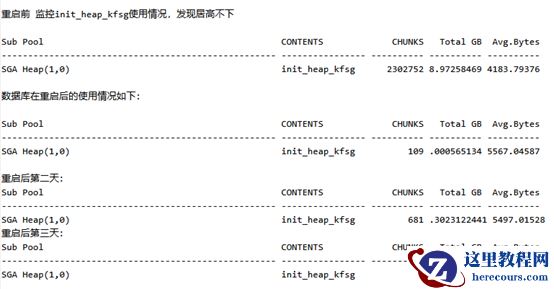
oracle 19C 触发的ORA-04031BUG
26-03-03 - 数据库控制文件高达100多G
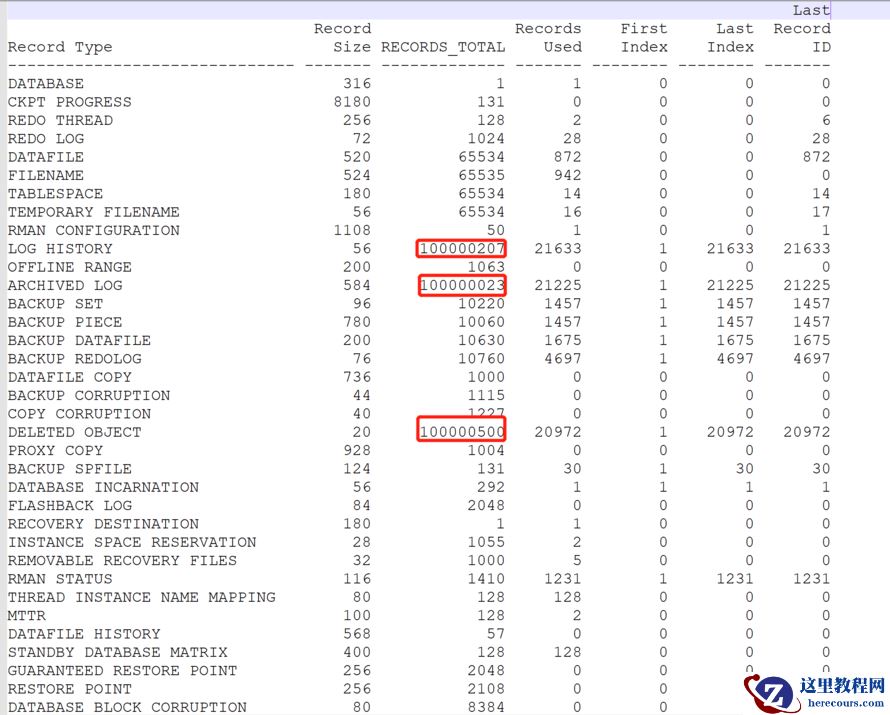
数据库控制文件高达100多G
26-03-03 - Oracle 某行系统SQL优化案例(一)
Oracle 某行系统SQL优化案例(一)
26-03-03 - Oracle运行监控工具Spotlight使用测试
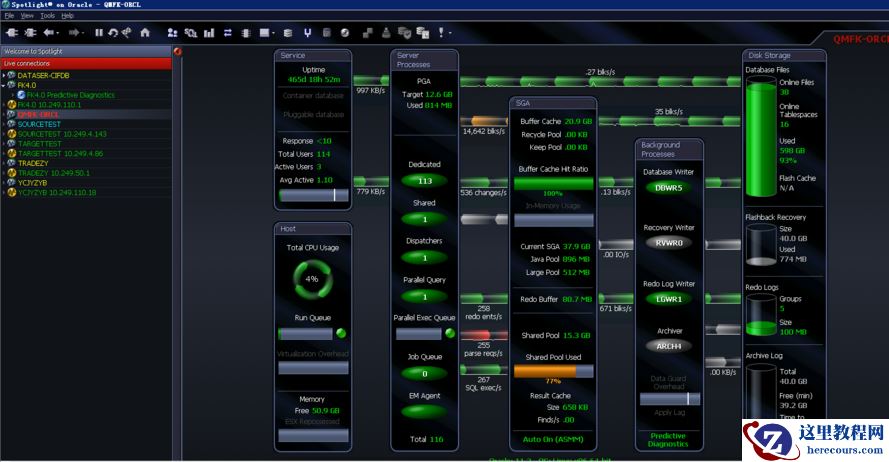
Oracle运行监控工具Spotlight使用测试
26-03-03 - 视频竖屏改横屏,用什么剪辑工具,批量改变视频的横竖屏比较快
视频竖屏改横屏,用什么剪辑工具,批量改变视频的横竖屏比较快
26-03-03 - 【DBA】数据库工程师DBA技能图谱
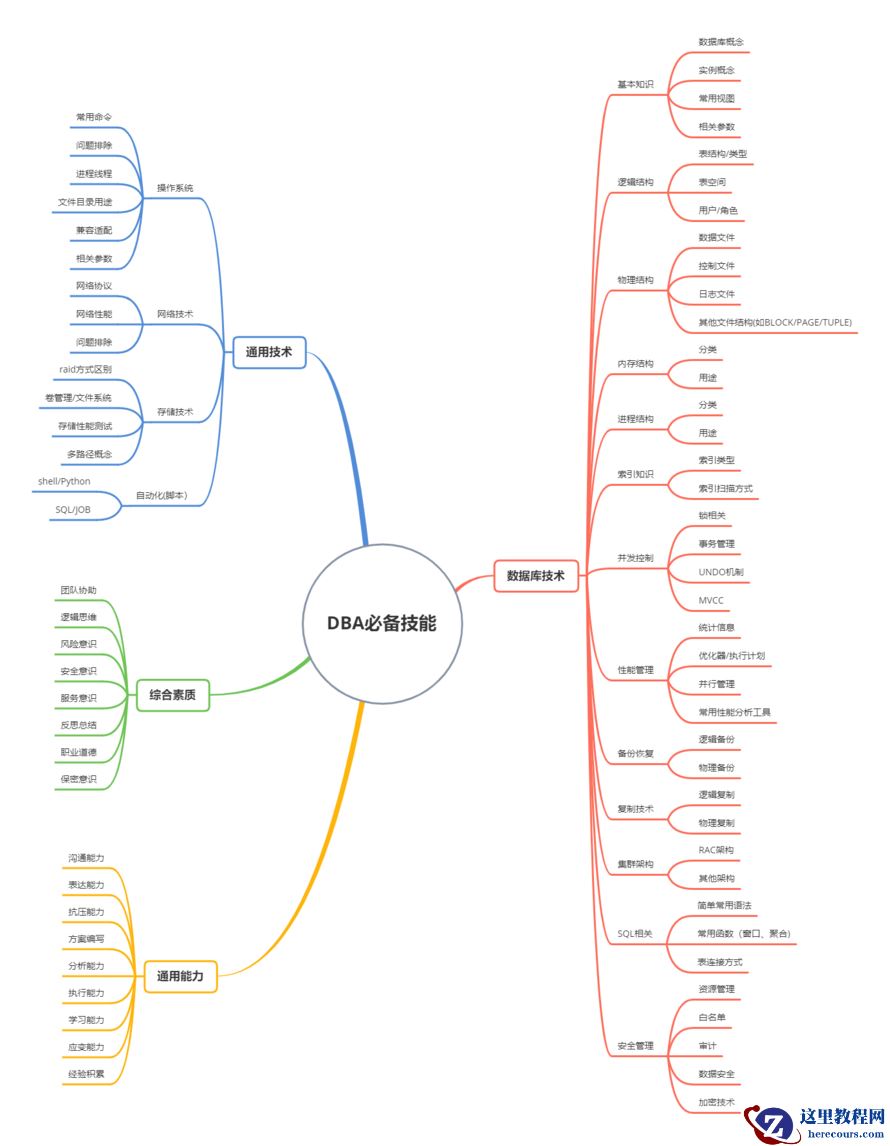
【DBA】数据库工程师DBA技能图谱
26-03-03 - [BBED]断电异常后修复Oracle数据文件(ORA-00702: bootstrap verison)
- redo损坏修复启动数据库办法
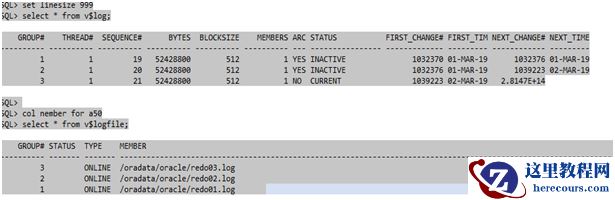
redo损坏修复启动数据库办法
26-03-03 - 【Oracle体系结构】 Oracle19C 系统结构介绍
【Oracle体系结构】 Oracle19C 系统结构介绍
26-03-03 - 多个百世快递的物流怎么批量查询的,怎样利用快递批量查询
多个百世快递的物流怎么批量查询的,怎样利用快递批量查询
26-03-03
![[BBED]断电异常后修复Oracle数据文件(ORA-00702: bootstrap verison)](https://www.herecours.com/d/file/efpub/2026/03-03/20260303152239841819.jpg?x-oss-process=style/bb "[BBED]断电异常后修复Oracle数据文件(ORA-00702: bootstrap verison)")