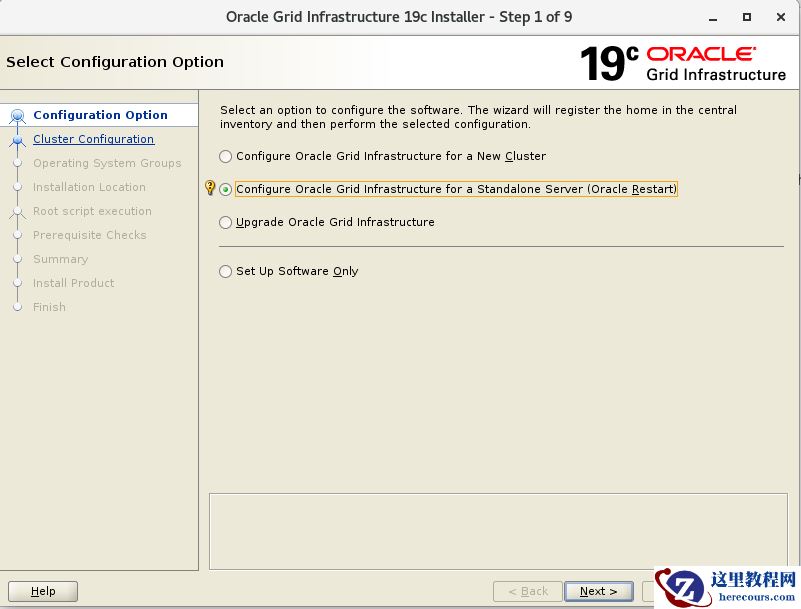
19C 单实例数据库安装

来源:这里教程网 时间:2026-03-03 17:03:03 作者:
******************************
oracle 19c数据库官方支持的系统版本:
Oracle Linux 8.1 with the Unbreakable Enterprise Kernel 6: 5.4.17-2011.0.7.el8uek.x86_64 or later
Oracle Linux 8 with the Red Hat Compatible kernel: 4.18.0-80.el8.x86_64 or later
Oracle Linux 7.4 with the Unbreakable Enterprise Kernel 4: 4.1.12-124.19.2.el7uek.x86_64 or later
Oracle Linux 7.4 with the Unbreakable Enterprise Kernel 5: 4.14.35-1818.1.6.el7uek.x86_64 or later
Oracle Linux 7.5 with the Red Hat Compatible kernel: 3.10.0-862.11.6.el7.x86_64 or later
Red Hat Enterprise Linux 8: 4.18.0-80.el8.x86_64 or later
Red Hat Enterprise Linux 7.5: 3.10.0-862.11.6.el7.x86_64 or lat
SUSE Linux Enterprise Server 12 SP3: 4.4.162-94.72-default or later
SUSE Linux Enterprise Server 15: 4.12.14-23-default or later
19c需要运行在linux7.5以上的系统,7.5以下可能会存在bug
服务器的运行内存需要达到1G以上,/tmp目录需要预留出1GB的空间,数据库软件大概要占用空间10g,但是oracle建议至少要预留100G的空间,避免日后软件目录不断扩大导致的空间不足。
******************************
1.配置yum源:
[root@orcl ~]# umount /dev/cdrom
[root@orcl ~]# mount  /dev/cdrom /media
mount: /dev/sr0 is write-protected, mounting read-only
[root@orcl ~]# cd /etc/yum.repos.d/
[root@orcl yum.repos.d]# vi oracle.repo
添加:
[oracle]
name=oracle
baseurl=file:///media
enabled=1
gpgcheck=0
2.安装软件包
yum install -y bc binutils  compat-libcap1  compat-libstdc++33  elfutils-libelf  elfutils-libelf-devel  fontconfig-devel  glibc  glibc-devel  ksh  libaio  libaio-devel  libX11  libXau  libXi  libXtst  libXrender  libXrender-devel  libgcc  libstdc++  libstdc++-devel  libxcb  make  smartmontools  sysstat  kmod*
compat-libstdc++-33-3.2.3 需要手动下载上传
地址:链接:https://pan.baidu.com/s/1U-iYOnuIyfiynhnvJyORwg
提取码:x6ym
3.关闭防火墙
关闭防火墙
[root@orcl ~]# systemctl stop firewalld.service
关闭操作系统自启动
[root@orcl ~]#systemctl disable firewalld.service
检查关闭情况
[root@orcl ~]# systemctl status firewalld.service
如下,dead表示未开启开机启动;inactive表示现在的状态是关闭
4.关闭selinux
关闭selinux:
[root@orcl ~]# vi /etc/selinux/config
# This file controls the state of SELinux on the system.
# SELINUX= can take one of these three values:
#     enforcing - SELinux security policy is enforced.
#     permissive - SELinux prints warnings instead of enforcing.
#     disabled - No SELinux policy is loaded.
SELINUX=disable
# SELINUXTYPE= can take one of three two values:
#     targeted - Targeted processes are protected,
#     minimum - Modification of targeted policy. Only selected processes are protected.
#     mls - Multi Level Security protection.
SELINUXTYPE=targeted
5.关闭NUMA
官方建议在Linux Redhat7的环境中建议关闭NUMA
#查看default 的grub 的entry
[root@orcl ~]# grubby --default-kernel
/boot/vmlinuz-3.10.0-693.el7.x86_64
#查看default grub的具体信息

[root@orcl ~]# grubby --info /boot/vmlinuz-3.10.0-693.el7.x86_64 index=0kernel=/boot/vmlinuz-3.10.0-693.el7.x86_64args="ro crashkernel=auto rd.lvm.lv=rhel_orcl/root rd.lvm.lv=rhel_orcl/swap rhgb quiet.UTF-8"root=/dev/mapper/rhel_orcl-rootinitrd=/boot/initramfs-3.10.0-693.el7.x86_64.imgtitle=Red Hat Enterprise Linux Server (3.10.0-693.el7.x86_64) 7.4 (Maipo)#更新args,添加numa=off的参数[root@orcl ~]# grubby --args=numa=off --update-kernel /boot/vmlinuz-3.10.0-693.el7.x86_64# 确认numa=off加入default grub中[root@orcl ~]# grubby --info /boot/vmlinuz-3.10.0-693.el7.x86_64index=0kernel=/boot/vmlinuz-3.10.0-693.el7.x86_64args="ro crashkernel=auto rd.lvm.lv=rhel_orcl/root rd.lvm.lv=rhel_orcl/swap rhgb quiet.UTF-8 numa=off"root=/dev/mapper/rhel_orcl-rootinitrd=/boot/initramfs-3.10.0-693.el7.x86_64.imgtitle=Red Hat Enterprise Linux Server (3.10.0-693.el7.x86_64) 7.4 (Maipo)#重启服务器reboot [root@orcl ~]# grubby --info /boot/vmlinuz-3.10.0-693.el7.x86_64index=0kernel=/boot/vmlinuz-3.10.0-693.el7.x86_64args="ro crashkernel=auto rd.lvm.lv=rhel_orcl/root rd.lvm.lv=rhel_orcl/swap rhgb quiet.UTF-8 numa=off"root=/dev/mapper/rhel_orcl-rootinitrd=/boot/initramfs-3.10.0-693.el7.x86_64.imgtitle=Red Hat Enterprise Linux Server (3.10.0-693.el7.x86_64) 7.4 (Maipo)确认numa已经被禁用了

6.创建用户并密码
/usr/sbin/groupadd -g 54321 oinstall
/usr/sbin/groupadd -g 54322 dba
/usr/sbin/groupadd -g 54323 oper
/usr/sbin/useradd -u 54321 -g oinstall -G dba,oper oracle
passwd oracle或者
echo 'oracle' | passwd oracle --stdin
7.创建目录
mkdir -p /u01/app/oracle
mkdir -p /u01/app/oracle/product/19.3.0/dbhome
mkdir -p /u01/app/oraInventory
chown oracle:oinstall /u01/app/oracle
chown oracle:oinstall  /u01/app/oracle/product/19.3.0/dbhome
chown oracle:oinstall /u01/app/oraInventory
8.调整内核参数
echo "
fs.file-max = 6815744
kernel.sem = 250 32000 100 128
kernel.shmmni = 4096
kernel.shmall = 1073741824
kernel.shmmax = 4398046511104
kernel.panic_on_oops = 1
net.core.rmem_default = 262144
net.core.rmem_max = 4194304
net.core.wmem_default = 262144
net.core.wmem_max = 1048576
net.ipv4.conf.all.rp_filter = 2
net.ipv4.conf.default.rp_filter = 2
fs.aio-max-nr = 1048576
net.ipv4.ip_local_port_range = 9000 65500
" >> /etc/sysctl.conf
sysctl -p

9.修改系统限制参数
echo "
oracle   soft   nofile    1024
oracle   hard   nofile    65536
oracle   soft   nproc    16384
oracle   hard   nproc    16384
oracle   soft   stack    10240
oracle   hard   stack    32768
oracle   hard   memlock    134217728
oracle   soft   memlock    134217728
oracle   soft   data    unlimited
oracle   hard   data    unlimited
" >> /etc/security/limits.conf
10.配置环境变量
echo "
export ORACLE_BASE=/u01/app/oracle
export ORACLE_HOME=/u01/app/oracle/product/19.3.0/dbhome
export ORACLE_SID=orcl
export PATH=\$ORACLE_HOME/bin:\$PATH
" >> /home/oracle/.bash_profile
11.配置主机名
echo "192.168.0.19 orcl" >>/etc/hosts
12.解压软件包:
执行
[oracle@orcl soft]$ export DISPLAY=:0
[oracle@orcl soft]$ ./runInstaller

Launching Oracle Database Setup Wizard..

安装软件,dbca建库。

相关推荐