
一.安装centos系统(此处 以centos7.9为例)略 二.配置本地yum源 http://blog.itpub.net/70004783/viewspace-2789438/ 三、 数据库安装准备工作
|
Hostname |
dbserver |
|
版本 |
oracle19c |
|
Oracle_sid |
prod1 |
|
dbname |
prod |
|
home |
/home/oracle |
|
ORACLE_BASE |
/u01/app/oracle |
|
ORACLE_HOME |
/u01/app/oracle/product/19c/dbhome_1 |
1、安装需要的软件列表
yum install -y bc
yum install -y compat-libcap1*
yum install -y compat-libcap*
yum install -y binutils
yum install -y compat-libstdc++-33
yum install -y elfutils-libelf
yum install -y elfutils-libelf-devel
yum install -y gcc
yum install -y gcc-c++
yum install -y glibc-2.5
yum install -y glibc-common
yum install -y glibc-devel
yum install -y glibc-headers
yum install -y ksh libaio
yum install -y libaio-devel
yum install -y libgcc
yum install -y libstdc++
yum install -y libstdc++-devel
yum install -y make
yum install -y sysstat
yum install -y unixODBC
yum install -y unixODBC-devel
yum install -y binutils*
yum install -y compat-libstdc*
yum install -y elfutils-libelf*
yum install -y gcc*
yum install -y glibc*
yum install -y ksh*
yum install -y libaio*
yum install -y libgcc*
yum install -y libstdc*
yum install -y make*
yum install -y sysstat*
yum install -y libXp*
yum install -y glibc-kernheaders
yum install -y net-tools-*
2、修改主机名,更改hosts文件
[root@localhost ~]# hostnamectl set-hostname dbserver
[root@dbserver ~]# vi /etc/hosts
[root@dbserver ~]# cat /etc/hosts
127.0.0.1   localhost localhost.localdomain localhost4 localhost4.localdomain4
::1         localhost localhost.localdomain localhost6 localhost6.localdomain6
10.8.98.102 dbserver
[root@dbserver ~]#
3、 禁用SELINUX,关闭防火墙
[root@dbserver ~]
# cat /etc/selinux/config
# This file controls the state of SELinux on the system.
# SELINUX= can take one of these three values:
# enforcing - SELinux security policy is enforced.
# permissive - SELinux prints warnings instead of enforcing.
# disabled - No SELinux policy is loaded.
SELINUX=disabled
# SELINUXTYPE= can take one of three values:
# targeted - Targeted processes are protected,
# minimum - Modification of targeted policy. Only selected processes are protected.
# mls - Multi Level Security protection.
SELINUXTYPE=targeted
[root@dbserver ~]
#
让SELINUX生效:
setenforce 0
[root@dbserver ~]
# systemctl stop firewalld
[root@dbserver ~]
# systemctl disable firewalld
4、修改LINUX的内核文件
[root@dbserver ~]# vi /etc/sysctl.conf
添加
#oracle setting add
kernel.shmmax = 277495689510912
kernel.shmmni = 4096
kernel.sem = 250 32000 100 128
net.core.rmem_default = 262144
net.core.rmem_max = 4194304
net.core.wmem_default = 262144
net.core.wmem_max = 1048586
fs.file-max = 6815744
kernel.shmall = 67747971072
net.ipv4.tcp_max_tw_buckets = 6000
net.ipv4.ip_local_port_range = 9000 65500
net.ipv4.tcp_tw_recycle = 0
net.ipv4.tcp_tw_reuse = 1
#net.core.somaxconn = 262144
net.core.netdev_max_backlog = 262144
net.ipv4.tcp_max_orphans = 262144
net.ipv4.tcp_max_syn_backlog = 262144
net.ipv4.tcp_synack_retries = 2
net.ipv4.tcp_syn_retries = 1
net.ipv4.tcp_fin_timeout = 1
net.ipv4.tcp_keepalive_time = 30
net.ipv4.tcp_keepalive_probes = 6
net.ipv4.tcp_keepalive_intvl = 5
net.ipv4.tcp_timestamps = 0
fs.aio-max-nr = 1048576
net.ipv4.conf.all.rp_filter = 2
net.ipv4.conf.default.rp_filter = 2
生成系统参数生效
[root@dbserver ~]# sysctl -p
5.添加下列参数到/etc/security/limits.conf
[root@dbserver ~]# vi /etc/security/limits.conf
添加以下
#oracle setting add
oracle soft nofile 1024
oracle hard nofile 65536
oracle soft nproc 16384
oracle hard nproc 16384
oracle soft stack 10240
oracle hard stack 32768
oracle hard memlock 134217728
oracle soft memlock 134217728
6、修改/etc/pam.d/login文件
[root@dbserver ~]# vim /etc/pam.d/login
添加以下
#oracle setting add
session required /lib/security/pam_limits.so
session required pam_limits.so
7、环境变量中添加下列语句
[root@dbserver ~]# vim /etc/profile
添加以下
#oracle setting add
if [ $USER = "oracle" ]; then
if [ $SHELL = "/bin/ksh" ]; then
ulimit -p 16384
ulimit -n 65536
else
ulimit -u 16384 -n 65536
fi
fi
[root@dbserver ~]# source /etc/profile
8、创建文件目录和相应的用户
groupadd oinstall
groupadd dba
groupadd oper
useradd -g oinstall -G dba,oper oracle
mkdir -p /u01/app/oracle
mkdir -p /u01/oraInventory
chown -R oracle.oinstall /u01
chown -R oracle:oinstall /u01/app/oracle
chmod -R 775 /u01/app/oracle
mkdir -p /u01/app/oracle/product/19c/dbhome_1
chown -R oracle:oinstall /u01/app/oracle/product/
修改oracle用户密码
[root@dbserver ~]# passwd oracle
9、配置ORACLE用户的环境变量
[oracle@dbserver ~]$ vi .bash_profile
添加以下
#oracle setting add
export EDITOR=vi
export TMP=/tmp
export TMPDIR=$TMP
export ORACLE_SID=prod1
export ORACLE_BASE=/u01/app/oracle
export ORACLE_HOME=$ORACLE_BASE/product/19c/dbhome_1
export INVENTORY_LOCATION=/u01/oraInventory
export TNS_ADMIN=$ORACLE_HOME/network/admin
export LD_LIBRARY_PATH=$ORACLE_HOME/lib
export NLS_LANG="AMERICAN_AMERICA.ZHS16GBK"
export NLS_DATE_FORMAT="YYYY-MM-DD HH24:MI:SS"
export PATH=$ORACLE_HOME/bin:/bin:/usr/bin:/usr/sbin:/usr/local/bin:/usr/X11R6/bin:$PATH:$HOME/bin
umask 022
注意此处:
export ORACLE_SID=prod1 ####我此处设置的oracle_id为prod1
export NLS_LANG="AMERICAN_AMERICA.ZHS16GBK" ####我此处设置的字符集为ZHS16GBK
[oracle@dbserver ~]$ source .bash_profile
10、
上传oracle文件到/home/oracle 目录,注意权限问题,都给oracle用户权限
19C需要将压缩包里的内容解压到$ORACLE_HOME目录下,我们为了方便直接将安装包拷贝到$ORACLE_HOME目录解压即可。
[oracle@dbserver ~]$ cd $ORACLE_HOME
[oracle@dbserver dbhome_1]$ ls
[oracle@dbserver dbhome_1]$ pwd
/u01/app/oracle/product/19c/dbhome_1
[oracle@dbserver dbhome_1]$ ll
total 2987996
-rw-r--r--. 1 oracle oinstall 3059705302 Sep 1 16:59 LINUX.X64_193000_db_home.zip
[oracle@dbserver dbhome_1]$
解压
[oracle@dbserver dbhome_1]$ unzip LINUX.X64_193000_db_home.zip
重启以下系统
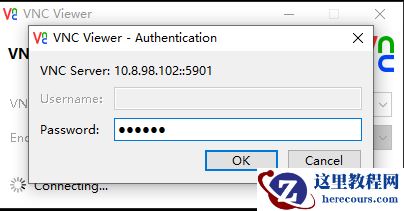
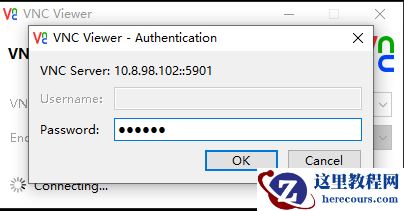
11、root安装vnc,oracle启动vnc
切换到root安装vnc,通过vnc安装oracle
[root@dbserver ~]# yum install *vnc*
切换到oracle 启动vnc
[oracle@dbserver ~]$ vncserver
You will require a password to access your desktops.
Password:
Verify:
Would you like to enter a view-only password (y/n)? n
A view-only password is not used
New 'dbserver:1 (oracle)' desktop is dbserver:1
Creating default startup script /home/oracle/.vnc/xstartup
Creating default config /home/oracle/.vnc/config
Starting applications specified in /home/oracle/.vnc/xstartup
Log file is /home/oracle/.vnc/dbserver:1.log
[oracle@dbserver ~]$
12、oracle用户
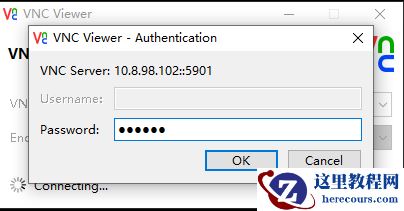
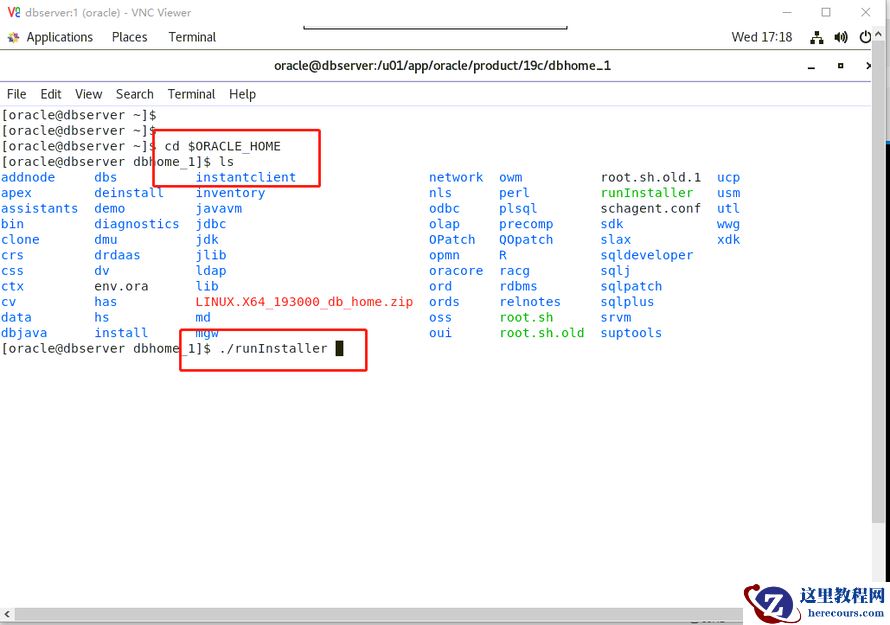
通过vnc客户端连接图形界面,进入相应目录,准备开始安装数据库
四、仅安装数据库软件
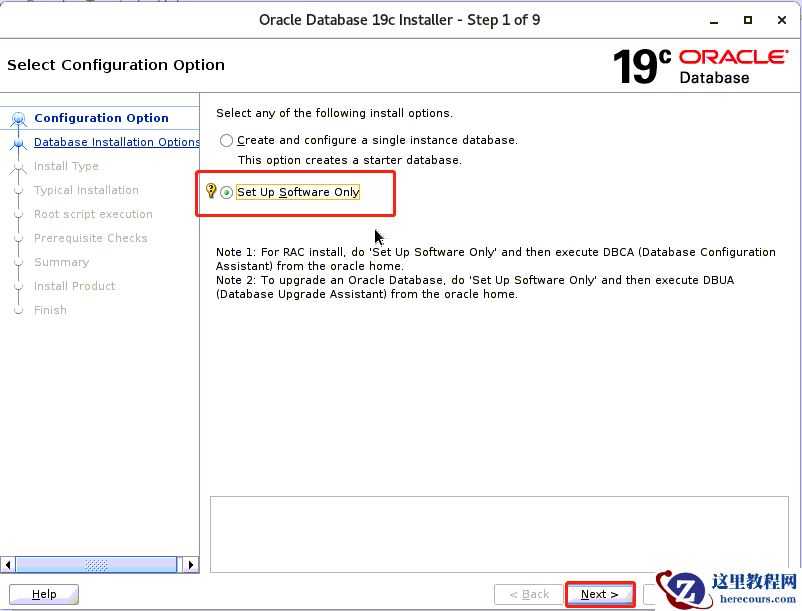
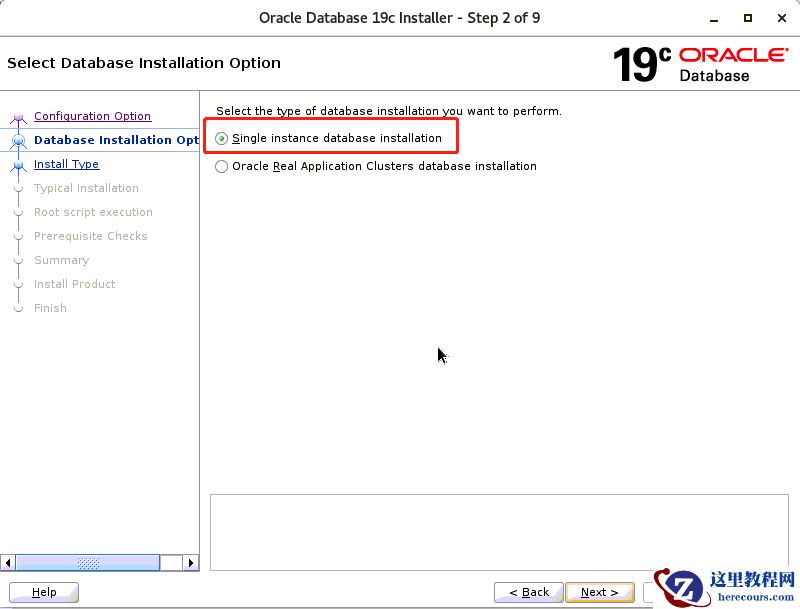
一步一步如下图所示
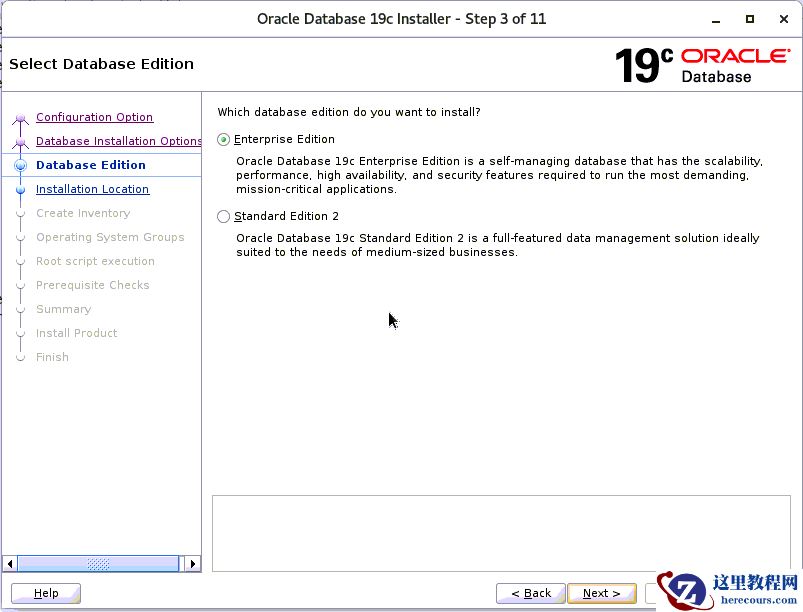
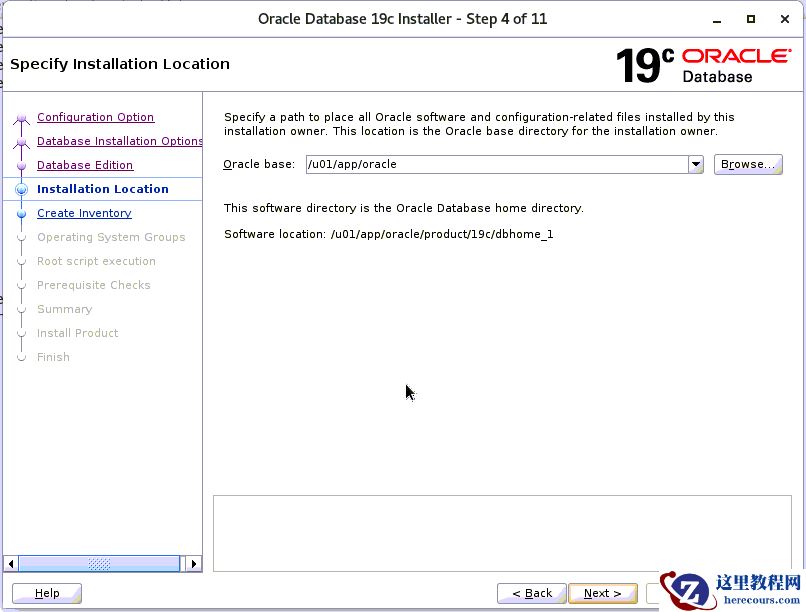
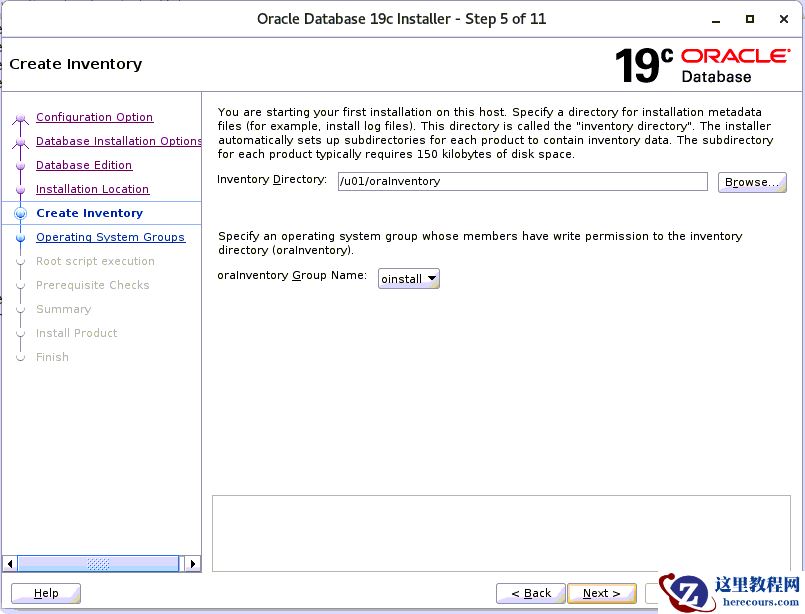
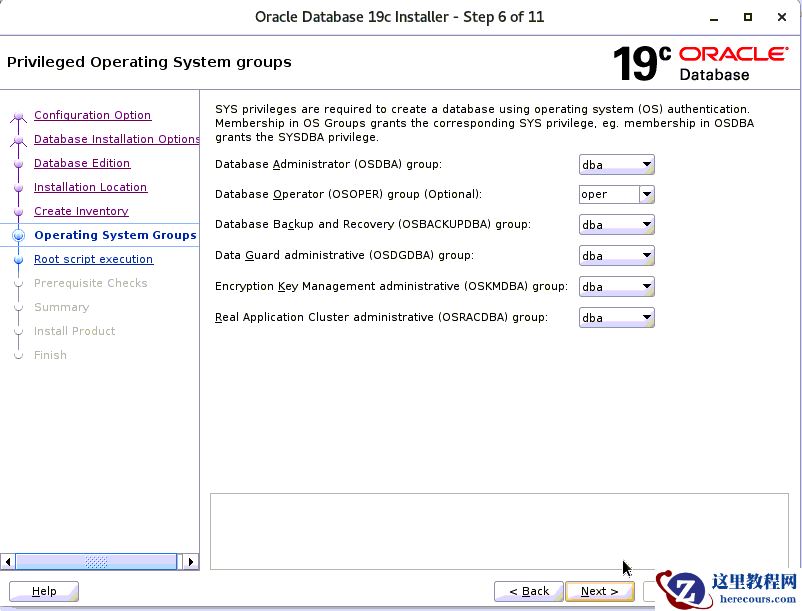
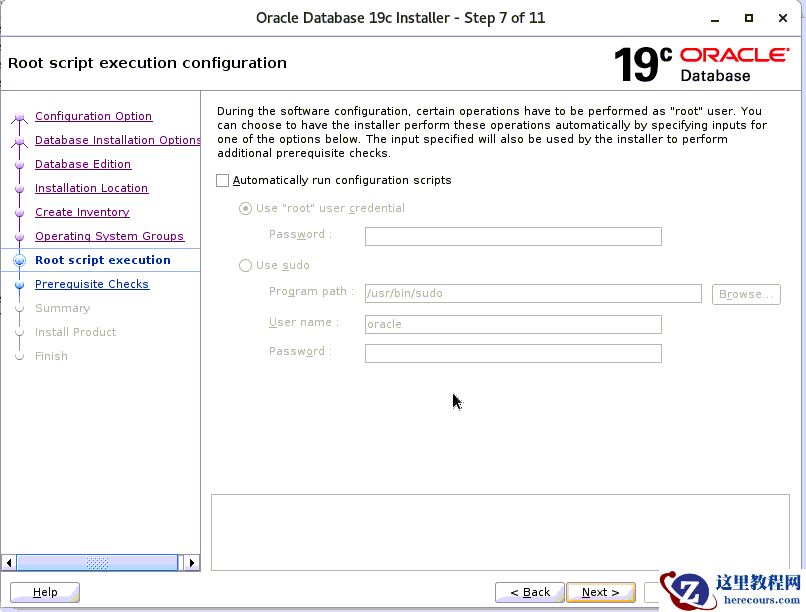
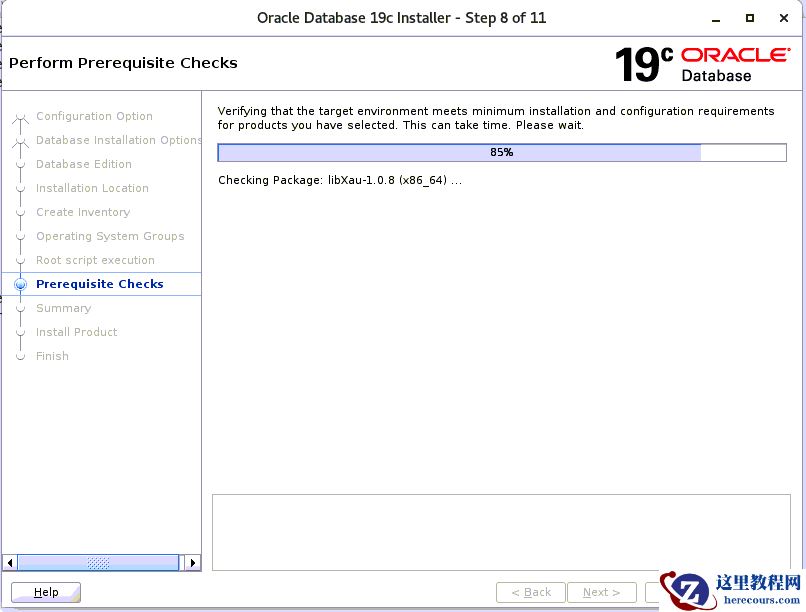
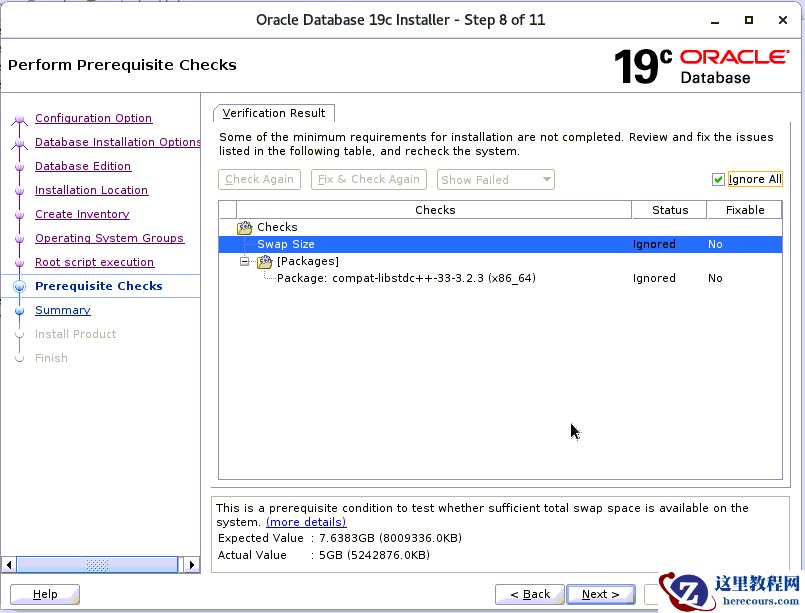 通过yum尝试安装缺失的软件包,如果没有,则忽略继续
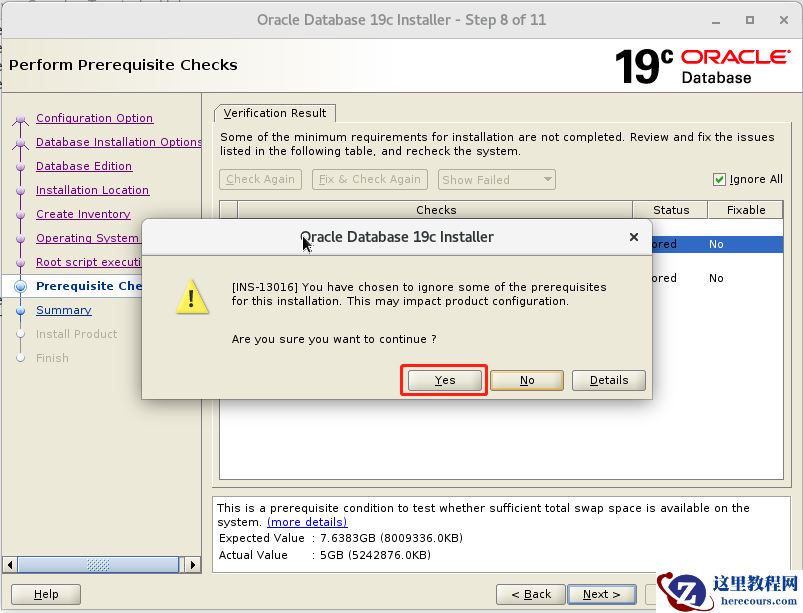
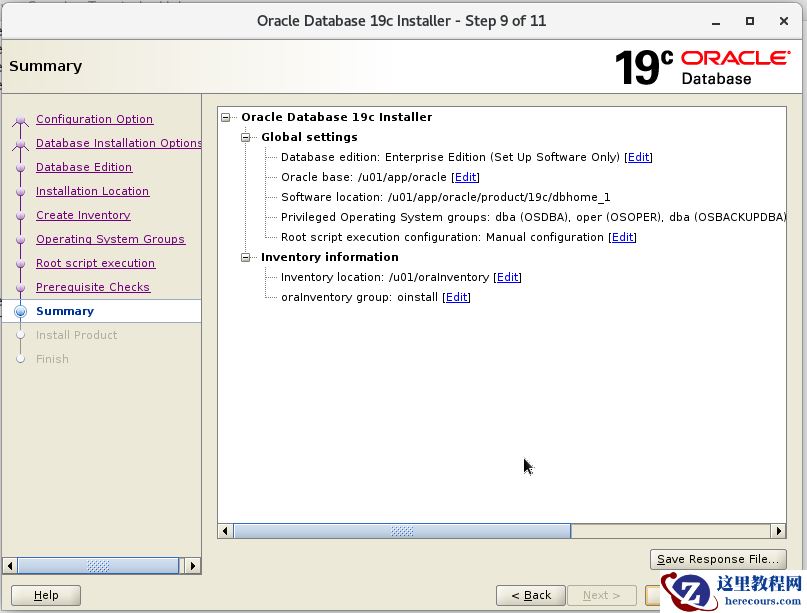
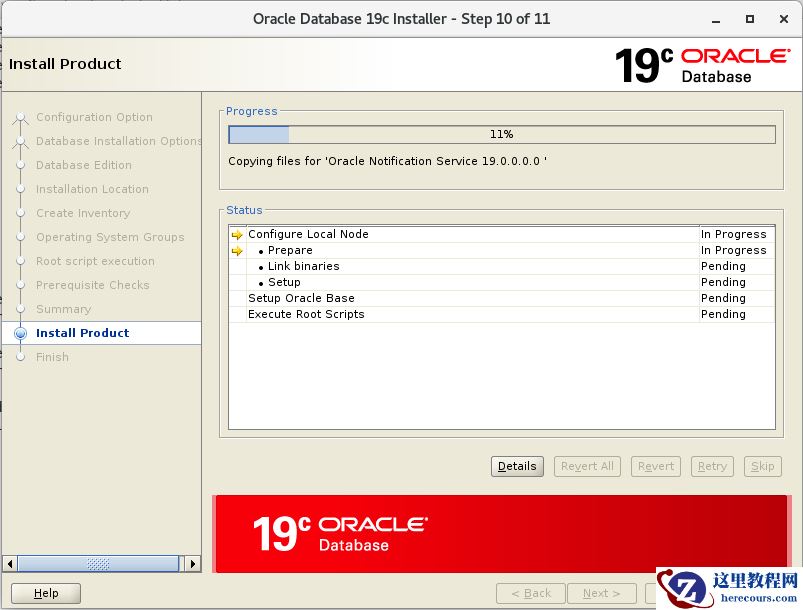
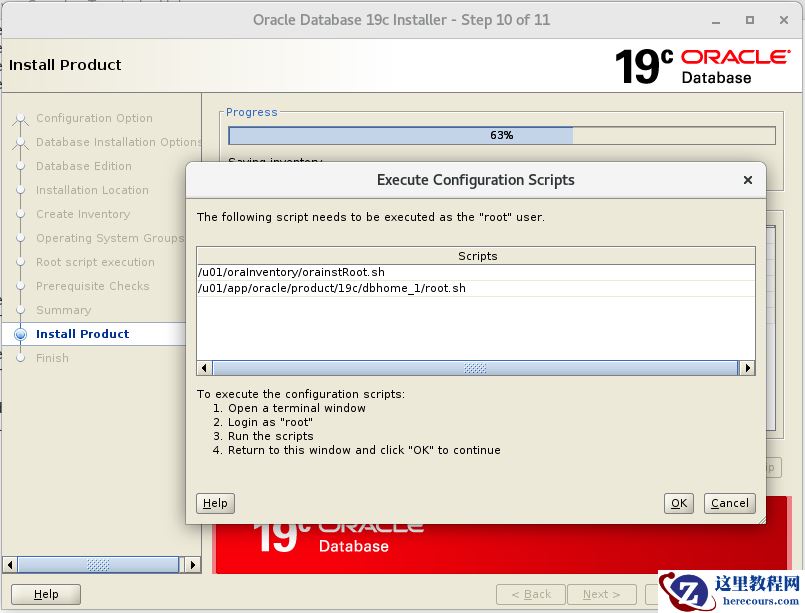 root
账户执行这两个脚本
,执行完再点击上图的ok
root
账户执行这两个脚本
,执行完再点击上图的ok
[root@dbserver /]
# /u01/app/oraInventory/orainstRoot.sh
Changing permissions of
/u01/app/oraInventory
.
Adding
read
,write permissions
for
group.
Removing
read
,write,execute permissions
for
world.
Changing groupname of
/u01/app/oraInventory
to oinstall.
The execution of the script is complete.
[root@dbserver /]
# /u01/app/oracle/product/19c/dbhome_1/root.sh
Performing root user operation
for
Oracle 19c
The following environment variables are
set
as:
ORACLE_OWNER= oracle
ORACLE_HOME=
/u01/app/oracle/product/19c
/dbhome_1
Enter the full pathname of the
local
bin directory: [
/usr/local/bin
]:
Copying dbhome to
/usr/local/bin
...
Copying oraenv to
/usr/local/bin
...
Copying coraenv to
/usr/local/bin
...
Creating
/etc/oratab
file
...
Entries will be added to the
/etc/oratab
file
as needed by
Database Configuration Assistant when a database is created
Finished running generic part of root script.
Now product-specific root actions will be performed.
Finished product-specific root actions.
[root@dbserver /]
#
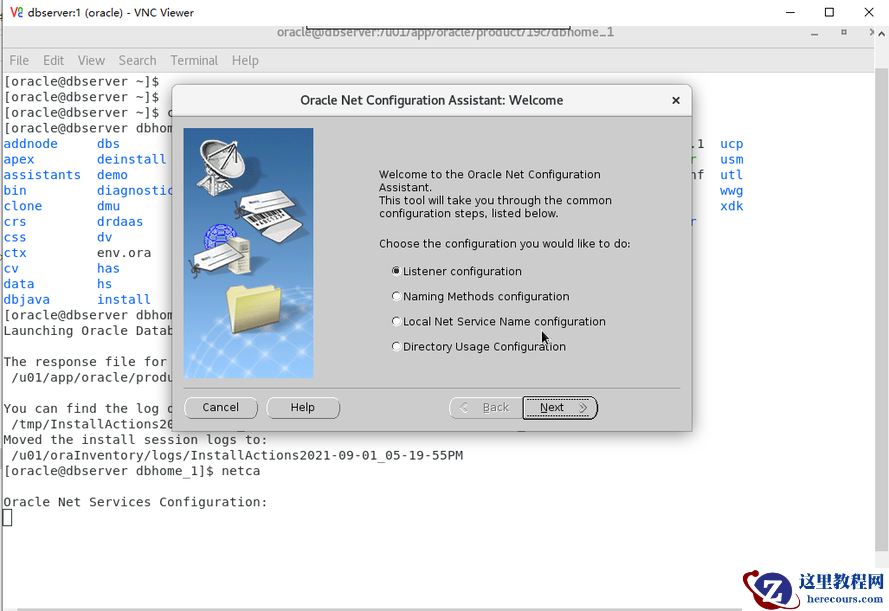
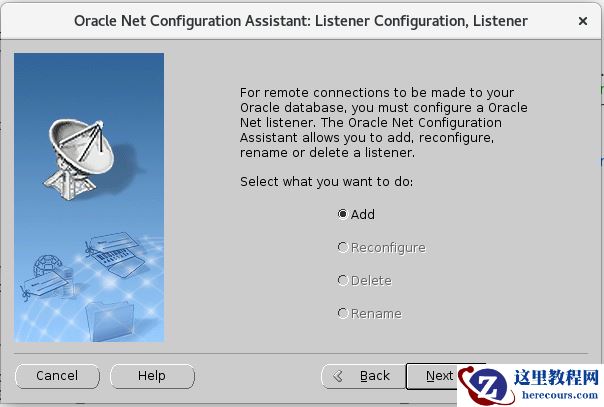
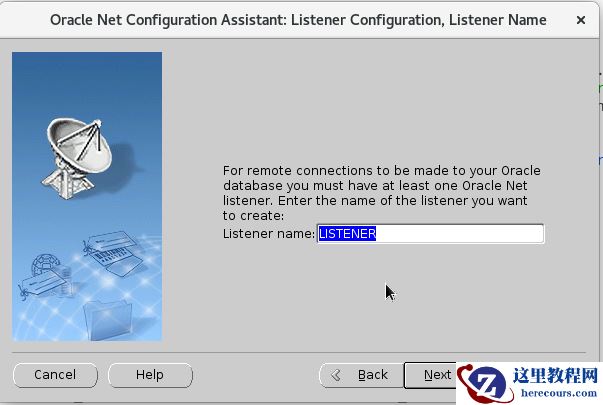
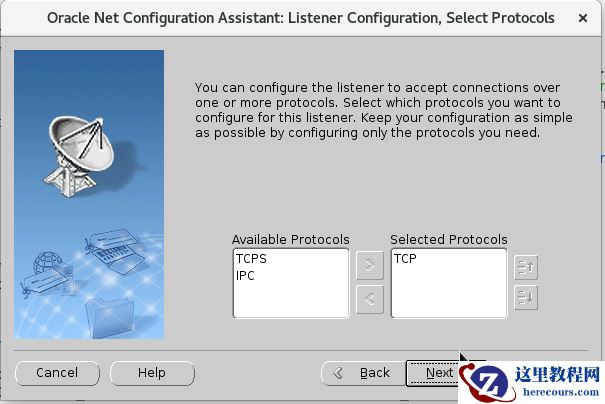
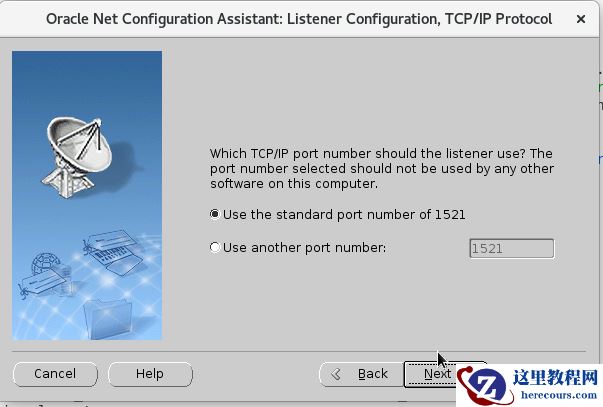
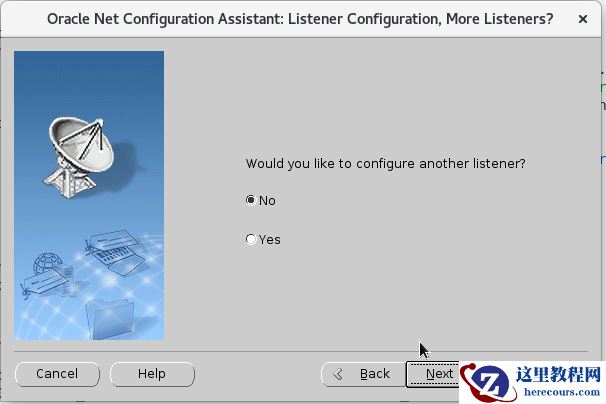
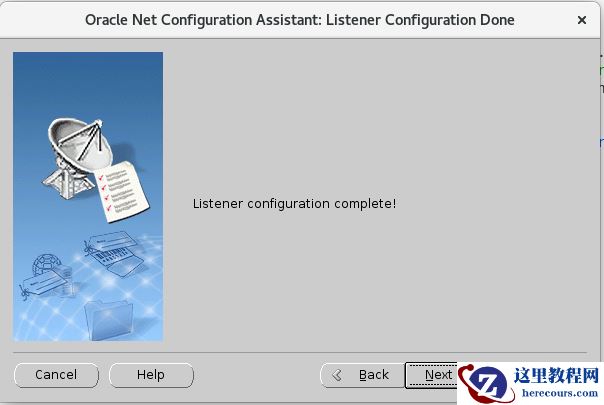
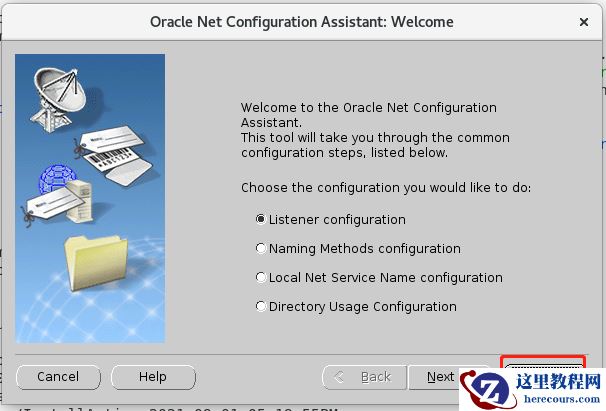
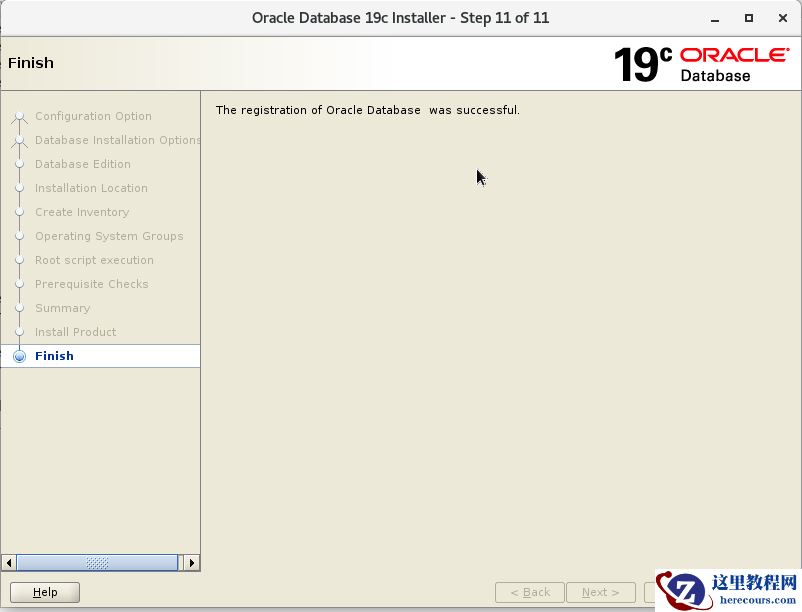 五、netca调出图形界面创建监听
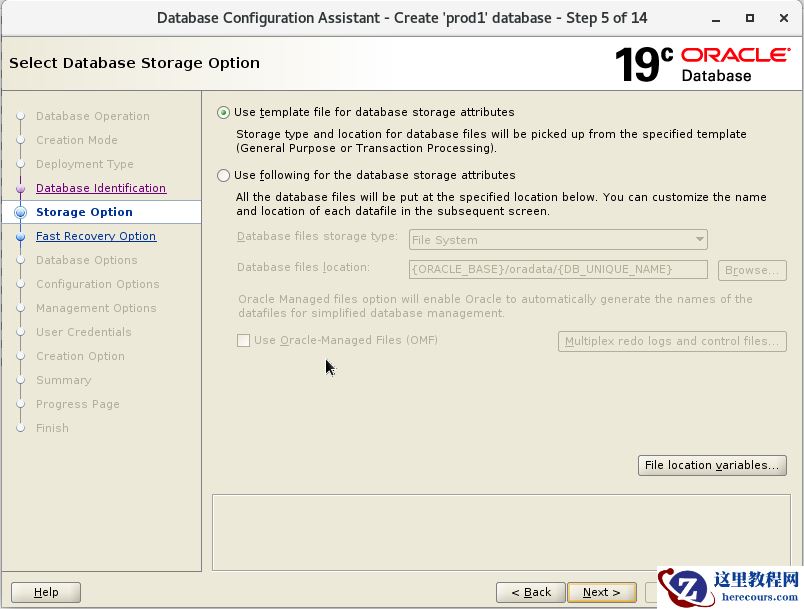
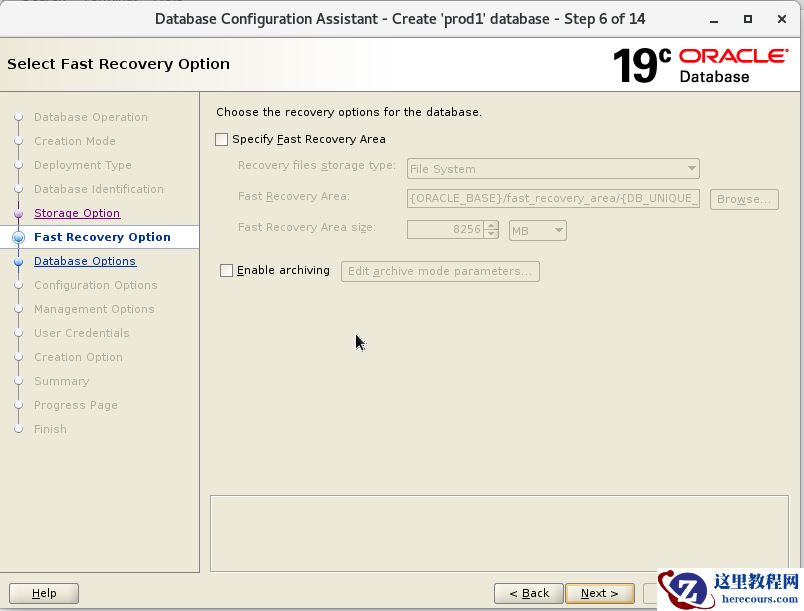
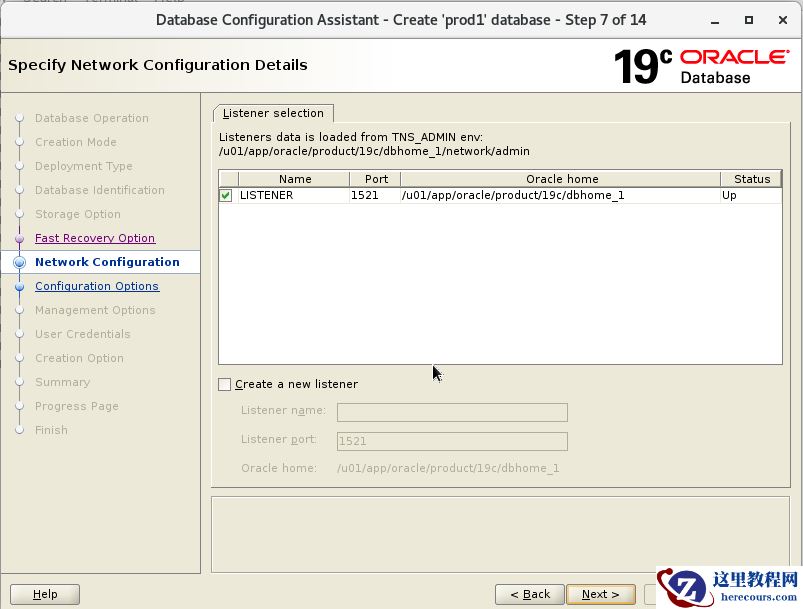
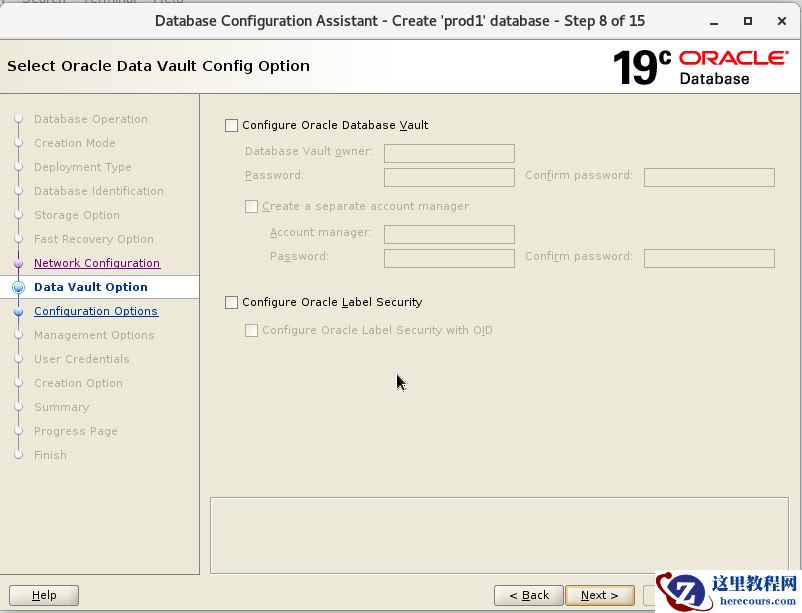
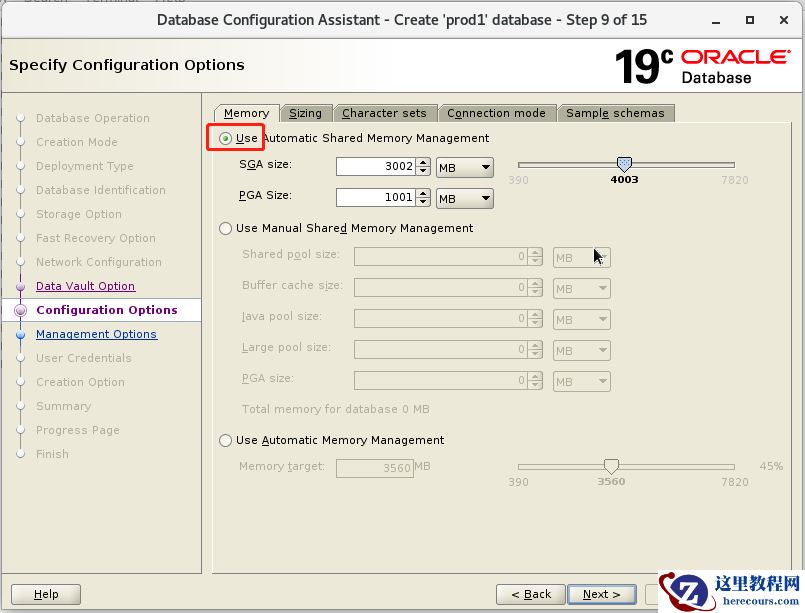
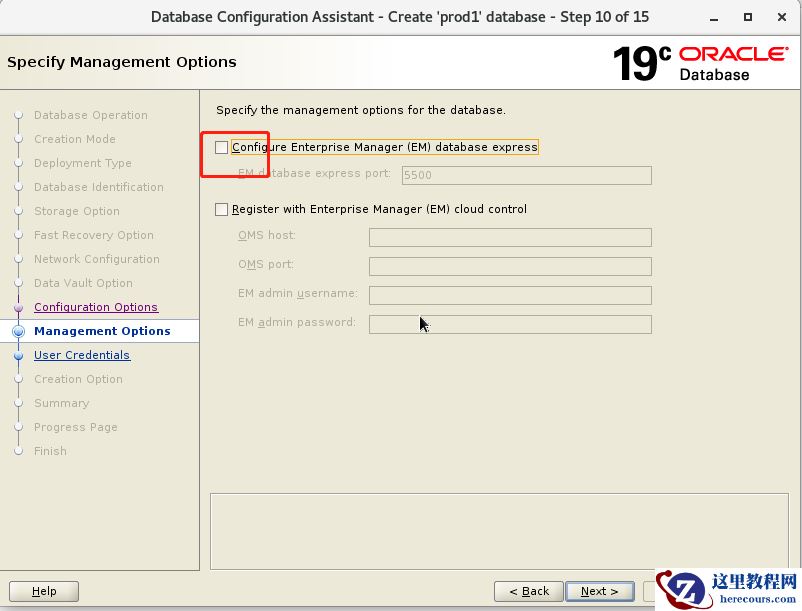
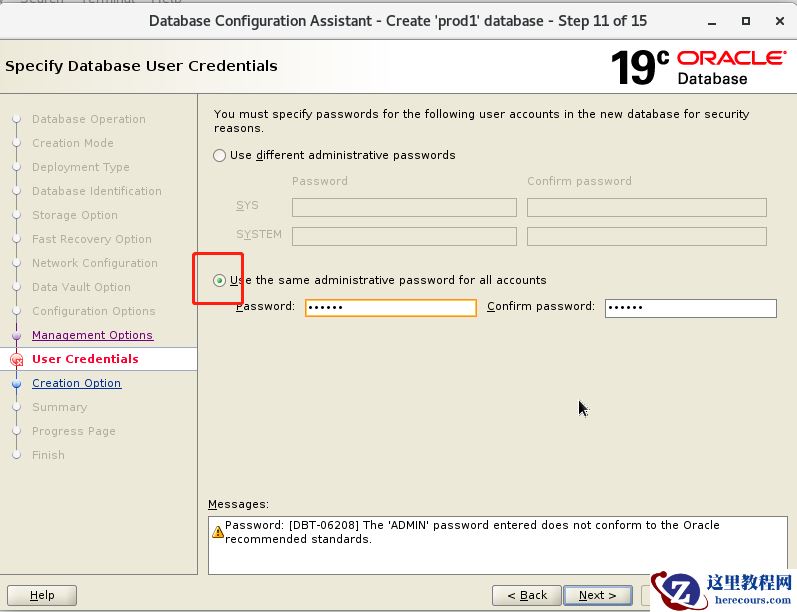
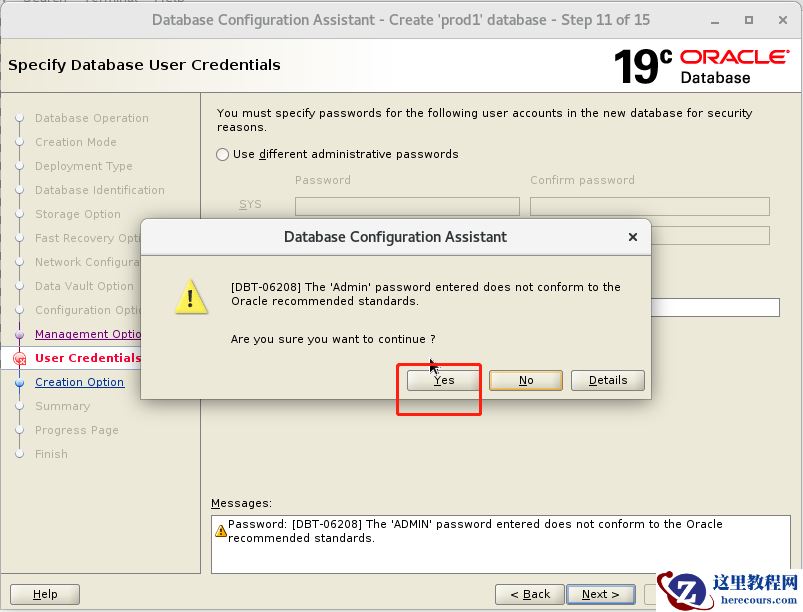
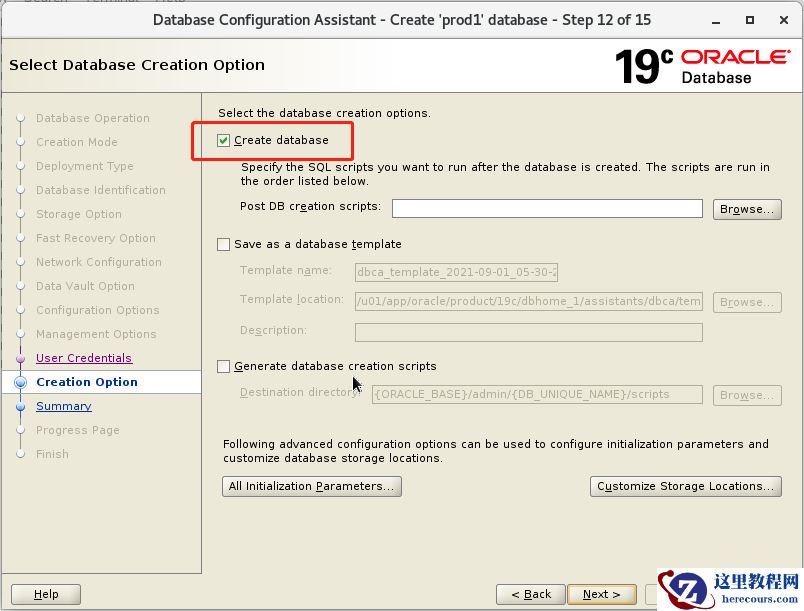
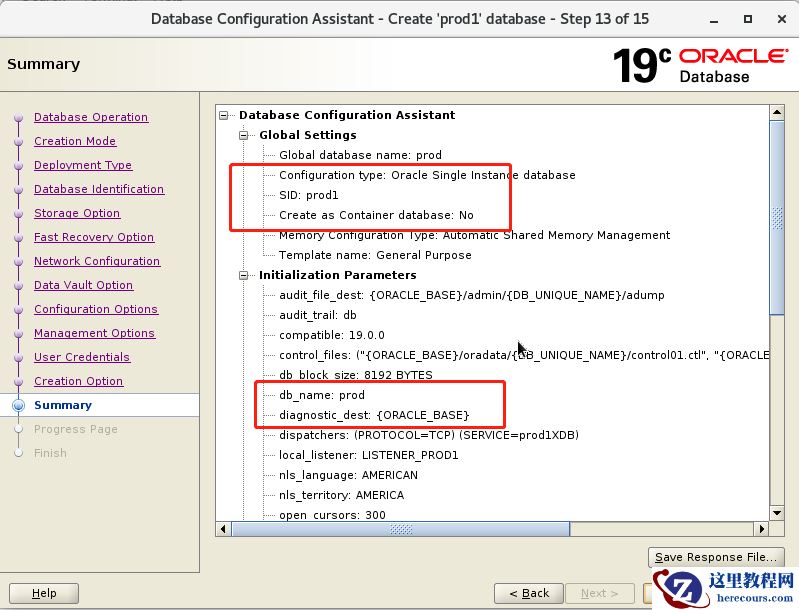
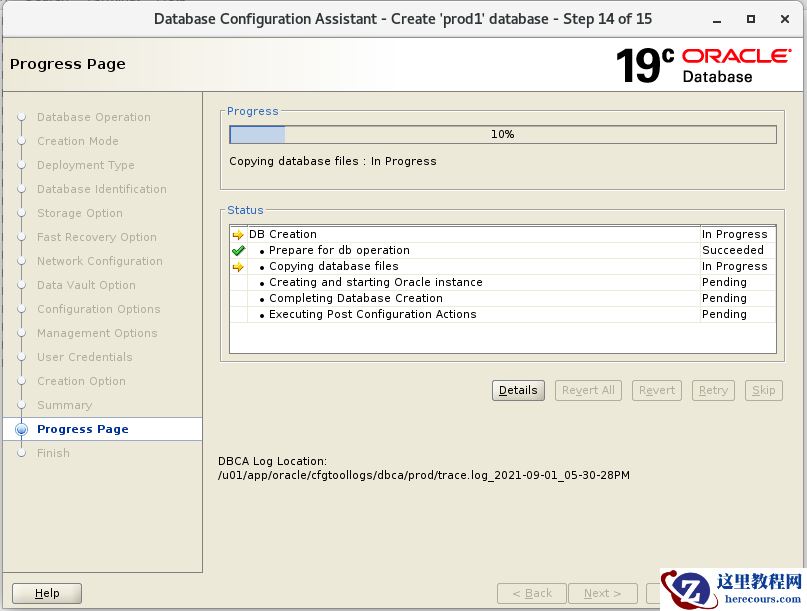
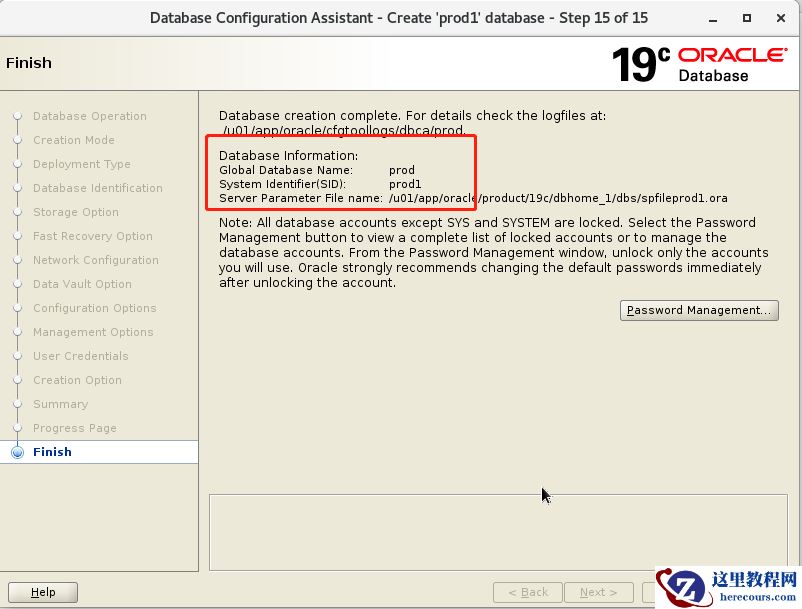
 六、dbca创建数据库如下
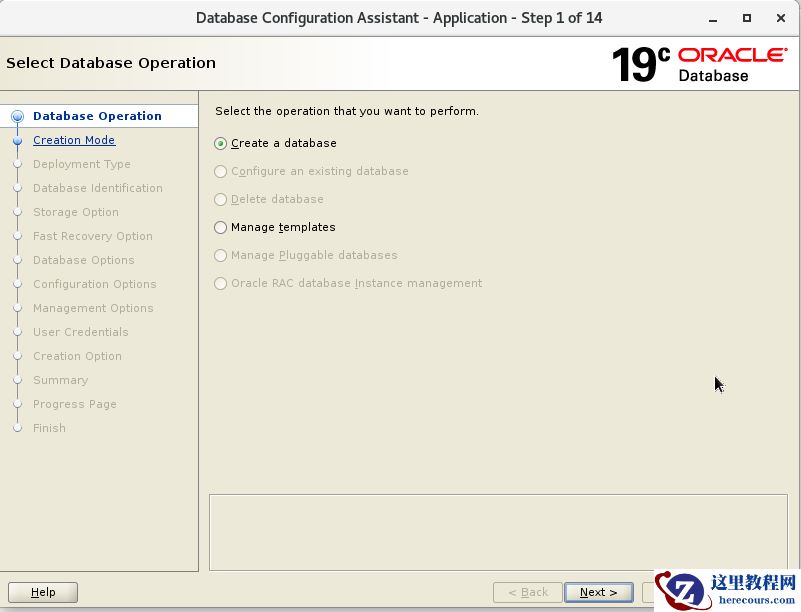
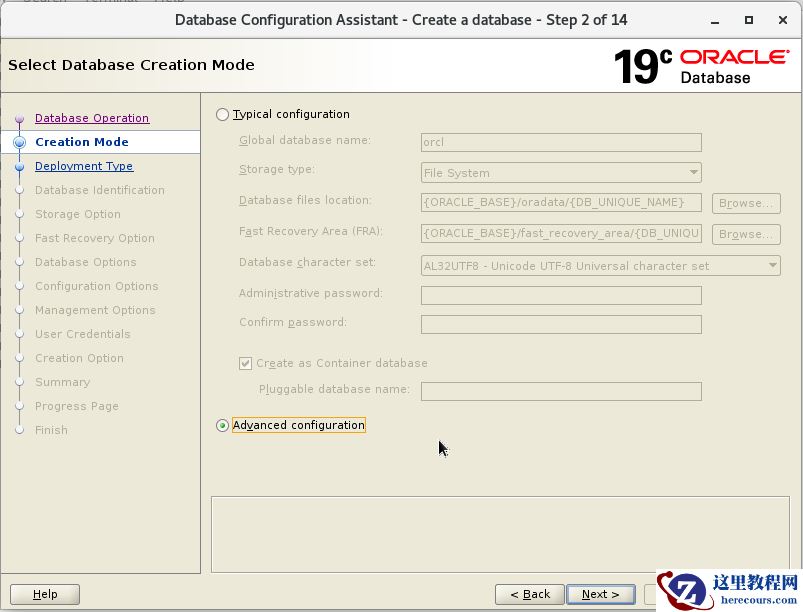
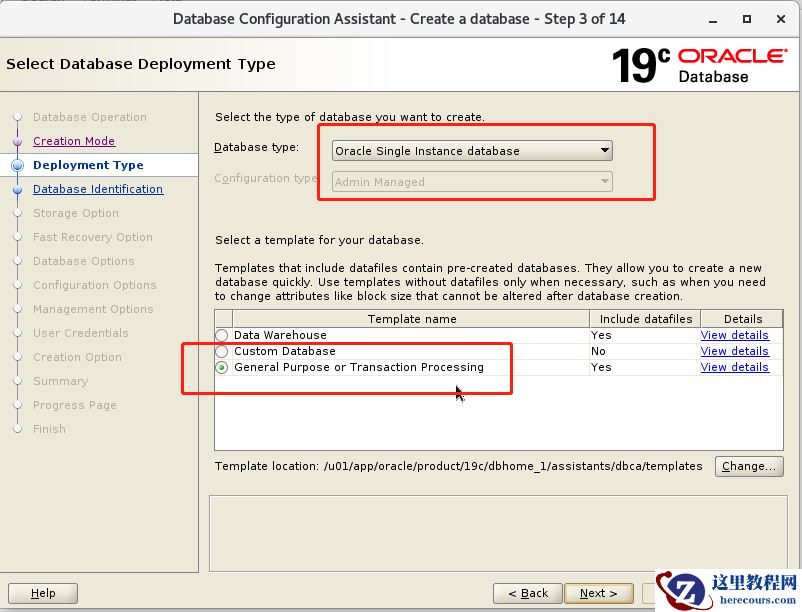
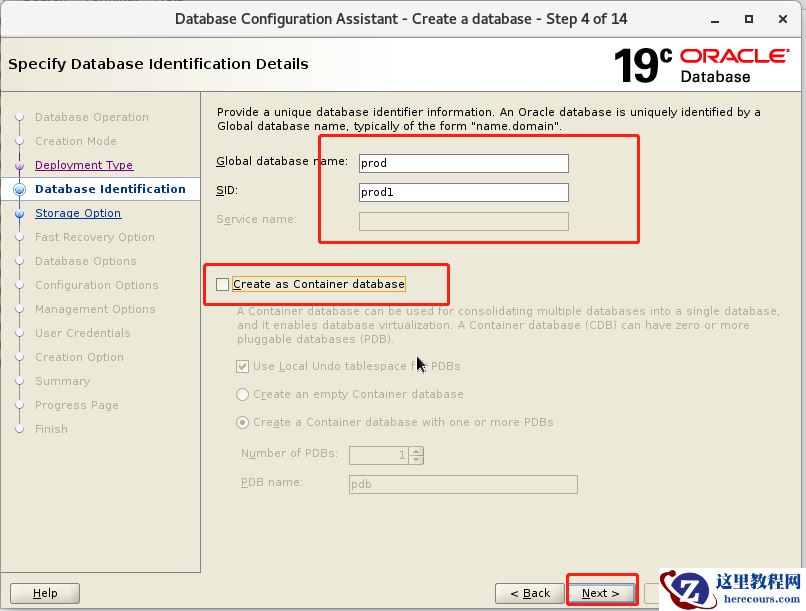
七、登陆数据库查看是否正常
SQL> select name from v$datafile;
NAME
--------------------------------------------------------------------------------
/u01/app/oracle/oradata/PROD/system01.dbf
/u01/app/oracle/oradata/PROD/sysaux01.dbf
/u01/app/oracle/oradata/PROD/undotbs01.dbf
/u01/app/oracle/oradata/PROD/users01.dbf
SQL>
编辑推荐:
下一篇:
相关推荐
-

-
-
-
-
-
-
-
-
-
-
-
-
-
-

雷神推出 MIX PRO II 迷你主机:基于 Ultra 200H,玻璃上盖 + ARGB 灯效
2 月 9 日消息,雷神 (THUNDEROBOT) 现已宣布推出基于英
-

制造商 Musnap 推出彩色墨水屏电纸书 Ocean C:支持手写笔、第三方安卓应用
2 月 10 日消息,制造商 Musnap 现已在海外推出一款 Oce
热文推荐
- oracle19c安装 单实例 系统centos7 非cdb
oracle19c安装 单实例 系统centos7 非cdb
26-03-03
- 字节跳动再启音乐梦

字节跳动再启音乐梦
26-03-03
- 【SQL】Oracle SQL处理的流程
【SQL】Oracle SQL处理的流程
26-03-03
- 【SQL】Oracle SQL共享池检查
【SQL】Oracle SQL共享池检查
26-03-03
- Oracle 21C下载和安装

Oracle 21C下载和安装
26-03-03
- oracle11g安装 单实例 系统centos7
oracle11g安装 单实例 系统centos7
26-03-03
- Oracle 19c- 19.8应用32242453补丁
Oracle 19c- 19.8应用32242453补丁
26-03-03
- 延迟块清除导致rac节点传输undo header块
延迟块清除导致rac节点传输undo header块
26-03-03
- 怎么给多个视频添加相同的滚动字幕内容呢

怎么给多个视频添加相同的滚动字幕内容呢
26-03-03
- 有什么简单快速获取天猫上商品详情图的方法吗?

有什么简单快速获取天猫上商品详情图的方法吗?
26-03-03