
[20211020]奇怪lsnrctl status显示.txt --//这几天一直在收尾同事配置dg的问题。生产系统安全问题比较复杂,通过测试环境演示该问题。 SYS@book> alter system register; System altered. $ lsnrctl status LSNRCTL for Linux: Version 11.2.0.4.0 - Production on 20-OCT-2021 10:10:00 Copyright (c) 1991, 2013, Oracle. All rights reserved. Connecting to (DESCRIPTION=(ADDRESS=(PROTOCOL=TCP)(HOST=0.0.0.0)(PORT=1521))) STATUS of the LISTENER ------------------------ Alias LISTENER Version TNSLSNR for Linux: Version 11.2.0.4.0 - Production Start Date 20-OCT-2021 10:09:07 Uptime 0 days 0 hr. 0 min. 52 sec Trace Level off Security ON: Local OS Authentication SNMP OFF Listener Parameter File /u01/app/oracle/product/11.2.0.4/dbhome_1/network/admin/listener.ora Listener Log File /u01/app/oracle/product/11.2.0.4/dbhome_1/network/log/listener.log Listening Endpoints Summary... (DESCRIPTION=(ADDRESS=(PROTOCOL=tcp)(HOST=0.0.0.0)(PORT=1521))) (DESCRIPTION=(ADDRESS=(PROTOCOL=ipc)(KEY=EXTPROC1521))) Services Summary... Service "booK" has 1 instance(s). Instance "book", status UNKNOWN, has 1 handler(s) for this service... The command completed successfully SYS@book> alter system register; System altered. --//lsnrctl status 状态仅仅显示一个booK服务,而且是静态注册的。 --//我在listener.ora配置如下: SID_LIST_LISTENER = (SID_LIST = (SID_DESC = (SDU = 32767) (GLOBAL_DBNAME = booK) (ARGV0 = myapp0) (ORACLE_HOME = /u01/app/oracle/product/11.2.0.4/dbhome_1) (SID_NAME = book) ) ) LISTENER = (DESCRIPTION_LIST = (DESCRIPTION = (ADDRESS = (PROTOCOL = TCP)(HOST = 0.0.0.0)(PORT = 1521)) (ADDRESS = (PROTOCOL = IPC)(KEY = EXTPROC1521)) ) ) ADR_BASE_LISTENER = /u01/app/oracle --//简单说明一下ARGV0 = myapp0,GLOBAL_DBNAME = booK(大小写混用也是测试目的),以前的测试我都忘了。 $ rlsql scott/book@127.0.0.1:1521/boOK SCOTT@127.0.0.1:1521/boOK> @ spid SID SERIAL# PROCESS SERVER SPID PID P_SERIAL# C50 ---------- ---------- ------------------------ --------- ------ ------- ---------- -------------------------------------------------- 44 4465 42539 DEDICATED 42541 27 177 alter system kill session '44,4465' immediate; sqlplus scott/book@192.168.100.78:1521/Book sqlplus scott/book --//获取进程号略。 $ ps -fp 42541,42556,42549 UID PID PPID C STIME TTY TIME CMD oracle 42541 1 0 10:15 ? 00:00:00 myapp0 (DESCRIPTION=(LOCAL=NO)(SDU=32767)) oracle 42549 1 0 10:17 ? 00:00:00 myapp0 (DESCRIPTION=(LOCAL=NO)(SDU=32767)) oracle 42556 42555 0 10:17 ? 00:00:00 oraclebook (DESCRIPTION=(LOCAL=YES)(ADDRESS=(PROTOCOL=beq))) --//相当于这时无论我本地或者远程通过网络登录,使用的都是静态服务。里面的ARGV0 = myapp0相当于改了参数0. SYS@book> show parameter dispatchers NAME TYPE VALUE ----------- ------ --------------------------------- dispatchers string (PROTOCOL=TCP) (SERVICE=bookXDB) --//同时共享服务名也没有显示。 # netstat -tnlp | grep -v sshd Active Internet connections (only servers) Proto Recv-Q Send-Q Local Address Foreign Address State PID/Program name tcp 0 0 0.0.0.0:1521 0.0.0.0:* LISTEN 42335/tnslsnr tcp 0 0 0.0.0.0:514 0.0.0.0:* LISTEN 9290/rsyslogd tcp 0 0 0.0.0.0:963 0.0.0.0:* LISTEN 4173/rpc.statd tcp 0 0 0.0.0.0:111 0.0.0.0:* LISTEN 4136/portmap tcp 0 0 :::11794 :::* LISTEN 57352/ora_d000_book ~~~~~~~~~~~~~~~~~~~~~~~~~~~~~~~~~~~~~~~~~~~~~~~~~~~~~~~~~~~~~~~~~~~~~~~~~~~~~~~~~~~~~~~~~~~~~~~~~~~~~~~~~~~ tcp 0 0 :::514 :::* LISTEN 9290/rsyslogd --//ora_d000_book存在。 --//后面检查发现在/etc/hostse文件中没有配置主机名。 # grep 78 /etc/hosts # 192.168.100.78 xxxxdg4.com xxxxdg4 --//取消注解后 SCOTT@127.0.0.1:1521/boOK> alter system register; System altered. $ lsnrctl status LSNRCTL for Linux: Version 11.2.0.4.0 - Production on 20-OCT-2021 10:31:04 Copyright (c) 1991, 2013, Oracle. All rights reserved. Connecting to (DESCRIPTION=(ADDRESS=(PROTOCOL=TCP)(HOST=0.0.0.0)(PORT=1521))) STATUS of the LISTENER ------------------------ Alias LISTENER Version TNSLSNR for Linux: Version 11.2.0.4.0 - Production Start Date 20-OCT-2021 10:28:22 Uptime 0 days 0 hr. 2 min. 41 sec Trace Level off Security ON: Local OS Authentication SNMP OFF Listener Parameter File /u01/app/oracle/product/11.2.0.4/dbhome_1/network/admin/listener.ora Listener Log File /u01/app/oracle/product/11.2.0.4/dbhome_1/network/log/listener.log Listening Endpoints Summary... (DESCRIPTION=(ADDRESS=(PROTOCOL=tcp)(HOST=0.0.0.0)(PORT=1521))) (DESCRIPTION=(ADDRESS=(PROTOCOL=ipc)(KEY=EXTPROC1521))) Services Summary... Service "BOOKSHARE" has 1 instance(s). Instance "book", status READY, has 1 handler(s) for this service... Service "booK" has 2 instance(s). Instance "book", status UNKNOWN, has 1 handler(s) for this service... Instance "book", status READY, has 1 handler(s) for this service... Service "bookXDB" has 1 instance(s). Instance "book", status READY, has 1 handler(s) for this service... The command completed successfully --//问题解决。很奇怪新版本使用centos 7.9 , 新的hostnamectl命令并不会修改/etc/hosts文件。 $ sqlplus scott/book@192.168.100.78:1521/book SID SERIAL# PROCESS SERVER SPID PID P_SERIAL# C50 ---------- ---------- ------------------------ --------- -------------------- ------- ---------- -------------------------------------------------- 30 2327 6268:4120 DEDICATED 43112 26 76 alter system kill session '30,2327' immediate; # ps -fp 43112 UID PID PPID C STIME TTY TIME CMD oracle 43112 1 0 11:13 ? 00:00:00 oraclebook (LOCAL=NO) --//可以发现在动态,静态服务注册的情况下,优先使用注册的动态服务名。怎么能在这种情况下使用静态的服务名呢? $ sqlplus scott/book@"(DESCRIPTION=(ARGV0=xxxxxx)(ENABLE=BROKEN)(CONNECT_DATA=(ARGV0=yyyyy)(SERVICE_NAME=book)(SERVER = DEDICATED))(ADDRESS=(PROTOCOL=tcp)(HOST=192.168.100.78)(PORT=1521)))" SCOTT@book> @ spid SID SERIAL# PROCESS SERVER SPID PID P_SERIAL# C50 ---------- ---------- ------------------------ --------- -------------------- ------- ---------- -------------------------------------------------- 30 2329 4108:7656 DEDICATED 43120 26 77 alter system kill session '30,2329' immediate; # ps -fp 43120 UID PID PPID C STIME TTY TIME CMD oracle 43120 1 0 11:14 ? 00:00:00 oraclebook (LOCAL=NO) --//不行,放弃!!
[20211020]奇怪lsnrctl status显示.txt
来源:这里教程网
时间:2026-03-03 17:04:13
作者:
编辑推荐:
下一篇:
相关推荐
-

-
-
-
-
-
-
-
-
-
-
-
-
-
-

雷神推出 MIX PRO II 迷你主机:基于 Ultra 200H,玻璃上盖 + ARGB 灯效
2 月 9 日消息,雷神 (THUNDEROBOT) 现已宣布推出基于英
-

制造商 Musnap 推出彩色墨水屏电纸书 Ocean C:支持手写笔、第三方安卓应用
2 月 10 日消息,制造商 Musnap 现已在海外推出一款 Oce
热文推荐
- 圆心科技冲刺IPO:独角兽也需要反思
圆心科技冲刺IPO:独角兽也需要反思
26-03-03 - 【OPTIMIZATION】Oracle影响优化器选择的相关技术
【OPTIMIZATION】Oracle影响优化器选择的相关技术
26-03-03 - 关于log file switch and checkpoint机制
关于log file switch and checkpoint机制
26-03-03 - Zabbix5.0 配置 ODBC 监控 Oracle 数据库
Zabbix5.0 配置 ODBC 监控 Oracle 数据库
26-03-03 - Flinkx Logminer性能探测&优化之路
Flinkx Logminer性能探测&优化之路
26-03-03 - 逆风上市的孩子王,蓝图仍待验证
逆风上市的孩子王,蓝图仍待验证
26-03-03 - DG19C搭建(asm单实例)
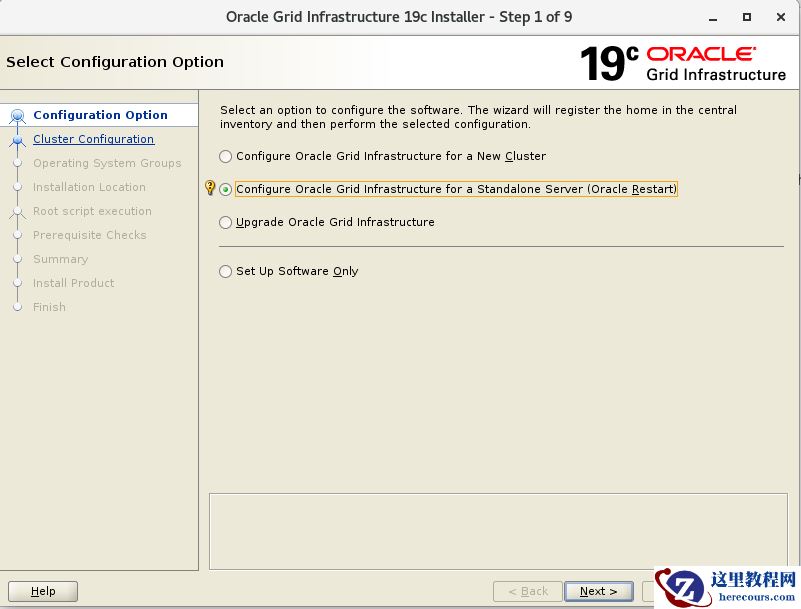
DG19C搭建(asm单实例)
26-03-03 - 【STATS】Oracle导入导出优化器统计信息
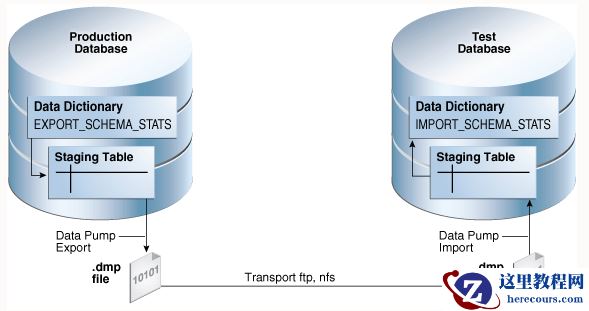
【STATS】Oracle导入导出优化器统计信息
26-03-03 - 网约车的新出口:集体出行来了?
网约车的新出口:集体出行来了?
26-03-03 - 视频怎么调整播放速度,调快或者调慢,需要怎么做
视频怎么调整播放速度,调快或者调慢,需要怎么做
26-03-03