[20230425]注意snapshot standby与activate standby的区别.txt --//同事想使用dg做一些读写测试,选择的是alter database activate standby database,因为这样操作没有建立保证闪回点,导致切换 --//回去后,无法接受主库的产生日志.导致必须重新建立dg数据库,特别提醒自己以后工作注意这个细节问题. --//我以前写过一篇 --//[20170302]关于alter database convert to snapshot standby.txt. --//[20170301]关于alter database activate standby database.txt --//实际上这个问题非常容易混淆,如果使用activate standby,要返回应用日志,必须要建立一个保证存储点或者打开闪回功能. --//在这个问题非常容易搞混!!而alter database convert to snapshot standby;执行后自动建立保证闪回点. --//实际上在10g之前仅仅支持activate standby database,11g后加入了Snapshot Standby Database的新特性,也许我可能记忆发生错 --//误!!其实Snapshot Standby Database也就是上面10g功能的一个包装而已,唯 一不同的是在转换为读写模式后依旧可以继续接受主库 --//过来的归档日志。也就是activate standby database仅仅与Snapshot Standby Database相似. --//建议不要再使用activate standby方式.另外建议dg建立后马上打开flashback 功能,避免主库出现业务操作错误时,可以利用闪回功 --//能,恢复丢失的数据或者操作错误.另外建议使用dgmgrl管理这类操作,减少不必要的错误. --//简单记录一些操作过程. --//convert to snapshot standby步骤如下: alter database recover managed standby database cancel; alter database convert to snapshot standby; alter database open ; --//convert to physical standby ; shutdown immediate; startup mount alter database convert to physical standby ; --//convert to activate standby步骤如下: alter database recover managed standby database cancel; create restore point beforetest guarantee flashback database; alter database activate standby database; alter database open ; --//convert to physical standby ; shutdown immediate; startup mount flashback database to restore point beforetest; alter database convert to physical standby ; --//drop restore point beforetest; --//顺便使用我的测试库做一些测试说明问题,千万不要拿生产系统的数据库做这类测试!! 1.环境: SYS@book> @ ver1 PORT_STRING VERSION BANNER ------------------------------ -------------- -------------------------------------------------------------------------------- x86_64/Linux 2.4.xx 11.2.0.4.0 Oracle Database 11g Enterprise Edition Release 11.2.0.4.0 - 64bit Production --//简单说明一下,我的测试环境本来存在一个dg,机器给淘汰了.现在没有dg环境.不过我应该能模拟同事的操作错误. 2.测试1: SYS@book> alter database convert to physical standby ; alter database convert to physical standby * ERROR at line 1: ORA-01126: database must be mounted in this instance and not open in any instance --//必须在mount状态执行. SYS@book> shutdown immediate ; Database closed. Database dismounted. ORACLE instance shut down. SYS@book> startup mount ORACLE instance started. Total System Global Area 643084288 bytes Fixed Size 2255872 bytes Variable Size 205521920 bytes Database Buffers 427819008 bytes Redo Buffers 7487488 bytes Database mounted. SYS@book> select * from v$restore_point ; no rows selected SYS@book> alter database convert to physical standby ; Database altered. --//数据库已经转换为physical standby. SYS@book> select * from v$restore_point ; select * from v$restore_point * ERROR at line 1: ORA-01507: database not mounted SYS@book> shutdown immediate ; ORA-01507: database not mounted ORACLE instance shut down. SYS@book> startup mount ORACLE instance started. Total System Global Area 643084288 bytes Fixed Size 2255872 bytes Variable Size 205521920 bytes Database Buffers 427819008 bytes Redo Buffers 7487488 bytes Database mounted. SYS@book> select * from v$restore_point ; no rows selected SYS@book> select CONTROLFILE_TYPE,DATABASE_ROLE from v$database; CONTROL DATABASE_ROLE ------- ---------------- STANDBY PHYSICAL STANDBY --//已经是PHYSICAL STANDBY数据库 RMAN> list incarnation; List of Database Incarnations DB Key Inc Key DB Name DB ID STATUS Reset SCN Reset Time ------- ------- -------- ---------------- --- ---------- ---------- 1 1 BOOK 1337401710 PARENT 1 2013-08-24 11:37:30 2 2 BOOK 1337401710 CURRENT 925702 2015-11-24 09:11:12 RMAN> list restore point all; SCN RSP Time Type Time Name ---------------- ------------------- ---------- ------------------- ---- SYS@book> alter database activate standby database; Database altered. SYS@book> select * from v$restore_point ; no rows selected --//activate standby database后并没有建立存储点. SYS@book> select CONTROLFILE_TYPE,DATABASE_ROLE,open_mode from v$database; CONTROL DATABASE_ROLE OPEN_MODE ------- ---------------- -------------------- CURRENT PRIMARY MOUNTED --//数据库变成PRIMARY. RMAN> list incarnation; List of Database Incarnations DB Key Inc Key DB Name DB ID STATUS Reset SCN Reset Time ------- ------- -------- ---------------- --- ---------- ---------- 1 1 BOOK 1337401710 PARENT 1 2013-08-24 11:37:30 2 2 BOOK 1337401710 PARENT 925702 2015-11-24 09:11:12 3 3 BOOK 1337401710 CURRENT 13277830768 2023-04-27 10:56:28 --//建立新的incarnation. RMAN> list restore point all; SCN RSP Time Type Time Name ---------------- ------------------- ---------- ------------------- ---- --//这样open打开后无法返回旧的incarnation,继续接收redo日志的. --//继续操作: SYS@book> alter database convert to physical standby ; alter database convert to physical standby * ERROR at line 1: ORA-16433: The database must be opened in read/write mode. SYS@book> alter database open ; Database altered. SYS@book> alter database convert to physical standby ; alter database convert to physical standby * ERROR at line 1: ORA-01126: database must be mounted in this instance and not open in any instance --//奇怪!! SYS@book> shutdown immediate ; Database closed. Database dismounted. ORACLE instance shut down. SYS@book> startup mount ORACLE instance started. Total System Global Area 643084288 bytes Fixed Size 2255872 bytes Variable Size 205521920 bytes Database Buffers 427819008 bytes Redo Buffers 7487488 bytes Database mounted. SYS@book> select CONTROLFILE_TYPE,DATABASE_ROLE,open_mode from v$database; CONTROL DATABASE_ROLE OPEN_MODE ------- ---------------- -------------------- CURRENT PRIMARY MOUNTED SYS@book> alter database convert to physical standby ; Database altered. SYS@book> shutdown immediate ; ORA-01507: database not mounted ORACLE instance shut down. SYS@book> startup mount ORACLE instance started. Total System Global Area 643084288 bytes Fixed Size 2255872 bytes Variable Size 205521920 bytes Database Buffers 427819008 bytes Redo Buffers 7487488 bytes Database mounted. SYS@book> select CONTROLFILE_TYPE,DATABASE_ROLE,open_mode from v$database; CONTROL DATABASE_ROLE OPEN_MODE ------- ---------------- -------------------- STANDBY PHYSICAL STANDBY MOUNTED RMAN> list incarnation; using target database control file instead of recovery catalog List of Database Incarnations DB Key Inc Key DB Name DB ID STATUS Reset SCN Reset Time ------- ------- -------- ---------------- --- ---------- ---------- 1 1 BOOK 1337401710 PARENT 1 2013-08-24 11:37:30 2 2 BOOK 1337401710 PARENT 925702 2015-11-24 09:11:12 3 3 BOOK 1337401710 CURRENT 13277830768 2023-04-27 10:56:28 --//当前的Incarnation已经是新的Incarnations,无法返回旧的Incarnations. --//实际上你可以理解为alter database activate standby database;强制拉起数据库为主库模式. --//要想返回必须建立闪回存储点或者打开闪回日志. 3.测试2: --//使用冷备份恢复.过程略. SYS@book> startup mount ORACLE instance started. Total System Global Area 643084288 bytes Fixed Size 2255872 bytes Variable Size 205521920 bytes Database Buffers 427819008 bytes Redo Buffers 7487488 bytes Database mounted. SYS@book> select CONTROLFILE_TYPE,DATABASE_ROLE,open_mode from v$database; CONTROL DATABASE_ROLE OPEN_MODE ------- ---------------- -------------------- CURRENT PRIMARY MOUNTED SYS@book> alter database convert to physical standby ; Database altered. SYS@book> shutdown immediate ; ORA-01507: database not mounted ORACLE instance shut down. SYS@book> startup mount ORACLE instance started. Total System Global Area 643084288 bytes Fixed Size 2255872 bytes Variable Size 205521920 bytes Database Buffers 427819008 bytes Redo Buffers 7487488 bytes Database mounted. SYS@book> select CONTROLFILE_TYPE,DATABASE_ROLE,open_mode from v$database; CONTROL DATABASE_ROLE OPEN_MODE ------- ---------------- -------------------- STANDBY PHYSICAL STANDBY MOUNTED SYS@book> select * from v$restore_point ; no rows selected SYS@book> select * from v$restore_point ; no rows selected SYS@book> alter database convert to snapshot standby; Database altered. SYS@book> set numw 12 SYS@book> select * from v$restore_point ; SCN DATABASE_INCARNATION# GUA STORAGE_SIZE TIME RESTORE_POINT_TIME PRE NAME ------------ --------------------- --- ------------ ----------------------------- ------------------ --- --------------------------------------------- 13276934081 2 YES 52428800 2023-04-27 11:15:24.000000000 YES SNAPSHOT_STANDBY_REQUIRED_04/27/2023 11:15:24 --//可以发现自动建立一个保证存储点. RMAN> list incarnation; using target database control file instead of recovery catalog List of Database Incarnations DB Key Inc Key DB Name DB ID STATUS Reset SCN Reset Time ------- ------- -------- ---------------- --- ---------- ---------- 1 1 BOOK 1337401710 PARENT 1 2013-08-24 11:37:30 2 2 BOOK 1337401710 PARENT 925702 2015-11-24 09:11:12 3 3 BOOK 1337401710 CURRENT 13276934083 2023-04-27 11:15:25 RMAN> list restore point all; SCN RSP Time Type Time Name ---------------- ------------------- ---------- ------------------- ---- 13276934081 GUARANTEED 2023-04-27 11:15:24 SNAPSHOT_STANDBY_REQUIRED_04/27/2023 11:15:24 SYS@book> alter database open ; Database altered. --//一些DML操作省略.... SYS@book> shutdown immediate ; Database closed. Database dismounted. ORACLE instance shut down. SYS@book> startup mount ORACLE instance started. Total System Global Area 643084288 bytes Fixed Size 2255872 bytes Variable Size 205521920 bytes Database Buffers 427819008 bytes Redo Buffers 7487488 bytes Database mounted. SYS@book> select CONTROLFILE_TYPE,DATABASE_ROLE,open_mode from v$database; CONTROL DATABASE_ROLE OPEN_MODE ------- ---------------- -------------------- CURRENT SNAPSHOT STANDBY MOUNTED --//DATABASE_ROLE =SNAPSHOT STANDBY. SYS@book> alter database convert to physical standby ; Database altered. SYS@book> select CONTROLFILE_TYPE,DATABASE_ROLE,open_mode from v$database; select CONTROLFILE_TYPE,DATABASE_ROLE,open_mode from v$database * ERROR at line 1: ORA-01507: database not mounted SYS@book> shutdown immediate ; ORA-01507: database not mounted ORACLE instance shut down. SYS@book> startup mount ORACLE instance started. Total System Global Area 643084288 bytes Fixed Size 2255872 bytes Variable Size 205521920 bytes Database Buffers 427819008 bytes Redo Buffers 7487488 bytes Database mounted. SYS@book> select CONTROLFILE_TYPE,DATABASE_ROLE,open_mode from v$database; CONTROL DATABASE_ROLE OPEN_MODE ------- ---------------- -------------------- STANDBY PHYSICAL STANDBY MOUNTED RMAN> list incarnation; using target database control file instead of recovery catalog List of Database Incarnations DB Key Inc Key DB Name DB ID STATUS Reset SCN Reset Time ------- ------- -------- ---------------- --- ---------- ---------- 1 1 BOOK 1337401710 PARENT 1 2013-08-24 11:37:30 2 2 BOOK 1337401710 CURRENT 925702 2015-11-24 09:11:12 3 3 BOOK 1337401710 ORPHAN 13276934083 2023-04-27 11:15:25 --//你可以发现切换为STANDBY后,使用incarnation是DB Key=2那行,也就是自动闪回到存储点位置. SYS@book> select current_scn from v$database; CURRENT_SCN ------------ 13276934081 --//当前的scn是13276934081,就是rman下list restore point all;显示的scn. --//写的有点乱,还是基本能说明问题,收尾略.
[20230425]注意snapshot standby与activate standby的区别.txt
来源:这里教程网
时间:2026-03-03 18:44:39
作者:
编辑推荐:
下一篇:
相关推荐
-

-
-
-
-
-
-
-
-
-
-
-
-
-
-

雷神推出 MIX PRO II 迷你主机:基于 Ultra 200H,玻璃上盖 + ARGB 灯效
2 月 9 日消息,雷神 (THUNDEROBOT) 现已宣布推出基于英
-

制造商 Musnap 推出彩色墨水屏电纸书 Ocean C:支持手写笔、第三方安卓应用
2 月 10 日消息,制造商 Musnap 现已在海外推出一款 Oce
热文推荐
- 以智能电力仪表为基础的电能管理系统
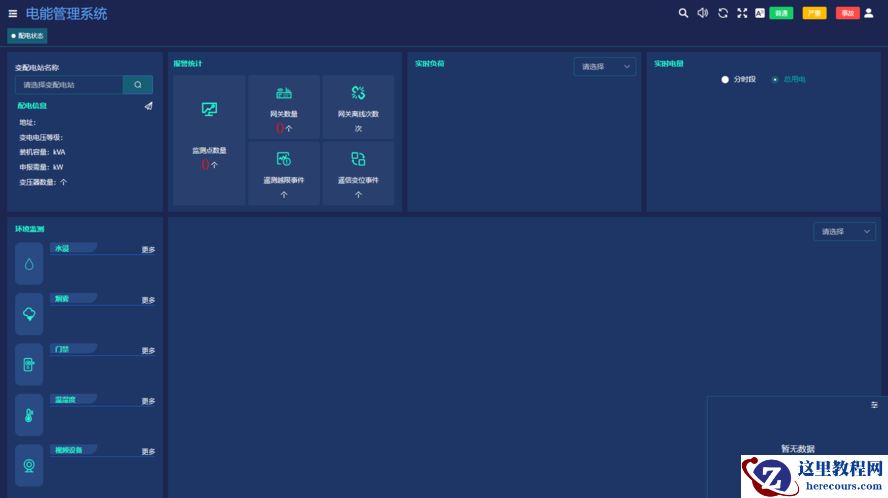
以智能电力仪表为基础的电能管理系统
26-03-03 - Oracle 23c安装建议

Oracle 23c安装建议
26-03-03 - 以智能电表为基础的电力监控系统的应用
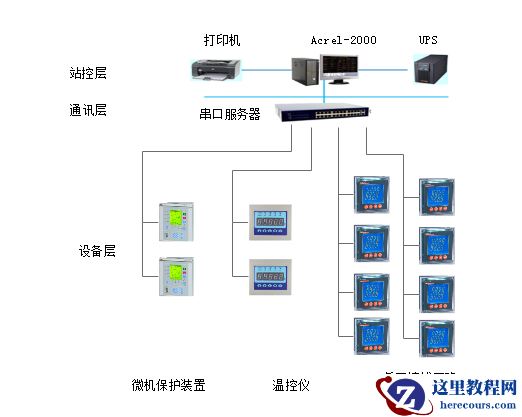
以智能电表为基础的电力监控系统的应用
26-03-03 - 小家电遇冷,苏泊尔、九阳、小熊电器求变
小家电遇冷,苏泊尔、九阳、小熊电器求变
26-03-03 - 透过金瑞基金一季度运营报告,看满帮创新故事背后的长期价值
透过金瑞基金一季度运营报告,看满帮创新故事背后的长期价值
26-03-03 - oracle rac+adg调整redo日志组导致adg备库ogg抽取进程abend
- 马达监控系统能实现哪些功能?
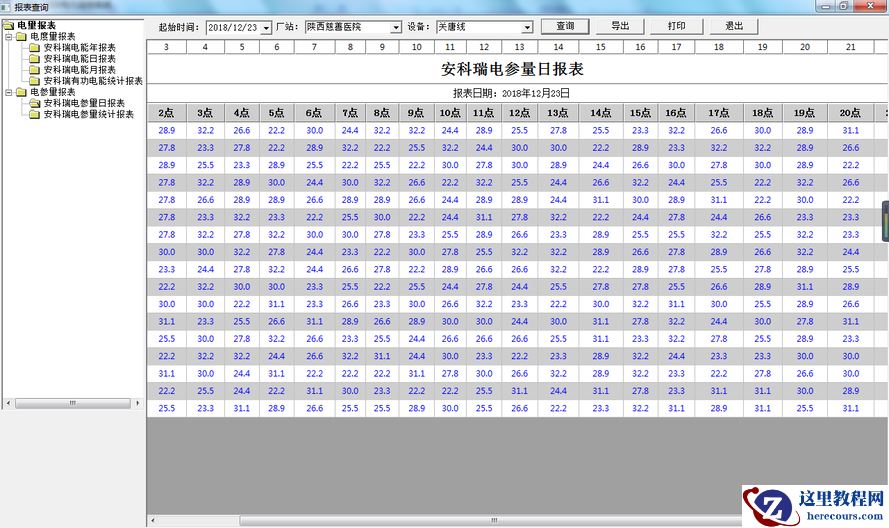
马达监控系统能实现哪些功能?
26-03-03 - 服务器中了勒索病毒,用友nc软件系统被loced1勒索病毒攻击后怎么办?

服务器中了勒索病毒,用友nc软件系统被loced1勒索病毒攻击后怎么办?
26-03-03 - 直播切片生意,何去何从?
直播切片生意,何去何从?
26-03-03 - 从业务连续性到数据安全合规,企业该如何应对?
从业务连续性到数据安全合规,企业该如何应对?
26-03-03