
[20230903]完善hide.sql脚本2.txt --//以前写的用来查询隐含参数的脚本如下: $ cat hide.sql col name format a40 col description format a66 col session_value format a22 col default_value format a22 col system_value format a22 select a.ksppinm name, a.ksppdesc DESCRIPTION, b.ksppstdf DEFAULT_VALUE, b.ksppstvl SESSION_VALUE, c.ksppstvl SYSTEM_VALUE, DECODE (BITAND (a.ksppiflg / 256, 1), 1, 'TRUE', 'FALSE') ISSES_MODIFIABLE, DECODE ( BITAND (a.ksppiflg / 65536, 3) ,1, 'IMMEDIATE' ,2, 'DEFERRED' ,3, 'IMMEDIATE' ,'FALSE' ) ISSYS_MODIFIABLE from x$ksppi a, x$ksppcv b, x$ksppsv c where a.indx = b.indx and a.indx = c.indx and lower(a.ksppinm) like lower('%&1%') escape '\' order by 1; --//参考链接:http://blog.itpub.net/267265/viewspace-2752521/=>[20210125]完善hide.sql脚本.txt --//一直存在一个小问题,假如查询如下: SYS@test> @ hide log_archive_dest_2 NAME DESCRIPTION DEFAULT_VALUE SESSION_VALUE SYSTEM_VALUE ISSES ISSYS_MOD ------------------- ------------------------------------ ------------- ------------- ------------ ----- --------- log_archive_dest_2 archival destination #2 text string TRUE TRUE IMMEDIATE log_archive_dest_20 archival destination #20 text string TRUE TRUE IMMEDIATE log_archive_dest_21 archival destination #21 text string TRUE TRUE IMMEDIATE log_archive_dest_22 archival destination #22 text string TRUE TRUE IMMEDIATE log_archive_dest_23 archival destination #23 text string TRUE TRUE IMMEDIATE log_archive_dest_24 archival destination #24 text string TRUE TRUE IMMEDIATE log_archive_dest_25 archival destination #25 text string TRUE TRUE IMMEDIATE log_archive_dest_26 archival destination #26 text string TRUE TRUE IMMEDIATE log_archive_dest_27 archival destination #27 text string TRUE TRUE IMMEDIATE log_archive_dest_28 archival destination #28 text string TRUE TRUE IMMEDIATE log_archive_dest_29 archival destination #29 text string TRUE TRUE IMMEDIATE 11 rows selected. --//显示一堆自己不需要的查看的log_archive_dest_2X参数,以前遇到这类情况我仅仅粘贴log_archive_dest_2的结果。 --//而且要显示log_archive_dest_3参数,要另外执行@ hide log_archive_dest_3. --//最近优化项目时才想到使用正则表达式可以很好地规避这些缺点,改写如下: $ cat hide.sql col name format a40 col description format a66 col session_value format a22 col default_value format a22 col system_value format a22 select a.ksppinm name, a.ksppdesc DESCRIPTION, b.ksppstdf DEFAULT_VALUE, b.ksppstvl SESSION_VALUE, c.ksppstvl SYSTEM_VALUE, DECODE (BITAND (a.ksppiflg / 256, 1), 1, 'TRUE', 'FALSE') ISSES_MODIFIABLE, DECODE ( BITAND (a.ksppiflg / 65536, 3) ,1, 'IMMEDIATE' ,2, 'DEFERRED' ,3, 'IMMEDIATE' ,'FALSE' ) ISSYS_MODIFIABLE from x$ksppi a, x$ksppcv b, x$ksppsv c where a.indx = b.indx and a.indx = c.indx -- and lower(a.ksppinm) like lower('%&1%') --escape '\' and regexp_like (lower(a.ksppinm) ,lower('&1')) order by 1; --//这样就灵活许多,只要知道正则表达式的写法,很容易完成需要的显示结果。比如我需要显示 --//log_archive_dest_2,log_archive_dest_3参数,执行如下: SYS@test> @ hide log_archive_dest_[23]$ NAME DESCRIPTION DEFAULT_VALUE SESSION_VALUE SYSTEM_VALUE ISSES ISSYS_MOD ------------------ ----------------------------------- ------------- ------------- ------------ ----- --------- log_archive_dest_2 archival destination #2 text string TRUE TRUE IMMEDIATE log_archive_dest_3 archival destination #3 text string TRUE TRUE IMMEDIATE --//而且里面_不再像以前的like那样解析为任意字符。以前要显示包含"_ash_"字符串的参数,以前要执行@ hide \_ash\_ --//现在只要知道正则表达式的语法,就可以很容易实现满足自己需要的查询结果。 --//例子: @ hide _ash_ @ hide ^_ash_ @ hide log_archive_dest_[[:digit:]] @ hide log_archive_dest_[[:digit:]]{1}$ --//注:输出结果我不再贴出,大家可以自行测试.为了保留原来的执行文件,我把新建立的执行脚本命名hidez.sql. --//顺便贴上一些正则表达式的解析,摘自man grep文档,许多自己不经常使用,做一个记录. Character Classes and Bracket Expressions A bracket expression is a list of characters enclosed by [ and ]. It matches any single character in that list. If the first character of the list is the caret ^ then it matches any character not in the list;it is unspecified whether it matches an encoding error. For example, the regular expression [0123456789] matches any single digit. Within a bracket expression, a range expression consists of two characters separated by a hyphen. It matches any single character that sorts between the two characters, inclusive, using the locale's collating sequence and character set. For example, in the default C locale, [a-d] is equivalent to [abcd]. Many locales sort characters in dictionary order, and in these locales [a-d] is typically not equivalent to [abcd]; it might be equivalent to [aBbCcDd], for example. To obtain the traditional interpretation of bracket expressions, you can use the C locale by setting the LC_ALL environment variable to the value C. Finally, certain named classes of characters are predefined within bracket expressions, as follows. Their names are self explanatory, and they are [:alnum:], [:alpha:], [:blank:], [:cntrl:], [:digit:], [:graph:], [:lower:], [:print:], [:punct:], [:space:], [:upper:], and [:xdigit:]. For example, [[:alnum:]] means the character class of numbers and letters in the current locale. In the C locale and ASCII character set encoding, this is the same as [0-9A-Za-z]. (Note that the brackets in these class names are part of the symbolic names, and must be included in addition to the brackets delimiting the bracket expression.) Most meta-characters lose their special meaning inside bracket expressions. To include a literal ] place it first in the list. Similarly, to include a literal ^ place it anywhere but first. Finally, to include a literal - place it last. Anchoring The caret ^ and the dollar sign $ are meta-characters that respectively match the empty string at the beginning and end of a line. The Backslash Character and Special Expressions The symbols \< and \> respectively match the empty string at the beginning and end of a word. The symbol \b matches the empty string at the edge of a word, and \B matches the empty string provided it's not at the edge of a word. The symbol \w is a synonym for [_[:alnum:]] and \W is a synonym for [^_[:alnum:]]. Repetition A regular expression may be followed by one of several repetition operators: ? The preceding item is optional and matched at most once. * The preceding item will be matched zero or more times. + The preceding item will be matched one or more times. {n} The preceding item is matched exactly n times. {n,} The preceding item is matched n or more times. {,m} The preceding item is matched at most m times. This is a GNU extension. {n,m} The preceding item is matched at least n times, but not more than m times.
[20230903]完善hide.sql脚本2.txt
来源:这里教程网
时间:2026-03-03 18:57:07
作者:
编辑推荐:
- [20230903]完善hide.sql脚本2.txt03-03
- [20230903]执行计划ANTI SNA和ANTI NA表示什么.txt03-03
- Oracle OCP 19c认证考试1Z0-082题库最新解析 第一题03-03
- 从线上化走向智能化,数字办公助力企业实现"效率+安全”双提升|爱分析报告03-03
- Rax App 研发框架背后的思考03-03
- enq:TX – row lock contention产生原因及处理脚本03-03
- [20230726]使用dbms_xplan.format_size格式化数字输出.txt03-03
- [20230803]12C SPM学习.txt03-03
下一篇:
相关推荐
-

-
-
-
-
-
-
-
-
-
-
-
-
-
-

雷神推出 MIX PRO II 迷你主机:基于 Ultra 200H,玻璃上盖 + ARGB 灯效
2 月 9 日消息,雷神 (THUNDEROBOT) 现已宣布推出基于英
-

制造商 Musnap 推出彩色墨水屏电纸书 Ocean C:支持手写笔、第三方安卓应用
2 月 10 日消息,制造商 Musnap 现已在海外推出一款 Oce
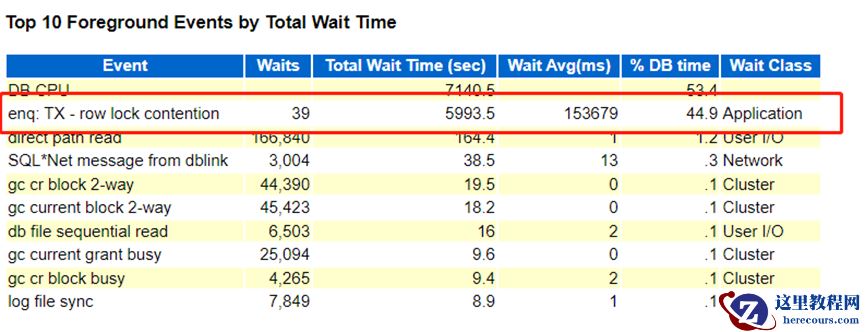
热文推荐
- 从线上化走向智能化,数字办公助力企业实现"效率+安全”双提升|爱分析报告
从线上化走向智能化,数字办公助力企业实现"效率+安全”双提升|爱分析报告
26-03-03 - enq:TX – row lock contention产生原因及处理脚本
- Oracle 11G 区管理方式
Oracle 11G 区管理方式
26-03-03 - VMware Workstation RAC共享磁盘与心跳配置
VMware Workstation RAC共享磁盘与心跳配置
26-03-03 - 在大有可为的即时零售赛道上,达达集团迈上了盈利台阶
在大有可为的即时零售赛道上,达达集团迈上了盈利台阶
26-03-03 - Oracle 11G 段管理优缺点方式

Oracle 11G 段管理优缺点方式
26-03-03 - 寒武纪行歌、地平线、黑芝麻吹响“保卫战”号角
寒武纪行歌、地平线、黑芝麻吹响“保卫战”号角
26-03-03 - 如何避免标量子查询
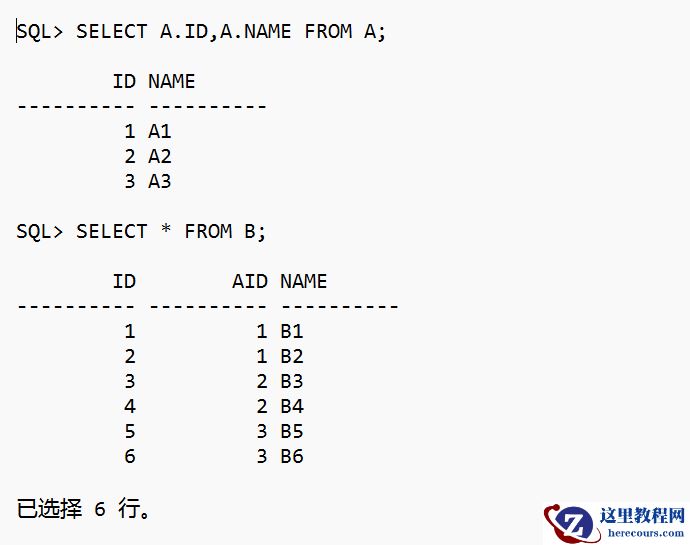
如何避免标量子查询
26-03-03 - 抢夺AI数字人百亿蛋糕,快手、谦寻的攻与防
抢夺AI数字人百亿蛋糕,快手、谦寻的攻与防
26-03-03 - 10g客户端连接19c报错ORA-07445问题处理

10g客户端连接19c报错ORA-07445问题处理
26-03-03