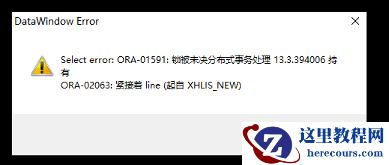
update误更新表恢复:
UPDATE sysuser a SET dept=(SELECT jjxm FROM z_temp20190313 b WHERE b.sbbm=a.dept)
WHERE useful='1' AND dept IS NOT NULL
查询 sysuser 表最后 dml 操作时间:
select max(ora_rowscn),to_char(scn_to_timestamp(max(ora_rowscn)),'yyyy-mm-dd hh24:mi:ss') from sysuser;
查询出误操作前 dept 的行的值,让客户比对是否正确:
select dept from sysuser as of timestamp to_timestamp('2019-03-13 16:04:20','YYYY-MM-DD HH24:MI:SS') where useful='1' and dept IS NOT NULL;
创建 tmp_sysuser 表
create table tmp_sysuser as select * from sysuser as of timestamp to_timestamp('2019-03-13 16:04:20','YYYY-MM-DD HH24:MI:SS');
rename 表
alter table sysuser rename to sysuser_bak;
alter tabel tmp_sysuser rename to sysuser;
delete误删表中的数据恢复:通过查询表的ddl,dml操作来查询最后删除表的时间
方法 1 :通过 flash 闪回恢复误删除的数据
设置时间输出格式:
alter session set nls_date_format = 'yyyy-mm-dd hh24:mi:ss';
查询 hh 表 dml 操作最后的时间:
select max(ora_rowscn),to_char(scn_to_timestamp(max(ora_rowscn)),'yyyy-mm-dd hh24:mi:ss') from hh;
MAX(ORA_ROWSCN) TO_CHAR(SCN_TO_TIMESTAMP(MAX(ORA_ROWSCN)),'YYYY-MM-DDHH24
--------------- ---------------------------------------------------------
1760891 2018-10-26 17:11:42
开启行迁移:
alter table hh enable row movement;
把表还原到指定时间点:
flashback table hh to timestamp to_timestamp('2018-10-26 17: 11:42 ','yyyy-mm-dd hh24:mi:ss');
关闭行移动功能:
alter table hh disable row movement;
发现数据已恢复:
select * from hh;
方法 2 :利用 oracle 快照进行查找某个事件节点的数据
设置时间输出格式:
alter session set nls_date_format = 'yyyy-mm-dd hh24:mi:ss';
查询 hh 表 dml 操作最后的时间:
select max(ora_rowscn),to_char(scn_to_timestamp(max(ora_rowscn)),'yyyy-mm-dd hh24:mi:ss') from hh;
MAX(ORA_ROWSCN) TO_CHAR(SCN_TO_TIMESTAMP(MAX(ORA_ROWSCN)),'YYYY-MM-DDHH24
--------------- ---------------------------------------------------------
1785209 2018-10-29 09:46:00
查询指定时间段的数据,再把查询到的数据复制到原来的表中
select * from hh as of timestamp to_timestamp('2018-10-29 09:46:00','YYYY-MM-DD HH24:MI:SS');
方法 3 :通过 scn 号来恢复
设置时间输出格式:
alter session set nls_date_format = 'yyyy-mm-dd hh24:mi:ss';
查询 hh 表 dml 操作最后的时间:
select max(ora_rowscn),to_char(scn_to_timestamp(max(ora_rowscn)),'yyyy-mm-dd hh24:mi:ss') from hh;
MAX(ORA_ROWSCN) TO_CHAR(SCN_TO_TIMESTAMP(MAX(ORA_ROWSCN)),'YYYY-MM-DDHH24
--------------- ---------------------------------------------------------
1787749 2018-10-29 10:47:33
查询这个时间点的scn号
select timestamp_to_scn(to_timestamp('2018-10-29 10:47:33','YYYY-MM-DD HH:MI:SS')) from dual;
TIMESTAMP_TO_SCN(TO_TIMESTAMP('2018-10-2910:47:33','YYYY-MM-DDHH:MI:SS'))
-------------------------------------------------------------------------
1787748
查询出该scn号的数据,进行插入
select * from hh as of scn 1787748;
drop误删整张表恢复:通过回收站进行恢复
如果通过 drop 命令重复删除,回收站都会有记录,为了避免恢复错误,可通过重命名方式恢复到新表。但如果回收站所在表空间空间不足,在有新数据进入时,回收站按照先进先清的机制,清理回收站中对象,也建议定期清理回收站对象,避免因回收站占用空间太大,影响数据库的统计分析。 再个需要注意的是,表所关联的索引会随着闪回表恢复,但名字依然是回收站命名方式。
可通过以下方式为索引重命名,建议闪回表后进行统计信息收集SQL> alter index "BIN$x6xk2qF4BvXgU3RQqMBXiA==$0" rename to t1_new_ind;
查看该用户下表的状态:
select table_name,dropped from user_tables;
TABLE_NAME DROPPED
------------------------------------------------------------------------------------------ ---------
YY NO
TODAY NO
TEST_JOB NO
YANG NO
SYS_TEMP_FBT NO
删除表 today : drop table today;
批量删除回收站的表
select 'purge '||TYPE||' "'||OWNER||'".'||'"'||OBJECT_NAME||'"'||';' from DBA_RECYCLEBIN where TYPE='TABLE';
批量恢复回收站的表
select 'flashback table '||' '||'"'||ORIGINAL_NAME||'"'||' to before drop;' from user_recyclebin where TYPE='TABLE';
查看回收站内的表,找到被删掉表
select object_name,original_name,type,droptime from user_recyclebin;
OBJECT_NAME ORIGINAL_NAME TYPE DROPTIME
------------------------------ ---------------------------------------- --------------------------------------------------------------------------- ---------------------------------------
BIN$eR1/iDlSEfHgU5GOqMBBeg==$0 HH TABLE 2018-10-26:15:16:29
BIN$eVYHzEvsCU7gU5GOqMCCaw==$0 HH TABLE 2018-10-29:10:43:13
BIN$eVYHzEvtCU7gU5GOqMCCaw==$0 HH TABLE 2018-10-29:10:45:10
BIN$eaXVO6ovCS3gU5GOqMCCVg==$0 TODAY TABLE 2018-11-02:10:18:11
BIN$ePDgD6BdC2PgU5GOqMBSKw==$0 HH TABLE 2018-10-24:10:02:15
恢复表:
flashback table today to before drop;
或 ( 为了避免恢复错误,可通过重命名方式恢复到新表 )
flashback table "BIN$eaXVO6owCS3gU5GOqMCCVg==$0" to before drop rename to ylr;
查看被删除的表,已恢复成功
select * from hh;





![[20240328]为什么找不到执行计划.txt](/d/file/efpub/2026/03-03/smalld5ec2a9eb823803817e78ab3dd5852981772538681.jpg "[20240328]为什么找不到执行计划.txt")