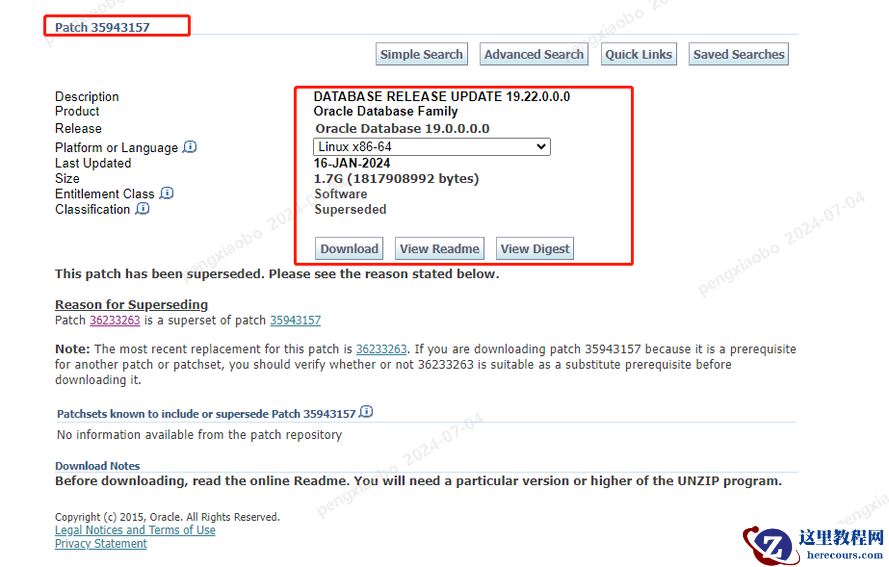
问题描述: 在使用数据泵导入数据时报如下错误。数据是从oracle 19c,Version 19.9.0.0.0版本中导出的。要导入到19c Version 19.22.0.0.0版本中。
Import: Release 19.0.0.0.0 - Production on Thu Jul 11 17:30:00 2024
Version 19.22.0.0.0
Copyright (c) 1982, 2019, Oracle and/or its affiliates.  All rights reserved.
Connected to: Oracle Database 19c Enterprise Edition Release 19.0.0.0.0 - Production
ORA-39006: internal error
ORA-39065: unexpected master process exception in DISPATCH
ORA-56935: existing datapump jobs are using a different version of time zone data file
ORA-06512: at "SYS.DBMS_DST", line 1849
ORA-06512: at "SYS.DBMS_SYS_ERROR", line 79
ORA-06512: at "SYS.DBMS_DST", line 1812
ORA-06512: at "SYS.KUPM$MCP", line 20452
ORA-06512: at "SYS.KUPM$MCP", line 13059
ORA-06512: at "SYS.KUPM$MCP", line 12435
ORA-06512: at "SYS.KUPM$MCP", line 15079
ORA-06512: at "SYS.KUPM$MCP", line 10315
ORA-39097: Data Pump job encountered unexpected error -56935
问题原因: 出现的问题有可能是之前一次的datapump操作没有正常退出,比如强制退出的。没有清除DST_UPGRADE_STATE. 当执行多个job 同时导入时也有可能导致此问题。 这是BUG 11836540. 据MOS文档中说明,在12.2 中已经被修复。但是我在19C 中仍遇到。 处理方案: 在mos上查询到两个资料 (Doc ID 2471020.1)和 (Doc ID 1307959.1),资料中介绍可以使用如下的方法进行处理。
connect / as sysdba
SELECT PROPERTY_NAME, SUBSTR (property_value, 1, 30) value
FROM   DATABASE_PROPERTIES
WHERE  PROPERTY_NAME LIKE 'DST_%'
ORDER  BY PROPERTY_NAME;
PROPERTY_NAME              VALUE
-------------------------- -------------------------------
DST_PRIMARY_TT_VERSION     11
DST_SECONDARY_TT_VERSION   3
DST_UPGRADE_STATE          DATAPUMP(1)
从上面查询的结果可以看到, DST_UPGRADE_STATE 的 value 值是DATAPUMP(1), 正常应该是NONE. 下面进行修复:
connect / as sysdba
ALTER SESSION SET EVENTS '30090 TRACE NAME CONTEXT FOREVER, LEVEL 32';
exec dbms_dst.unload_secondary;
再次查看 DST_UPGRADE_STATE的值:
connect / as sysdba
SELECT PROPERTY_NAME, SUBSTR (property_value, 1, 30) value
FROM   DATABASE_PROPERTIES
WHERE  PROPERTY_NAME LIKE 'DST_%'
ORDER  BY PROPERTY_NAME;
PROPERTY_NAME              VALUE
-------------------------- -------------------------------
DST_PRIMARY_TT_VERSION     11
DST_SECONDARY_TT_VERSION   3
DST_UPGRADE_STATE              NONE
修改完成后,再次导入执行成功。 下面是mos上两篇相关的文章。为了没有mos的兄弟查询。 第一篇 ORA-39065 And ORA-56935 Errors When Running Impdp On 12c R2 Database (Doc ID 2471020.1)
In this Document
| Symptoms |
| Changes |
| Cause |
| Solution |
| References |
APPLIES TO:
Oracle Database - Enterprise Edition - Version 12.2.0.1 and later Information in this document applies to any platform.
SYMPTOMS
Below errors are seen while running import process in 12.2.0.1 database:
CHANGES
None
CAUSE
The errors are caused by the fact that a previous DataPump import job exited ungracefully, without cleaning up DST_UPGRADE_STATE due to secondary timezone table. The errors could be also introduced after multiple import jobs were running and changed the data in the secondary timezone table. This can be checked with the following query:
Above query shows the row having DATAPUMP(<x>) value where <x> is a number equal or greater than 1 for DST_UPGRADE_STATE property.
This problem is addressed in below 2 bugs:
Unpublished Bug 11836540 - ABORTED DATA PUMP DID NOT CLEAN UP DST_UPGRADE_STATEEven if the fix for the Bug 11836540 was included in 12.2 as mentioned in Doc ID 1307959.1 the problem still persist.
Unpublished Bug 27529356 - DATA PUMP IMPORT FAILS WITH ORA-56935 ERRORSOLUTION
1. Apply interim patch 27529356, if available for your platform and Oracle version. To check for conflicting patches, please use the MOS Patch Planner Tool Please refer to Note 1317012.1 - How To Use MOS Patch Planner To Check And Request The Conflict Patches? If no patch exists for your version, please contact Oracle Support for a backport request.
- Or -
2. Use workaround:
Then re-check the new value for DST_UPGRADE_STATE property. This should return "NONE". If the value for DATAPUMP was > 1 (for example DATAPUMP(2) or DATAPUMP(3) ) then it might be needed to call dbms_dst.unload_secondary several times until the return value will be "NONE". After that, restart the import.
REFERENCES
NOTE:1307959.1 - DataPump Import Fails With Errors ORA-39097 ORA-39065 ORA-56935 / ORA-56938 第二篇 DataPump Import Fails With Errors ORA-39097 ORA-39065 ORA-56935 / ORA-56938 (Doc ID 1307959.1)
In this Document
| Symptoms |
| Changes |
| Cause |
| Solution |
| References |
APPLIES TO:
Oracle Database - Enterprise Edition - Version 11.2.0.2 to 12.1.0.2 [Release 11.2 to 12.1] Oracle Database Cloud Schema Service - Version N/A and later Gen 1 Exadata Cloud at Customer (Oracle Exadata Database Cloud Machine) - Version N/A and later Oracle Database Exadata Express Cloud Service - Version N/A and later Oracle Cloud Infrastructure - Database Service - Version N/A and later Information in this document applies to any platform.
SYMPTOMS
DataPump import fails with the following errors:
- or -
CHANGES
CAUSE
The errors are caused by the fact that a previous DataPump import job exited ungracefully, without cleaning up DST_UPGRADE_STATE due to secondary timezone table. The errors could be also introduced after multiple import jobs were running and changed the data in the secondary timezone table. This can be checked with the following query:
Above query shows the row having DATAPUMP(<x>) value where <x> is a number equal or greater than 1 for DST_UPGRADE_STATE property. This problem is addressed in unpublished Bug 11836540 - ABORTED DATA PUMP DID NOT CLEAN UP DST_UPGRADE_STATE The bug is fixed in 12.2.
SOLUTION
To solve the issue, use any of below alternatives:
Upgrade to 12.2 when available - OR - Apply interim Patch 11836540, if available for your platform and Oracle version. To check for conflicting patches, please use the MOS Patch Planner Tool Please refer to Note 1317012.1 - How To Use MOS Patch Planner To Check And Request The Conflict Patches? If no patch exists for your version, please contact Oracle Support for a backport request. - OR - Use next workaround:
编辑推荐:
- 第2期 19C impdp导入ORA-56935 ORA-3909703-03
- 好烦啊,1个SQL干崩核心系统长达12小时!03-03
- 【YashanDB知识库】yasql登录报错:YAS-0041303-03
- 【YashanDB知识库】表收集统计信息默认阈值引起SQL执行效率差03-03
- 【YashanDB知识库】调整NUMBER精度,再执行统计信息收集包偶现数据库异常退出03-03
- 【YashanDB知识库】含有NUL字节的varchar字符串查询时出现截断03-03
- 数据库管理-第220期 Oracle的高可用-03(20240715)03-03
- [20240618]Oracle C functions annotations.txt03-03
相关推荐
-

-
-
-
-
-
-
-
-
-
-
-
-
-
-

雷神推出 MIX PRO II 迷你主机:基于 Ultra 200H,玻璃上盖 + ARGB 灯效
2 月 9 日消息,雷神 (THUNDEROBOT) 现已宣布推出基于英
-

制造商 Musnap 推出彩色墨水屏电纸书 Ocean C:支持手写笔、第三方安卓应用
2 月 10 日消息,制造商 Musnap 现已在海外推出一款 Oce
热文推荐
- 好烦啊,1个SQL干崩核心系统长达12小时!

好烦啊,1个SQL干崩核心系统长达12小时!
26-03-03 - 数据库管理-第220期 Oracle的高可用-03(20240715)
数据库管理-第220期 Oracle的高可用-03(20240715)
26-03-03 - Hitachi Vantara 发布由 AMD 驱动的高性能混合云和数据库解决方案
- 数据库管理-第217期 Oracle的高可用-02(20240704)
数据库管理-第217期 Oracle的高可用-02(20240704)
26-03-03 - 优思学院|亚马逊如何因六西格玛而取得成功?

优思学院|亚马逊如何因六西格玛而取得成功?
26-03-03 - 如何高效使用YashanDB PL语言?这5点建议值得收藏

如何高效使用YashanDB PL语言?这5点建议值得收藏
26-03-03 - 国产数据库都在学它,DG Broker完全颠覆你的想象!
国产数据库都在学它,DG Broker完全颠覆你的想象!
26-03-03 - 数据库管理-第205期 换个角度看23ai(20240617)

数据库管理-第205期 换个角度看23ai(20240617)
26-03-03 - 第1期 Oracle Data Pump impdp报ORA-39405,手动更新DST v42版本
- 小特性 大用途 —— YashanDB JDBC驱动的这些特性你都get了吗?