Postgresql 12.2
日常运维
-
安装
(Linux)01
一:Linux
下安装
Postgresql
二:Windows
下安装
Postgresql
一:Linux
下安装
Postgresql
环境说明:
Linux OS:Red Hat Enterprise Linux Server release 7.5 (Maipo)
Windows OS:Windows 10
DB
:
PostgreSQL 12.2
1
下载
PostgreSQL 12.2
https://www.postgresql.org/
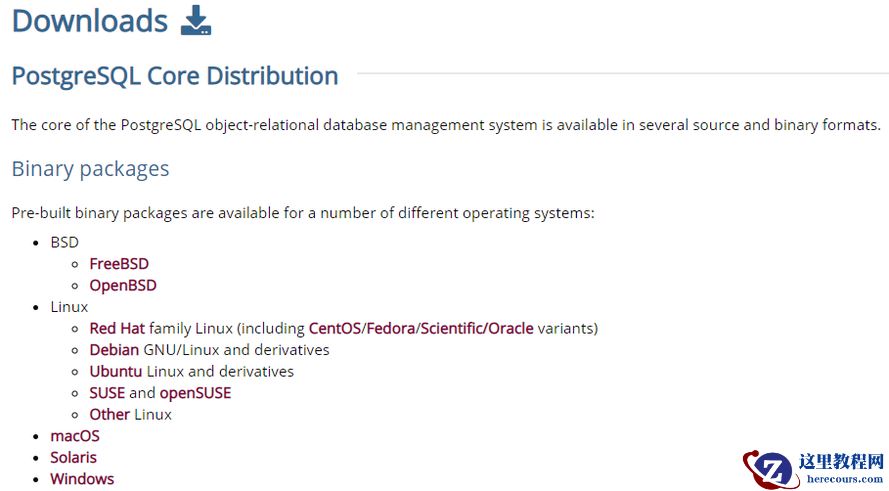
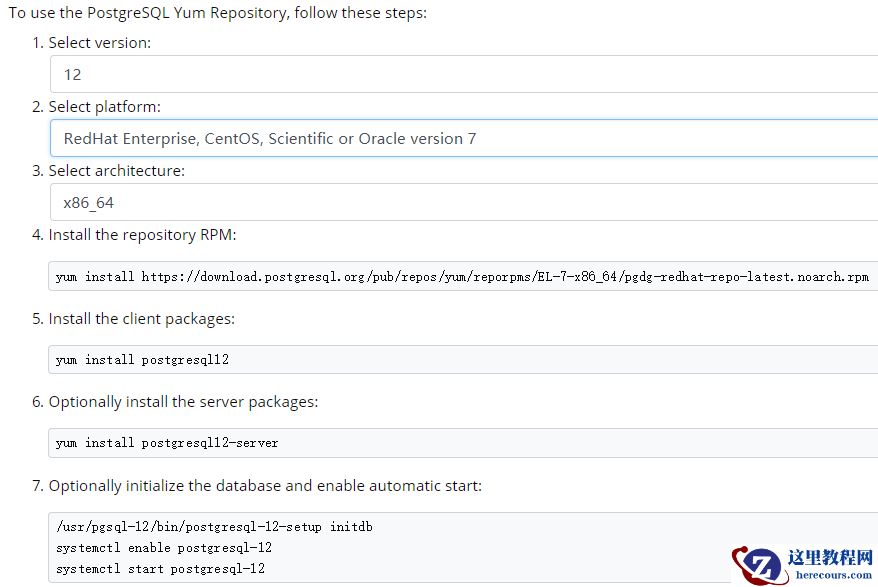
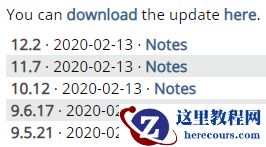 二进制包下载
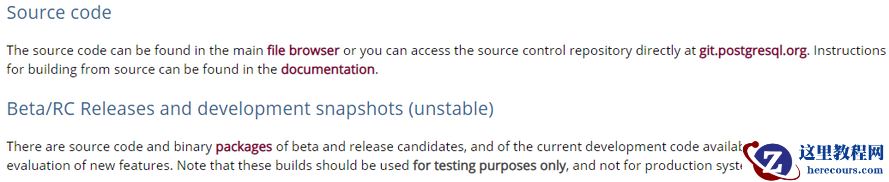
 源码包下载
本次实验使用源码包
源码包下载
本次实验使用源码包
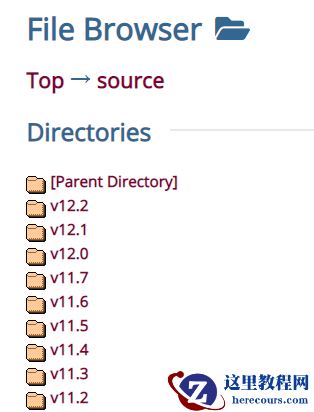 ......
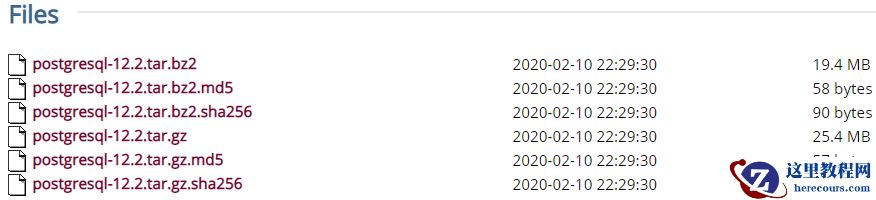 [root@cjcos package]# pwd
/package
[root@cjcos package]# ll -rth postgresql-12.2.tar.gz
-rw-r--r-- 1 root root 26M Apr 2 11:11 postgresql-12.2.tar.gz
[root@cjcos package]# md5sum postgresql-12.2.tar.gz
939acc9359abf0de9838965947a19158 postgresql-12.2.tar.gz
2
创建用户,组,目录等
[root@cjcos ~]# groupadd postgres
[root@cjcos ~]# useradd -g postgres postgres
[root@cjcos ~]# passwd postgres
[root@cjcos ~]# mkdir /usr/local/pgsql/data -p
[root@cjcos ~]# chown postgres.postgres /usr/local/pgsql -R
[root@cjcos package]# chown postgres.postgres /package/postgres -R
3
解压
[root@cjcos package]# su - postgres
[postgres@cjcos ~]$ cd /package/postgres/
[postgres@cjcos postgres]$ ll -rth
total 26M
-rw-r--r-- 1 postgres postgres 26M Apr 2 11:11 postgresql-12.2.tar.gz
[postgres@cjcos postgres]$ tar -zxvf postgresql-12.2.tar.gz
4
安装
[postgres@cjcos postgres]$ cd postgresql-12.2/
[postgres@cjcos postgresql-12.2]$ pwd
/package/postgres/postgresql-12.2
[postgres@cjcos postgresql-12.2]$ ./configure --prefix=/usr/local/pgsql
[postgres@cjcos postgresql-12.2]$ make
......
All of PostgreSQL successfully made. Ready to install.
[postgres@cjcos postgresql-12.2]$ make
install
......
PostgreSQL installation complete.
[root@cjcos pgsql]# pwd
/usr/local/pgsql
[root@cjcos pgsql]# ls
bin data include lib share
5
配置环境变量
[postgres@cjcos ~]$ vim .bash_profile
export PGHOME=/usr/local/pgsql
export PGDATA=/usr/local/pgsql/data
PATH=$PATH:$HOME/bin:$PGHOME/bin
[postgres@cjcos ~]$ source .bash_profile
6
使用initdb
初使用化数据库
[postgres@cjcos bin]$ ./initdb -D /usr/local/pgsql/data
[root@cjcos data]# pwd
/usr/local/pgsql/data
[root@cjcos data]# ls
base pg_hba.conf pg_notify pg_stat_tmp pg_twophase postgresql.conf
global pg_ident.conf pg_serial pg_subtrans PG_VERSION
pg_clog pg_multixact pg_snapshots pg_tblspc pg_xlog
7
修改参数
[root@cjcos data]# vim postgresql.conf
#listen_addresses = 'localhost' # what IP address(es) to listen on;
# comma-separated list of addresses;
# defaults to 'localhost'; use '*' for all
# (change requires restart)
#port = 5432 # (change requires restart)
listen_addresses = '*'
[root@cjcos data]# vim pg_hba.conf
# IPv4 local connections:
host all all 0.0.0.0/0 trust
host all all 127.0.0.1/32 trust
8
启动数据库
[postgres@cjcos bin]$ ./pg_ctl -D /usr/local/pgsql/data -l logfile start
waiting for server to start.... done
server started
9
登录数据库
[postgres@cjcos bin]$ ./psql
psql (12.2)
Type "help" for help.
postgres=# select current_setting('server_version_num');
current_setting
-----------------
120002
(1 row)
10
问题汇总:
问题一:
configure: error: readline library not found
问题原因:没有安装
readline-devel
解决方案:通过yum
安装
readline-devel
过程如下:
[postgres@cjcos postgresql-12.2]$ ./configure --prefix=/usr/local/pgsql
......
checking for library containing readline... no
configure: error: readline library not found
If you have readline already installed, see config.log for details on the
failure. It is possible the compiler isn't looking in the proper directory.
Use --without-readline to disable readline support.
[root@cjcos pgsql]# rpm -qa | grep readline
readline-6.2-10.el7.x86_64
[root@cjcos pgsql]# yum search readline
挂载镜像
[root@cjcos yum.repos.d]# mount /package/V975367-01.iso /mnt -o loop
配置本地yum
[root@cjcos yum.repos.d]# cat yum.repo
[Oralin7u5]
name=local yum
baseurl=file:///mnt
gpgcheck=0
enabled=1
安装
[root@cjcos pgsql]# yum -y install -y readline-devel
同时安装其他依赖包
[root@cjcos yum.repos.d]# yum -y install perl-ExtUtils-Embed readline-devel zlib-devel pam-devel libxml2-devel libxslt-devel openldap-devel python-devel gcc-c++ openssl-devel cmake
问题二:postgresql
启动报错版本不兼容
问题原因:在安装postgresql12.2
之前,操作系统上已经默认安装了一个
9.2
版本的
pg
。
解决方案:卸载pg9.2
,重新初始化数据库。
过程如下:
[postgres@cjcos bin]$ ./pg_ctl -D /usr/local/pgsql/data -l logfile start
......
2020-04-02 14:43:25.405 CST [27701] FATAL: database files are incompatible with server
2020-04-02 14:43:25.405 CST [27701] DETAIL:
The data directory was initialized by PostgreSQL version 9.2, which is not compatible with this version 12.2.
stopped waiting
pg_ctl: could not start server
Examine the log output.
[root@cjcos package]# pwd
/package
[root@cjcos package]# ll -rth postgresql-12.2.tar.gz
-rw-r--r-- 1 root root 26M Apr 2 11:11 postgresql-12.2.tar.gz
[root@cjcos package]# md5sum postgresql-12.2.tar.gz
939acc9359abf0de9838965947a19158 postgresql-12.2.tar.gz
2
创建用户,组,目录等
[root@cjcos ~]# groupadd postgres
[root@cjcos ~]# useradd -g postgres postgres
[root@cjcos ~]# passwd postgres
[root@cjcos ~]# mkdir /usr/local/pgsql/data -p
[root@cjcos ~]# chown postgres.postgres /usr/local/pgsql -R
[root@cjcos package]# chown postgres.postgres /package/postgres -R
3
解压
[root@cjcos package]# su - postgres
[postgres@cjcos ~]$ cd /package/postgres/
[postgres@cjcos postgres]$ ll -rth
total 26M
-rw-r--r-- 1 postgres postgres 26M Apr 2 11:11 postgresql-12.2.tar.gz
[postgres@cjcos postgres]$ tar -zxvf postgresql-12.2.tar.gz
4
安装
[postgres@cjcos postgres]$ cd postgresql-12.2/
[postgres@cjcos postgresql-12.2]$ pwd
/package/postgres/postgresql-12.2
[postgres@cjcos postgresql-12.2]$ ./configure --prefix=/usr/local/pgsql
[postgres@cjcos postgresql-12.2]$ make
......
All of PostgreSQL successfully made. Ready to install.
[postgres@cjcos postgresql-12.2]$ make
install
......
PostgreSQL installation complete.
[root@cjcos pgsql]# pwd
/usr/local/pgsql
[root@cjcos pgsql]# ls
bin data include lib share
5
配置环境变量
[postgres@cjcos ~]$ vim .bash_profile
export PGHOME=/usr/local/pgsql
export PGDATA=/usr/local/pgsql/data
PATH=$PATH:$HOME/bin:$PGHOME/bin
[postgres@cjcos ~]$ source .bash_profile
6
使用initdb
初使用化数据库
[postgres@cjcos bin]$ ./initdb -D /usr/local/pgsql/data
[root@cjcos data]# pwd
/usr/local/pgsql/data
[root@cjcos data]# ls
base pg_hba.conf pg_notify pg_stat_tmp pg_twophase postgresql.conf
global pg_ident.conf pg_serial pg_subtrans PG_VERSION
pg_clog pg_multixact pg_snapshots pg_tblspc pg_xlog
7
修改参数
[root@cjcos data]# vim postgresql.conf
#listen_addresses = 'localhost' # what IP address(es) to listen on;
# comma-separated list of addresses;
# defaults to 'localhost'; use '*' for all
# (change requires restart)
#port = 5432 # (change requires restart)
listen_addresses = '*'
[root@cjcos data]# vim pg_hba.conf
# IPv4 local connections:
host all all 0.0.0.0/0 trust
host all all 127.0.0.1/32 trust
8
启动数据库
[postgres@cjcos bin]$ ./pg_ctl -D /usr/local/pgsql/data -l logfile start
waiting for server to start.... done
server started
9
登录数据库
[postgres@cjcos bin]$ ./psql
psql (12.2)
Type "help" for help.
postgres=# select current_setting('server_version_num');
current_setting
-----------------
120002
(1 row)
10
问题汇总:
问题一:
configure: error: readline library not found
问题原因:没有安装
readline-devel
解决方案:通过yum
安装
readline-devel
过程如下:
[postgres@cjcos postgresql-12.2]$ ./configure --prefix=/usr/local/pgsql
......
checking for library containing readline... no
configure: error: readline library not found
If you have readline already installed, see config.log for details on the
failure. It is possible the compiler isn't looking in the proper directory.
Use --without-readline to disable readline support.
[root@cjcos pgsql]# rpm -qa | grep readline
readline-6.2-10.el7.x86_64
[root@cjcos pgsql]# yum search readline
挂载镜像
[root@cjcos yum.repos.d]# mount /package/V975367-01.iso /mnt -o loop
配置本地yum
[root@cjcos yum.repos.d]# cat yum.repo
[Oralin7u5]
name=local yum
baseurl=file:///mnt
gpgcheck=0
enabled=1
安装
[root@cjcos pgsql]# yum -y install -y readline-devel
同时安装其他依赖包
[root@cjcos yum.repos.d]# yum -y install perl-ExtUtils-Embed readline-devel zlib-devel pam-devel libxml2-devel libxslt-devel openldap-devel python-devel gcc-c++ openssl-devel cmake
问题二:postgresql
启动报错版本不兼容
问题原因:在安装postgresql12.2
之前,操作系统上已经默认安装了一个
9.2
版本的
pg
。
解决方案:卸载pg9.2
,重新初始化数据库。
过程如下:
[postgres@cjcos bin]$ ./pg_ctl -D /usr/local/pgsql/data -l logfile start
......
2020-04-02 14:43:25.405 CST [27701] FATAL: database files are incompatible with server
2020-04-02 14:43:25.405 CST [27701] DETAIL:
The data directory was initialized by PostgreSQL version 9.2, which is not compatible with this version 12.2.
stopped waiting
pg_ctl: could not start server
Examine the log output.
 [root@cjcos ~]# rpm -qa|grep postgre
postgresql-docs-9.2.23-3.el7_4.x86_64
postgresql-9.2.23-3.el7_4.x86_64
postgresql-libs-9.2.23-3.el7_4.x86_64
postgresql-server-9.2.23-3.el7_4.x86_64
[root@cjcos ~]# rpm -e postgresql-docs-9.2.23-3.el7_4.x86_64
[root@cjcos ~]# rpm -e postgresql-9.2.23-3.el7_4.x86_64 --nodeps
[root@cjcos ~]# rpm -e postgresql-libs-9.2.23-3.el7_4.x86_64 --nodeps
[root@cjcos ~]# rpm -e postgresql-server-9.2.23-3.el7_4.x86_64
[postgres@cjcos bin]$ ./initdb -D /usr/local/pgsql/data
[postgres@cjcos bin]$ ./pg_ctl -D /usr/local/pgsql/data -l logfile start
欢迎关注我的微信公众号"IT小Chen",共同学习,共同成长!!!
[root@cjcos ~]# rpm -qa|grep postgre
postgresql-docs-9.2.23-3.el7_4.x86_64
postgresql-9.2.23-3.el7_4.x86_64
postgresql-libs-9.2.23-3.el7_4.x86_64
postgresql-server-9.2.23-3.el7_4.x86_64
[root@cjcos ~]# rpm -e postgresql-docs-9.2.23-3.el7_4.x86_64
[root@cjcos ~]# rpm -e postgresql-9.2.23-3.el7_4.x86_64 --nodeps
[root@cjcos ~]# rpm -e postgresql-libs-9.2.23-3.el7_4.x86_64 --nodeps
[root@cjcos ~]# rpm -e postgresql-server-9.2.23-3.el7_4.x86_64
[postgres@cjcos bin]$ ./initdb -D /usr/local/pgsql/data
[postgres@cjcos bin]$ ./pg_ctl -D /usr/local/pgsql/data -l logfile start
欢迎关注我的微信公众号"IT小Chen",共同学习,共同成长!!!
Postgresql日常运维-安装(Linux)01
来源:这里教程网
时间:2026-03-14 19:50:02
作者:
编辑推荐:
下一篇:
相关推荐
-

-
-
-
-
-
-
-
-
-
-
-
-
-
-

雷神推出 MIX PRO II 迷你主机:基于 Ultra 200H,玻璃上盖 + ARGB 灯效
2 月 9 日消息,雷神 (THUNDEROBOT) 现已宣布推出基于英
-

制造商 Musnap 推出彩色墨水屏电纸书 Ocean C:支持手写笔、第三方安卓应用
2 月 10 日消息,制造商 Musnap 现已在海外推出一款 Oce

热文推荐
- Postgresql日常运维-安装(Linux)01
Postgresql日常运维-安装(Linux)01
26-03-14 - PostgreSQL 10.12 安装系列 - 源码安装
PostgreSQL 10.12 安装系列 - 源码安装
26-03-14 - PostgreSQL 源码解读(247)- HTAB动态扩展图解#1
PostgreSQL 源码解读(247)- HTAB动态扩展图解#1
26-03-14 - RockyLinux DHCP故障排除(手把手教你解决RockyLinux中DHCP无法获取IP的问题)
- PostgreSQL 源码解读(248)- HTAB动态扩展图解#2
PostgreSQL 源码解读(248)- HTAB动态扩展图解#2
26-03-14 - 前沿观察 | 分布式SQL性能对比
前沿观察 | 分布式SQL性能对比
26-03-14 - 深度 | 如何玩转PG查询处理与执行器算法
深度 | 如何玩转PG查询处理与执行器算法
26-03-14 - Excel 列标 数字恢复为字母的设置
Excel 列标 数字恢复为字母的设置
26-03-14 - PostgreSQL实际场景的十大缺陷你知道吗?
PostgreSQL实际场景的十大缺陷你知道吗?
26-03-14 - RockyLinux mysqldump命令详解(手把手教你完成数据库备份)