# 基于pg_basebackup归档备份和恢复 ## 1.归档模式配置 ### 主库 postgresql.conf archive_mode:是否开启归档,若要用归档方式搭建从库则必须开启 archive_command:归档命令,通常是cp archive_timeout:在指定秒数后强制切换一个wal文件,注意被切换的文件会跟正常文件一样大,所以这个参数设置过小会导致wal大量占用空间 ### 从库 recovery.conf - restore_command:告诉从库如何获取归档WAL文件段的命令,通常是cp restore_command = 'cp /data/PRD/postgres/10.7/pg5432/pg_archlog/%f %p' - archive_cleanup_command:从库清理已不需要的wal日志,避免磁盘空间撑满 ```bash archive_cleanup_command='pg_archivecleanup /data/PRD/postgres/10.7/pg5432/pg_archlog %r' ``` - recovery_end_command:恢复完成后执行指定命令 ### recovery target设置 **下列选项进指定恢复目标** - **recovery_target:**目前只能为immediate,指定恢复在达到一致状态后尽快结束,打开DB - **recovery_target_name:**由pg_create_restore_point()创建的还原点,用于恢复到指定还原 - **recovery_target_time**:这个参数指定恢复将进入的时间戳。 - recovery_target_lsn:此参数指定恢复将继续进行的预写日志位置的LSN。精确的停靠点也受 recovery_target_inclusive的影响。 使用系统数据类型pg_lsn解析此参数。 - recovery_target_name:这个参数指定(pg_create_restore_point()所创建)的已命名的恢复点,恢复将进入该恢复点。 - recovery_target_xid:这个参数指定恢复将进入的事务 ID。记住虽然事务 ID 是在事务开始时顺序分配的,但是事务可能以不同的数字顺序完成。那些在指定事务之前(也可以包括该事务)提交的事务将被恢复。精确的停止点也受到recovery_target_inclusive的影响。 **下列选项进一步指定恢复目标,并且影响到达目标时会发生什么** - recovery_target_inclusive :指定我们是否仅在指定的恢复目标之后停止(on)恢复包含恢复当前指定的恢复节点,或者仅在恢复目标之前停止(off)恢复不包含指定的节点。 适用于recovery_target_lsn、recovery_target_time或者recovery_target_xid被指定的情况 - recovery_target_timeline :指定恢复到一个特定的时间线中。默认值是沿着基础备份建立时的当前时间线恢复。将这个参数设置为latest会恢复到该归档中能找到的最新的时间线,这在一个后备服务器中有用。除此之外,你只需要在复杂的重恢复情况下设置这个参数,在这种情况下你需要返回到一个状态,该状态本身是在一次时间点恢复之后到达的。 > 使用recovery_target_time,recovery_target_lsn 回放方式较为常见。 - recovery_target_action : 1. 使用pause设置的目的是:备库回访完启动后,只读状态。 调用pg_wal_replay_resume()函数就可以恢复读写状态, 2. 使用shutdown设置的目的是:备份将无法启动,除非该配置被改变或者recovery.conf文件被手工移除。 3. 使用promote设置的目的是:备库回访完启动后,可读可写状态。 使用pause的目的是恢复到最想要的位置。当确定已恢复到最想要的位置,可以使用pg_wal_replay_resume()结束暂停的状态,这会让恢复终结。如果恢复的位置不是想要的,那么关闭服务器,重新设置恢复目标,然后启动DB继续恢复。 注意在recovery_target_action被设置为shutdown时,recovery.conf将不会被重命名,任何后续的启动都将会以立刻关闭为终结,除非该配置被改变或者recovery.conf文件被手工移除。 如果没有设置恢复目标,这个设置没有效果。如果没有启用hot_standby,pause设置的动作将和shutdown一样。 http://postgres.cn/docs/10/recovery-target-settings.html ## 2.时间线 ### 1.为什么需要时间线 比如某天17点开发来找你说误操作了,要恢复到15点的数据。好的,我们给他恢复了。恢复之后业务运行了半个小时,开发又来找你说,刚才搞错了应该恢复到16点的数据,能够做到吗? 如果没有时间线的概念而在15点后又没另外做备份,能用之前的备份+归档恢复到16点的数据吗?显然是不能的,因为在DB运行过程中产生了与旧WAL文件重名的文件,归档时覆盖原来的日志,导致恢复到16点需要的WAL文件丢失。  ### 2.时间线的作用 为了解决这个问题,PostgreSQL引入了时间线的概念。每当归档文件恢复完成,创建一个新的时间线用来区别新生成的WAL记录。区别的方式很简单,就在WAL文件名里加入了时间线ID,由时间线和日志序号来组成WAL文件名,不会覆盖由以前的时间线生成的WAL。 $ ls -1 00000002.history 00000003.history 00000003000000000000001A 00000003000000000000001B 源码实现如下: #define XLogFileName(fname, tli, log, seg) \ snprintf(fname, XLOG_DATA_FNAME_LEN + 1, "%08X%08X%08X", tli, log, seg) 有了时间线,只要备份和归档还在,我们小说的主角就能够重生到任意时间点了,但每次其实都相当于去到了一个平行世界,保证主角重生之后的所作所为不影响原来的世界。每个时间线也类似一个分支,在当前时间线的操作不会对其他时间线WAL造成影响。 ### 3. 何时会产生新时间线 - 利用归档进行恢复,完整恢复和PITR都会 - 从库激活为主库,即执行 pg_ctl promote –D $PGDATA ### 4. history文件 何时产生:与时间线相同,每当创建一个新的时间线,pg都会创建一个“时间线历史”文件,文件名类似.history。 内容:原时间线history文件的内容+一条当前时间线切换记录。 假设数据库恢复启动后,切换到新的时间线ID=5,那么文件名就是00000005.history ,该文件记录了自己是从什么时间哪个时间线什么原因分出来的(相当于主角重生之后还有记忆),该文件可能含有多行记录,每个记录的内容格式如下: * <parentTLI> <switchpoint> <reason> * * parentTLI ID of the parent timeline * switchpoint XLogRecPtr of the WAL position where the switch happened * reason human-readable explanation of why the timeline was changed 例如: $ cat 00000004.history 1 0/140000C8 no recovery target specified 2 0/19000060 no recovery target specified 3 0/1F000090 no recovery target specified 当数据库在从包含多个时间线的归档中恢复时,这些history文件允许系统选取正确的WAL文件,当然,它也能像WAL文件一样被归档到WAL归档目录里。历史文件只是很小的文本文件,所以保存它们的代价很小。 当我们在recovery.conf指定目标时间线tli进行恢复时,程序首先寻找.history文件,根据.history文件里面记录的时间线分支关系,找到从pg_control里面的startTLI到tli之间的所有时间线对应的日志文件,再进行恢复。 参考 http://mysql.taobao.org/monthly/2015/07/03/ ## 3.创建基础备份 创建基础备份 步骤1:基础备份 步骤2:模拟误操作,确定要重放到的节点 步骤3:切换wal日志 步骤4:修改端口,配置参数 步骤5:touch recovery.signal (用于启动重放模式) 步骤6:启动数据库,常看表数据 步骤7:数据迁移至主库 步骤8:删除备份库 step 1.创建归档路径 ```bash mkdir -p /opt/postgres/archive_dir/ chown -R postgres:postgres /opt/postgres/archive_dir ``` step 2.打开归档参数 ```bash archive_mode = on archive_command = 'test ! -f /opt/postgres/archive_dir/%f && cp %p /opt/postgres/archive_dir/%f' ``` step 3.创建表,插入数据 ```sql postgres=# drop table data_to_recover ; DROP TABLE postgres=# postgres=# CREATE TABLE data_to_recover(id int); CREATE TABLE postgres=# INSERT INTO data_to_recover VALUES (generate_series(1, 1500)); INSERT 0 1500 postgres=# SELECT pg_current_wal_lsn(); pg_current_wal_lsn -------------------- 0/1102D9E0 (1 row) postgres=# select pg_switch_wal(); pg_switch_wal --------------- 0/1102DA30 (1 row) postgres=# drop table data_to_recover ; DROP TABLE postgres=# select pg_switch_wal(); pg_switch_wal --------------- 0/12004738 (1 row) postgres=# ``` step 4.创建基础备份 ```bash [postgres@pcm basebackup]$ pg_basebackup -p5555 -Fp -D /pgccc/basebackup -P -v pg_basebackup: initiating base backup, waiting for checkpoint to complete pg_basebackup: checkpoint completed pg_basebackup: write-ahead log start point: 0/9000028 on timeline 1 pg_basebackup: starting background WAL receiver pg_basebackup: created temporary replication slot "pg_basebackup_11882" 154063/154063 kB (100%), 1/1 tablespace pg_basebackup: write-ahead log end point: 0/9000100 pg_basebackup: waiting for background process to finish streaming ... pg_basebackup: syncing data to disk ... pg_basebackup: renaming backup_manifest.tmp to backup_manifest pg_basebackup: base backup completed [postgres@pcm basebackup]$ ``` step 5.验证备份有效性 ```bash # 检查是否成功有效的备份(通过校验backup/backup_manifest) pg_verifybackup backup/ # 检查备份文件的相关起始状态 more backup/backup_label ``` pg_basebackup 备份的更多信息请关注官: https://www.postgresql.org/docs/current/app-pgbasebackup.htm ## 4.基于 PITR 的回复 ### 使用 recovery_target_xid,事务ID 进行回放 step 1.业务操作数据 ```sql postgres=# CREATE TABLE data_to_recover(id int); CREATE TABLE postgres=# begin; BEGIN postgres=*# INSERT INTO data_to_recover VALUES (generate_series(1, 2000)); INSERT 0 2000 postgres=*# select txid_current(); txid_current -------------- 749 (1 row) postgres=*# commit; COMMIT postgres=# begin; BEGIN postgres=*# INSERT INTO data_to_recover VALUES (generate_series(1, 1000)); INSERT 0 1000 postgres=*# select txid_current(); txid_current -------------- 750 (1 row) postgres=*# commit; COMMIT postgres=# drop table data_to_recover; DROP TABLE postgres=# select pg_switch_wal(); pg_switch_wal --------------- 0/A048100 (1 row) postgres=# ``` 在删表误操作前的事务ID 为<mark>750</mark>, 插入第一笔交易数据的的事务ID 为 <mark>749 </mark>,需要将数据恢复到此事务ID。 step 2.使用基础备份,进行数据库恢复。 编辑备份库的postgresql.conf配置 ```tex # 指定不同于运行库的端口号 port = 5433 # 在备份指定其回放时,从归档路径中寻找历史wal restore_command = 'cp /opt/postgres/archive_dir/%f %p' # 执行要回放的事务ID节点 recovery_target_xid = '749' ``` 修改完参数启动数据库前, 创建 recovery.signal 启动回放模式 ```tex touch recovery.signal ``` step 3.使用备份进行回复 ```bash [postgres@pcm basebackup_xid]$ pg_ctl -D /pgccc/basebackup_xid/ start waiting for server to start....2024-03-14 16:22:38.007 CST [11918] LOG: starting PostgreSQL 15.5 on x86_64-pc-linux-gnu, compiled by gcc (GCC) 4.8.5 20150623 (Red Hat 4.8.5-36), 64-bit 2024-03-14 16:22:38.007 CST [11918] LOG: listening on IPv6 address "::1", port 5432 2024-03-14 16:22:38.007 CST [11918] LOG: listening on IPv4 address "127.0.0.1", port 5432 2024-03-14 16:22:38.270 CST [11918] LOG: listening on Unix socket "/tmp/.s.PGSQL.5432" 2024-03-14 16:22:38.355 CST [11921] LOG: database system was interrupted; last known up at 2024-03-14 16:14:02 CST .cp: cannot stat ‘/pgccc/pgdata/pg_archivelog/00000002.history’: No such file or directory 2024-03-14 16:22:38.482 CST [11921] LOG: starting point-in-time recovery to XID 749 2024-03-14 16:22:38.499 CST [11921] LOG: restored log file "000000010000000000000009" from archive 2024-03-14 16:22:38.712 CST [11921] LOG: redo starts at 0/9000028 2024-03-14 16:22:38.727 CST [11921] LOG: restored log file "00000001000000000000000A" from archive 2024-03-14 16:22:38.945 CST [11921] LOG: consistent recovery state reached at 0/9000100 2024-03-14 16:22:38.945 CST [11918] LOG: database system is ready to accept read-only connections 2024-03-14 16:22:38.948 CST [11921] LOG: recovery stopping after commit of transaction 749, time 2024-03-14 16:15:04.85584+08 2024-03-14 16:22:38.948 CST [11921] LOG: pausing at the end of recovery 2024-03-14 16:22:38.948 CST [11921] HINT: Execute pg_wal_replay_resume() to promote. done server started [postgres@pcm basebackup_xid]$ ``` step 4.查看表数据,此时的表数据已经恢复 ```sql [postgres@pcm basebackup_xid]$ psql psql (15.5) Type "help" for help. postgres=# select count(*) from data_to_recover; count ------- 2000 (1 row) postgres=# ``` 进入备份库时会有这样的提示:HINT: Execute pg_wal_replay_resume() to promote. ```sql postgres=# INSERT INTO data_to_recover VALUES (generate_series(1, 1000)); 2024-03-14 16:25:44.413 CST [11930] ERROR: cannot execute INSERT in a read-only transaction 2024-03-14 16:25:44.413 CST [11930] STATEMENT: INSERT INTO data_to_recover VALUES (generate_series(1, 1000)); ERROR: cannot execute INSERT in a read-only transaction postgres=# ``` 由于备份库的参数中没有特别定义recovery_target_action 参数,其默认值为pause(只读) 此时我们的数据库是一个只读状态,可以通过在会话中执行一下函数,打开读写功能 ```sql postgres=# select pg_wal_replay_resume() ; 2024-03-14 16:25:56.628 CST [11921] LOG: redo done at 0/A038040 system usage: CPU: user: 0.00 s, system: 0.01 s, elapsed: 197.91 s 2024-03-14 16:25:56.628 CST [11921] LOG: last completed transaction was at log time 2024-03-14 16:15:04.85584+08 pg_wal_replay_resume ---------------------- (1 row) postgres=# cp: cannot stat ‘/pgccc/pgdata/pg_archivelog/00000002.history’: No such file or directory 2024-03-14 16:25:56.681 CST [11921] LOG: selected new timeline ID: 2 cp: cannot stat ‘/pgccc/pgdata/pg_archivelog/00000001.history’: No such file or directory 2024-03-14 16:25:57.655 CST [11921] LOG: archive recovery complete 2024-03-14 16:25:57.713 CST [11919] LOG: checkpoint starting: end-of-recovery immediate wait 2024-03-14 16:25:58.155 CST [11919] LOG: checkpoint complete: wrote 31 buffers (0.2%); 0 WAL file(s) added, 0 removed, 1 recycled; write=0.004 s, sync=0.204 s, total=0.500 s; sync files=18, longest=0.131 s, average=0.012 s; distance=16608 kB, estimate=16608 kB 2024-03-14 16:25:58.226 CST [11918] LOG: database system is ready to accept connections postgres=# INSERT INTO data_to_recover VALUES (generate_series(1, 1000)); INSERT 0 1000 postgres=# ``` 此时我们可以进行插入和其他操作 ```sql postgres=# INSERT INTO data_to_recover VALUES (generate_series(1, 1000)); INSERT 0 ``` ### 使用 recovery_target_name ,还原点回放 通过recovery_target_name重放,需要在操作中使用pg_create_restore_point()创建重放的name, step 1.业务数据操作 ```sql postgres=# CREATE TABLE data_to_recover(id int); CREATE TABLE postgres=# begin; BEGIN postgres=*# INSERT INTO data_to_recover VALUES (generate_series(1, 2000)); INSERT 0 2000 postgres=*# select pg_create_restore_point('restore_point'); pg_create_restore_point ------------------------- 0/B036658 (1 row) postgres=*# commit; COMMIT postgres=# begin; BEGIN postgres=*# INSERT INTO data_to_recover VALUES (generate_series(1, 1000)); INSERT 0 1000 postgres=*# select txid_current(); txid_current -------------- 754 (1 row) postgres=*# commit; COMMIT postgres=# select pg_switch_wal(); pg_switch_wal --------------- 0/B0461F0 (1 row) postgres=# dopt table data_to_recover postgres-# ``` step 2.修改备份相关参数 编辑备份库的 postgresql.conf 配置 ```tex # 指定不同于运行库的端口号 port = 5433 # 在备份指定其回放时,从归档路径中寻找历史wal restore_command = 'cp /opt/postgres/archive_dir/%f %p' # 执行要回放到的节点名称 recovery_target_name = 'restore_point' ``` step 3.创建 recovery.signal ,启动回放模式 ```tex touch recovery.signal ``` step 4.启动数据库 ```bash [postgres@pcm basebackup_point]$ pg_ctl -D /pgccc/basebackup_point/ start waiting for server to start....2024-03-14 16:43:44.006 CST [12001] LOG: starting PostgreSQL 15.5 on x86_64-pc-linux-gnu, compiled by gcc (GCC) 4.8.5 20150623 (Red Hat 4.8.5-36), 64-bit 2024-03-14 16:43:44.007 CST [12001] LOG: listening on IPv6 address "::1", port 5432 2024-03-14 16:43:44.007 CST [12001] LOG: listening on IPv4 address "127.0.0.1", port 5432 2024-03-14 16:43:44.316 CST [12001] LOG: listening on Unix socket "/tmp/.s.PGSQL.5432" 2024-03-14 16:43:44.409 CST [12004] LOG: database system was interrupted; last known up at 2024-03-14 16:14:02 CST 2024-03-14 16:43:44.521 CST [12004] LOG: restored log file "00000002.history" from archive cp: cannot stat ‘/pgccc/pgdata/pg_archivelog/00000003.history’: No such file or directory 2024-03-14 16:43:44.524 CST [12004] LOG: starting point-in-time recovery to "restore_point" 2024-03-14 16:43:44.528 CST [12004] LOG: restored log file "00000002.history" from archive 2024-03-14 16:43:44.615 CST [12004] LOG: restored log file "000000010000000000000009" from archive 2024-03-14 16:43:44.788 CST [12004] LOG: redo starts at 0/9000028 cp: cannot stat ‘/pgccc/pgdata/pg_archivelog/00000002000000000000000A’: No such file or directory 2024-03-14 16:43:44.807 CST [12004] LOG: restored log file "00000001000000000000000A" from archive .2024-03-14 16:43:45.175 CST [12004] LOG: consistent recovery state reached at 0/9000100 2024-03-14 16:43:45.175 CST [12001] LOG: database system is ready to accept read-only connections cp: cannot stat ‘/pgccc/pgdata/pg_archivelog/00000002000000000000000B’: No such file or directory 2024-03-14 16:43:45.197 CST [12004] LOG: restored log file "00000001000000000000000B" from archive done server started [postgres@pcm basebackup_point]$ 3 ``` step 5.此时可以在备份库中看到被删除的数据 ### 使用 recovery_target_lsn,wal 日志lsn回放 step 1.模拟误操作 ```sql postgres=# drop table data_to_recover ; DROP TABLE postgres=# CREATE TABLE data_to_recover(id int); CREATE TABLE postgres=# INSERT INTO data_to_recover VALUES (generate_series(1, 2000)); INSERT 0 2000 postgres=# SELECT pg_current_wal_lsn(); pg_current_wal_lsn -------------------- 0/B0375B8 (1 row) postgres=# drop table data_to_recover ; DROP TABLE postgres=# select pg_switch_wal(); pg_switch_wal --------------- 0/B037AE8 (1 row) postgres=# ``` step 2.编辑备份库的相关postgresql.conf配置参数信息 此时我们需要重放到LSN为 0/B0375B8 删表前的数据状态 ```tex # 指定不同于运行库的端口号 port = 5433 # 在备份指定其回放时,从归档路径中寻找历史wal restore_command = 'cp /opt/postgres/archive_dir/%f %p' # 执行要回放到的节点名称 recovery_target_lsn = '0/B0375B8' ``` step 3.创建 recovery.signal,启动回放模式 ```tex touch recovery.signal ``` step 4.修改参数后进行启动数据库 ```bash [postgres@pcm basebackup]$ pg_ctl -D /pgccc/basebackup/ start waiting for server to start....2024-03-14 17:50:29.595 CST [12615] LOG: starting PostgreSQL 15.5 on x86_64-pc-linux-gnu, compiled by gcc (GCC) 4.8.5 20150623 (Red Hat 4.8.5-36), 64-bit 2024-03-14 17:50:29.596 CST [12615] LOG: listening on IPv6 address "::1", port 5432 2024-03-14 17:50:29.596 CST [12615] LOG: listening on IPv4 address "127.0.0.1", port 5432 2024-03-14 17:50:29.707 CST [12615] LOG: listening on Unix socket "/tmp/.s.PGSQL.5432" 2024-03-14 17:50:29.984 CST [12618] LOG: database system was interrupted; last known up at 2024-03-14 17:47:46 CST cp: cannot stat ‘/pgccc/pgdata/pg_archivelog/00000002.history’: No such file or directory 2024-03-14 17:50:30.088 CST [12618] LOG: starting point-in-time recovery to WAL location (LSN) "0/E025D28" 2024-03-14 17:50:30.105 CST [12618] LOG: restored log file "00000001000000000000000D" from archive 2024-03-14 17:50:30.333 CST [12618] LOG: redo starts at 0/D000028 2024-03-14 17:50:30.347 CST [12618] LOG: restored log file "00000001000000000000000E" from archive .2024-03-14 17:50:30.924 CST [12618] LOG: consistent recovery state reached at 0/D000100 2024-03-14 17:50:30.924 CST [12615] LOG: database system is ready to accept read-only connections cp: cannot stat ‘/pgccc/pgdata/pg_archivelog/00000001000000000000000F’: No such file or directory 2024-03-14 17:50:30.930 CST [12618] LOG: recovery stopping after WAL location (LSN) "0/E025D28" 2024-03-14 17:50:30.930 CST [12618] LOG: pausing at the end of recovery 2024-03-14 17:50:30.930 CST [12618] HINT: Execute pg_wal_replay_resume() to promote. done server started [postgres@pcm basebackup]$ ``` 此时可以看到数据已经恢复。 #### lsn三种形式 pg_controldata 中可以看到这样的lsn表示: ```bash Latest checkpoint location: 2F/F849D720 Prior checkpoint location: 2F/F849D720 Latest checkpoint's REDO location: 2F/F849D6E8 Latest checkpoint's REDO WAL file: 000000010000002F000000F8 ``` pg中的一些控制函数也可以看到类似的表示: ```sql postgres=# select pg_current_wal_lsn(); pg_current_wal_lsn --------------------------------------------------- 2F/F849D7C8 postgres=# select pg_walfile_name('2F/F849D7C8'); pg_walfile_name ---------------------------------------------------- 000000010000002F000000F8 ``` pg中的xlog文件命名看起来是另一种形式: ```sqk 16777216 Mar 15 19:16 000000010000002F000000F8 16777216 Feb 28 15:16 000000010000002F000000F9 16777216 Feb 28 15:16 000000010000002F000000FA 16777216 Feb 28 15:16 000000010000002F000000FB 16777216 Feb 28 15:16 000000010000002F000000FC 16777216 Feb 28 15:16 000000010000002F000000FD 16777216 Feb 28 15:16 000000010000002F000000FE 16777216 Feb 28 15:16 000000010000002F000000FF 16777216 Feb 28 15:16 000000010000003000000000 16777216 Feb 28 15:16 000000010000003000000001 16777216 Feb 28 15:16 000000010000003000000002 16777216 Feb 28 15:16 000000010000003000000003 16777216 Feb 28 15:16 000000010000003000000004 16777216 Feb 28 15:16 000000010000003000000005 16777216 Feb 28 15:18 000000010000003000000006 16777216 Feb 28 15:18 000000010000003000000007 16777216 Feb 28 15:20 000000010000003000000008 16777216 Mar 11 15:18 000000010000003000000009 16777216 Mar 11 15:18 00000001000000300000000A 16777216 Mar 11 15:18 00000001000000300000000B ``` 在代码中可以看到的lsn又是一种表示: ```c (gdb) p RedoStartLSN $23 = 206029051624 (gdb) p/x checkPointLoc $24 = 0x2ff849d720 ``` 上述三种形式的关系是什么? 1. 文件名含义 ```bash 000000010000002F000000F8 00000001 0000002F 000000F8 timeline logid segid ``` 2. 控制函数查出来的'A/B'形式的lsn含义 ```bash 2F/F849D7C8 2F F8 49D7C8 logid segid offset ``` 3. pg内部变量含义:就是lsn不带'/' ```bash (gdb) p RedoStartLSN $23 = 206029051624 = 0x2FF849D6E8 2F F8 49D6E8 logid segid offset ``` ### 使用 recovery_target_time step 1.模拟误操作 ```sql postgres=# drop table data_to_recover; DROP TABLE postgres=# postgres=# CREATE TABLE data_to_recover(id int); CREATE TABLE postgres=# INSERT INTO data_to_recover VALUES (generate_series(1, 1000000)); INSERT 0 1000000 postgres=# SELECT current_timestamp; current_timestamp ------------------------------- 2024-03-14 18:06:12.297184+08 (1 row) postgres=# drop table data_to_recover ; DROP TABLE postgres=# select pg_switch_wal(); pg_switch_wal --------------- 0/21D4E4C0 (1 row) postgres=# ``` 备注:整文都是在已知确切的回放节点上进行回放,在实际生产中往往只知道大概时间,甚至不知道具体时间,此时记录数据变更语句就非常重要。 step 2.编辑备份库的相关postgresql.conf配置参数信息 ```tex # 指定不同于运行库的端口号 port = 5433 # 在备份指定其回放时,从归档路径中寻找历史wal restore_command = 'cp /opt/postgres/archive_dir/%f %p' # 执行要回放到的节点名称 recovery_target_time = '2024-03-14 18:06:12.297184+08' ``` step 3.创建 recovery.signal,启动回放模式 ```tex touch recovery.signal ``` step 4.修改参数后进行启动数据库 ```sql [postgres@pcm basebackup]$ pg_ctl -D /pgccc/basebackup/ start waiting for server to start....2024-03-14 18:09:11.144 CST [12795] LOG: starting PostgreSQL 15.5 on x86_64-pc-linux-gnu, compiled by gcc (GCC) 4.8.5 20150623 (Red Hat 4.8.5-36), 64-bit 2024-03-14 18:09:11.145 CST [12795] LOG: listening on IPv6 address "::1", port 5432 2024-03-14 18:09:11.145 CST [12795] LOG: listening on IPv4 address "127.0.0.1", port 5432 2024-03-14 18:09:11.410 CST [12795] LOG: listening on Unix socket "/tmp/.s.PGSQL.5432" 2024-03-14 18:09:11.667 CST [12798] LOG: database system was interrupted; last known up at 2024-03-14 18:05:54 CST cp: cannot stat ‘/pgccc/pgdata/pg_archivelog/00000002.history’: No such file or directory 2024-03-14 18:09:11.802 CST [12798] LOG: starting point-in-time recovery to 2024-03-14 18:06:12.297184+08 2024-03-14 18:09:11.818 CST [12798] LOG: restored log file "00000001000000000000001D" from archive .2024-03-14 18:09:12.341 CST [12798] LOG: redo starts at 0/1D000028 2024-03-14 18:09:12.358 CST [12798] LOG: restored log file "00000001000000000000001E" from archive 2024-03-14 18:09:12.824 CST [12798] LOG: consistent recovery state reached at 0/1D000100 2024-03-14 18:09:12.824 CST [12795] LOG: database system is ready to accept read-only connections done server started [postgres@pcm basebackup]$ 2024-03-14 18:09:13.023 CST [12798] LOG: restored log file "00000001000000000000001F" from archive 2024-03-14 18:09:13.674 CST [12798] LOG: restored log file "000000010000000000000020" from archive 2024-03-14 18:09:14.289 CST [12798] LOG: restored log file "000000010000000000000021" from archive cp: cannot stat ‘/pgccc/pgdata/pg_archivelog/000000010000000000000022’: No such file or directory 2024-03-14 18:09:15.040 CST [12798] LOG: recovery stopping before commit of transaction 765, time 2024-03-14 18:06:15.299546+08 2024-03-14 18:09:15.040 CST [12798] LOG: pausing at the end of recovery 2024-03-14 18:09:15.040 CST [12798] HINT: Execute pg_wal_replay_resume() to promote. ``` 查询数据正常
基于pg_basebackup归档备份和恢复,使用PITR
来源:这里教程网
时间:2026-03-14 21:19:23
作者:
编辑推荐:
下一篇:
相关推荐
-

-
-
-
-
-
-
-
-
-
-
-
-
-
-

雷神推出 MIX PRO II 迷你主机:基于 Ultra 200H,玻璃上盖 + ARGB 灯效
2 月 9 日消息,雷神 (THUNDEROBOT) 现已宣布推出基于英
-

制造商 Musnap 推出彩色墨水屏电纸书 Ocean C:支持手写笔、第三方安卓应用
2 月 10 日消息,制造商 Musnap 现已在海外推出一款 Oce
热文推荐
- 聊聊pg_bulkload的大概的实现逻辑
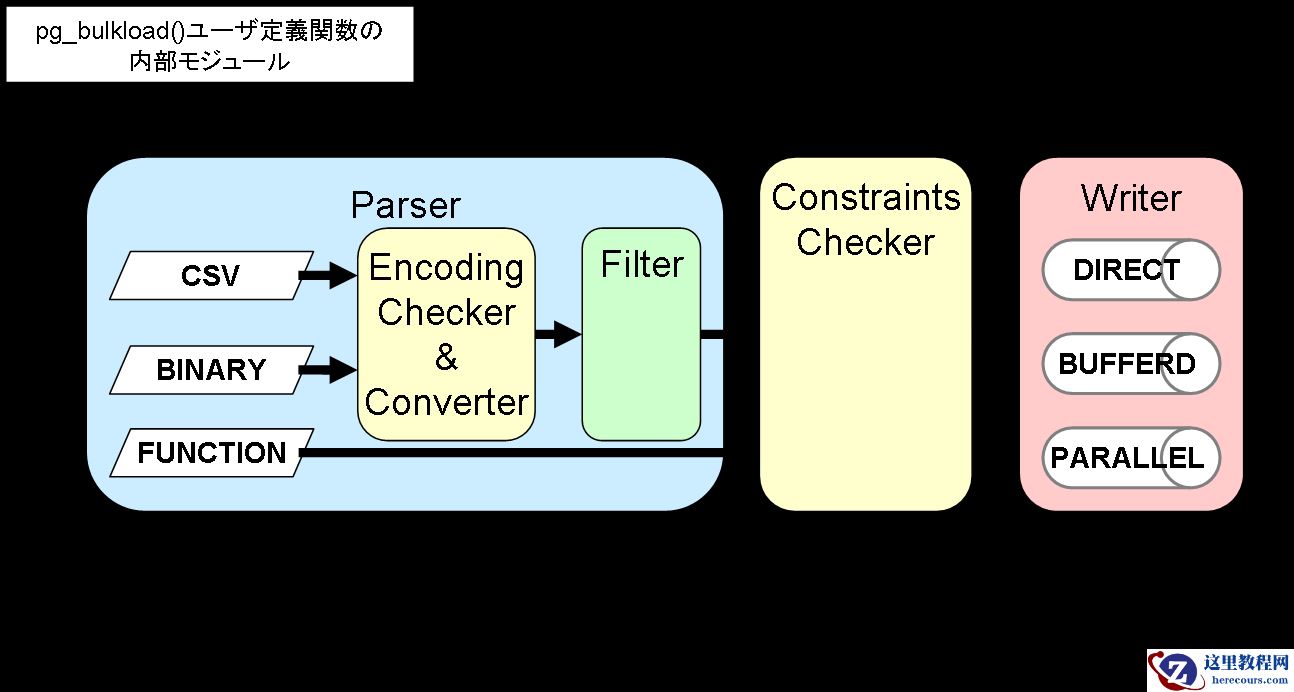
聊聊pg_bulkload的大概的实现逻辑
26-03-14 - 基于知识图谱与异常检测的PG数据库故障定位
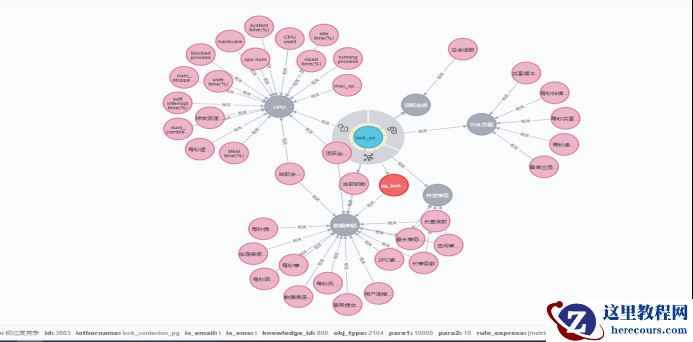
基于知识图谱与异常检测的PG数据库故障定位
26-03-14 - PG外部数据包装神器FDW,都在这里了...

PG外部数据包装神器FDW,都在这里了...
26-03-14 - PG备份恢复学的这么差,试用期你都过不了

PG备份恢复学的这么差,试用期你都过不了
26-03-14 - Postgresql生态
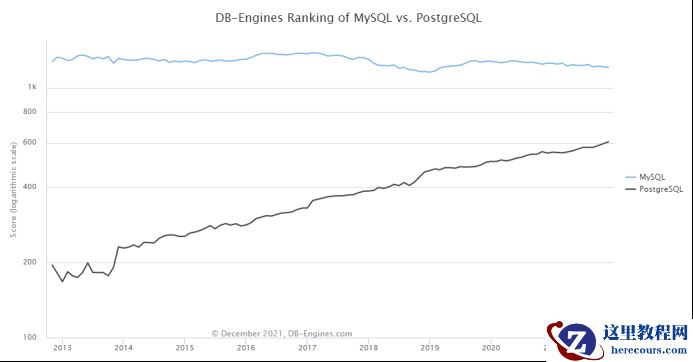
Postgresql生态
26-03-14 - 使用plprofiler分析PostgreSQL函数各语句的执行情况
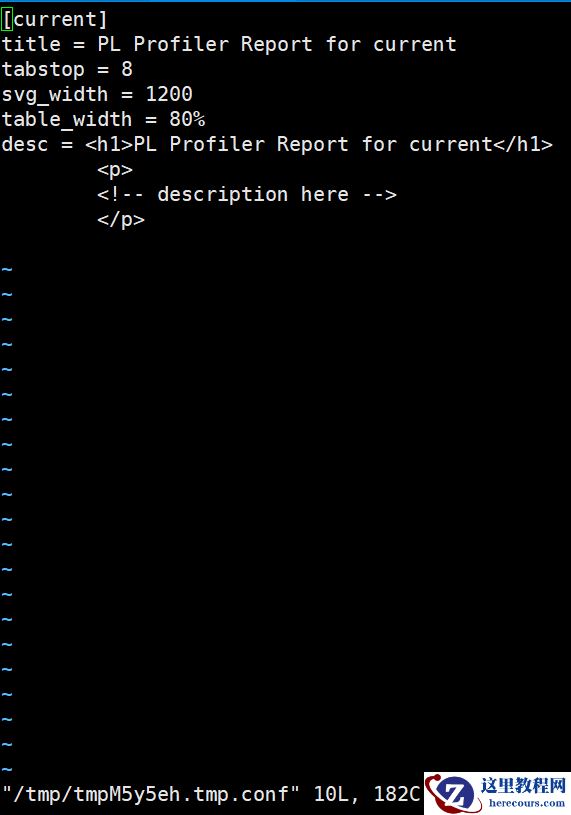
使用plprofiler分析PostgreSQL函数各语句的执行情况
26-03-14 - 掌握RockyLinux anacron命令(轻松实现非24小时运行的定时任务)
- PG 学习教程

PG 学习教程
26-03-14 - 改变数据页大小能带来多少收益?

改变数据页大小能带来多少收益?
26-03-14 - 如何配置PG的数据库缓冲
如何配置PG的数据库缓冲
26-03-14